
This post is part of our iPod Repair Series. Check these other links:
- Can a Water-Damaged iPod Be Saved?
- Why Your iPod Click Wheel Isn’t Working
- Why Your iPod Won’t Turn On: Common Causes and What You Can Do
- Signs Your iPod Battery Needs Replacement
- Can an iPod Be Repaired? Everything You Need to Know
- Is Your iPod Worth Repairing?
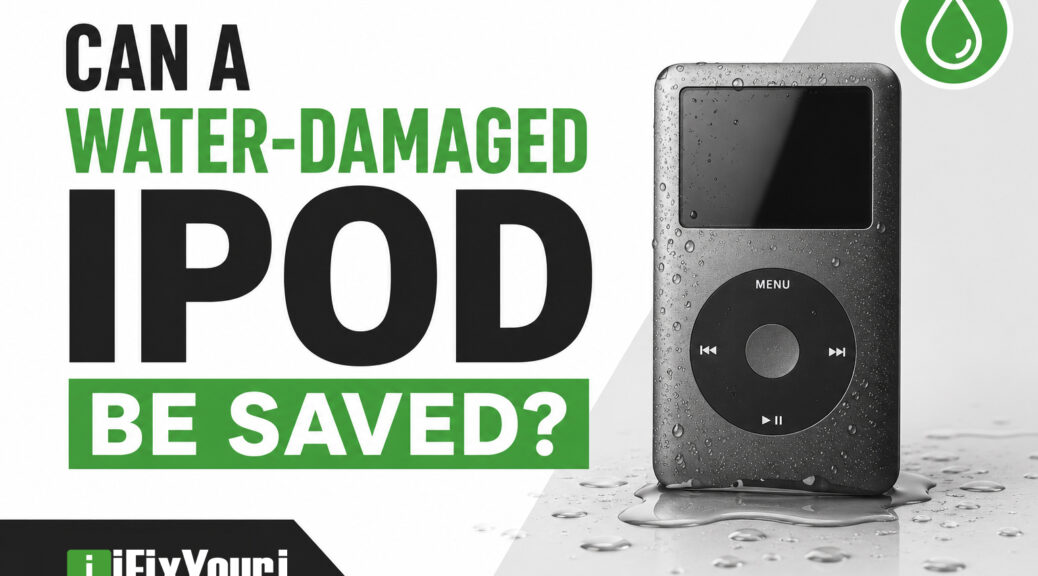
Yes, a water-damaged iPod can sometimes be saved. In fact, liquid damage does not automatically mean that your favorite iPod Classic or iPod Touch is permanently ruined.
The outcome depends on several factors, including how much liquid entered the device, what type of liquid it was, how long the iPod remained wet, and whether anyone tried to turn it on or charge it afterward.
That last point matters. If your iPod recently took an unexpected swim, don’t turn it on, don’t press buttons repeatedly, and don’t connect it to a charger. Instead, stop using it and get the device evaluated as soon as possible.
Professional repair technicians can inspect the internal components, remove contamination, address corrosion, and determine which parts still work.
iFixYouri iPod Repair Services
Can a Water-Damaged iPod Be Repaired?
Yes, in many cases, a water-damaged iPod can be repaired.
Liquid can affect an iPod in several ways. Water can create electrical connections where none should exist, while minerals and contaminants left behind after the liquid evaporates can contribute to corrosion.
The good news is that technicians don’t necessarily need to replace the entire device. Depending on the damage, they may be able to clean the internal components, repair damaged circuitry, or replace individual components.
For example, an iPod Classic that was briefly exposed to water might have a contaminated logic board but otherwise functional storage, display, battery, and controls. Cleaning and repairing the affected components could potentially restore the device without replacing everything.
iFixYouri specifically offers water-damage repair for iPod models, including the iPod Classic 7th generation, using diagnostic testing and ultrasonic cleaning.
What Determines Whether an iPod Can Be Saved?
Several factors influence the chances of a successful repair:
- How much liquid entered the iPod
- How long the device remained wet
- Whether it was powered on during the exposure
- Whether it was connected to a charger
- What type of liquid caused the damage
- How much corrosion developed
- Which internal components were affected
- The specific iPod model
A brief splash is very different from leaving an iPod submerged in a swimming pool for several minutes.
Similarly, clean water and a sugary soft drink can create different problems because liquids can leave different residues behind.
Why Is Water Damage So Dangerous for Electronics?
Water itself is only part of the problem.
Electronic devices contain conductive paths, metal contacts, connectors, and tiny components that depend on electricity traveling through very specific routes. When liquid gets inside, it can interfere with those paths.
More importantly, moisture and contamination can lead to corrosion.
Research from Pacific Northwest National Laboratory identifies moisture as a contributor to multiple electronic failure modes, including corrosion and electrical problems on printed circuit boards. Researchers also note that moisture-related failures can sometimes be intermittent, making them difficult to diagnose.
What Happens After the Water Evaporates?
This is one of the biggest misconceptions about water-damaged electronics.
Dry does not necessarily mean fixed.
Imagine spilling a sugary drink on a countertop. After the liquid evaporates, the sticky residue remains. Something similar can happen inside an electronic device.
Water can evaporate while leaving behind:
- Minerals
- Salts
- Sugars
- Other contaminants
- Corrosion products
Those substances can continue affecting electronic components even after the device appears completely dry.
For example, an iPod might initially turn on after a spill but develop problems days or weeks later as corrosion progresses.
What Should You Do If Your iPod Gets Wet?
If your iPod has just been exposed to liquid, your first priority should be preventing additional damage.
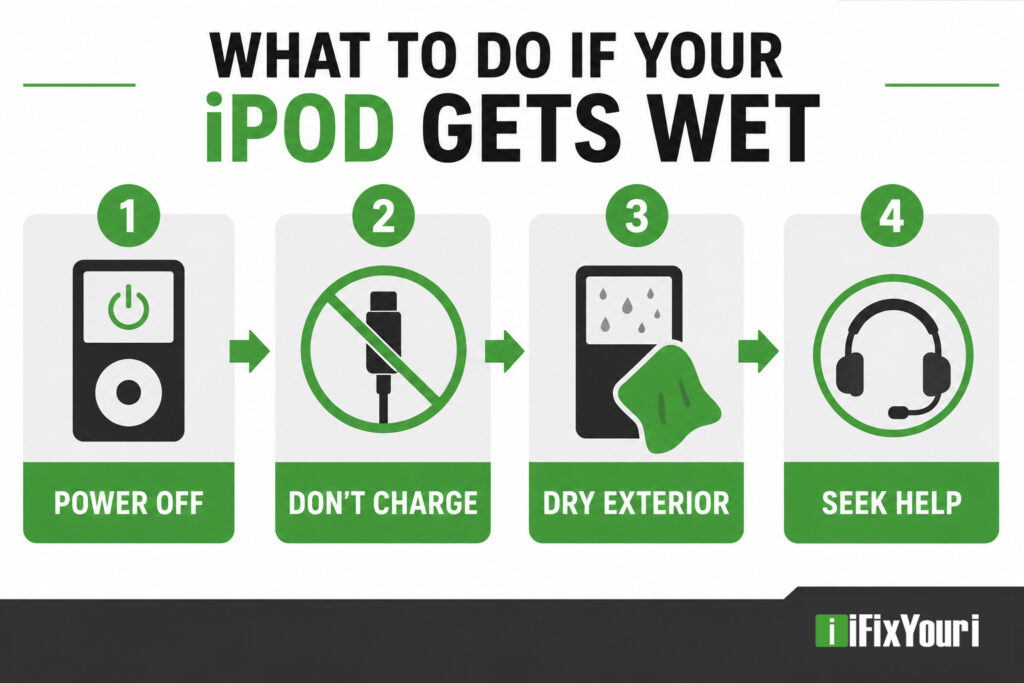
1. Turn It Off If It Is Still On
If the iPod is operating normally after getting wet, shut it down rather than continuing to use it.
If it has already turned itself off, leave it off.
Do not repeatedly press buttons to “see if it works.”
2. Do Not Charge It
This is especially important.
Connecting a wet electronic device to a charger can introduce additional electrical current while moisture remains inside.
Instead, leave the device disconnected from power until a technician has evaluated it.
3. Dry the Outside
Use a clean, soft cloth to remove visible moisture from the exterior.
Avoid shaking the device aggressively because doing so may move liquid into other areas.
4. Don’t Assume That Rice Will Fix It
Rice has become a popular home remedy for wet electronics, but it is not a substitute for professional inspection and internal cleaning.
Even if an iPod appears dry afterward, contaminants and moisture can remain inside.
5. Get Professional Help
If the iPod contains valuable music, photos, recordings, or other irreplaceable content, consider professional repair before experimenting with additional home remedies.
The sooner a technician can inspect the device, the better chance they have of identifying and addressing contamination before it causes additional problems.
Does It Matter What Liquid Damaged the iPod?
Absolutely.
Not all liquids create the same type of risk.
What If My iPod Fell Into Fresh Water?
Fresh water can still cause electrical problems, especially if the device was powered on.
However, the overall situation may be less complicated than exposure to liquids containing significant amounts of salts, minerals, or other contaminants.
For example, dropping an iPod into a sink is still serious, but the repair process may differ from an iPod dropped into saltwater.
What If My iPod Fell Into a Pool?
Pool water presents additional concerns because it contains chemicals and dissolved substances that can remain behind after the water evaporates.
A technician may need to address contamination as well as the initial moisture exposure.
What If I Spilled Soda or Coffee on My iPod?
Soda, coffee, juice, and similar beverages can be particularly troublesome because they may leave residues behind.
For example, an iPod that gets splashed with a sugary drink might seem fine after drying, only to develop buttons, charging, or logic-board problems later.
The key takeaway: don’t judge the severity of liquid damage simply by how the device looks from the outside.
What Are the Signs of Water Damage in an iPod?
Sometimes the damage is obvious. Other times, an iPod may continue working while developing problems that become noticeable later.
Common warning signs include:
- The iPod won’t turn on
- The screen stays blank
- The device repeatedly restarts
- The battery drains unusually quickly
- The iPod won’t charge
- The Click Wheel stops responding
- Buttons behave erratically
- Headphones no longer produce sound
- The device becomes unusually warm
- The iPod freezes or behaves unpredictably
- The screen shows discoloration or other abnormalities
Why Can an iPod Work After Getting Wet and Then Fail Later?
Because liquid damage can develop over time.
Moisture and contamination can remain in areas that aren’t immediately visible. Corrosion can then affect electrical connections and components.
Research into electronic reliability has found that moisture can contribute to corrosion and other failure mechanisms on circuit boards.
For example, an iPod might turn on after a spill and appear completely normal. A few days later, the headphone jack might stop working. That doesn’t necessarily mean the headphone jack suddenly failed for an unrelated reason; delayed effects from liquid exposure are possible.
Should You Try to Repair a Water-Damaged iPod Yourself?
For some experienced electronics hobbyists, DIY repair may be possible. For most iPod owners, however, liquid damage is a situation where professional diagnosis makes sense.
Older iPods can be challenging to disassemble without damaging their housings, cables, connectors, screens, or other components.
Additionally, water damage isn’t always solved by replacing one obvious part.
Why Is Water Damage Different From a Broken Screen?
A broken screen is often a relatively straightforward diagnosis: the screen is damaged, so you replace the screen.
Water damage can affect multiple components simultaneously.
A technician may need to determine whether the problem involves:
- The logic board
- Battery
- Display
- Storage
- Charging circuitry
- Connectors
- Headphone circuitry
- Buttons or controls
For example, replacing an iPod battery won’t solve a corroded connection somewhere else on the logic board.
That’s why a proper diagnostic evaluation is important before ordering replacement parts.
How Do Professionals Repair a Water-Damaged iPod?
The exact process depends on the model and severity of the damage, but professional repair generally begins with diagnosis rather than guesswork.
At iFixYouri, technicians describe a process that includes diagnostic testing and ultrasonic cleaning for water-damaged devices. For its iPod Classic 7th-generation water-damage service, iFixYouri says technicians inspect the device, clean the circuit board using ultrasonic equipment, and test the iPod afterward.
What Does Ultrasonic Cleaning Do?
Ultrasonic cleaning uses high-frequency sound waves in a specialized cleaning solution to help remove contamination from components.
The goal isn’t simply to “dry out” an iPod. The process can help remove contaminants and corrosion-related debris from areas that are difficult to clean manually.
The technician can then test the device and determine whether additional components require repair or replacement.
For example, if an iPod has corrosion on its logic board but the storage and display remain functional, cleaning and board-level repair may be more appropriate than replacing the entire device.
How Successful Is iPod Water Damage Repair?
There is never a guarantee with liquid-damaged electronics because every incident is different.
However, iFixYouri reports a 90% success rate for its water-damage repair service for smart devices.
That figure is a company-reported service statistic, not an independent industry-wide success rate, so it shouldn’t be interpreted as a guarantee for every water-damaged iPod.
The important point is that water damage does not automatically mean an iPod is beyond repair.
A professional evaluation can tell you considerably more than simply assuming the device is dead.
When Should You Take a Water-Damaged iPod to a Repair Professional?
You should strongly consider professional repair when the iPod:
- Was completely submerged
- Was exposed to saltwater or pool water
- Was soaked with soda, coffee, or another beverage
- Won’t turn on after liquid exposure
- Turns on but behaves strangely
- Won’t charge
- Has important music or other data stored on it
- Shows signs of corrosion
- Has already been wet for an extended period
- Worked initially but began failing later
What If the iPod Still Works?
Even then, an inspection can be worthwhile.
A working iPod may still have moisture or contamination inside. If the device contains a valuable music collection or sentimental recordings, taking preventative action may be preferable to waiting for a delayed failure.
Think of it like a car making an unusual noise. You could keep driving because it still runs, or you could have someone investigate the problem before it becomes more expensive.
Is an Old iPod Worth Repairing After Water Damage?
For many owners, yes.
The financial value of an old iPod isn’t necessarily the same as its personal value.
An iPod might contain:
- A carefully organized music library
- Rare recordings
- Playlists built over many years
- Photos
- Voice recordings
- Music that is difficult to replace
- Sentimental memories
And because Apple no longer manufactures iPods, finding another identical model in comparable condition can be difficult.
Apple still provides an iPod service and repair information page, although available service options and pricing depend on the device and circumstances.
For owners who want to keep using a particular iPod, an experienced independent repair specialist can be another option.
What Should You Never Do After Water-Damaging an iPod?
If you remember nothing else from this article, remember these rules:
- Don’t keep turning it on.
- Don’t connect it to a charger.
- Don’t repeatedly press buttons.
- Don’t assume that exterior dryness means the inside is dry.
- Don’t rely on rice as a complete repair.
- Don’t open the device unless you understand the risks.
- Don’t wait unnecessarily if the iPod contains important data.
The goal is simple: prevent additional electrical and corrosion-related damage while you decide what to do next.
Can iFixYouri Repair a Water-Damaged iPod?
If your iPod has suffered liquid damage, iFixYouri’s iPod repair team can evaluate the device and determine whether repair is possible.
iFixYouri offers water-damage repair for iPods and has experience working with older Apple devices. Its published water-damage process includes diagnostics and ultrasonic cleaning, followed by testing to determine whether additional components require repair.
For local customers, iFixYouri has iPod repair service in the Palm Beach County area, including its Palm Beach Gardens location.
If you’re outside the area, iFixYouri also offers shipping options for repair services.
FAQ: Water-Damaged iPod Repair
Can a water-damaged iPod be saved?
Yes. A water-damaged iPod can sometimes be repaired, particularly when technicians can address moisture, contamination, and corrosion before extensive permanent damage occurs. The severity of the damage determines the outcome.
What should I do if I dropped my iPod in water?
Turn it off if it is still running, don’t charge it, wipe away exterior moisture, and avoid repeatedly testing it. For significant exposure, professional evaluation is recommended.
Can an iPod still work after water damage?
Yes. An iPod may continue working after liquid exposure. However, moisture and contamination can cause corrosion and delayed failures, so continued operation doesn’t necessarily mean the device is completely unaffected.
How do you fix a water-damaged iPod?
Professional repair can involve disassembly, diagnostic testing, internal cleaning, corrosion removal, ultrasonic cleaning, component repair or replacement, and final functional testing. The exact process depends on the iPod model and extent of the damage.
Is an iPod Classic worth repairing after water damage?
It can be. While an older iPod may have limited resale value, its music library, sentimental value, or collectability can make repair worthwhile. A professional diagnosis can help determine whether repair makes financial and practical sense.
Should I put my wet iPod in rice?
Rice may absorb some moisture around the device, but it does not address internal contamination or corrosion. If an iPod has suffered significant liquid exposure, professional inspection is a more reliable approach than relying on rice alone.
Experience & Expertise: How iFixYouri Approaches Water-Damaged Devices
Since opening its first location in 2010, iFixYouri has built its business around repairing rather than simply replacing damaged electronics. The company says its first location opened in Lake Park, Florida, and that it has since expanded to multiple locations and a dedicated repair facility.
That experience matters with water-damaged electronics because the problem isn’t always obvious from the outside.
A careful repair approach focuses on:
- Thorough diagnostics
- Careful internal inspection
- Proper cleaning
- Corrosion assessment
- Component testing
- Replacement of damaged parts when necessary
- Final functionality testing
For iPod owners, that attention to detail can be especially valuable when the device has been around for years and contains music, recordings, photos, or other content that isn’t easily replaced.
Rather than immediately writing off an old iPod because it got wet, having an experienced technician evaluate it gives the device a chance to be restored.
Sources
Apple Service and Repair for iPod (https://support.apple.com/ipod/repair)
Moisture Protection of Electronics (https://www.pnnl.gov/publications/moisture-protection-electronics)
Improving Intrinsic Corrosion Reliability of Printed Circuit Board Assembly (https://orbit.dtu.dk/en/publications/improving-intrinsic-corrosion-reliability-of-printed-circuit-boar/)
iPod Classic 7th Gen Water Damage Repair Service (https://www.ifixyouri.com/products/ipod-classic-7th-gen-water-damage-repair-service)
iPod Repair in West Palm Beach, FL (https://www.ifixyouri.com/pages/ipod-repair-west-palm-beach-fl)