Tag Archives: smartphones

iFixYouri’s Expert Advice: 5 Essential Tips to Recover Your Water-Damaged Smartphone

The seamless integration of smartphones into our lives has made them indispensable tools for communication, entertainment, and productivity. However, a water-damaged smartphone can disrupt this seamless experience. Whether it’s an unexpected rain shower or an inadvertent plunge into a pool, water damage can wreak havoc on your device.

Fortunately, actionable steps can be taken to recover your water-damaged smartphone and prevent enduring harm. In this article, we’ll delve into iFixYouri‘s top 5 proactive tips for reclaiming your water-damaged smartphone.
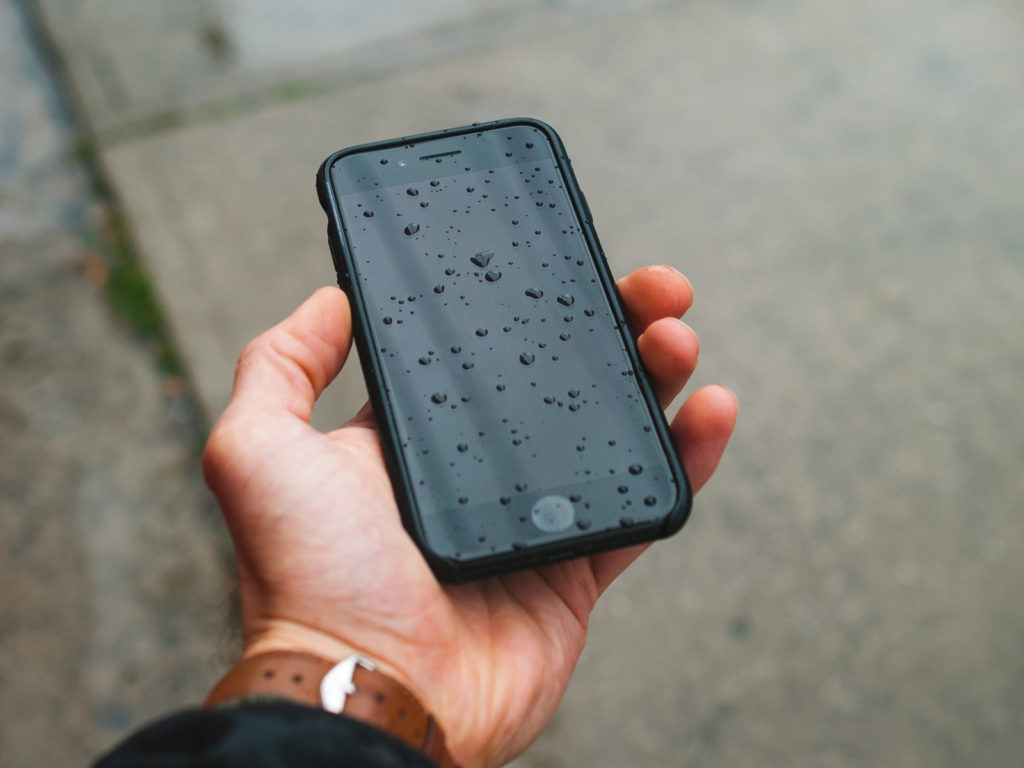
Water-Damaged Smartphone
Photo by Bannon Morrissy on Unsplash

Swift Action and Powering Down

To effectively recover from water damage, time is of the essence. Retrieving your phone from the water source promptly is essential. Prolonged submersion increases the risk of irreversible harm.
Immediately after retrieving your device, power it down. This action is critical to avert potential short circuits that moisture can trigger when it contacts the electrical components. To avoid exacerbating the damage, resist the temptation to test if your phone still functions.

Eliminate Excess Moisture

Remove the case and gently wipe the outside with a soft, lint-free cloth. Follow your phone manufacturer’s instructions before opening any tray or removing components. For iPhone, Apple advises letting the phone dry before opening the SIM tray. Do not insert objects into the charging port or use compressed air to force moisture out.

Allow Airflow, Not Rice

Do not put your phone in rice or rely on a sealed bag to repair liquid damage. Leave it in a dry place with airflow and follow the guidance for your exact model. Disconnect charging cables and do not reconnect them while the phone or connector is wet. Apple’s liquid-detection guidance explains that rice particles can damage an iPhone and recommends airflow instead. A dry exterior does not establish that internal damage has been repaired.

Avoid Heat Sources

Despite the allure of hastening the drying process using heat, this approach must be resisted. Refrain from utilizing direct heat sources like hairdryers, ovens, or microwaves. Elevated temperatures can inflict damage upon delicate internal components and escalate the predicament. Adhere to the gradual drying techniques previously mentioned.

Water-Damaged Smartphone? Enlist Professional Assistance

If your phone was submerged, is malfunctioning or contains important data, contact iFixYouri to discuss an assessment rather than waiting for a rice treatment or repeatedly powering it on to test it. Explain which liquid was involved and when the exposure happened. Repair and data recovery depend on the damage and cannot be guaranteed.

Water damage to smartphones is undoubtedly distressing, yet swift action and diligent care can potentially reverse the situation. iFixYouri’s top 5 tips for water damage recovery underscore the importance of swift response, powering down the device, eliminating excess moisture, adopting safe drying practices, and enlisting professional aid when warranted. Remember, preventive measures offer the ultimate shield, so contemplate investing in waterproof cases or pouches to forestall potential mishaps in the future.

iPhone vs. Android: Which One Is Easier to Repair?

In today’s world, smartphones have become an integral part of our lives. However, accidents happen (see Common Smartphone Issues and How to Avoid Them), and our beloved devices can occasionally end up damaged. When faced with a broken screen, faulty battery, or any other issue, the repairability of a smartphone becomes a crucial factor. In this blog post, we will compare the repairability of iPhones and Android devices, highlighting the pros and cons of repairing each platform. Whether you’re an Apple enthusiast or an Android aficionado, understanding the repair options can help you make an informed decision.

Repairability of iPhones:

Apple’s iPhones have gained a reputation for their sleek design and user-friendly interface. However, when it comes to repairability, certain iPhone repairs are known to be more challenging compared to their Android counterparts. Here are the pros and cons of repairing an iPhone:

Photo by Joel Rohland on Unsplash

Pros:

  1. Apple Independent Repair Program (IRP): Apple has an extensive network of authorized service providers, ensuring that you can find reliable repair services in most areas. These providers use genuine Apple parts and are trained to handle iPhone repairs. iFixYouri is a member of this and can therefore provide some OEM Apple parts.
  2. Software Integration: Apple’s tight control over both hardware and software ensures better integration, allowing for efficient diagnosis and repair by authorized technicians.

Cons:

  1. Proprietary Components: Apple utilizes proprietary components, making it harder to find third-party replacements. This often leads to higher repair costs compared to Android devices.
  2. Complex Internal Design: iPhones are known for their intricate internal design, with components tightly packed together. This can make repairs time-consuming and challenging, requiring specialized tools and expertise.

Repairability of Android devices:

Android devices encompass a vast array of brands and models, offering diverse options to consumers. The repairability of Android devices varies depending on the manufacturer and model. Let’s examine the pros and cons:

Repairability of iPhones Vs Android
Photo by Adrien on Unsplash

Pros:

  1. Component Availability: Android devices often use widely available components, making it easier to find third-party replacements. This can lead to more affordable repair options compared to iPhones. This doesn’t mean they are cheaper, however. Samsung screens can often be very expensive parts.
  2. Modularity: Some Android devices offer modular designs, allowing for the replacement of individual components rather than the entire device. This promotes cost-effective repairs and reduces electronic waste.

Cons:

  1. Fragmentation: Due to the diverse nature of the Android ecosystem, the availability of authorized service providers and genuine parts can vary significantly. This can make it challenging to find reliable repair options, especially for lesser-known brands or older models.
  2. Software Compatibility: Android devices run on different versions of the operating system, leading to potential software compatibility issues during repairs. This may require skilled technicians familiar with various Android configurations.

Recommendations based on preferences and needs:

  1. iPhone for Seamless Support: If you value a seamless support experience and are willing to pay a premium for authorized repairs, an iPhone might be the better choice. Apple’s extensive service network ensures consistent quality and access to genuine parts.
  2. Android for Affordability and Customizability: If cost-effectiveness and customization options are important to you, an Android device might be the way to go. Look for popular brands with good aftermarket support or consider devices with modular designs for easier repairs.
  3. Third-Party Repair Options: Regardless of the platform, consider seeking out reputable third-party repair services like iFixYouri that specialize in your device. Read reviews, inquire about warranties, and ensure they use high-quality components.

When it comes to the repairability of smartphones, iPhones and Android devices present distinct advantages and challenges. iPhones offer seamless support through authorized service providers but can be more expensive to repair due to proprietary components and complex internal design.

On the other hand, Android devices provide more affordable repair options and modularity in certain cases, but the availability of authorized services and genuine parts can vary.

Ultimately, the choice between iPhone and Android should be based on individual preferences and needs. Consider the pros and cons outlined in this article to make an informed decision that suits your requirements and budget.

Credit Card Processing, There’s An App For That

The introduction of the Smartphone has greatly increased the quality of access to many of our lives and no where has this point rang truer than in the world of small business. With the introduction of the various card processing systems for Smartphones such as Square and ROAMpay. The average small business owner now has the opportunity to accept credit card transaction and potentially widely increase their sales growth.

What Does This Mean for the Average Entrepreneur?

Obtaining a merchant account has not always been a easy task and for those just starting out in the open market the ability to offer alternative forms of payment, beside just cash transactions, can make all the difference. Whether the business be retail, culinary, artistic or other. Having an attachment for one’ s Smartphone (or in some cases iPad) for credit card processing alleviates the hassle of bulky point of sale terminals and worst yet, the old fashion “knuckle buster” manual imprinters. All in all presenting their customers with a smooth and convenient shopping experience which often results in repeat business.

Caring For Your Business By Caring For Your Smartphone

Having a Smartphone as a small business owner is a “no brainer” whether it be for credit card processing or simple day-to-day activities. Therefore, the protection and maintenance of such a vital tool is paramount. At iFixYouri, you can rest assured that if your Smartphone happened to be involved in an accident, be it water damage, a cracked screen or simple battery replacement issues, you are certainly in good hands. Because, when it comes to nurturing your business there’s no sense in faulty equipment stunting its growth.

Best Smartphone Apps of August 2013

Best Smartphone AppsHere are some of the best smartphone apps — for iPhone and Android phones — that we’ve come across in the last week. Check them out, and share!

Zagat (Free)

The famous reviewer guide Zagat is back as a free iPhone app, right now for only nine cities in the United States, but with more cities on the way. Zagat is well-known as a service that gives insightful reviews for restaurants, bars, and all other hot spots in your town. Of smartphone apps, this is my favorite.

Blux Camera Pro

Blux Camera Pro is a great new camera app that automatically retrieves data like your location, the amount of available light, local weather, and on-screen analysis to suggest the best possible settings for your shots, and suggests settings that may improve your shot, with an automated voice to boot. It comes with a lot of different lighting presets and shooting modes. Finally, it has a setting to get rid of the lens flare.

Google Keyboard (Android)

Google has released its keyboard as an app. Google Keyboard has some good new functionality like gesture typing, was typing, word prediction etc. Now you don’t have to wait for the OS update to use the new functionality of the Google keyboard.

Musaic (Free)

Musaic is a music discovery app that allows you re-discover your iTunes selection while selecting new songs “you might like,” which are then purchasable through the app. What’s more, it has a slick “mosaic” of album cover art (it automatically finds the art from your music titles) and places them in an easy-to-use interface.

Double Twist with Magic Radio

Developed by Double Twist, Magic Radio is a music-streaming subscription service add-on. It allows access for over 13 million songs and users to sync to iTunes. If you want to hear something new, create a new station and the tracks you want to listen to. MagicRadio is free for 7 days, Once it expires you can subscribe it for only $3.99. Download it From Google Play

Documents by Readdle

Readdle makes some of our favorite productivity apps for iOS, including Printer Pro (very useful if your printer doesn’t support AirPrint) and Scanner Pro (which turns an iPad into a scanner of sorts). Documents by Readdle is its entry into the document viewer segment dominated by the likes of GoodReader. As well as simply viewing documents of various kinds, you can open archives, annotate PDFs and play media files. It has a web browser to allow you to download files from various sources and you can set the ‘user agent’ to make the browser impersonate a variety of different web clients, so the site you like that blocks mobile Safari is no longer an issue. Its great strength is its connectivity to various cloud-based storage services such as Box.net, Dropbox and iCloud — just about any service you could name. With iCloud, you can even set up subfolders to hold documents of different kinds — that’s right, a file system, right there in iCloud. Now that the app is on the iPhone as well as iPad, that means you can keep documents from apps that don’t necessarily support iCloud natively synced across your devices. If Documents By Readdle were to cost you money we’d say it was worth the price for that alone. As it’s free, we don’t understand why you haven’t downloaded it yet.

Quip (Free)

Quip claims to be a “modern word processor” designed for collaboration across different devices. Aimed at workplaces as well as domestic use, it presents documents in “chat-like” update threads, showing which users are online and using Twitter-like @mentions to link to people and documents.

Office Mobile for Office 365 (Free)

Microsoft’s Office Mobile app is finally available — however, only in the US for Android smartphones (Apple version coming soon). While it requires an Office 365 subscription. it allows you view and edit Word, Excel and PowerPoint documents, including email attachments.

Google AdSense (Free)

For those already using Adsense, you’ll be able to browse how much money you’re making, analytics of top custom and URL channels, and get individual payment alerts. More features are planned for the coming months.

Color Zen

Color Zen is a puzzle game. It is developed by Large Animal Games. Very addictive game, the players have to discover a path through an abstract world of colors and shapes. The object of the game is to fill the screen so that it matches the border without leaving any colors behind.

LTE vs WiMAX: Battle of the Networks

WiFi - WiMAX vs. LTEOther than knowing what differentiates 3G and 4G in the wireless data world, choosing the network provider should be done after some careful analysis. Most carriers in the United States just have WiMAX; however, there are some networks that are upgrading from WiMAX to LTE.

For starters, the term “4G’ does not reveal much details; it is a much broader field. Both WiMAX and LTE are part of the 4G technology, with WiMAX being the first technology from the world of 4G. Though WiMAX has its roots from Wi-Fi, it does has some similarities with LTE, another mobile network technology standard.

A Bit of History

WiMAX started its journey by offering broadband connections to users at home. In most parts of America, wireless ISPs still use WiMAX to deliver broadband services. With WiMAX, the need to route expensive cables to every household is negated, thereby making it a fairly cost-efficient option.

LTE is another network technology that is being offered by the same people who gave GSM and who have promised much better speeds and compatibility with mobile devices. The LTE technology got its approval in December 2008, with MetroPCS being the first network to offer LTE services in America in October 2010.

Performance

As far as speed delivery is concerned, WiMAX can offer speeds in the range of 30-40Mbps, whereas LTE can offer network speeds close to 100Mbps. However, these numbers are only for the papers and they are not even close to offering such remarkable speeds in the real sense. This is due to the fact that a network’s speed depends more on its build, rather than just its specifications.

In most speed tests, LTE always tends to outperform WiMAX with its speed. In reality, WiMAX caps at an average of 3Mbps, whereas LTE clocks in at 10Mbps, making it as quick as most of the home broadband networks. However, the network speed also depends on the network provider. For instance, LTE speed offered by MetroPCS may not necessarily reflect Verizon or other network provider’s LTE speed numbers.

Coverage

LTE seems to defeat WiMAX in the coverage department as well, with most network providers expecting better network coverages with LTE, when compared to WiMAX. The WiMAX system is good at supporting multiple users simultaneously; however, it fails to make its impact felt with wall penetration and increased distance. This being said, LTE does not have an unfair advantage and it uses the same network towers that are being used by WiMAX.

Phone Options

WiMAX has several options for smartphones; however, most of them are already in the market and there is nothing new erupting from the WiMAX stable, as far as phones are concerned. LTE has quite an impressive list of phones and other portable devices to be released in the future by different network carriers.

Choosing Between the Two?

To be honest, it is a very subjective question, with preferences differing across individuals. If the user is happy with his WiMAX phone and does not plan to buy a new one in the next few years, then WiMAX should probably suffice. However, for users with a more futuristic perspective, LTE should be the way to go!  If you’ve got a device that you’d like to get fixed so it can be used for either of these networks, get in touch with iFixYouri so you can bring faster mobile capabilities to your smartphone.