
Tag Archives: operating systems

Apple iOS 9 Feature Preview

Apple’s newest operating system, iOS 9, is already available to those who have registered in the Apple Developer Program or via the Beta Software Program. The full public release is rumored to be in September, which coincides to the latest guess of the Apple iPhone 6s release.

Here are some highlights from the upcoming version, including some iOS 9 screenshots. This iOS version will be compatible with a wider range of devices, including the iPod Touch.

Siri Improvements – Proactive Assistant

Siri will now offer features based on context, in a style similar to Google Now. The Proactive Assistant will tell you, for example, when to leave for calendar appointments in order to arrive on time. It will know what app you have open, recalling it if told to “remember this for later.” Incoming unknown callers lead Siri to probing through your email to find possible hints of who may be calling. The information for these features will be stored locally on the phone, which differs from the Google Now service.

Low Power Mode
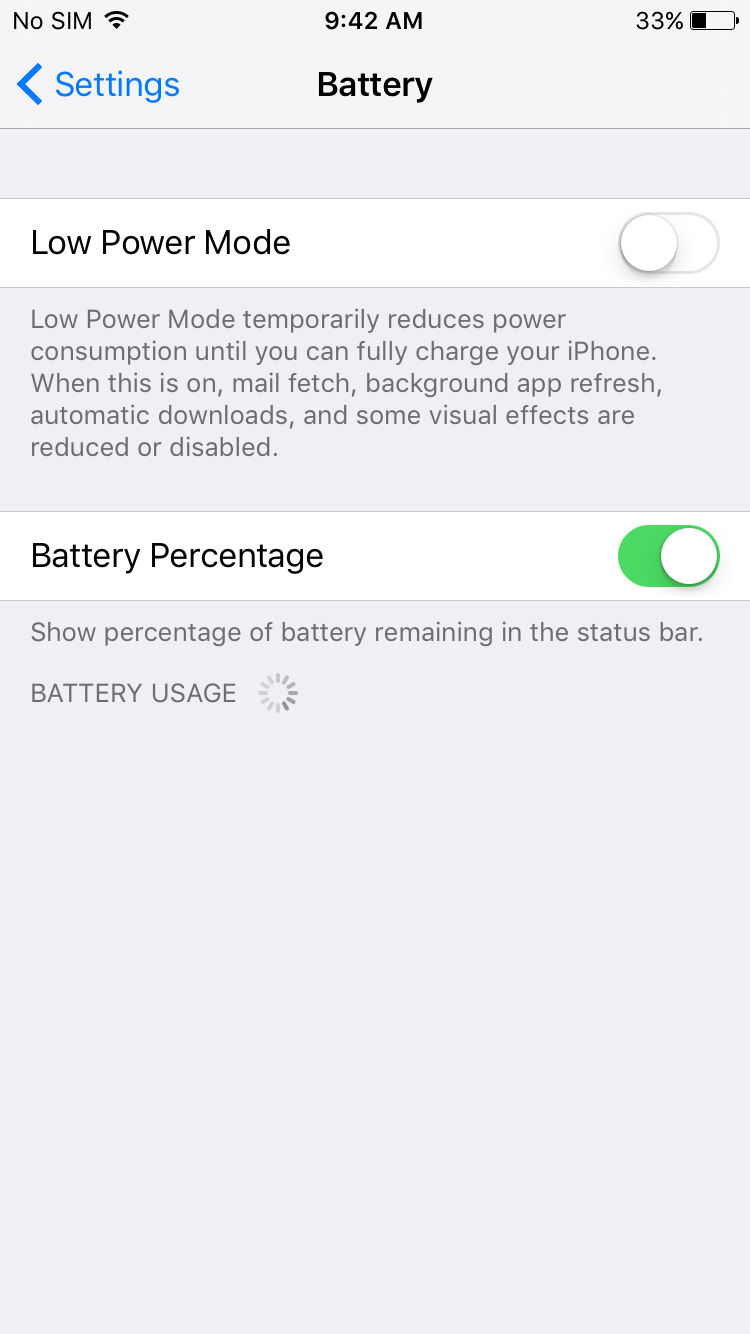
iOS 9 low power mode
iOS 9 Low Power Mode

A new power setting will offer users up to three hours of extra juice. Operating in this mode will limit functionality, but core features will still be accessible.

Apple iOS 9 apps

The Notes app now has a new toolbar and camera roll access.

Apple Maps has public transit maps, including walking directions inside bus and train stations (at first only available in 10 cities).

The News app will serve up fresh and varied personalized news content, and sports a highly interactive user interface.

IPad users will recognize the enhanced multitasking abilities: app switcher interface, slide over feature for sliding new apps onto screen, and split view for simultaneous multiple onscreen apps.

New iOS 9 Keyboard

Flanking the next word suggestions, you will notice some shortcuts (cut, copy, paste; bold, italic, underline). Swiping the keyboard with two fingers allows the ability to copy and paste, scroll and select text. This feature however may take some getting used to.

Apple Pay Enhancements

Apple Pay will now work with Square as a card reader for small businesses.

Pinterest fans will be happy to learn that “buy” buttons will allow them to purchase items directly from pins via Apple Pay.

Apple Passbook is being renamed Apple Wallet because it will now store credit cards, as well as rewards and membership cards.

Other Details

  • The OS will feature a new font “San Francisco” which you may recognize if you have seen the Apple Watch.
  • Users may notice the extra white space around lettering for a less cramped design.
  • 6 Digit Passcodes will be allowed.
  • Users can change resolution of video recordings, including slow motion.
  • It is possible to change functionality of the switch above the volume rocker.
  • There is now a search bar in settings.
  • One click calls are possible directly from contact searches.
  • Total Download Size: 1.3gb

Android Jelly Bean vs. iOS6

Two years ago, there really was not any question about what operating system was best for smartphones – Apple clearly led the pack. Today, though, real competition has emerged in the form of Android’s Jelly Bean OS. This robust new operating system finally offers a real challenge to Apple’s domination, and one that begs a simple question: which operating system is best? The answer, as is so common in the tech world, is harder to answer than it may seem.

Android Jelly Bean

The great news about Jelly Bean is that it is the best version of Android’s OS yet. If you are using any Android device that is equipped with the OS, you are in for a treat – this version is more stable than ever, and it actually packs in a few features that are miles ahead of its competition. Jelly Bean is fairly easy to use, runs quickly and is full of delightful customization options that can really give a power-user his or her ideal phone.

Customization

Unfortunately, that customization comes at a price. Compared to i0S 6, the interface is still a bit unintuitive. The OS is also short on some of the bells and whistles with which iOS users may have been familiar, and the fact that the operating system has to function across multiple devices instead of a single class of devices means that it may not perform as well as its closed-system counterpart.

iOS 6

iOS 6

It is very difficult to say anything bad about Apple iOS 6 – after all, the company is known for creating user-friendly interfaces. In fact, this iteration might be one of the best yet, relatively free of major bugs and most of the problems that have befallen the older versions of the system. It is still slick and easy to use, the perfect system for any new smartphone user.

Of course, savvy smartphone users will quickly see the faults in this iteration of Apple’s OS. While it might be easy to pick on the Maps app for being universally panned, it is a symptom of a bigger problem – Apple’s closed system. If you are a fan of customization or playing around in the technological sandbox, this really is not the system for you. This may or may not be a turn-off to some, but it is something that should be kept in mind.

Which OS is Really Better?

In the end it’s not clear which OS between Android Jelly Bean vs. iOS6 is the best , it depends on how you use your phone. If you want the system that is most simple and easiest to use, Apple is the winner. If you prefer something that is robust and easy to customize, you should go with Android.

In either case, phones that user either system are susceptible to accidental damage.  Don’t get too excited or frustrated by your new operating system, or you may mishandle your device.  In the event that you need repairs, you also have options, but there is a clear winner in terms of results:  iFixYouri.  Find out why.