Tag Archives: iPod

Recovering Music From a Broken iPod: What You Need to Know

Do you have an old iPod filled with music you can’t replace? Maybe your iPod Classic won’t turn on, your iPod Nano keeps freezing, or your computer no longer recognizes your favorite music player. Before you give up on those songs, there’s good news: you may be able to recover music from a broken iPod without losing your collection.

Many older iPods contain years of carefully collected music, including songs from CDs, rare recordings, live performances, and personal playlists. Even if the device no longer works properly, its music may still exist on the internal storage.

However, the right recovery method depends on what’s wrong with your iPod. A drained battery presents a different challenge from a damaged hard drive or corrupted storage.

In this guide, we’ll explain how to recover music from a broken iPod, what you can safely try at home, and when professional iPod repair can help you get your music back.
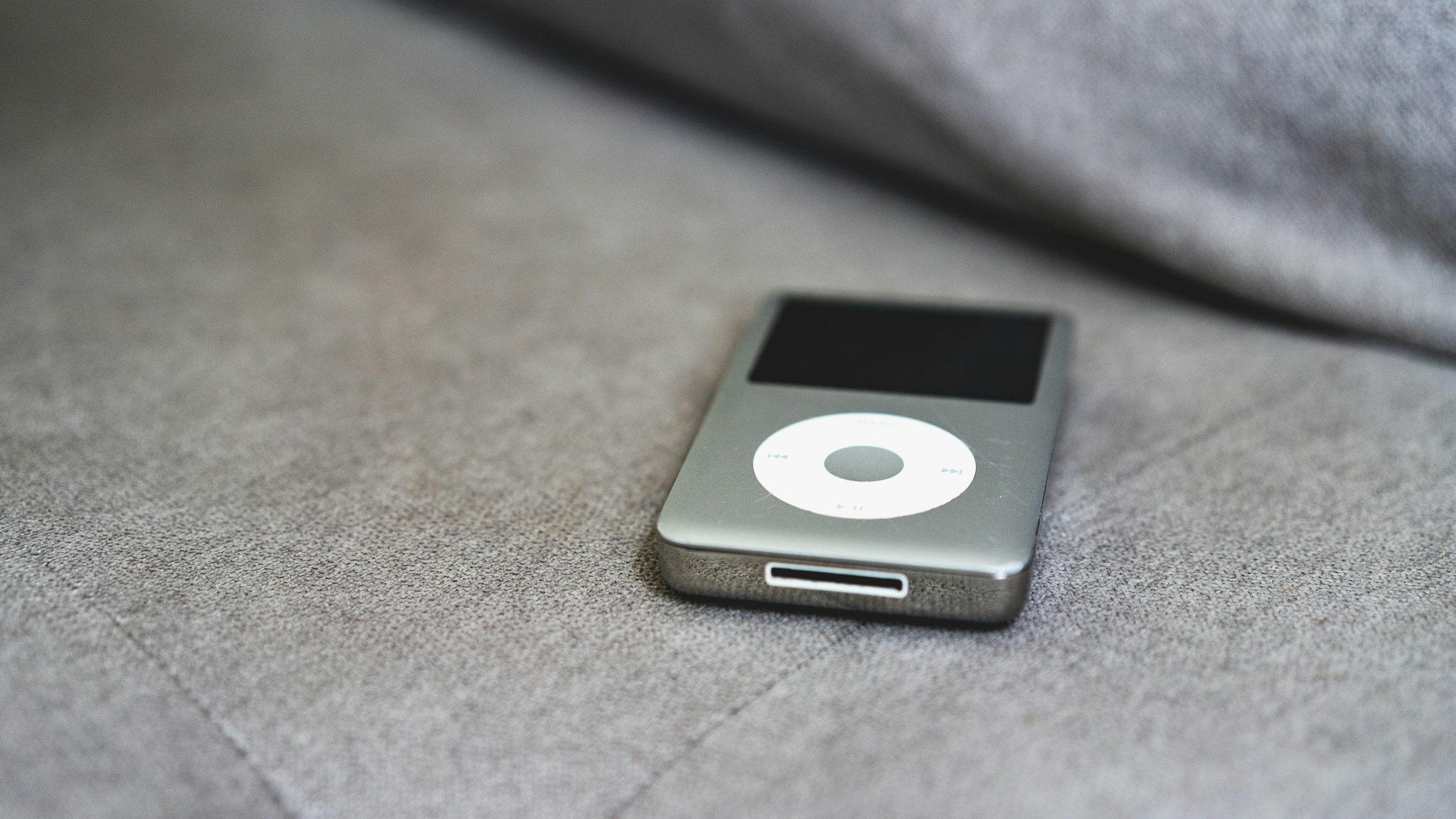
ipod on couch

Can You Recover Music From a Broken iPod?

Yes, in many cases. A broken iPod doesn’t automatically mean your music is gone. The important question is whether the device’s storage still contains readable data.

Different iPod models use different storage technologies. Many iPod Classic models contain miniature hard drives, while numerous iPod Nano and iPod Touch models use flash memory. These components can fail, but other problems may prevent the iPod from starting even when the music remains intact.

For example, an iPod with a worn-out battery might not power on long enough to access its songs. Replacing the battery could restore access. On the other hand, a clicking hard drive may indicate a mechanical problem that requires more careful handling.

Your chances of recovery depend on several factors:

  • Battery condition: A failed battery can prevent the iPod from powering on.
  • Storage condition: A damaged hard drive or flash memory chip may prevent access to music.
  • Connection problems: A faulty cable or port can stop a computer from recognizing the device.
  • Software problems: A frozen operating system or corrupted file system may prevent normal access.
  • Previous backups: Music stored in your computer’s library or an existing backup may be recoverable without repairing the iPod.

The safest approach is to identify the problem before attempting a repair or software reset.


What Should You Do Before Recovering Music From a Broken iPod?

Before trying recovery methods, protect the music that’s already on your device. Some troubleshooting actions can erase data or make a hardware problem worse.

1. Avoid restoring or erasing the iPod

If your computer displays a message asking you to restore the iPod, don’t rush to accept it.

A factory restore erases information and settings from the device. Although restoring can sometimes resolve software problems, it is not the first step when your priority is recovering music.

Instead, stop and determine whether the songs exist elsewhere or whether a repair could restore access to the original storage.

2. Stop repeatedly restarting a failing device

Occasional restarting can help with a frozen iPod. However, repeated attempts are not a good idea if the device makes unusual clicking or grinding noises, repeatedly disconnects, or struggles to start.

Those symptoms can indicate a storage problem. If the music is irreplaceable, power the device down and seek professional advice rather than continuing to experiment.

3. Check for an existing music library

Your songs might already exist on a computer, external drive, or backup.

Check the computer you originally used to sync the iPod. Look for your old iTunes music library, music folders, and backup drives.

Also check any other computers that might have held your collection. You may find the original files even if the iPod itself has failed.

Why this matters: Recovering existing files from a computer is often simpler and safer than trying to retrieve them from failing hardware.


How to Recover Music From a Broken iPod Step by Step

If your iPod shows no signs of serious hardware damage, start with these troubleshooting steps.

Step 1: Check the charging cable and power source

Connect the iPod to a reliable power source using a compatible cable. If possible, test another compatible cable and USB port.

Inspect the connector for visible debris or damage. Don’t insert metal objects into the port or force a cable that doesn’t fit.

Allow the device time to charge. An older battery may need time before the iPod responds.

Example: If your iPod Classic has been sitting in a drawer for years, its battery may be deeply discharged or worn out. A power issue could explain why the device won’t start, even if its music storage remains intact.

If the device becomes unusually hot, swells, or shows signs of battery damage, disconnect it when safe and stop charging it.

Step 2: Try a model-appropriate force restart

If the iPod has power but remains frozen, a force restart may help.

Apple provides different restart instructions for different iPod models. For example, many iPod Classic models use the Menu and Center buttons, while some iPod Touch models use combinations involving the Home, Top, or Volume Down buttons.

Follow Apple’s instructions for your specific model rather than trying random button combinations.

A force restart is different from a factory restore. It is intended to restart the device, not erase its music.

If the iPod repeatedly freezes after restarting, investigate further instead of continuing to restart it.

Step 3: Connect the iPod to a computer

Use a compatible USB cable to connect the iPod to a computer.

Depending on the model and operating system, you may need Finder, the Apple Devices app, or iTunes. Older iPods may require legacy software or model-specific connection procedures.

Check whether the computer recognizes the device.

If it does, don’t immediately click Sync, Restore, or Erase. First determine whether you can access the existing music or make a safe copy of any readable files.

If the computer doesn’t recognize the iPod, read our guide on why your computer doesn’t recognize your iPod.

Step 4: Check whether your computer already has the songs

Open your existing music library and look for the albums, playlists, and tracks you remember.

Depending on your software and library configuration, you may be able to locate original audio files in the music folder or a previous library backup.

Remember that syncing generally transfers music from a computer to an iPod, while importing or copying files serves a different purpose. Don’t assume that connecting the device will automatically copy every song back to your computer.

If you find the original music files, copy them to a separate folder or external drive before making changes to your library.

Step 5: Investigate accessible files without modifying the device

Some iPod models and configurations support disk use or expose accessible files through compatible computer software. Others don’t provide straightforward access to their music library.

Even when a computer detects the iPod as a device, that doesn’t guarantee that you can browse its music files directly. Database formats, file-system structures, and software compatibility can complicate recovery.

Avoid downloading unknown recovery utilities or granting untrusted software access to your device.

If the computer detects the iPod but cannot access its contents, a technician may be able to identify whether the problem involves the operating system, storage, or connection hardware.

Step 6: Make multiple backups once you recover the songs

When you regain access to your music, don’t leave the only copy on the iPod.

The Library of Congress recommends keeping digital files on at least two different storage media and storing copies in separate physical locations.

A practical backup plan might include:

  1. A music folder on your main computer.
  2. A second copy on an external hard drive or USB storage device.
  3. An additional copy in a reputable cloud storage service, where appropriate.

Verify that the copied files open and play correctly before considering the recovery complete.


What If Your iPod Won’t Turn On?

An iPod that won’t turn on can still contain recoverable music. The device’s power system and its storage system are separate components, so a failure in one doesn’t necessarily mean the other has failed.

Start by considering the symptoms.

A completely unresponsive iPod

A worn battery, damaged charging port, faulty power circuitry, or other internal failure may prevent the device from starting.

If a known-good cable and compatible power source don’t help, a hardware diagnosis may be necessary.

An iPod stuck on the Apple logo

This symptom can point to a software problem, a storage issue, or another hardware fault.

Avoid restoring the device if the music is your priority. A technician can assess whether a repair may restore access without unnecessarily erasing the contents.

An iPod that repeatedly freezes or restarts

Repeated freezing can indicate a failing battery, corrupted software, or storage problems.

If the device contains music that isn’t backed up, stop before performing a factory restore or experimenting with firmware tools.

For more troubleshooting advice, see our guide on why your iPod won’t turn on.


Can You Recover Music From an iPod Classic With a Failed Hard Drive?

Sometimes, but the condition of the hard drive matters.

Many iPod Classic models use small mechanical hard drives. These drives contain moving components that can wear out or suffer physical damage. An iPod may display a folder icon, freeze during startup, or make repeated clicking noises when the drive cannot operate correctly.

A damaged drive doesn’t guarantee that every file is lost. However, the recovery process can become more difficult if the drive has suffered mechanical failure.

Why you should avoid opening the iPod yourself

Older iPod Classic models can be difficult to open without damaging their casing, internal cables, or other components.

A do-it-yourself drive replacement also doesn’t guarantee music recovery. Replacing the storage device may make the iPod functional again, but it won’t automatically recover files from the original drive.

If your priority is recovering the existing songs, the original storage needs careful assessment before you replace or erase anything.

What about iPod Nano and iPod Touch models?

Many iPod Nano and iPod Touch models use flash storage rather than a mechanical hard drive.

Flash storage has no moving parts, but it can still fail because of electrical damage, component wear, liquid exposure, or problems with the device’s internal circuitry.

The appropriate recovery method depends on the model and the specific fault. A repair that works for an iPod Classic may not apply to an iPod Touch.


Can You Recover Music From an iPod That Isn’t Recognized by Your Computer?

Yes, depending on the cause.

When a computer fails to recognize an iPod, the problem may involve the cable, USB port, charging connector, device software, or internal hardware.

Try these checks before assuming the storage has failed:

  • Test a compatible USB cable that you know works.
  • Try another USB port or a different compatible computer.
  • Check the iPod’s charging response.
  • Restart the computer and, if appropriate, the iPod.
  • Confirm that your operating system and compatible Apple software can support the device.

If the iPod connects intermittently, disconnects during transfers, or produces unusual drive noises, stop repeated connection attempts if the songs are valuable.

A technician can investigate whether the device needs a port repair, battery replacement, software troubleshooting, or more advanced storage assessment.


Repairable iPod Problems

When Should You Seek Professional iPod Repair?

DIY troubleshooting makes sense when the device appears physically sound and the problem seems limited to a cable, power source, or temporary software freeze.

However, professional repair becomes more important when the music is irreplaceable or the iPod shows signs of hardware failure.

Consider seeking help if:

  • The iPod won’t power on after basic charging checks.
  • Your computer cannot recognize the device using known-good connections.
  • The iPod Classic makes clicking or grinding noises.
  • The device repeatedly freezes, restarts, or disconnects.
  • You suspect water damage or internal corrosion.
  • Your computer requests a restore, but you have no backup.
  • You’ve tried basic troubleshooting without success.

A qualified technician can inspect the hardware, identify the likely cause, and explain the available options before you authorize a repair.

Be clear about your priority: Tell the repair shop that recovering the original music is more important than simply making the iPod work again. Ask whether its proposed process preserves existing data and whether any step could erase the storage.

Not every damaged iPod can be recovered. Severe storage damage, encrypted data, or inaccessible components may limit the available options. A reputable repair provider should explain those limitations rather than promise a guaranteed result.


How to Protect Your Music After Recovery

Once you recover your collection, take steps to prevent the same problem from happening again.

Preserve your original files

Keep the original recovered files in a dedicated folder. If you want to organize or convert the music, work from a separate copy so you retain an untouched version.

Use more than one backup

One backup is better than none, but multiple copies provide additional protection against drive failure, accidental deletion, and other problems.

Follow the Library of Congress’s digital preservation guidance by keeping copies on separate storage media and checking that your files remain accessible over time.

Document your collection

For a large or unusual music collection, keep a simple inventory of albums, playlists, and important recordings. This makes it easier to identify missing tracks and confirm that your backups are complete.

Don’t rely on an aging iPod as your only storage device

Older electronics can continue working for years, but their batteries, connectors, and storage components can deteriorate.

Use the iPod to enjoy your music if you like, but maintain separate copies of the songs you care about.


Don’t Give Up on Your Old iPod Yet

An old iPod can hold much more than a music collection. It may contain playlists built over decades, recordings that are difficult to find, or songs associated with important memories.

Fortunately, a device that won’t turn on or connect to a computer may still have recoverable music. The key is to avoid destructive troubleshooting, investigate existing backups, and identify the underlying hardware or software problem before making major changes.

If basic troubleshooting doesn’t help, professional diagnosis may provide another path forward.

Need help with a broken iPod? Visit iFixYouri’s iPod repair services to explore repair options. Our team can help assess the problem and explain the next steps for your device.
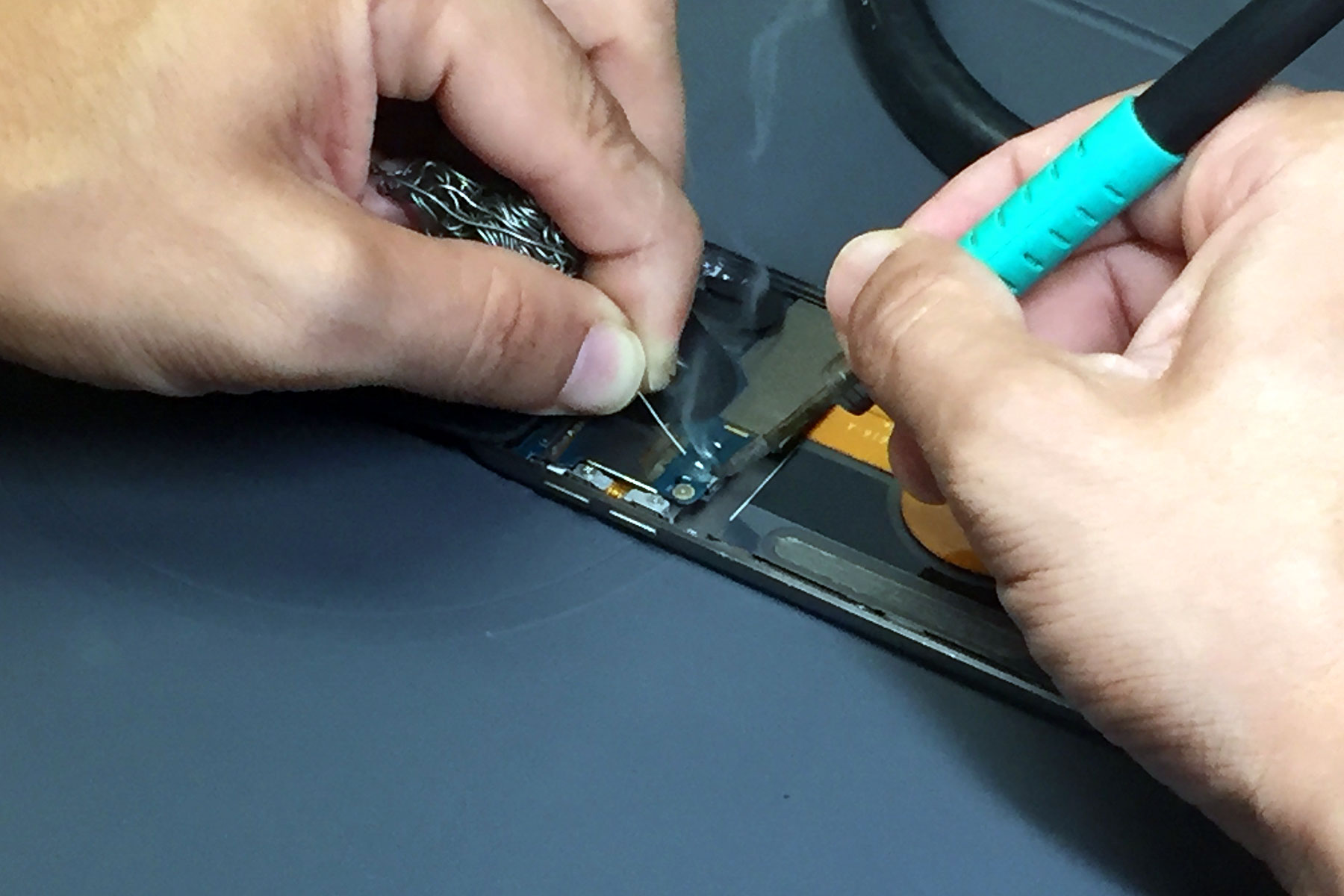
iPod Touch 5th Gen Battery Replacement Step by Step Tutorial

If you’re in South Florida, you can also visit an iFixYouri location in the Palm Beach Gardens area. Mail-in repair options are available for customers who aren’t nearby.

Before replacing your old music player, find out whether it can be repaired. Your favorite songs may still be within reach.


FAQ

Can I recover music from an iPod that won’t turn on?

Yes, potentially. A failed battery or charging component may prevent the iPod from starting even when its music remains intact. A technician can assess whether repairing the hardware could restore access.

How do I get music off a broken iPod?

First, check your existing computer music library and backups. If the iPod still connects, determine whether you can safely copy accessible files. If it doesn’t connect, investigate the hardware before attempting a restore.

Can you recover music from an iPod Classic with a bad hard drive?

Sometimes. Recovery depends on the extent of the drive damage and whether the data remains readable. Stop repeated attempts if the drive makes unusual noises, and seek professional assessment.

Will restoring my iPod delete my music?

A factory restore erases information and settings from the device. If you need to recover music, don’t restore the iPod until you’ve checked for backups and considered data-preserving options.

Can I transfer songs from an old iPod to a new computer?

Sometimes. The process depends on the iPod model, computer operating system, software compatibility, and how the songs were stored. You may be able to recover original files from a previous computer or accessible device storage.

Is professional iPod music recovery worth it?

It may be worthwhile when your music is irreplaceable and the iPod has a hardware fault. Ask about diagnostic costs, the likelihood of recovery, data-preservation procedures, and any risk of permanent data loss before approving the work.


Experience & Expertise: How iFixYouri Helps

When an older iPod stops working, an accurate diagnosis matters. The goal isn’t simply to get the device to power on; it’s to understand what has failed and whether a repair could restore access to the music.

iFixYouri Smart Device Repair has provided electronics repair services since 2010, with experience across a range of iPod Classic, Nano, Mini, and Touch models. Our technicians approach repair issues by assessing the symptoms, identifying potential hardware or software problems, and determining appropriate next steps.

Depending on the device, the issue may involve a worn battery, damaged connector, failing storage component, or another internal fault. Each situation requires a different approach.

We also recognize the importance of setting realistic expectations. No repair provider can guarantee music recovery from every damaged iPod. However, a careful assessment can help you understand the options before you decide what to do next.

iFixYouri offers iPod repair services, with walk-in options in South Florida and mail-in service for customers farther away.

If your iPod holds a collection you don’t want to lose, contact iFixYouri before attempting a factory restore or replacing the original storage.


Sources

Apple Support — Locate and view your iPhone, iPad, or iPod on your computer (https://support.apple.com/en-us/108392)

Apple Support — Learn how to force restart your iPod (https://support.apple.com/en-us/102293)

Apple Support — Restore your iPhone, iPad, or iPod to factory settings using a computer (https://support.apple.com/en-us/118107)

Library of Congress — Personal Archiving (https://www.digitalpreservation.gov/personalarchiving/)

Library of Congress — Reformatting, Digitizing, and Digital Preservation (https://www.loc.gov/preservation/about/faqs/reformatting.html)

iFixYouri — iPod Repair Services (https://www.ifixyouri.com/pages/ipod-repair)

iFixYouri — Repair Services (https://www.ifixyouri.com/pages/repair-services)

Research finding: The Library of Congress recommends maintaining digital file copies on at least two different storage media, keeping them in separate physical locations, and migrating files to current storage media over time. This is a practical preservation strategy for music recovered from older devices.
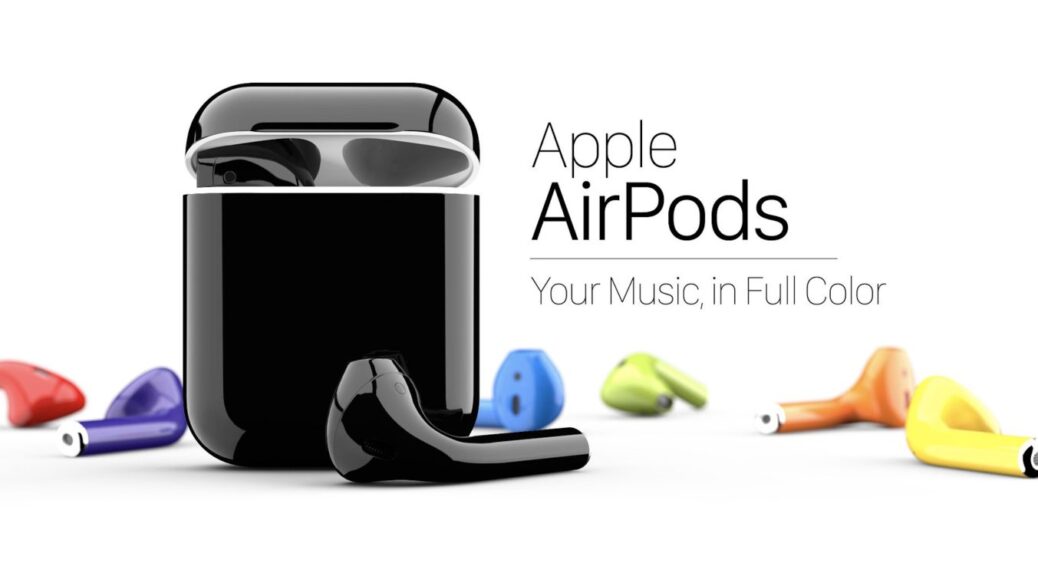
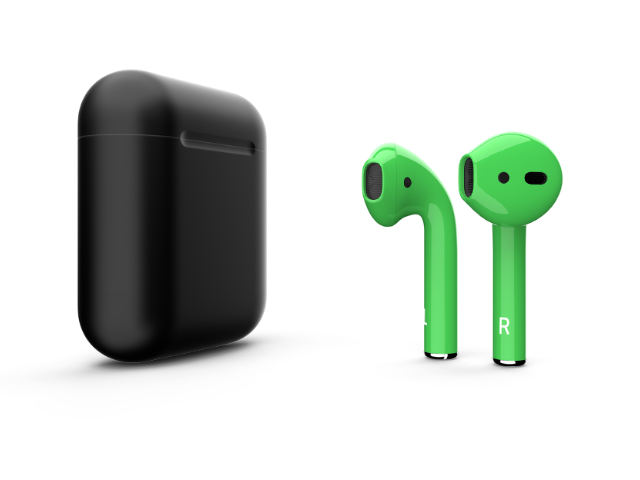
Tired of White AirPods? Paint It, Matte Black

It didn’t take long after the Apple AirPods (delayed) release for consumers to already find gripes. The most petty of those complained, “Why are they only in white!? Why not jet black or rose gold or space grey! We want options!” Apple has done what they do best: ignored them. On one hand, they’re totally right in doing so. On the other, what’s wrong with wanting your tech to match your own personal aesthetic? The little white buds in your ears are intended to be just as iconic as the old earbuds were in iPod advertising, so it’s doubtful that Apple will provide a rainbow anytime soon. But if we learned anything from high school economics class, where there is demand, there is supply. So who’s got the plasti-dip?

Apple products are notoriously difficult to paint. Whatever proprietary glossy plastic the company uses is totally vandal-proof, which is normally a good thing…unless you actually want to mark your products somehow. The toughest, most durable paints are no match for the shiny white plastic that comprises most Apple tech. Even this writer attempted to put a dot on one Apple earbud to know, at a glance, right from left. The industrial-strength paint marker rubbed off inside of 48 hours. This unreal level of stain-resistance is especially problematic for those with an individual flair who like to color-mod their devices. That’s where the professionals come in.

Shortly after the AirPods release, a Brooklyn-based “team of skilled artisans” snatched up a snappy URL and began offering BlackPods. These are presumably black-painted AirPods, although it’s hard to glean details when their website only offers low-res renders of the product. They appear to be a matte finish, and that’s your only option; if the company can do other colors, they’re not offering them at this time. The price? $249 (about a $90 premium over the original) or $99 if you send them your own pair.

Black not your color? The good folks at ColorWare will send you AirPods in one of 58 colors, and you can choose between matte or gloss finish. They’ll even do each earbud and the case all in different colors, if you so choose. At $339 ($140 and $40 extra for a painted charger/case, on top of the $159 cost) so at that point, you should just forgo black-on-black and go with someone that expresses your individuality a bit more. We’re currently trying to convince our CEO to buy these slick AirPods in iFixYouri colors for everyone in the office…

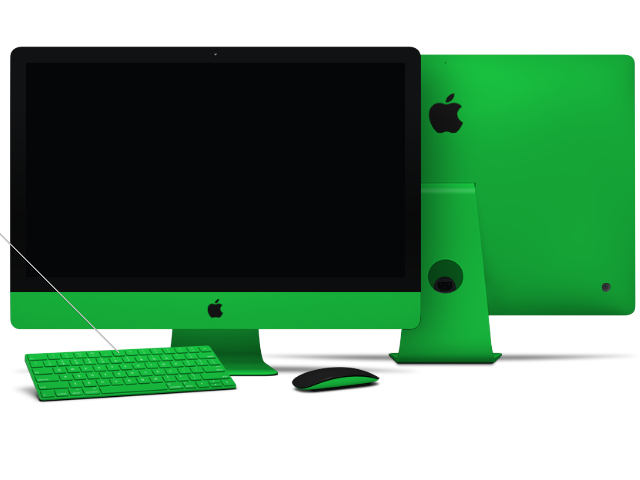
…and maybe a matte-green iMac for each desk. Got to represent the team colors, you know?

Yes, ColorWare does expert paint jobs for all kinds of consumer tech devices. They have a long history (it’s a family-owned business dating back to 2000) and, more importantly, a beautiful website. It’s easy to burn up your lunch break playing with the visualizer and drooling over color combinations for your future disposable-income purchases. What’s your favorite look? Take a screenshot and leave it in the comments below!

Because ColorWare and similar companies must disassemble the device to paint it, the warranty is obviously voided in full. ColorWare does provide their own separate warranty for painted devices, but in case something goes wrong with your AirPods or other painted Apple product, you can’t rely on AppleCare like you normally would. That’s where iFixYouri comes in. If you have a color-modded smartphone, computer, or camera and the screen breaks or battery dies or one of a million little things goes wrong with it, bring it to one of our 15 locations or use our mail-in service and the iFixYouri technicians will diagnose the problem (for free!) then repair it using high-quality parts and precision tools. And we’ll be sure to not scratch the finish.

The Careful Process of iPod Touch Screen Replacement

It goes without saying that listening to music on the go is very important to people, and when their precious iPod Touch screen becomes damaged, iPod Touch screen replacement is essential.  Let’s explore what’s involved.

Which iPod Touch Screen Replacement Is Needed?

The iPod Touch actually has two screens, so depending on your device’s damage, you may only need to replace one of the screens.  The outer screen, called the faceplate, is a glass covering that protects the touch screen.  This liquid crystal display (LCD) screen, also called the digitizer, is the actual display screen.

Steps to Disassembling an iPod Touch

ipod-touch-screen-replacement-ifixyouri

  1. The iPod comes apart from the back to the front.  First, the chrome back of the iPod is removed with specific opening tools.  Trying to do this yourself may result in scratched chrome, but specific iPod opening tools, when used properly, can prevent this.
  2. Then the device’s battery is removed.
  3. The battery is glued to the iPod, so its removal is also a delicate process.
  4. The logic board, held in place by four small screws and attached to the battery by a cable, is the next piece to come out.
  5. Finally, the digitizer is removed.  The digitizer is secured to the faceplate with sixteen screws and plugged in to the logic board.

iPod Touch Screen Replacement

If the digitizer is broken, it is simply a matter of unplugging the old one and plugging in the new.

If the faceplate screen is broken, however, it is an entirely different matter.  After the Home button is removed, the faceplate is heated up to break the adhesive bond between the faceplate and the screen.  The damaged screen is then thrown out, the Home button replaced, and the new screen with the fresh adhesive placed over the faceplate.  The faceplate is heated again, so the glue bonds to the plate and screen, and once it is cooled, it is ready to be put back on the iPod.

iPod Touch Re-Assembly

It is important that all the internal parts of the iPod are clean before it is reassembled.  The faceplate screen is wiped with a soft cloth, and the digitizer and logic board are cleaned with compressed air just to be sure, so no unnecessary dust gets inside the iPod.  Then the parts are reassembled in the reverse order in which they came out — digitizer, logic board, battery, and chrome back.

You can try to do this yourself, but an iPod touch screen replacement is a very meticulous process.  You can trust experienced professionals like iFixYouri, who specialize in iPod Touch screen replacement, to properly repair your device and send it back to you quickly.

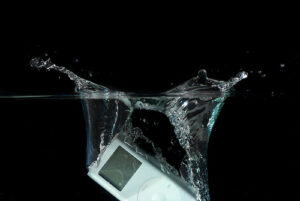
How iPod Water Damage Can Dampen Spirits

ipod-water-damage-ifixyouriAfter downloading hundreds of albums and thousands of songs onto their portable MP3 player, iPod users do their best to protect their music player. Sadly, life is fast moving, mistakes are made, and iPod water damage is quite common.

It is not unheard of for someone to be listening to his or her new Avett Brothers album while using the restroom, and so, when they stand to leave, the iPod gets bumped and splashes in the toilet. People panic in a situation like that and immediately assume the worst. However, iPod water damage does not have to signal the end for the well-made MP3 player – iPod repair is also common.

Most Common Causes of iPod Water Damage

Owners of iPods, beware of the most common ways these devices are subjected to water damage:

  1. The iPod is dropped in a pool, toilet, or sink.
  2. While walking outdoors, unexpected rainfall soaks a person and the iPod is not protected.
  3. Someone spills a beverage.

What To Do About Your iPod Water Damage

It’s easy to think that a damaged iPod might just be for the trash, but the owner of a device that has undergone such a calamity has options. You might be able to get the device fixed, depending on:

  • how wet the device gets
  • whether it was totally submersed
  • how long it was saturated
  • the type of liquid

Personal Action Steps for iPod Water Damage:

  • Do not press any buttons.
  • Place the iPod under a bright light, display screen face-up, and let dry for 2 to 3 hours.
  • Fill a bowl with dry, uncooked white rice. Place the iPod in the rice, screen face down, and leave for 2 to 3 days.
  • After 2 to 3 days, remove iPod from rice bowl and plug the device into a charger. The display should light and read, “Do Not Disconnect.”

In the Event that Damage Requires Services:

Most iPod owners have media from multiple sources on the MP3 player. Because it is difficult to retrieve all of those media sources, most owners will gladly send an iPod for professional repair. However, it is best to avoid sending the device to a third party that is not proven.

To Evaluate a Third Party Repair Technician:

  • Do not choose the cheapest service, as these repairmen will likely cut corners.
  • Do not send the device to the highest priced contractors either. The service should reflect a fair cost, never far beyond the total price of a similar and new device.

Since an iPod is a delicate device, owners with a damaged iPod need to find a trustworthy technician to do the work, such as iFixYouri. Wait to buy a new iPod, and do not try online remedies that suggest self-repair requiring the device to be dismantled. A trustworthy repair service is the best option and well worth any iPod owner’s time and money.

The e-Waste Mountain Grows Bigger

Just because a product is in good working order, it doesn’t necessarily mean that the owner still wants to use it. Manufacturers use that theory to convince buyers to replace certain electrical and computerized goods. Our culture is permeated with consumerism and new gadgets are introduced all of the time to keep abreast of fashion. People want the latest electronic goods that combine style and convenience, not nearly enough people invest in electronics repairs when they should. While this does keep the economy moving with supply and demand, the e-waste generated from this non-sustainable practice is overwhelming.

Built to Not Last

Frequently building new models of devices creates a lot of electronic waste, but people who lust after the latest technology typically don’t take that into consideration. The latest iPhone is sleeker and more powerful and utilizes a different type of port – why keep the previous version?

This level of consumerism worries environmentalists, who know that many of the hundreds of thousands of earlier models, and all the accompanying accessories, just end up in landfills.  Electronic waste can have serious effects: electronic equipment contains dangerous and toxic metals and chemicals such as mercury, lead, and cadmium.  In addition to harming the environment, when the poisons seep into soil, people and animals are affected.

While there are often opportunities for residents of cities to recycle their electronic waste, millions of electronic devices like computers, TVs and cell phones join the rest of the garbage, perhaps due to convenience, or perhaps due to ignorance.

Is Your Old Smartphone Headed to the Trash?

When a useful electronic item, like a laptop or cell phone, becomes damaged, an easy solution is to throw it away and buy a new one.  Many people don’t consider that it is not only cheaper, but better for the environment, if the item was repaired, instead.  If you find yourself in this situation, where you have a device that is no longer working or even doesn’t look as pretty as it did when you first bought it, send it to us at iFixYouri — it’ll be like buying your item again, brand new.

4 Docks That Rock!

Let’s face it, Apple has changed the way the world moves, grooves and shares information. Apple’s reach into the lives of the average Joe seems boundless. So, what’s next? You already have your iPod, iPad, iPhone and Macbook. It would seem that you have all you can possibly need, right? Well, think again because if the automotive salesman has shown us anything, there are always room for add-ons.

Amongst the countless accessories that have been manufactured to accompany Apple products, from cases to ear buds, no one thing holds more presence than the “dock”. This electronic hub, meant to enhance, amplify and charge your gadgets, can be the ultimate in elevating your experience.


ISOUND-4531 Power View Pro Charging Dock

This dock can charge 2 iPhones or iPods, and 2 iPads at the same time, plus 2 additional powered USB ports located on back allow you to charge any USB device.


Philips Fidelio Docking Speaker

This dock’s compact design is fit for iPod, iPhone and iPad. With PC synchronization with your Apple devices. this audio treasure is great for any space.


JBL On Air Wireless

This dock hosts 3 JBL transducers to provide ample sound. With HALO (Horizontal Acoustic Level Optimization) technology plus AirPlay wireless streaming, your iTunes collection will never sound the same again.


Acoustic Research Rotating Docking System

This dock’s motorized moving arm for vertical and horizontal viewing has 5 adapters for your  iPad, iPhone 3, iPhone 4, iPod touch and iPod Nano. Plus, a sound that will surely please.

As the world of Apple expands, undoubtedly the accessories shall follow suit. However, the accessories only hold value when your device of choice is working at optimal levels. If you are need of iPhone, iPad, iPod or laptop repair services, leave it to iFixYouri to save your mobile item from recycling.

Other Related Posts:

15 Cool Docking Stations for iPad, iPod, and iPhone

Best iPod/iPhone Speakers

Best iPod and iPhone Speaker Docks

iPhone Projectors: Reviews and Tips

If you are planning to purchase an accessory for your iPhone, then a projector is the coolest gizmo available. Not only does it come in handy when watching movies, you can use it for business presentations. Gone will be the days spent squinting at a small screen. In addition, the projectors are portable and can fit snugly inside your pocket. This guide will take you through some of the best projectors you can purchase for your iPhone.

Optoma PK-301

This pico projector boasts the latest DLP chipset technology from TI. As a result, it supports WVGA resolution. Since the high-brightness mode (up to 50 lumens) can gobble up power quickly, the manufacturer has included an external battery pack. With a native resolution of 854 by 480, you can rest assured picture quality is top notch. The Optoma PK-301 has VGA/HDMI/V/USB/A ports. This means you can comfortably watch 3GP, AVI, MP4, as well as MOV image formats. Other features include 30 Mb of internal memory, an audio-out jack, and 0.5w speaker.

Microvision Show WX

You can never go wrong with a projector that combines value and quality in one neat package. With a resolution of 848 by 480 and a contrast ratio of 5,000:1, you will not be complaining about image quality. The compact Microvision Show WX weighs in at an amazing 122g with the battery included. To ensure images are always in focus, it uses laser-beam-steering technology.

Cinemin Swivel Pico Projector

The Cinemin Swivel is a multimedia projector with a 90-degree hinge. This enables users to project images at different angles. If image size ranks among your top benchmarks, the Cinemin Swivel can project images up to 60 inches at a resolution of 480 by 320. The battery packs enough juice to keep you going for two hours.

AXAA Technologies P2 Pico Projector

With a pixel resolution of 800 by 600 and brightness of 33 lumens, the AXAA P2 is one of the best projectors. Add sharp video images of up to 80 inches diagonally and you have the ideal projector in your hands. The manufacturer has included 1GB of internal memory as well as a memory slot.

Optoma NEO-i

If you want a projector that can accommodate all versions of iPhone and iPod adapters, the Optoma NEO-i is a perfect choice. In addition, the Optoma Neo can project images of up to 120 inches at a resolution of 854 by 480. Throw in a contrast ratio of 2,000:1 and your video watching experience will never be the same again.

While you can watch videos and images on your iPhone comfortably, a projector offers a much better viewing experience. At the same time, it makes watching images and movies with other people easier. Since most of these projectors are quite small, portability is not an issue.

Adding a projector will allow you to view the contents of your phone, but in case you are having difficulty seeing your screen due to damage, don’t hesitate to fix it.  iFixYouri has seen every kind of damaged iPhone screen, and will provide professional repair with quick turnaround.

How To Create an iPhone App That People Will Love

iphone-app-ifixyouriThe iPhone app development industry is considerably competitive nowadays, but at the same time it is a very rewarding one. With hundreds of iPhone applications made available every day, it can be quite difficult to build one that grabs the attention of the public and becomes a big success.

Nevertheless, new developers should not be discouraged, as the demand for these apps is also very high. Moreover, the technology existing today and the numerous tools available to iPhone developers make the process of building an app pretty straightforward and fast.

Virtually anyone can design and develop his or her own iPhone app these days, without a lot of difficulties. Here are the most common as well as most necessary steps that have to be made in order to build and market your own application.

 Brainstorm

The process starts with a brainstorm for ideas, especially if you do not have any ideas yet. The secret for succeeding in such a competitive market is to come up with something truly unique. This, however, involves a lot of thinking, since nobody can come up with something entirely original and practical that has not been implemented before without doing some research on the market needs and putting a lot of thought into it.

Another thing you can do is to take an old application that was once popular, and spend some time on studying its flaws and determining how you could correct them and improve the application. You can also take an app category where you are very knowledgeable and then design an app with several innovative features that most competitors do not have. Finding a narrower niche on the other hand will make the designing and development process run a lot smoother.

Research

When creating an iPhone app, you cannot disregard the competition. You should always do some research on your competition and see how thorough that particular niche is. The higher the competition in that niche, the more difficult it will be for you to successfully market and sell your app.

The ideal method is to find a narrow niche with high demand and low competition, yet this is one of the most difficult things to do. If however you decide not to let the intensity of the competition scare you and choose to dive into a high competitive niche, you will have to come up with a really unique and innovative application, with features that will make it stand out from the rest.

Finding Help

There are numerous tools you can use in order to make your iPhone app look more appealing. Nonetheless, the best ones are usually the most expensive. You can always do some research, read user reviews and ask for recommendations on development forum boards about which of these tools are more recommended for your particular needs and requirements.

Also make sure that you have an iPhone or working iPod touch to test the prototype on – if you own an iPhone or iPod that needs repair for this step, iFixYouri has the expertise and resources to fix your Apple product. Designing the app should not be too difficult once you have all the right tools to work with (assuming, of course, that you have a background in programming, or are eager to learn). To get started, look at Apple’s main hub for iOS developers, and this tutorial site (with marketing tips).


iphone-app-ifixyouriMarketing

After the development process has been completed, you can go on to the next most important step, which is marketing and selling your iPhone app. A good marketing plan is required in order to get the consumers’ attention, even if your final product already looks good and has lots of useful functionalities.


Reviews

One of the fastest and yet most efficient ways to market an app is through referrals by customers who are satisfied and impressed with your application. For this, you will need to develop a list of clients that can take some time to test the app and then give some positive reviews, spreading them around the internet. These reviews can be either done in the iPhone app store, or in other various forms of marketing.

You may also want to offer incentives for users who are promoting your application on message boards or by using other online marketing vehicles. Another alternative is to release a free (or heavily discounted) version of the app, at least for a while. The more people start talking about your new released iPhone app, the more profit you will generate.

Different Mediums

One of the biggest mistakes that many iPhone developers make is to limit the marketing of their applications to online mediums and mobile environments only. The truth is that print advertising (newspapers, magazines, flyers, etc.) usually sticks a lot longer, mainly because people carry them around, share them with their friends, and generally look at them a few times before throwing the magazines away. Therefore, you might want to expand your marketing approach and get your iPhone marketed in an appropriate printed magazine or publication, according to your budget.

Targeted Market Analysis

Lastly, you should understand that iPhone app marketing is all about following your target audience, going where your potential buyers are and sending them a compelling message. Do not limit your exposure and use any means possible to present your product to iPhone users worldwide. Do a market analysis regularly and then use that data to find new ways of maximizing your sales and allow more and more people to discover your awesome application.