Tag Archives: ipod repair

Why Your iPod Click Wheel Isn’t Working

Few things are more frustrating for an iPod owner than pressing the Click Wheel and getting nothing in return. If your iPod Click Wheel isn’t working, you might assume the device has finally reached the end of its life. Fortunately, that isn’t necessarily the case.

The Click Wheel is one of the defining features of the classic iPod. It lets you scroll through music, adjust the volume, navigate menus, and control your device with a simple touch. Apple included the Click Wheel on multiple generations of iPod, including the iPod Classic.

Because many of these iPods are now well over a decade old, however, their components can experience normal wear and tear.

The good news? A broken Click Wheel does not automatically mean you need a new iPod. Depending on the symptoms, the problem may come from a software glitch, a connection issue, physical wear, or a failed Click Wheel assembly.

Let’s look at what could be happening and what you can do about it.

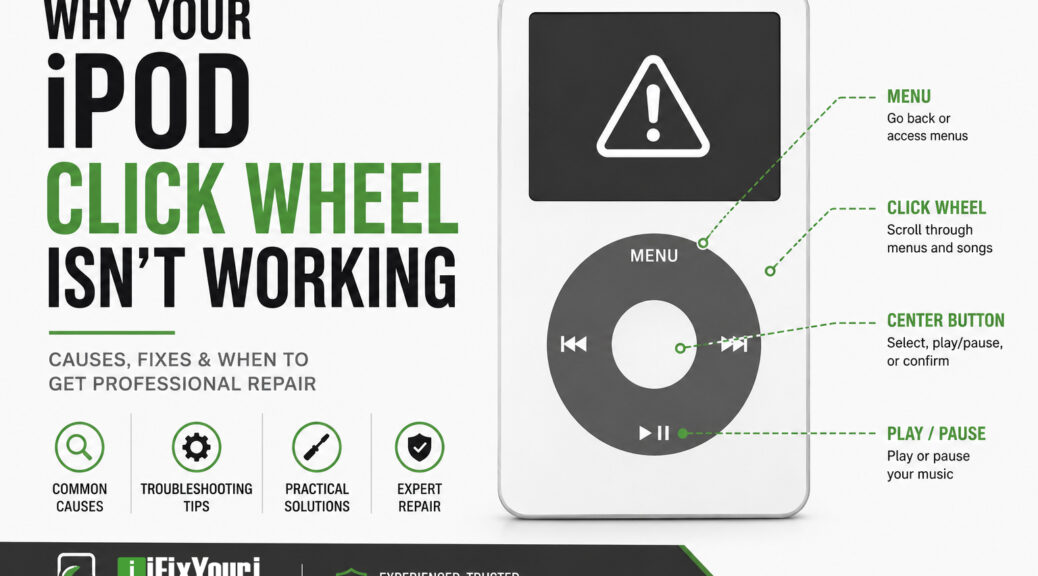
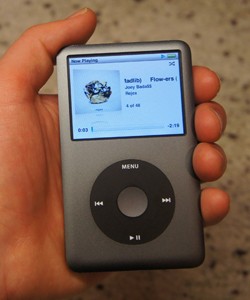
ipod click wheel anatomy

Why isn’t my iPod Click Wheel working?

Several different problems can cause an iPod Click Wheel to stop responding.

The most common possibilities include:

  • The iPod has temporarily frozen.
  • The Hold switch is preventing input.
  • Dirt or debris is interfering with the controls.
  • The Click Wheel has suffered physical wear.
  • An internal ribbon cable or connector has become damaged or disconnected.
  • The Click Wheel assembly itself has failed.
  • Another internal component, such as the logic board, has developed a problem.

The important thing is to avoid assuming that the Click Wheel itself has failed before troubleshooting the simpler possibilities.

For example, if your iPod suddenly stops responding while you’re listening to music, a force restart may solve the problem. If the wheel stopped working after the iPod was dropped or opened for another repair, however, an internal connection becomes more likely.

Could the Hold switch be causing the problem?

Yes. Before taking anything apart, check the Hold switch.

When the Hold switch is engaged, the iPod intentionally ignores button presses and Click Wheel input. It is an easy thing to overlook, particularly if the switch has been moved accidentally.

What should you do?

  1. Move the Hold switch to the unlocked position.
  2. Wait a few seconds.
  3. Try the Click Wheel again.
  4. If the iPod remains unresponsive, continue troubleshooting.

This simple check can save you from unnecessary repairs.

For example, if the iPod appears completely normal but none of the controls respond, checking the Hold switch should be one of your first steps.

Could restarting the iPod fix the Click Wheel?

Sometimes.

Older iPods can occasionally freeze or experience a software-related glitch that makes the controls appear unresponsive. Apple recommends a force restart as a troubleshooting step for iPod Classic models.

For an iPod Classic, Apple says to put the Hold switch in the unlocked position and then press and hold Menu and Center (Select) for about eight seconds, until the Apple logo appears. Apple also recommends placing the iPod on a table during the process and avoiding contact with the Click Wheel while pressing the Center button.

What happens if the restart works?

If the Click Wheel starts working normally afterward, you may have been dealing with a temporary software freeze rather than a failed component.

For example, an iPod that stopped responding after sitting unused for months might return to normal after a restart.

If the Click Wheel repeatedly stops working, however, the problem may be more than a temporary glitch.

Could dirt or debris make the Click Wheel stop responding?

Yes, particularly with an older iPod that has spent years in pockets, bags, drawers, or cars.

Dust and debris can accumulate around physical controls. Oils and residue from your fingers can also build up over time.

That said, don’t pour cleaning fluid into your iPod or aggressively pry around the Click Wheel.

A safer approach is to gently clean the exterior with an appropriate electronics-safe method and see whether the behavior changes.

What if cleaning doesn’t help?

If the wheel remains completely unresponsive, especially when the iPod otherwise works normally, an internal hardware problem becomes more likely.

For example, if the screen displays menus correctly but you cannot scroll, change the volume, or select anything, the Click Wheel system deserves further investigation.

Could the Click Wheel itself be worn out?

Absolutely.

Remember that many Click Wheel-equipped iPods are old enough to have experienced years of daily use. Apple discontinued the iPod line in 2022, making these devices increasingly part of the used and vintage electronics market.

Repeated use can eventually affect physical buttons and the components underneath them.

You may notice symptoms such as:

  • Scrolling works intermittently.
  • Scrolling works in only part of the wheel.
  • The wheel moves the selection unpredictably.
  • One button, such as Menu or Center, doesn’t respond.
  • The wheel works sometimes but stops after the iPod warms up.
  • None of the Click Wheel controls respond.

A good example is an iPod where the volume controls still work but scrolling has become unreliable. That symptom points toward a problem involving the wheel’s input system rather than a completely dead iPod.

Could an internal connection be causing the problem?

Yes, and this is one reason professional diagnosis can be valuable.

Inside an iPod, small components and ribbon cables connect the controls to the device’s logic board. If a connector becomes loose or a cable gets damaged, the Click Wheel may stop communicating correctly with the rest of the iPod.

Repair documentation for the iPod Classic identifies an improperly seated Click Wheel connection as one possible hardware issue.

This can happen after:

  • A drop or impact
  • Liquid exposure
  • Previous repair work
  • A housing replacement
  • A battery replacement
  • An attempted modification
  • Long-term wear

For example, if your Click Wheel worked perfectly until you had the iPod opened for a battery or storage modification, an internal connection deserves particular attention.

Why can an iPod repair be harder than it looks?

An old iPod may look simple from the outside, but that doesn’t mean it’s simple to disassemble.

Older iPod models use compact internal components, delicate cables, and tightly assembled housings. A repair attempt can create additional problems if you aren’t familiar with the device.

You could accidentally:

  • Tear a ribbon cable.
  • Damage a connector.
  • Scratch or bend the housing.
  • Damage the display.
  • Lose small internal components.
  • Create a second problem while trying to solve the first.

This is especially important if the iPod contains music or other files that you don’t want to risk losing.

The Click Wheel itself may not even be the root cause. A professional technician can test the device before replacing parts rather than simply guessing which component failed.

How can you troubleshoot an iPod Click Wheel safely?

Before seeking professional repair, work through these basic steps.

5 things to check when your ipod wheel stops working

1. Check the Hold switch

Make sure the switch is fully unlocked.

2. Restart the iPod

For supported iPod Classic models, try Apple’s force-restart procedure: hold Menu + Center/Select for approximately eight seconds.

3. Check whether the entire device is frozen

Look at the screen.

Can you see the current song? Does the display change? Does the iPod respond when connected to a computer?

These details can help distinguish a Click Wheel problem from a broader device problem.

4. Test individual controls

Try the following:

  • Menu
  • Center/Select
  • Play/Pause
  • Previous
  • Next
  • Volume controls, where applicable
  • Scrolling

Pay attention to exactly which functions work.

5. Look for signs of physical damage

Think about what happened before the problem started.

Did you drop the iPod? Get it wet? Leave it in a hot car? Have someone replace the battery?

That history can provide valuable clues.

6. Stop before opening the device if you’re unsure

If the basic troubleshooting steps don’t help, don’t keep experimenting indefinitely.

At this point, professional diagnosis may save both time and money.

When should you get professional iPod Click Wheel repair?

Professional repair makes sense when the Click Wheel remains unresponsive after basic troubleshooting or when you see signs of physical or internal damage.

Consider professional help if:

  • The Click Wheel stopped working completely.
  • Only some buttons respond.
  • The wheel behaves erratically.
  • The iPod was dropped.
  • The iPod experienced liquid exposure.
  • The problem began after another repair.
  • The iPod works except for its controls.
  • You want to preserve the original device and music library.
  • You aren’t comfortable opening an older electronic device.

A technician can diagnose the problem before replacing components.

For example, replacing a Click Wheel without checking the connector may not solve the problem if the actual fault lies elsewhere. Diagnosis first helps avoid unnecessary parts and repeated repairs.

Is it worth repairing an old iPod?

For many owners, yes.

An old iPod isn’t necessarily interchangeable with a modern music player. It may contain a carefully organized music library, hold sentimental value, or simply provide an experience that newer devices don’t replicate.

There is also an environmental argument for repairing electronics instead of automatically replacing them. The U.S. Environmental Protection Agency notes that extending the life of electronics through reuse and refurbishment can reduce the amount of waste that needs to be managed while conserving resources used to manufacture new products.

For example, if you have an iPod Classic loaded with years of music and the only problem is a failed Click Wheel, repairing that component can make far more sense than abandoning the entire device.

What should you do before sending an iPod for repair?

If your iPod still powers on, take a few precautions before professional service.

Back up your music and data if possible

If the iPod still connects to a computer, back up anything important before service whenever possible.

This is especially important with older devices because storage components can fail independently of the Click Wheel.

Write down the symptoms

Tell the technician exactly what happens.

Instead of saying:

“The Click Wheel is broken.”

Try explaining:

  • “Scrolling doesn’t work, but the Center button does.”
  • “None of the buttons respond.”
  • “It stopped working after I dropped it.”
  • “The wheel works intermittently.”
  • “The iPod works when connected to my computer, but I can’t navigate it.”

Specific symptoms make diagnosis easier.

Don’t attempt multiple repairs at once

If the Click Wheel is malfunctioning, resist the temptation to replace the battery, open the housing, modify the storage, and replace other components simultaneously unless you know exactly what you’re doing.

Changing several things at once makes it much harder to identify the original problem.

How does professional iPod repair work?

iPod repair

A professional repair generally starts with diagnosis rather than immediately replacing parts.

A typical process looks like this:

  1. Inspect the iPod.
    The technician checks the exterior, controls, display, and signs of physical or liquid damage.
  2. Test the symptoms.
    They determine exactly which Click Wheel functions work and which don’t.
  3. Check relevant internal components.
    If necessary, the technician examines connections, cables, and related hardware.
  4. Identify the likely cause.
    This helps determine whether the device needs a Click Wheel repair, another component, or a more extensive repair.
  5. Complete the repair.
    The appropriate component is repaired or replaced.
  6. Test the device again.
    The technician verifies that the controls and other functions work properly before returning the iPod.

This approach matters because an unresponsive Click Wheel doesn’t always mean the Click Wheel itself needs replacement.

Can iFixYouri repair an iPod Click Wheel?

Yes. iFixYouri Smart Device Repair offers iPod repair services, including Click Wheel button repair. The company’s current iPod repair service covers a wide range of models, including multiple generations of iPod Classic, iPod Nano, iPod Mini, and iPod Touch.

iFixYouri has specialized in device repair since 2010, giving its technicians years of experience working with older Apple devices and other electronics.

The company offers both walk-in repair locations and a mail-in repair option. Its mail-in process includes incoming diagnostics, communication with the customer if the requested repair does not match the device’s condition, final testing, and sanitization before the device is returned.

For customers in South Florida, iFixYouri also offers iPod repair through its Palm Beach Gardens location.

Don’t Give Up on Your iPod Yet

If your iPod Click Wheel isn’t working, don’t assume your favorite music player is finished.

Start with the simple possibilities: check the Hold switch, restart the device, and determine exactly which controls are affected. If those steps don’t solve the problem, an internal hardware issue may be responsible.

Because older iPods contain small, delicate components, professional repair can be the safer choice than taking the device apart yourself.

For many owners, an iPod is more than an obsolete gadget. It’s a music library, a nostalgic piece of technology, or a device they’ve owned for years. If the Click Wheel is the only thing standing between you and your music, iPod repair may be worth exploring before you give up on the device.


FAQ Section

Why is my iPod Click Wheel not working?

The Click Wheel may stop responding because of a software freeze, an engaged Hold switch, physical wear, debris, a damaged internal connection, or a failed Click Wheel component.

How do I reset an iPod when the Click Wheel isn’t working?

On supported iPod Classic models, move the Hold switch to unlocked, then hold Menu and Center/Select for about eight seconds until the Apple logo appears.

Can an iPod Click Wheel be repaired?

Yes. Depending on the model and failure, a Click Wheel or related internal component may be repairable or replaceable. iFixYouri specifically lists Click Wheel button repair among its iPod repair services.

Why does my iPod Click Wheel work sometimes but not others?

Intermittent operation can indicate a worn component, connection problem, or other hardware issue. If restarting the iPod doesn’t resolve the problem, professional diagnosis can help identify the cause.

Can I replace an iPod Click Wheel myself?

It is possible on some models, but opening an older iPod can be challenging and may damage delicate cables, connectors, or the housing. If you don’t have experience repairing small electronics, professional service is the safer option.

Is an old iPod worth repairing?

For many owners, yes. Repair can preserve a favorite device and its music library while extending its useful life. The EPA also recognizes repair, reuse, and refurbishment as ways to extend electronics’ lifespans and reduce environmental impacts.


Why Choose iFixYouri for iPod Repair?

When an older iPod stops working, experience matters. iFixYouri Smart Device Repair has been helping customers repair electronics since 2010, and the company specifically offers repair services for legacy iPod models.

Its technicians understand that older devices can require a different approach than modern smartphones and tablets. Rather than automatically assuming a failed Click Wheel needs replacement, a careful diagnosis can help identify whether the issue involves the wheel, its connection, another component, or a larger hardware problem.

iFixYouri’s iPod services include Click Wheel button repair, battery replacement, headphone jack repair, charging port repair, screen replacement, and other repairs across numerous iPod generations.

For customers who cannot visit a walk-in location, iFixYouri also provides mail-in repair services with incoming diagnostics and final testing.

The goal is simple: treat your old iPod with the care it deserves and help you keep using it for as long as possible.


Sources

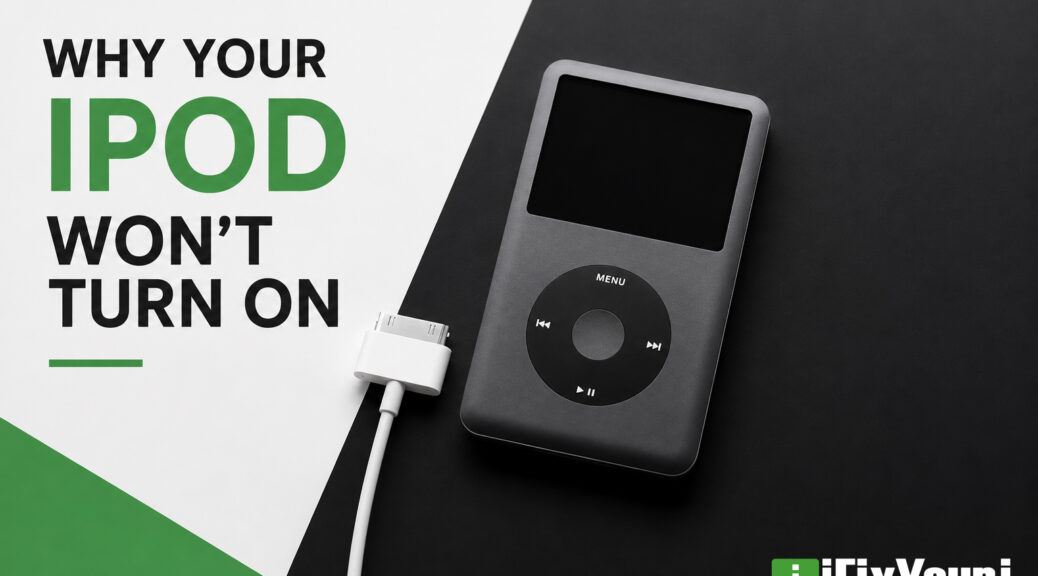
Why Your iPod Won’t Turn On: Common Causes and What You Can Do

Few things are more frustrating than pressing the power button and seeing absolutely nothing happen. If your iPod won’t turn on, don’t assume it’s beyond repair. In many cases, the problem comes down to a worn-out battery, charging issue, or damaged internal component—all of which may be repairable.

Whether you own an iPod Classic, Nano, Video, Mini, or Touch, understanding the possible causes can help you decide whether a simple fix is enough or if professional repair is the smarter choice.


Why Won’t Your iPod Turn On?

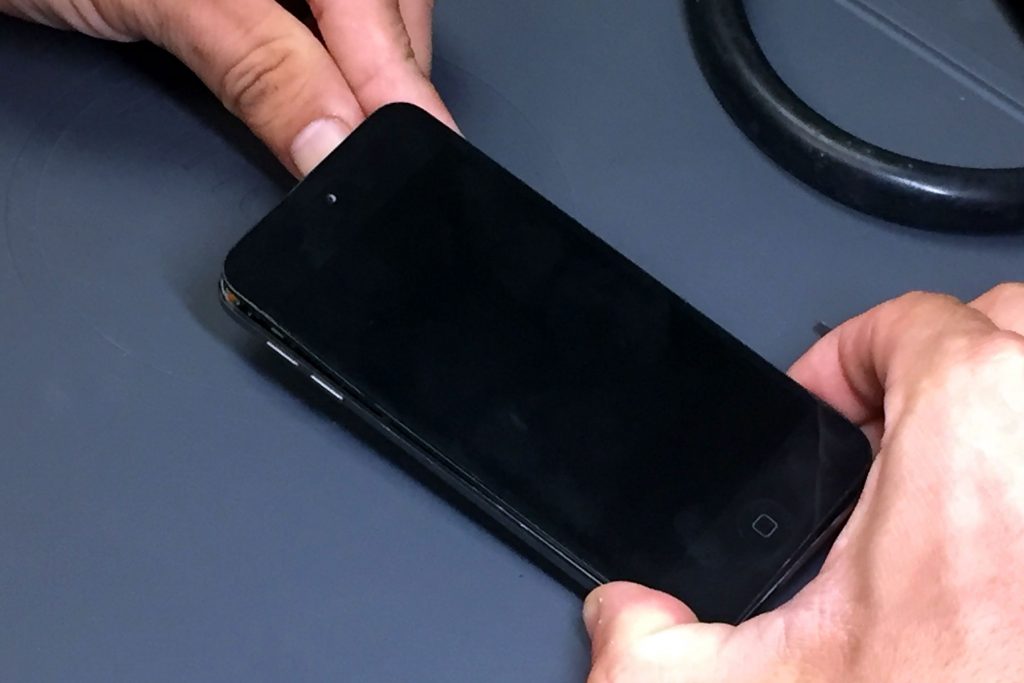
ipod black screen

Several different issues can prevent an iPod from powering up. Fortunately, many of them have recognizable symptoms.

The most common causes include:

  • Dead or failing battery
  • Faulty charging cable or charger
  • Dirty charging connector
  • Software crash
  • Damaged logic board
  • Water damage
  • Hard drive failure (iPod Classic)
  • Failed power button

The good news is that not every “dead” iPod is actually dead.


Could the Battery Simply Be Dead?

Battery failure is one of the most common reasons an older iPod refuses to start.

Lithium-ion batteries naturally lose capacity over time. Apple notes that rechargeable batteries gradually hold less charge as they age and eventually require replacement.

Signs of a failing battery

  • iPod only works while plugged in
  • Battery drains almost immediately
  • Device becomes unusually warm
  • Random shutdowns
  • No response after charging for several hours

Real-world example

A customer pulls an iPod Classic out of storage after several years. After charging overnight, the screen stays black. The battery has deteriorated from age rather than daily use. Replacing the battery restores normal operation.


Is Your Charger Actually Working?

Sometimes the iPod isn’t the problem.

Older USB chargers and cables often fail after years of use.

Before assuming the device is broken:

  1. Try another charging cable.
  2. Try another USB power adapter.
  3. Charge using a computer USB port.
  4. Let it charge for at least 30–60 minutes.
  5. Inspect the dock connector for dirt or bent pins.

A simple charging accessory replacement may solve the issue.


Could the Screen Be Working but Staying Black?

Sometimes the iPod powers on normally, but the display does not.

You might notice:

  • Clicking sounds from the hard drive
  • Backlight briefly flashes
  • Computer recognizes the device
  • Music continues playing

This usually points toward:

  • Failed LCD
  • Loose display connector
  • Damaged display cable

Professional repair can often replace only the affected display components instead of the entire device.


How Do You Force Restart an iPod?

A software crash may freeze the operating system.

Try a force restart before assuming hardware failure.

iPod Classic

iPod Classic
  • Toggle the Hold switch on and off.
  • Hold Menu + Select together for about 8–10 seconds.

iPod Touch

  • Hold the Power and Home buttons simultaneously until the Apple logo appears.

iPod Nano

Restart procedures vary slightly, depending on the generation.

If the iPod restarts normally, the problem may have been temporary software corruption.


What If the Hard Drive Has Failed?

Mechanical hard drives inside many iPod Classic models eventually wear out.

Common symptoms include:

  • Clicking noises
  • Folder icon
  • Sad iPod icon
  • Apple logo that never finishes loading
  • Extremely slow startup

Fortunately, many owners now choose to replace failing hard drives with modern flash storage.

Benefits of flash storage upgrades

  • Faster performance
  • Longer battery life
  • Greater reliability
  • More storage options
  • No moving parts

Could Water Damage Be the Cause?

Even a small amount of moisture can damage internal electronics.

Signs include:

  • Corrosion near connectors
  • Random behavior
  • Charging issues
  • No power
  • Screen discoloration

What should you do?

Do not continue charging the device.

Instead:

  • Power it off if possible.
  • Let a technician inspect the internal components.
  • Avoid attempting to dry it with heat.

Professional cleaning sometimes prevents additional corrosion.


When Is the Logic Board the Problem?

If every basic troubleshooting step fails, the logic board may have developed a fault.

Possible causes include:

  • Electrical surge
  • Component failure
  • Liquid damage
  • Failed charging circuit

Logic board repairs require specialized diagnostic equipment and microscopic soldering techniques.


When Should You Seek Professional Repair?

iPod repair

Some problems are easy to diagnose at home.

However, professional repair makes sense if:

  • The iPod won’t turn on after several charging attempts.
  • You suspect battery swelling.
  • The device was exposed to water.
  • The charging port appears damaged.
  • You hear clicking from the hard drive.
  • The iPod contains important music you don’t want to lose.

iFixYouri Professional technicians can often identify the exact failure much faster than trial-and-error troubleshooting.


Can Older iPods Still Be Worth Repairing?

Absolutely.

Many people still use iPods because they appreciate:

  • Dedicated music playback
  • Offline listening
  • Large music libraries
  • Better battery life than streaming phones
  • Nostalgia and collectible value

Repairing an existing iPod is often less expensive than replacing it with a rare used model.

In fact, the United Nations estimates that the world generated 62 million metric tons of electronic waste in 2022, highlighting the environmental value of repairing electronics rather than discarding them. Choosing repair helps extend the life of devices and reduces unnecessary waste.


So What Becomes of Your iPod?

If your iPod won’t turn on, don’t assume it’s permanently broken. Many power issues come down to aging batteries, charging problems, worn storage drives, or damaged screens—all of which are often repairable.

Start with simple troubleshooting. If those steps don’t solve the problem, a professional inspection can identify the exact issue and often restore your iPod to working condition.

Whether your iPod holds thousands of songs or simply years of memories, repairing it can be a worthwhile investment.


Frequently Asked Questions

Why won’t my iPod turn on even after charging?

A worn battery, faulty charger, damaged charging port, or internal hardware issue may prevent the device from powering on.

Can an iPod battery be replaced?

Yes. Most older iPod models have replaceable batteries, although professional installation is recommended due to the delicate internal components.

Why is my iPod showing a black screen?

A black screen may result from a discharged battery, software crash, failed display, or internal hardware problem.

Is it worth repairing an old iPod?

For many owners, yes. Repairs are often more affordable than purchasing another working vintage iPod, especially for collectible models.

Can a dead iPod be recovered?

Many can. Battery replacements, storage upgrades, display repairs, and charging port repairs frequently restore devices that appear completely dead.

How long should I charge an iPod that won’t turn on?

Allow at least 30 to 60 minutes of uninterrupted charging before attempting a restart.


Experience & Expertise

Since 2010, iFixYouri Smart Device Repair has helped customers across the country restore iPods that many people assumed were beyond repair. Our experienced technicians specialize in battery replacements, flash storage upgrades, display repairs, charging issues, and logic board diagnostics for a wide range of iPod models. Every repair is performed with careful attention to detail, high-quality replacement parts, and a commitment to extending the life of your device whenever possible. Whether your iPod contains a treasured music collection or years of memories, you can trust iFixYouri to provide honest recommendations and dependable workmanship.


Sources

Apple Support – If your iPod won’t turn on or appears frozen (https://support.apple.com/en-us/118430)

Apple – Batteries (https://www.apple.com/batteries/)

Global E-waste Monitor 2024 (https://ewastemonitor.info/)

Signs Your iPod Battery Needs Replacement

Many people still enjoy using their classic iPods for music, podcasts, or collecting vintage Apple devices. However, every rechargeable battery eventually wears out. If you’ve noticed shorter listening times or unexpected shutdowns, it may be time to consider an iPod battery replacement.

Fortunately, battery problems are among the most repairable issues affecting older iPods. Recognizing the warning signs early can prevent additional problems and help you continue enjoying your favorite device for years to come.


Why Do iPod Batteries Wear Out?

Every iPod uses a rechargeable lithium-ion battery. While these batteries offer excellent performance, they naturally lose capacity as they age.

Over time, chemical changes inside the battery reduce its ability to store energy. Even an iPod that has spent years in a drawer continues to experience battery aging.

Most lithium-ion batteries maintain good performance for several hundred charge cycles before noticeable capacity loss occurs. According to Apple, rechargeable batteries gradually lose their ability to hold a full charge as they age and cycle through use.

For example, an iPod Classic purchased more than a decade ago may still function perfectly except for its battery.


What Are the Most Common Signs Your iPod Battery Needs Replacement?

Your iPod Won’t Hold a Charge

One of the clearest indicators is dramatically shorter battery life.

You may fully charge your iPod overnight only to find it nearly empty after a short listening session.

Common symptoms include:

  • Battery drains within hours
  • Music playback ends much sooner than before
  • Battery percentage drops quickly
  • Frequent charging becomes necessary

If charging habits haven’t changed, the battery is likely reaching the end of its useful life.


Does Your iPod Shut Off Unexpectedly?

Unexpected shutdowns often point to a battery that can no longer provide stable voltage.

Your iPod may:

  • Turn off with battery remaining
  • Restart unexpectedly
  • Shut down during song playback
  • Power off when adjusting volume or navigating menus

For instance, an iPod displaying 40% battery before suddenly powering down usually indicates battery degradation rather than software problems.


Does It Only Work While Plugged In?

If your iPod functions normally while connected to a charger but immediately shuts off when unplugged, the battery may no longer store usable energy.

This happens because external power bypasses the failing battery.

Although charging appears normal, the battery itself cannot sustain the device.

iPod battery repair

Is Your iPod Battery Draining Faster Than It Used To?

Battery life naturally decreases over many years.

You may notice:

  • Daily charging becomes necessary
  • Long playlists no longer finish
  • Podcasts stop midway through listening
  • Battery drains while the iPod sits unused

The U.S. Department of Energy notes that lithium-ion batteries gradually lose capacity over time because of both age and repeated charging cycles.

A collector who occasionally uses an iPod Classic might discover that a fully charged device loses most of its power after sitting unused for several days.


Is the Battery Causing Physical Problems?

Sometimes battery failure becomes visible.

Watch for These Warning Signs

  • Swollen housing
  • Screen lifting
  • Buttons becoming difficult to press
  • Case separating slightly
  • Excessive heat while charging

A swollen lithium-ion battery should be replaced promptly. Continuing to use the device may cause additional internal damage.

If you notice physical swelling, stop charging the iPod until it has been inspected.


Can Battery Problems Look Like Other Issues?

Yes.

Several symptoms overlap with charging or storage problems.

Before assuming the battery has failed, check:

  1. Try a different charging cable.
  2. Test another USB power adapter.
  3. Clean the charging connector.
  4. Perform a restart.
  5. Allow the device to charge uninterrupted for at least an hour.

If the symptoms remain, professional battery testing can determine whether replacement is necessary.


Is Replacing an iPod Battery Worth It?

In many cases, absolutely.

Many older iPods have become collectible, and several models still provide an outstanding offline music experience.

Replacing the battery can:

  • Restore portability
  • Extend listening time
  • Improve reliability
  • Preserve a favorite device
  • Avoid replacing an entire music library setup

For example, someone who has maintained a carefully organized iTunes library may find that battery replacement is far more practical than switching to a completely different device.

iPod Classic

Should You Replace the Battery Yourself?

DIY repair kits are available, but older iPods require careful disassembly.

Many models contain:

  • Delicate ribbon cables
  • Fragile display assemblies
  • Small internal connectors
  • Adhesives requiring careful removal

Accidentally damaging one component can turn a simple battery replacement into a much larger repair.

Professional technicians have the proper tools and experience to safely replace batteries while minimizing the risk of additional damage.


When Should You Seek Professional iPod Battery Replacement?

Professional repair makes sense when:

  • The battery drains unusually fast.
  • The iPod shuts off unexpectedly.
  • The battery has swollen.
  • The device no longer powers on without a charger.
  • You own a collectible or sentimental iPod.
  • You want the repair completed without risking internal damage.

Experienced technicians at iFixYouri can also inspect the charging port, hard drive, click wheel, and other internal components while replacing the battery. At iFixYouri, multiple repairs performed at the same time can lead to a discounted repair rate.


Keep Your Favorite iPod Playing Longer

A weak battery doesn’t necessarily mean your iPod has reached the end of its life. In many cases, replacing the battery restores much of the device’s original usability and allows you to continue enjoying your music collection.

If you’ve noticed shorter battery life, unexpected shutdowns, or charging problems, addressing the issue early often prevents additional wear and helps preserve your iPod for years to come.


Frequently Asked Questions

How long does an iPod battery typically last?

Most lithium-ion batteries gradually lose capacity after several hundred charge cycles. For many older iPods, age is now a bigger factor than usage.

Can an old iPod battery be replaced?

Yes. Many iPod models, including the iPod Classic, iPod Video, iPod Mini, and several iPod Nano generations, can receive professional battery replacement.

Why does my iPod die even though it shows battery remaining?

A degraded battery may report an inaccurate charge level and suddenly lose voltage, causing unexpected shutdowns.

Is a swollen iPod battery dangerous?

Yes. A swollen lithium-ion battery should be replaced promptly, and the device should not continue charging until inspected.

Will replacing the battery make my iPod like new?

Battery replacement restores battery performance but will not repair unrelated issues such as damaged storage, screens, or charging ports.

Is professional battery replacement better than DIY?

For many iPod models, professional repair reduces the risk of damaging delicate internal components during disassembly.


Experience & Expertise

Since 2010, iFixYouri Smart Device Repair has specialized in restoring electronics that many people thought were beyond repair. Our technicians have extensive experience working on a wide range of iPod models, including classic devices that require specialized tools and careful handling.

Every battery replacement is performed with attention to detail, thorough testing, and a commitment to quality workmanship. Whether you’re preserving a cherished music player or bringing a collectible iPod back to life, you can trust iFixYouri to deliver reliable, professional repairs backed by years of hands-on experience.


Sources

Apple Lithium-ion Batteries
(https://www.apple.com/batteries/)

Battery University – How to Prolong Lithium-Based Batteries
(https://batteryuniversity.com/article/bu-808-how-to-prolong-lithium-based-batteries)

Can an iPod Be Repaired? Everything You Need to Know

If you’ve been wondering, “Can an iPod be repaired?” The answer is good news for music lovers: yes, many iPods can be repaired—and often they’re worth fixing.

Whether you’ve held onto your favorite iPod Classic for years or recently found one tucked away in a drawer, these iconic music players still have plenty of life left. In many cases, replacing a worn battery, damaged screen, or failing hard drive can restore an old iPod to like-new performance.

Rather than replacing a beloved device, professional repair can preserve your music library, extend your iPod’s lifespan, and often save money compared to purchasing rare replacement units.


Can an iPod Be Repaired?

Absolutely.

Many common iPod problems can be repaired by experienced technicians. Since Apple no longer manufactures iPods, repairing an existing device has become one of the best ways to continue enjoying your music collection.

Depending on the model, repairs may include:

  • Battery replacement
  • Screen replacement
  • Hard drive replacement
  • Flash storage upgrades
  • Charging port repair
  • Click Wheel repair
  • Headphone jack repair
  • Diagnostic services
  • Water damage evaluation

For many owners, a professional repair restores years of additional use.

Imagine pulling out an iPod Classic that hasn’t been used in five years. The battery won’t hold a charge, but your entire music collection is still stored on it. A battery replacement may bring it back to life without losing your favorite playlists.


What iPod Problems Are Most Common?

Older electronics naturally wear over time. Fortunately, many issues have straightforward solutions.

Battery No Longer Holds a Charge

Rechargeable batteries slowly lose capacity after hundreds of charge cycles.

Signs include:

  • Battery drains quickly
  • Device shuts off unexpectedly
  • Won’t power on unless plugged in
  • Long charging times

A battery replacement often restores normal performance.

iFixYouri has replaced batteries on many iPod Classics from the mid-2000s, which then still function perfectly.


Hard Drive Failure

Many iPod Classics use miniature mechanical hard drives.

Over time, they may develop:

  • Clicking noises
  • Slow loading
  • Frequent freezes
  • Error messages
  • Failure to boot

In many cases, replacing the drive—or upgrading to modern flash storage—greatly improves both speed and reliability.


Broken Screen

Drops happen.

A cracked display doesn’t necessarily mean the iPod is beyond repair.

Professional screen replacement can restore:

  • Clear visibility
  • Touch functionality (where applicable)
  • Overall appearance

Charging Problems

Sometimes an iPod refuses to charge.

The issue may involve:

  • Worn charging port
  • Damaged dock connector
  • Internal charging circuitry
  • Battery failure

Proper diagnostics identify the actual cause before repairs begin.


Is It Worth Repairing an Old iPod?

For many owners, yes.

Several factors make repairing an older iPod worthwhile.

1. You Keep Your Music Library

Many users have thousands of songs organized exactly how they like them.

Repairing the existing device helps preserve that collection.

2. Older iPods Are Becoming Collectible

Classic iPods have developed a strong following (and retro-cool factor) among collectors and music enthusiasts.

Some restored models have increased significantly in value in recent years.

3. Repairs Cost Less Than Buying Rare Models

Finding a quality used iPod isn’t always easy.

Repairing your own device often provides a more reliable solution because you already know its history.


Which iPods Can Usually Be Repaired?

Many Apple music players remain repairable, including:

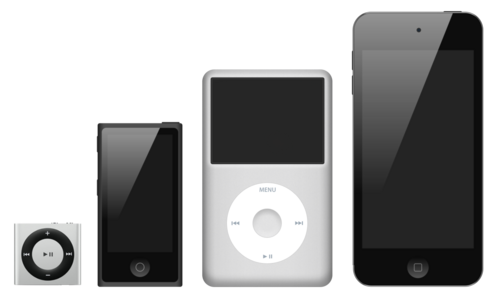
  • iPod Classic
  • iPod Mini
  • iPod Nano
  • iPod Touch
  • Earlier iPod generations

Repair options vary depending on model and available replacement parts.


Can You Repair an iPod Yourself?

Simple repairs may seem tempting after watching online tutorials.

However, older iPods require specialized tools and experience.

Attempting repairs without proper equipment can result in:

  • Torn ribbon cables
  • Broken connectors
  • Damaged displays
  • Bent housings
  • Lost internal components

Additionally, opening certain iPod models without damaging the enclosure can be surprisingly difficult.

Professional technicians perform these repairs regularly, reducing the risk of accidental damage.


When Should You Seek Professional iPod Repair?

Professional repair is recommended when:

  • Your battery no longer charges
  • The screen is cracked
  • The hard drive makes clicking sounds
  • The Click Wheel stops responding
  • The device won’t power on
  • The charging port feels loose
  • Your iPod has liquid damage
  • You want a flash storage upgrade

Experienced technicians can diagnose the issue accurately instead of replacing parts through trial and error.

An iPod that appears completely dead may only require a battery replacement rather than an expensive motherboard repair.


How Long Can an iPod Last After Repair?

With quality replacement parts and proper care, many repaired iPods continue operating for years.

Battery replacement and storage upgrades often extend usable life considerably.

In fact, the average lithium-ion battery retains about 80% of its original capacity after approximately 500 full charge cycles, making battery replacement one of the most effective ways to revive aging electronics. (Apple Battery Information)

Routine care also helps:

  • Store in a cool, dry place
  • Avoid overcharging
  • Use quality charging cables
  • Protect against drops
  • Keep software updated when applicable

Why Professional Repair Makes a Difference

While replacement parts can be purchased online, successful repairs require precision.

Professional repair shops like iFixYouri provide:

  1. Accurate diagnostics
  2. Quality replacement components
  3. Specialized repair tools
  4. Experience with older Apple devices
  5. Careful testing before returning the device

This approach helps ensure repairs last rather than creating additional problems.


Final Thoughts

If you’ve been asking yourself, can an iPod be repaired, the answer is almost always worth exploring.

Many battery, storage, charging, and screen issues can be repaired successfully. Whether your iPod holds treasured memories or remains your favorite way to enjoy music, professional repair may give it many more years of life.

Instead of assuming your iPod is beyond saving, have it evaluated by experienced technicians who understand these classic devices.


Frequently Asked Questions

Can an old iPod still be repaired?

Yes. Many older iPods can still be repaired depending on the model and available replacement parts.

Is replacing an iPod battery worth it?

Often, yes. A new battery can dramatically improve usability and extend the device’s lifespan.

Can a damaged iPod hard drive be replaced?

Yes. Many iPod Classics can receive replacement hard drives or upgraded flash storage.

How much does iPod repair usually cost?

Costs vary depending on the repair and model. Battery replacements generally cost less than major board repairs or screen replacements.

Can data be saved during an iPod repair?

In many cases, yes. However, if the storage device has failed completely, recovery may not always be possible. Professional evaluation offers the best chance of preserving data.

Are iPods still worth repairing in 2026?

For many music enthusiasts, collectors, and longtime owners, absolutely. Repairing an existing iPod is often more affordable than replacing a rare model and preserves a device you already know and trust.


Why Choose iFixYouri Smart Device Repair?

Since 2010, iFixYouri Smart Device Repair has helped customers restore thousands of electronic devices, including hard-to-find iPod models. Our experienced technicians understand the unique design of Apple’s legacy music players and use careful diagnostic procedures to identify the right solution before beginning any repair.

Whether your iPod needs a battery replacement, hard drive repair, screen replacement, charging port repair, or a complete diagnostic evaluation, our team focuses on quality workmanship, dependable parts, and attention to detail. Our goal is to help you keep enjoying the device you already love instead of replacing it unnecessarily.

Sources

Apple Lithium-Ion Batteries (https://www.apple.com/batteries/)

Apple Support: If your iPod won’t turn on or seems frozen (https://support.apple.com/guide/ipod-touch/if-your-ipod-touch-wont-turn-on-or-is-frozen-ipodbc5f848c/ios)

U.S. Environmental Protection Agency – Electronics Donation and Recycling (https://www.epa.gov/recycle/electronics-donation-and-recycling)

The Careful Process of iPod Touch Screen Replacement

It goes without saying that listening to music on the go is very important to people, and when their precious iPod Touch screen becomes damaged, iPod Touch screen replacement is essential.  Let’s explore what’s involved.

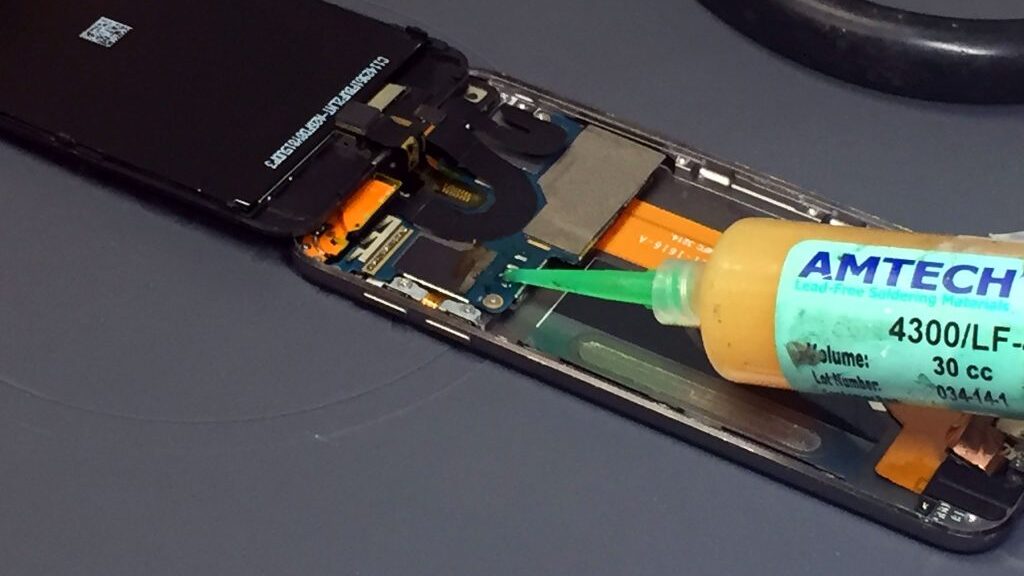
Which iPod Touch Screen Replacement Is Needed?

The iPod Touch actually has two screens, so depending on your device’s damage, you may only need to replace one of the screens.  The outer screen, called the faceplate, is a glass covering that protects the touch screen.  This liquid crystal display (LCD) screen, also called the digitizer, is the actual display screen.

Steps to Disassembling an iPod Touch

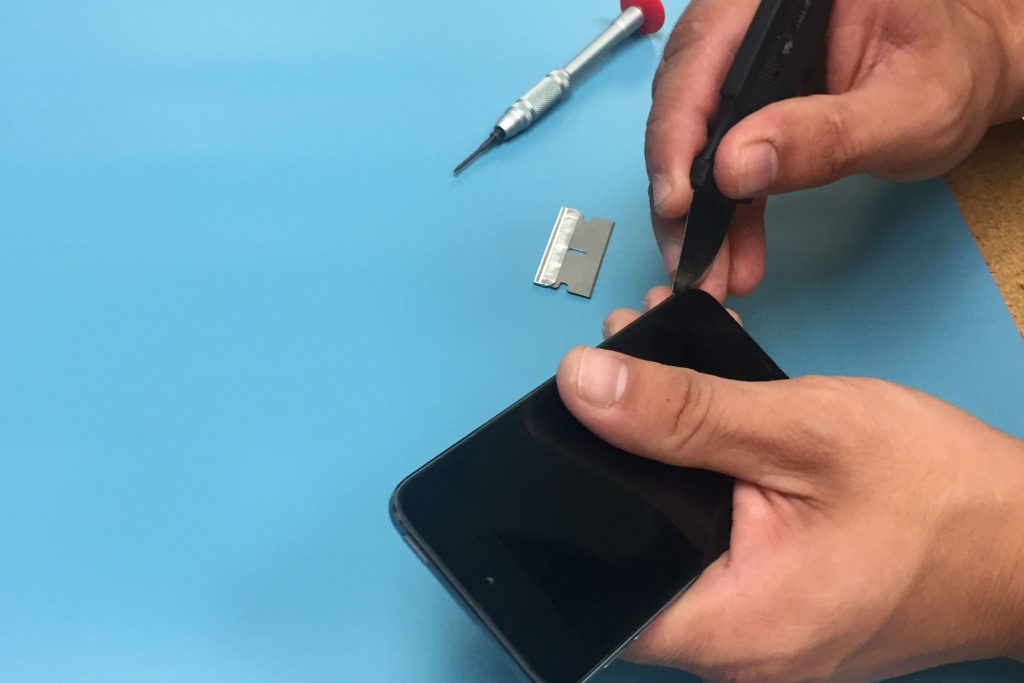
ipod-touch-screen-replacement-ifixyouri

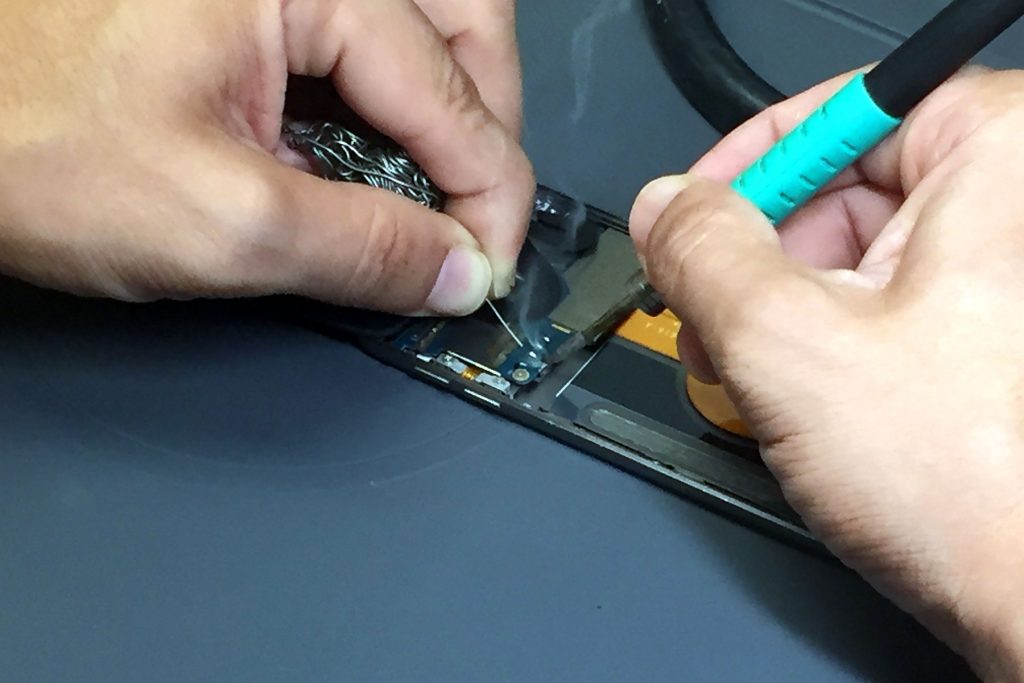
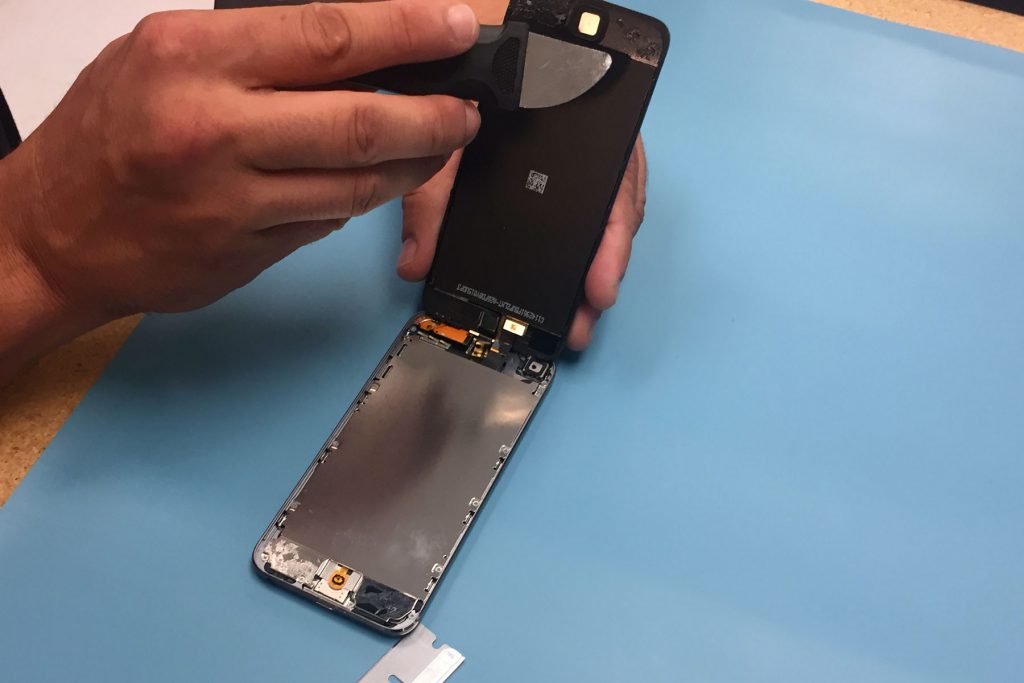
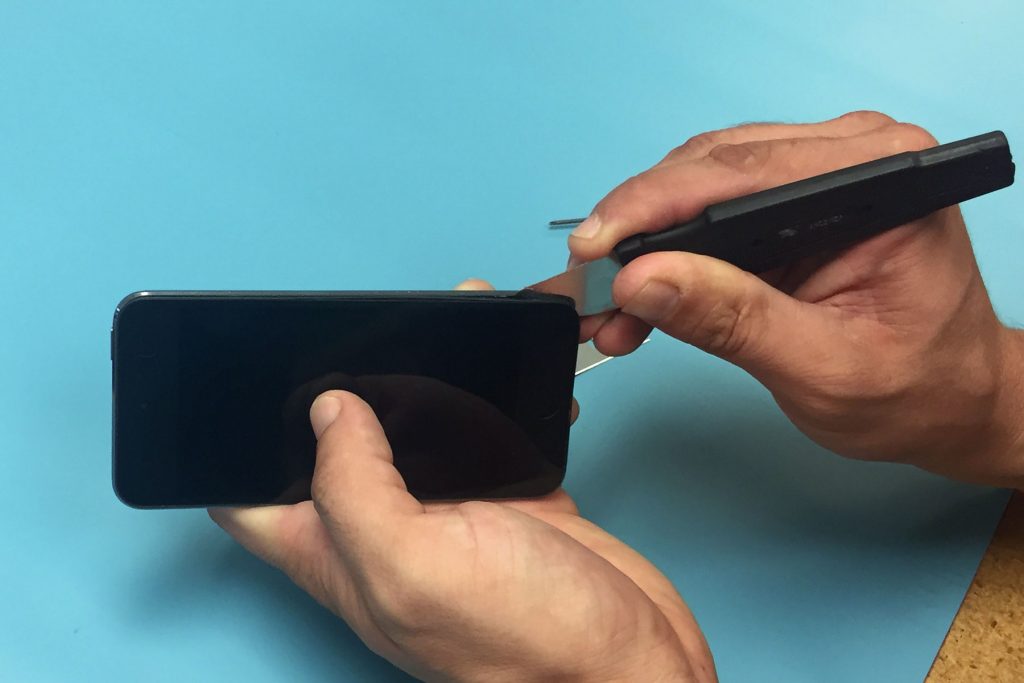
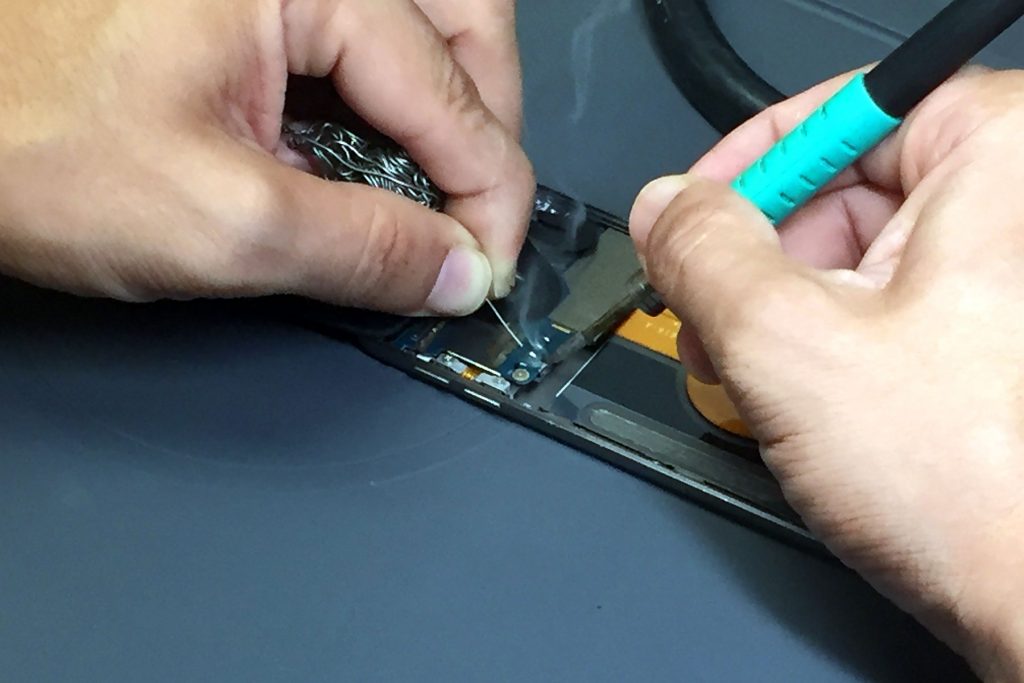
  1. The iPod comes apart from the back to the front.  First, the chrome back of the iPod is removed with specific opening tools.  Trying to do this yourself may result in scratched chrome, but specific iPod opening tools, when used properly, can prevent this.
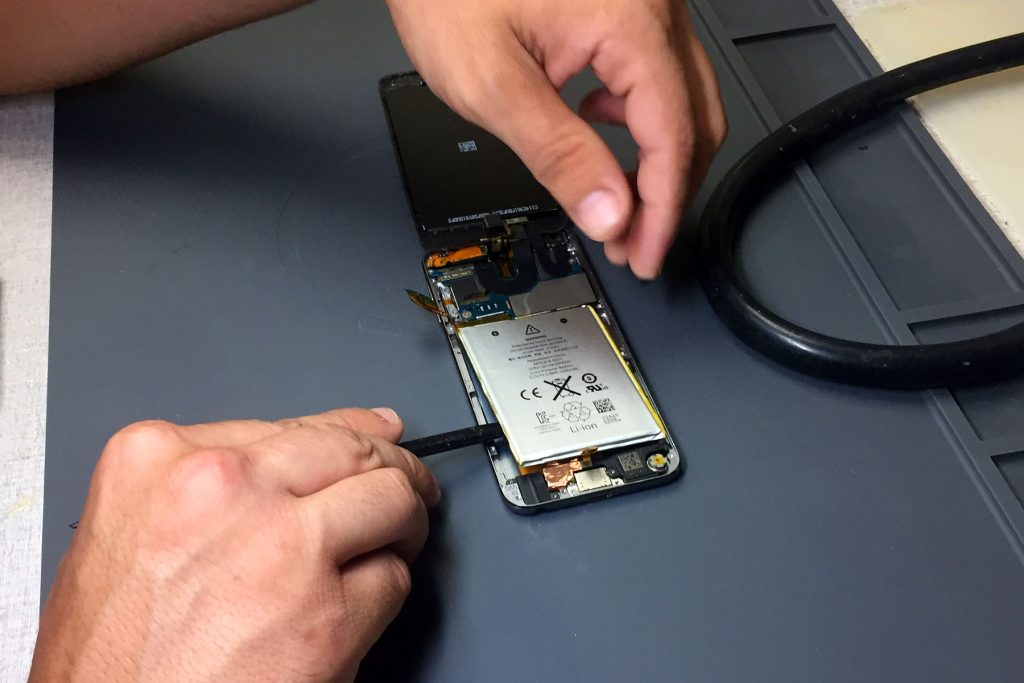
  2. Then the device’s battery is removed.
  3. The battery is glued to the iPod, so its removal is also a delicate process.
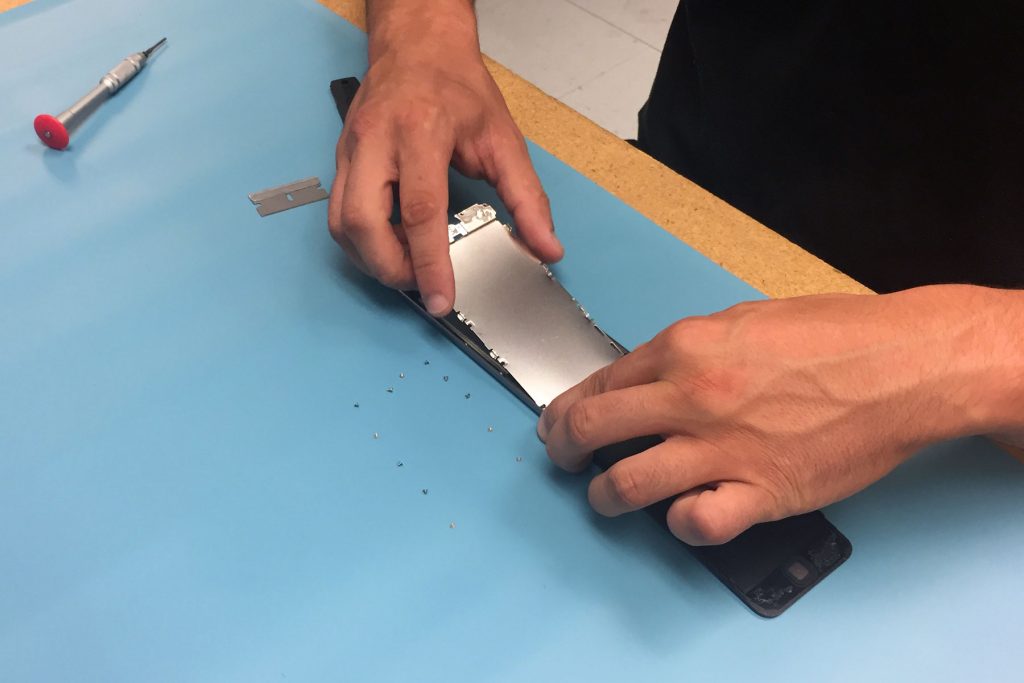
  4. The logic board, held in place by four small screws and attached to the battery by a cable, is the next piece to come out.
  5. Finally, the digitizer is removed.  The digitizer is secured to the faceplate with sixteen screws and plugged in to the logic board.

iPod Touch Screen Replacement

If the digitizer is broken, it is simply a matter of unplugging the old one and plugging in the new.

If the faceplate screen is broken, however, it is an entirely different matter.  After the Home button is removed, the faceplate is heated up to break the adhesive bond between the faceplate and the screen.  The damaged screen is then thrown out, the Home button replaced, and the new screen with the fresh adhesive placed over the faceplate.  The faceplate is heated again, so the glue bonds to the plate and screen, and once it is cooled, it is ready to be put back on the iPod.

iPod Touch Re-Assembly

It is important that all the internal parts of the iPod are clean before it is reassembled.  The faceplate screen is wiped with a soft cloth, and the digitizer and logic board are cleaned with compressed air just to be sure, so no unnecessary dust gets inside the iPod.  Then the parts are reassembled in the reverse order in which they came out — digitizer, logic board, battery, and chrome back.

You can try to do this yourself, but an iPod touch screen replacement is a very meticulous process.  You can trust experienced professionals like iFixYouri, who specialize in iPod Touch screen replacement, to properly repair your device and send it back to you quickly.

How iPod Water Damage Can Dampen Spirits

ipod-water-damage-ifixyouriAfter downloading hundreds of albums and thousands of songs onto their portable MP3 player, iPod users do their best to protect their music player. Sadly, life is fast moving, mistakes are made, and iPod water damage is quite common.

It is not unheard of for someone to be listening to his or her new Avett Brothers album while using the restroom, and so, when they stand to leave, the iPod gets bumped and splashes in the toilet. People panic in a situation like that and immediately assume the worst. However, iPod water damage does not have to signal the end for the well-made MP3 player – iPod repair is also common.

Most Common Causes of iPod Water Damage

Owners of iPods, beware of the most common ways these devices are subjected to water damage:

  1. The iPod is dropped in a pool, toilet, or sink.
  2. While walking outdoors, unexpected rainfall soaks a person and the iPod is not protected.
  3. Someone spills a beverage.

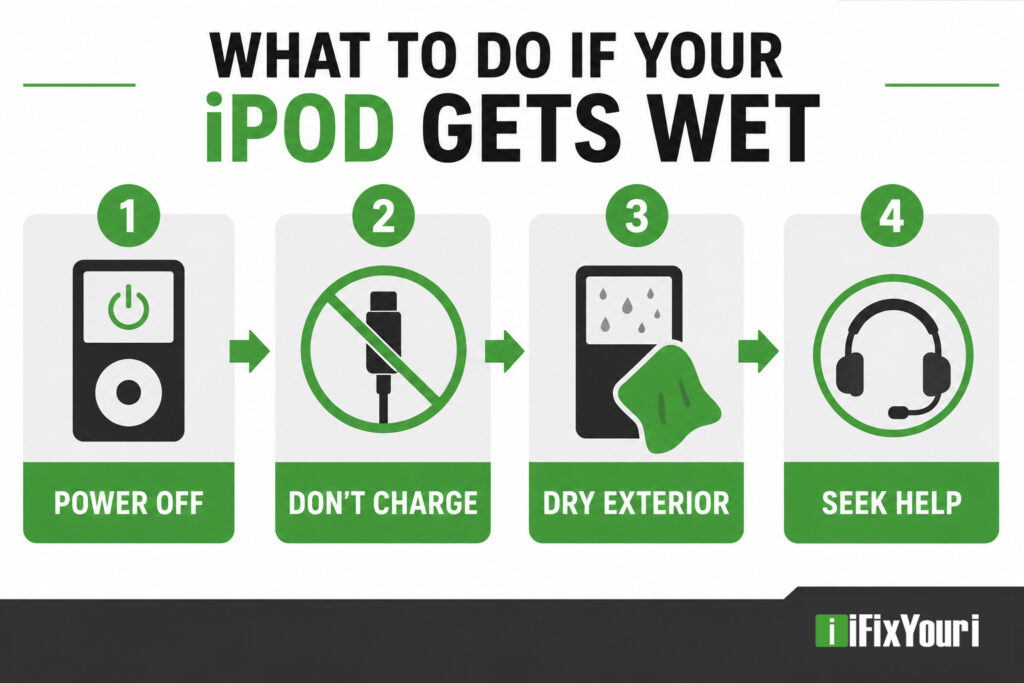
What To Do About Your iPod Water Damage

It’s easy to think that a damaged iPod might just be for the trash, but the owner of a device that has undergone such a calamity has options. You might be able to get the device fixed, depending on:

  • how wet the device gets
  • whether it was totally submersed
  • how long it was saturated
  • the type of liquid

Personal Action Steps for iPod Water Damage:

  • Do not press any buttons.
  • Place the iPod under a bright light, display screen face-up, and let dry for 2 to 3 hours.
  • Fill a bowl with dry, uncooked white rice. Place the iPod in the rice, screen face down, and leave for 2 to 3 days.
  • After 2 to 3 days, remove iPod from rice bowl and plug the device into a charger. The display should light and read, “Do Not Disconnect.”

In the Event that Damage Requires Services:

Most iPod owners have media from multiple sources on the MP3 player. Because it is difficult to retrieve all of those media sources, most owners will gladly send an iPod for professional repair. However, it is best to avoid sending the device to a third party that is not proven.

To Evaluate a Third Party Repair Technician:

  • Do not choose the cheapest service, as these repairmen will likely cut corners.
  • Do not send the device to the highest priced contractors either. The service should reflect a fair cost, never far beyond the total price of a similar and new device.

Since an iPod is a delicate device, owners with a damaged iPod need to find a trustworthy technician to do the work, such as iFixYouri. Wait to buy a new iPod, and do not try online remedies that suggest self-repair requiring the device to be dismantled. A trustworthy repair service is the best option and well worth any iPod owner’s time and money.