Category Archives: Apps

The Absolute Best Apps for iPads with a Retina Display

With the advent of the retina display, iPad owners want to download apps that offer the sharpest graphics ever. Playing with brilliant high resolution apps is the only way to truly experience the joys of the retina display. However, with thousands of apps available, the task of choosing the best one is almost impossible. If you have been finding it difficult to choose such an app,  read on for the best retina display apps for iPad, and start enjoying out-of-this-world graphics.

Star Walk for iPad

If you love interactive astronomy, this app should definitely be on your download list. True to its name, it lets users explore the stars in the sky. All one has to do is point his or her iPad device upwards towards the sky. When stargazing becomes a chore rather than a joyous pastime, revert to the planet data and moon phases. The beauty of this app, which makes use of retina display, is the ability to use night mode as well. As such, both day and night modes produce sharp images.

Sky Gamblers: Air Supremacy

For gamers, perhaps nothing gets their competitive juices flowing like good graphics. The Sky Gamblers app offers this and much more. You will not only be able to gawk at the depth of field but also enjoy amazing fluidity. To give you an idea of the graphics depth, the app can display 50 battle planes on screen comfortably.
Evernote

As one of the most popular iPad apps, Evernote does not disappoint when it comes to making full use of retina display graphics. The ultra-high-quality graphics will render your musings perfectly. The slick experience extends across different platforms. This means that you can start scribbling while at the office and continue on your way home.

Infinity Blade II

Game developers know that graphics alone can sink or boost the fortunes of an iPad app. This sequel to the smash-hit Infinity Blade certainly delivers on the graphics front. The resolution renders the stunning landscapes and clouds with such finesse rarely seen in the gaming world. Add to this mix easy game control and you have an app that every iPad owner should have.

Solar Walk

For lovers of 3D models, this solar system iPad app is perhaps the perfect choice. With the help of a set of cyan and red glasses, you will be flying around the universe in no time. Whether you are a novice or an experienced astronomer, Solar Walk provides tons of information using iPad’s retina display.

iPhoto

ipad-retina-iphoto

After taking photographs, you need an iPad app that boasts of retina display qualities for viewing. The iPhoto app from Apple does not disappoint. Everything that you have ever wanted in a photo editing app is available. This includes multi-touch editing, cropping, saturation, as well as exposure. There is no doubt that this app will make both your photo sharing and viewing an enjoyable experience.

StockTouch

When you have to follow stock market movements, you require an app that delivers clear information. The StockTouch app delivers this information using the power of iPad’s retina display. Add intuitive navigation and you have an app for the most demanding trader.

The Early Edition

ipad-retina-the-early-edition

Reading news can be a joy (on a retina display app) or an eye squinting affair (on a news app that does not make good use of this technology). The Early Edition app optimizes the iPad retina display to resolve this problem, and make reading news both easy and enjoyable.

If you have never had the chance to experience iPad’s retina display, the apps discussed above are very likely to totally change your entire iPad experience. Together with iPad’s quad core graphics engine, your daily gaming, note-taking, or browsing will never be the same again. By taking advantage of the iPad’s 2048 by 1536 screen resolution, these apps provide awesome graphics optimization.

Then again, to fully take advantage of the iPad screen, it should be free of scratches and cracks.  If you have these issues, contact iFixYouri for quality iPad screen repair.

Tweeted and Deleted: 10 Hilarious Celebrity Twitter Slip-Ups

Twitter is a great tool because it gives famous people a direct connection to their fans. Although it can be great for their ‘public relations’, it can also make them look really bad if they misuse it. For some celebs, a slip up just makes them look silly, or feel dumb, but for others, the consequences can be serious and permanent.

Here are 10 celebrities that slipped up, tweeted, and deleted.

10. Bow Wow DUI

Rapper Bow Wow had to delete a self incriminating tweet after realizing that it might not be the smartest thing to publicly broadcast the fact that he was under the influence of drugs or alcohol and driving a Lamborghini. What’s most impressive is that he didn’t wake up the next morning in the hospital! Most recently, Bow Wow is still having twitter problems: someone posted a picture, pretending it was him and Bow Wow spooning, and the rapper put a bounty on the poster’s head. Bow Wow originally claimed that he would give $2500 to anyone in Detroit who would harm the man responsible for the tweet.  Bow Wow then quickly deleted the message…and his entire Twitter account. Maybe he’s finally given up on Twitter, after realizing it’s too dangerous for him!

9.  Julliette Lewis Cyber Heckling


celebrity-tweet-delete-ifixyouri-1Actress and Singer Juliette Lewis, known from her roles in Due Date (2010) and What’s Eating Gilbert Grape (1993), gave a harsh review of singer Lana Del Rey as she watched Saturday Night Live from the spectator seats.

She later deleted the tweet, and replaced it with the following:

celebrity-tweet-delete-ifixyouri-2


8.  Denise Richards Phone Giveaway

Actress Denise Richards somehow managed to accidentally tweet her own phone number. I guess the simplicity of Twitter is still not simple enough for people who aren’t technically inclined. After finally figuring out how to delete the message, she had to figure out how to change her number, then posted this:

celebrity-tweet-delete-ifixyouri-3


7. Blige’s Misunderestimated Intelligents


celebrity-tweet-delete-ifixyouri-4

The tweet really says it all with this one. After being fed up with people trying to estimate her intelligence, she made it clear once and for all. Now no one will estimate wrongly again! Needless to say, she noticed her little typo and deleted the tweet.

6.  Kutcher’s Butchered Tweet

Joe Paterno (AKA “Jo Pa”) was a very successful football coach until November 2011 when he was fired after an former FBI investigator found evidence that he sexually assaulted young boys and tried to cover it up for years. Somehow, actor Ashton Kutcher heard about ‘Jo Pa’ being fired, but completely missed the rest of the story, and wrote this tweet:

celebrity-tweet-delete-ifixyouri-5

Oops! I’m sure it didn’t take long for him to figure out from his followers that there was more to the story. Rather than defend Jo Pa, like many of the students at Penn State, Kutcher did the wise thing and recanted with class (or, at least, with minimal continued embarrassment).

 celebrity-tweet-delete-ifixyouri-6

5. Katy Perry’s Bleak Leak

katy-perry-tweet-deleted

Russell Brand obviously can’t miss a chance for a prank, because he tweeted this picture of Katy Perry (can you believe it’s her?), with no makeup on in the early morning. Apparently, worried about her image, Katy Perry didn’t find it very funny and made Russell delete it right away!

 4. Cee Lo-Blow


celebrity-tweet-delete-ifixyouri-7

Cee Lo Green took a low blow at some of his critics who insulted his concert, suggesting that they were offended by his masculinity, and therefore gay. This isn’t a criticism I’ve ever heard about homosexuals, but Cee Lo Green realized his mistake and quickly deleted the tweet.

3. Oprah Gets OWN-ED


celebrity-tweet-delete-ifixyouri-8

Did you ever wonder how television producers know how popular television shows are? They can’t just track who’s watching what if it’s broadcast through the airwaves. Instead, a random sample of households are set up with special boxes that record what those people watch. Oprah decided it would be a good idea to fake her ratings by encouraging viewers with these special boxes to tune into her network: OWN (the Oprah Winfrey Network). This would have made it seem like more people were watching the channel than there actually were. She deleted the tweet after getting in trouble from Nielson, the company behind the boxes.

2. Bieber Backfires

After Kevin Kristopik hacked into Justin Bieber’s friend’s phone to steal his number, Bieber decided to get revenge by posting the following tweet with Kevin’s number, pretending it was his own.

celebrity-tweet-delete-ifixyouri-9

After a sudden avalanche of 26 thousand text messages, Bieber quickly deleted the message. I think it’s fair to say that Kevin’s plan backfired.

 1. Weiner’s Wiener

This is the most devastating tweet that any politician could possibly send. Anthony Weiner, a New York congressman, sent out a photo of his weiner, concealed only by briefs. The message was intended for a 21 year old college student, but, even worse, was broadcast for all his followers. After denying responsibility initially, he admitted his mistake and was forced to resign. Be careful what you tweet! If you want to follow any of the celebs above, or any other famous folks, on Twitter, one of the best methods is through the mobile app.  It’s a convenient way to stay on top of the trends and controversies.  All you need is a decent internet connection.  If your smartphone seems to be having issues, there is one place you can trust to get it fixed: iFixYouri.

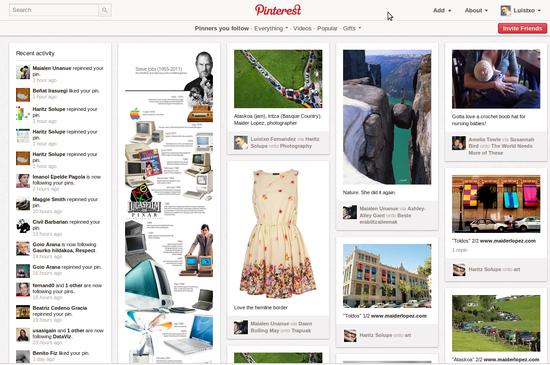
Pinterest is now iPad-compatible

pinterest-ipad-ifixyouri

Pinterest is becoming popular with each passing day, and with mobile apps rolling out of its stable, it has become quite easy for users to pin their pictures, images and other things on the move. The social network has announced that it has unveiled an iOS app, which would be compatible with both the latest versions of the iPhone and the Apple tablet, the new iPad.

Pinterest Looks Beautiful on iPad

The Pinterest website can be viewed on the iPad clearly, as it has a full layout, making it easier for the user to view multiple pins simultaneously. The users can navigate to the different categories of the website, by a simple swipe on the screen. They can also use the integrated browser to view sites, which is the pin or the image’s source.

The Pinterest experience on the iPad is no different from viewing it on a regular computer, as the mobile app has several key features of Pinterest, thereby replicating the user’s experience on a bigger screen (but it’s more fun!). Users can like, share, repin, and even comment on the images through this mobile app. No better time to get your broken iPad fixed from iFixYouri so you can enjoy this fantastic social media app in all its glory!

iPhone Pinterest App Gets Update

The iPhone app has recently received an update, wherein a two-column layout has been introduced, thereby enhancing the overall user experience and also offering much better performance. The improved user interface makes it easier to see multiple pins, and makes is possible for the user to enjoy the Pinterest experience, similar to the experience on a desktop or an iPad.

P.S. The Pinterest mobile app can be installed for free from the online iOS store.

15 Best iPad Games of 2012

ipad-games
The year 2012 has seen the release of a number of enticing new games for the Apple iPad. Some publishers have also released newer versions of their popular games. For example, 2012 has seen the release of the space version of Angry Birds, which is perhaps the most popular tablet game ever released. The new games have been designed with the latest iPad in mind: these games feature high definition graphics that take advantage of the new iPad’s Retina display and interactive controls using multi-touch.

The 15 Best iPad Games Released in 2012

1. Angry Birds Space HD

This version of Angry Birds features intergalactic gaming in High Definition in zero gravity. With more than 100 interstellar levels and brand new birds, this game will keep you engaged to your iPad for hours and hours. It takes the original Angry Birds to a whole other level. Check it out:

2. Temple Run: Brave

The latest game in the Temple Run series is set in Scotland and is based on the same principle as the original game — you control the hero who has to steal an idol from a temple as he faces many challenges in the game. This game was released in collaboration with Disney/Pixar.

3. Real Racing 2 HD

If you want to play a car racing game on iPad, it must be Real Racing 2 HD. Its anti-aliased and crisp graphics will keep you entertained as you race through 120 races. It supports multiplayer gaming as well as video out at 1080p.

4. Infinity Blade 2

Though the game was released on December 1, 2011, it was updated especially for the Retina display for iPad in March 2012. This action-packed role-playing adventure game requires you to slay beasts using different types of weapons as you progress towards your quest.

5. Dark Meadow

This game has drawn comment from reviewers for its stunning graphics and attention to detail, which comes out very well on the 3rd generation iPad, for which it received an update in March, 2012. The game itself is a first-person horror, combat and exploration game, in which you explore a hospital full of mysteries and deadly enemies.

6. Waking Mars

First released in early 2012, the game was updated for full Retina display in May 2012. The game gives you the controls as you guide astronaut Liang Qi through the subterranean Martian cave system in the year 2097.

7. LostWinds 2: Winter of Melodies

Released in May 2012, this interactive game requires you to solve mysteries while you complete different types of tasks in a fantasy world that you would love to explore. In the game you control a young boy named Toku and the wind spirit Enril as they try to save the world from an evil spirit.

8. Sonic the Hedgehog 4: Episode II

Released in May 2012 for iPad as well as Arcade, PC and Android, this game allows you to play one of the most popular gaming characters of all time. As Sonic the Hedgehog, and accompanied by Tails, you race across different Zones as you take down badniks using deadly combination moves.

9. Where’s my Water?

This Disney game was updated with full Retina support for iPad in April 2012, which also added 20 new levels to the game-play. This physics-based puzzle game features multi-touch controls and high definition graphics that will keep you entertained for hours.

10. Plague, Inc

Plague, Inc is a dark but intensely addictive game has garnered more than 35,000 five star ratings on the App Store. The aim of the game is to cultivate a deadlier version of plague in a bid to end the human race. That is why we said it was dark…It may be twisted but it’s pretty darn fun. Check it out in action:

11. Marvel vs Capcom 2

This multi-player game allows you to pit heroes from Marvel and Capcom face-to-face as they fight or glory and points. Released in April 2012 in the App Store, this game offers you action and fighting like you may never have seen before on iPad.

12. Grabatron

When it was launched for iPad and iPhone in June 2012, this game was downloaded more than 1.5 million times over two weeks. This freemium game allows you to take control of a UFO as you destroy mankind!

13. Dynamite Jack

If you love explosions as well as puzzles, you will love Dynamite Jack. In this game you control Jack, who is a space marine escaping the mines where he was forced to work. You help him escape by solving puzzles and making sure that he remains safe till he reaches the end of a level. The game was released in June 2012, check out a review here:

14. Batman Arkham City Lockdown

Use the touch screen to take down some of the biggest villains of Gotham as you play Batman. The game features multi-touch game-play and high definition graphics of Arkham as you battle the villains and their henchmen. It was updated in April 2012 with new levels and Retina display optimization for the new iPad.

15. Draw Something Free

This Pictionary-like free game was released to critical and popular acclaim in the first quarter of 2012. It is a social game that allows you to play with your friends as you draw more than 900 words on your iPad.

All these games are built for iPad’s Retina display, with high definition art and graphics that will attract your eyes even as you slay monsters or race with time and other players.  To truly appreciate the detail, your iPad screen will need to be free of cracks or blemishes — which you can get repaired properly at iFixYouri.

iPhone Anonymity App: Burner Allows You To Go Incognito

 burner-iphone-ifixyouri

Burner, one of iPhone’s newest apps, allows users to become completely digitally anonymous. This app lets you create disposable numbers for placing and receiving calls, making sure that all the numbers used on your phone are anonymous and temporary. These “burnable” numbers can be used to place incognito calls as well as to send anonymous text messages.

How It Works

Anonymity

Burner creates a temporary number that is anonymous. That is, you do not have to provide any personal identification to create it. The number can only be used for twenty minutes of air-time or to send sixty text messages. The numbers assigned by this app normally last for about week. After this time, they are auto-deleted.

Temporary

Users are given the option to ‘burn’ the number before your validity or talk-time expires, which can be beneficial if you are trying to move fast. Burning a number erases all the evidence that the number ever existed. Those who try to call the number are informed that it is now out of service.

How Do I Get The App?

Like many superior apps, Burner does not come free. To download it, you have to purchase it from the online App Store for $2. Burner comes with one initial alias number that you can use to get yourself started. The cost of the app excludes the cost of additional alias numbers, which can be purchased after you buy sufficient credits.

Why Is Anonymity Important?

Anonymity is getting harder and harder to get as the internet and social media become more prevalent. It is not necessarily restricted only to people who wish to engage in illicit activities, as many of us wish to conceal our identity for exemplary causes, or simply for privacy to ensure our private information is not sold. Protecting your sense of privacy in the 21st is something that most current iPhone users are concerned with.

Protecting your iPhone from physical issues is another matter.  If you’re not careful, or equipped with a good protective case, your smartphone may suffer damage.  There is no app for repairs: you’ll need professional help.  Contact iFixYouri to repair any type of damage that your phone incurs.

Gambling Apps Coming to a Smartphone Near You

gambling apps ifixyouri

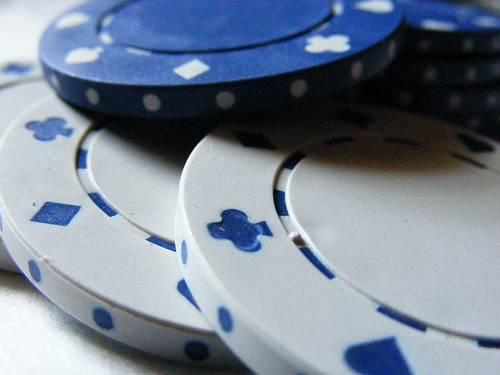
In the near future, people will be gambling on their phones, winning or losing money with a few simple swipes of their finger. Big Fish Games, a company based in Seattle, is releasing a gambling app in the UK, where such actions are legal.

Potential For Big Bucks

It is estimated nearly 50 billion dollars will be gambled on mobile devices by the year 2015. This means companies want to get on the action and are eager to design applications that let consumer do just that.

Chris Chriffin, CEO of Betable, a partner company with Big Fish Games, says this is a huge opportunity for game developers. However, Big Fish is certainly not the only company on the market.

Zynga, the biggest maker of social games, plans to release real money gambling applications before 2013 is over.

Legal Issues

Betting money over the internet is illegal in many states in the US. That certainly will not stop everybody, however, and some states may relax restrictions. California, Nevada, and New Jersey are thinking about making it legal.

App Producers and Apple

Despite the lucrative opportunity, Apple is not getting any money from the sale of gambling apps. Apple would prefer to not worry about being part of a potentially illegal gambling operation.

Thousands of players already play for fake money on their phones. When real money becomes available, many of them will be among the first to buy gambling apps. Paul Thelen, CEO of Big Fish, says the opportunity for profit in the near future may be very large indeed.

See this page for more info.

If you do get involved in gambling apps, and in a heated moment, throw your iPhone to the ground, you’ll need to get it fixed so you can win the money back.  There’s always another day.  Or Gamblers Anonymous.

How To Create an iPhone App That People Will Love

iphone-app-ifixyouriThe iPhone app development industry is considerably competitive nowadays, but at the same time it is a very rewarding one. With hundreds of iPhone applications made available every day, it can be quite difficult to build one that grabs the attention of the public and becomes a big success.

Nevertheless, new developers should not be discouraged, as the demand for these apps is also very high. Moreover, the technology existing today and the numerous tools available to iPhone developers make the process of building an app pretty straightforward and fast.

Virtually anyone can design and develop his or her own iPhone app these days, without a lot of difficulties. Here are the most common as well as most necessary steps that have to be made in order to build and market your own application.

 Brainstorm

The process starts with a brainstorm for ideas, especially if you do not have any ideas yet. The secret for succeeding in such a competitive market is to come up with something truly unique. This, however, involves a lot of thinking, since nobody can come up with something entirely original and practical that has not been implemented before without doing some research on the market needs and putting a lot of thought into it.

Another thing you can do is to take an old application that was once popular, and spend some time on studying its flaws and determining how you could correct them and improve the application. You can also take an app category where you are very knowledgeable and then design an app with several innovative features that most competitors do not have. Finding a narrower niche on the other hand will make the designing and development process run a lot smoother.

Research

When creating an iPhone app, you cannot disregard the competition. You should always do some research on your competition and see how thorough that particular niche is. The higher the competition in that niche, the more difficult it will be for you to successfully market and sell your app.

The ideal method is to find a narrow niche with high demand and low competition, yet this is one of the most difficult things to do. If however you decide not to let the intensity of the competition scare you and choose to dive into a high competitive niche, you will have to come up with a really unique and innovative application, with features that will make it stand out from the rest.

Finding Help

There are numerous tools you can use in order to make your iPhone app look more appealing. Nonetheless, the best ones are usually the most expensive. You can always do some research, read user reviews and ask for recommendations on development forum boards about which of these tools are more recommended for your particular needs and requirements.

Also make sure that you have an iPhone or working iPod touch to test the prototype on – if you own an iPhone or iPod that needs repair for this step, iFixYouri has the expertise and resources to fix your Apple product. Designing the app should not be too difficult once you have all the right tools to work with (assuming, of course, that you have a background in programming, or are eager to learn). To get started, look at Apple’s main hub for iOS developers, and this tutorial site (with marketing tips).


iphone-app-ifixyouriMarketing

After the development process has been completed, you can go on to the next most important step, which is marketing and selling your iPhone app. A good marketing plan is required in order to get the consumers’ attention, even if your final product already looks good and has lots of useful functionalities.


Reviews

One of the fastest and yet most efficient ways to market an app is through referrals by customers who are satisfied and impressed with your application. For this, you will need to develop a list of clients that can take some time to test the app and then give some positive reviews, spreading them around the internet. These reviews can be either done in the iPhone app store, or in other various forms of marketing.

You may also want to offer incentives for users who are promoting your application on message boards or by using other online marketing vehicles. Another alternative is to release a free (or heavily discounted) version of the app, at least for a while. The more people start talking about your new released iPhone app, the more profit you will generate.

Different Mediums

One of the biggest mistakes that many iPhone developers make is to limit the marketing of their applications to online mediums and mobile environments only. The truth is that print advertising (newspapers, magazines, flyers, etc.) usually sticks a lot longer, mainly because people carry them around, share them with their friends, and generally look at them a few times before throwing the magazines away. Therefore, you might want to expand your marketing approach and get your iPhone marketed in an appropriate printed magazine or publication, according to your budget.

Targeted Market Analysis

Lastly, you should understand that iPhone app marketing is all about following your target audience, going where your potential buyers are and sending them a compelling message. Do not limit your exposure and use any means possible to present your product to iPhone users worldwide. Do a market analysis regularly and then use that data to find new ways of maximizing your sales and allow more and more people to discover your awesome application.