Top Repair Tools Every Tech Needs to Work On Smartphones and Computers

Smartphones and computers have become indispensable in our daily lives, but they’re prone to malfunctions and breakdowns. To repair these devices efficiently, technicians require the right tools. In this blog post, we’ll explore the essential tools every technician needs for smartphone and computer repair. If you’d rather just leave it to the pros, visit a trusted repair shop like iFixYouri. You may also want to check our post about Common Smartphone Repairs.

top repair tools
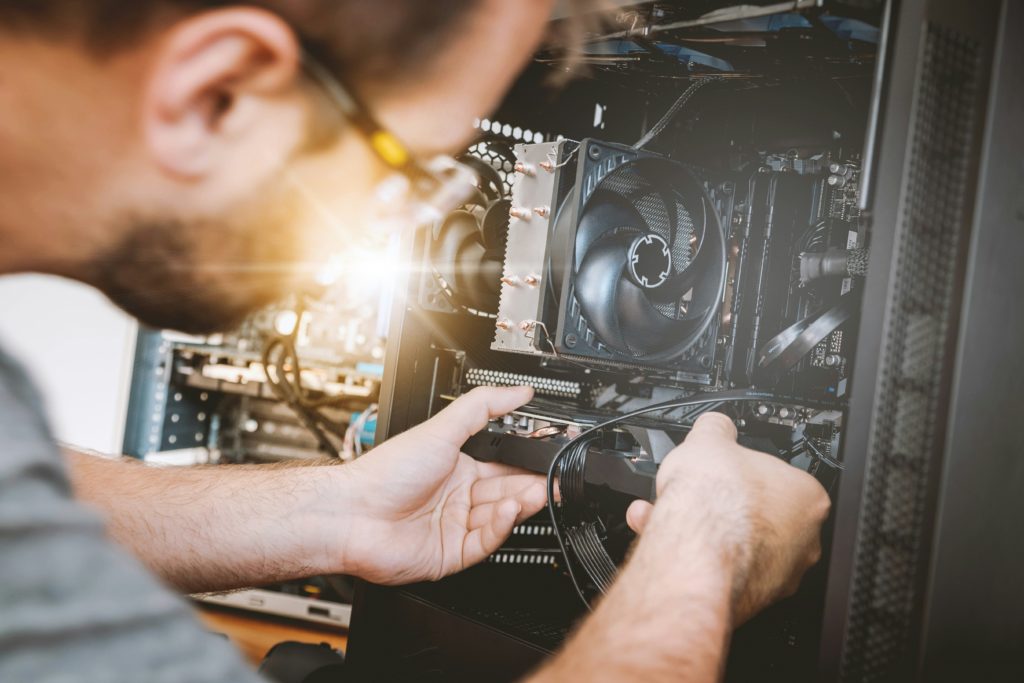
Photo by Joel Rohland on Unsplash

Top Repair Tools: Precision Screwdriver Set

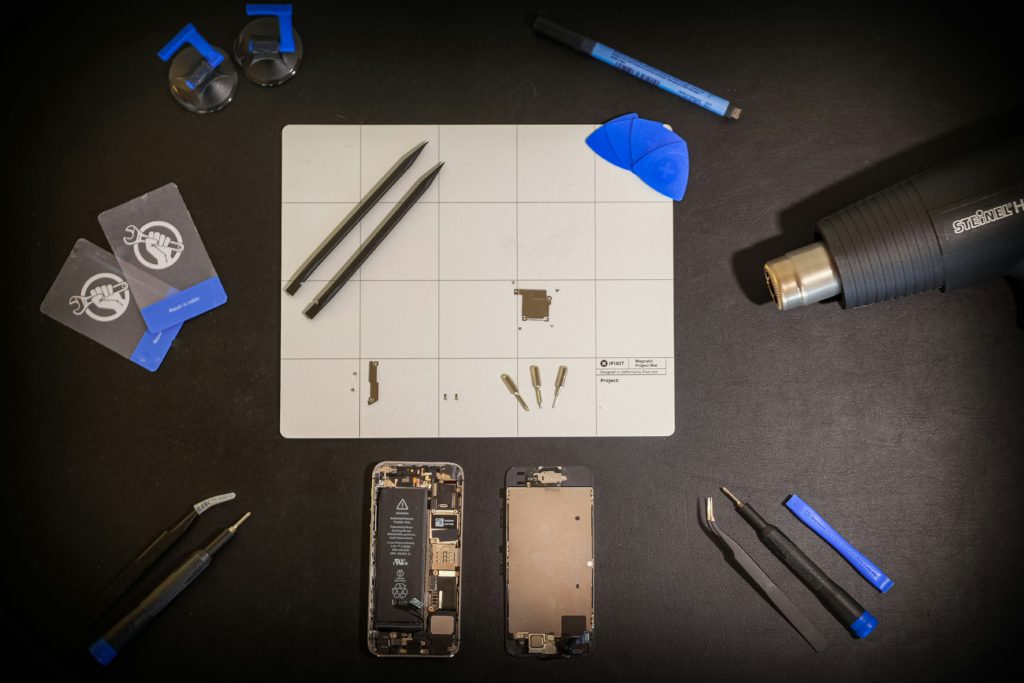
Smartphones and computers contain numerous small screws of varying sizes and shapes. Therefore, technicians must utilize a precision screwdriver set with interchangeable tips to disassemble these devices safely and efficiently. Some technicians prefer dedicated, fixed-head screwdrivers rather than the interchangeable tip version. It’s important to remember that you will probably need more than just a precision Phillips head, as different phones may use different types of screws.

Spudger Set

A spudger is a versatile tool for prying open electronic devices without causing damage. It’s particularly useful for separating tightly-fitted components like smartphone screens or laptop casings. Thus, having a set of plastic spudgers in different shapes and sizes is indispensable for any repair technician.

Suction Cup

Many smartphones and tablets feature glass screens held in place with adhesive. You may have to preheat the adhesive with hot air or a heating pad; there is more on that below. Consequently, a suction cup provides technicians with a secure grip for safe screen removal without damage to the device or its components.

Opening Picks

Opening picks are thin, flexible tools that aid in separating glued or tightly-fitted components. They are invaluable for disassembling devices such as smartphone screens or laptop casings. With a variety of opening picks available, technicians can safely dismantle devices without risking damage.

Heat Gun or Hot Air Rework Station

For screen repairs on tablets or other devices assembled with adhesives, you can start simply with a heating pad. For repairs involving soldering or reworking components, a heat gun or hot air rework station is essential. These tools allow precise application of heat to solder joints and components, facilitating successful repairs without collateral damage. Whether replacing a smartphone charging port or reflowing a laptop motherboard’s graphics chip, a heat gun or rework station is indispensable.

Anti-Static Wrist Strap:

Electrostatic discharge (ESD) poses a risk to sensitive electronic components. Wearing an anti-static wrist strap helps dissipate static electricity safely, protecting both the technician and the devices being repaired. Whether working on smartphones or computers, employing an anti-static wrist strap minimizes ESD-related damage during repairs.

Lighting and Safety Equipment

Good lighting is always important. Electronic components and screws are small, and you need to be able to see what you are doing. Plan some good overhead and task lighting; you’ll be glad you did. Also, don’t skip the safety equipment like gloves, eye protection, and a plan for those rare but serious battery puncture fires. Typically this includes pouring sand, not water, on the fire.

Repairing smartphones and computers demands technical expertise, precision tools, and attention to detail. By equipping themselves with this list of top repair tools, technicians can efficiently handle a wide range of repair tasks.

Whether professionals or DIY enthusiasts, investing in quality tools is crucial for successful smartphone and computer repair endeavors. Of course, if tools and DIY repair are not your thing, you can always bring your devices to a reputable electronics repair shop like iFixYouri.

Demystifying Mobile Device Management: A Comprehensive Guide

Mobile devices have become an integral part of both personal and professional life. For a business or organization with multiple devices, managing them efficiently has become a necessity. This is where a Mobile Device Management (MDM) company like iFixYouri steps in. 

But what exactly does a Mobile Device Management company do? Let’s delve deeper into this service that is becoming essential for today’s business world.

Part 1 – What is Mobile Device Management?

Mobile Device Management (MDM) is a solution that allows organizations to manage, monitor, and secure their mobile devices, such as smartphones, tablets, and laptops, from a centralized platform. MDM ensures that devices are appropriately configured, updated, and compliant with company policies and security protocols.

mobile device management
Photo by Mika Baumeister on Unsplash

The Role of a Mobile Device Management Company

MDM companies specialize in providing the tools and expertise necessary for effective mobile device management. Here’s a breakdown of what these companies typically offer:

  1. Device Enrollment and Provisioning: MDM companies assist in the initial setup and enrollment of devices onto the management platform. This can include sourcing devices, configuring device settings, installing necessary applications, and ensuring seamless integration with existing IT infrastructure.
  2. Policy Management: One of the core functions of MDM is enforcing policies across all managed devices. This includes setting restrictions on device functionalities, enforcing security protocols (such as password requirements and encryption), and implementing compliance measures to meet regulatory standards.
  3. Application Management: Some MDM solutions allow administrators to deploy, manage, and update applications on mobile devices remotely. This ensures that employees have access to the necessary tools and resources while maintaining control over app usage and permissions.
  4. Security Features: Security is paramount in mobile device management. MDM companies can offer a range of security features, including encryption of sensitive data, threat detection, and antivirus management to protect devices from malicious software and cyber threats.
  5. Integration with Existing Systems: MDM solutions seamlessly integrate with existing IT systems, such as identity management, directory services, and enterprise mobility solutions, to ensure a cohesive and streamlined management experience.

Benefits of Mobile Device Management

Partnering with an MDM company offers several benefits for organizations:

  • Enhanced Security: MDM helps enforce security policies and safeguards sensitive data, reducing the risk of data breaches and compliance violations.
  • Increased Productivity: By ensuring devices are properly configured and up-to-date, MDM improves employee productivity and efficiency.
  • Cost Savings: MDM streamlines device management processes, reducing IT overhead costs associated with manual device provisioning and support.
  • Centralized Management: With MDM, organizations can manage all their mobile devices from a single, centralized platform, simplifying administration and control.

Part 2 – End-of-Life Mobile Device Management

End-of-life management for mobile devices encompasses a range of practices aimed at handling devices that are no longer in use. This is the flip side of sourcing and configuring devices. It involves several key steps, starting with the decision of when to retire the device if it is beyond repair. Whether due to technical obsolescence, damage, or simply an upgrade to a newer model, understanding when to retire a device is crucial.

Once a device is deemed no longer suitable for use, the next step is data management. Ensuring that personal data, sensitive information, and any stored credentials are securely wiped from the device is paramount. This not only protects the user’s privacy but also guards against potential identity theft or data breaches. Many devices offer built-in data wiping features, while specialized software can also be used to ensure thorough erasure.

After data management, the focus shifts to the physical device itself. While it may be tempting to discard old devices in the trash simply, this can have serious environmental consequences. Mobile devices contain a variety of materials, including metals, plastics, and batteries, which can be harmful if not properly disposed of. End-of-life management encourages practices such as recycling and proper disposal to minimize the impact on the environment. Recycling programs, offered by manufacturers and retailers, allow old devices to be dismantled and their components repurposed or recycled, reducing the need for raw materials and cutting down on electronic waste.

To bring awareness to the importance of device end-of-life management, several industry-standard certifications have been developed. These include both the R2v3 certification and the ISO 14001 certification, both of which provide guidelines for proper handling and recycling of electronic devices. These certifications also provide a framework for environmental best practices when handling electronic device repair. iFixYouri has attained both of these certifications, as well as many others. 

End-of-life management also encompasses options for extending the lifespan of mobile devices. Reuse and refurbishment initiatives allow old devices to find new homes with individuals or organizations that may not require the latest technology. By extending the useful life of these devices, we can reduce overall consumption and lessen the environmental footprint associated with manufacturing new devices.

Mobile Device Management companies play a crucial role in helping organizations effectively manage, secure, and monitor their mobile devices. By offering a comprehensive suite of services and features, MDM companies empower businesses to harness the full potential of mobile technology while maintaining control and security. 

As the reliance on mobile devices continues to grow, partnering with an MDM company like iFixYouri becomes increasingly essential for businesses looking to stay ahead in today’s digital landscape.

Read more about iFixYouri’s Device Management Plan.

Mastering Gamer Woes: A Guide to Common PlayStation Repairs

Gamers invest time and money into PlayStation consoles. However, they’re prone to malfunctions. From the “Blue Light of Death” to disc read errors, knowing how to deal with common PlayStation repairs is crucial. In this blog post, we’ll explore these issues and provide actionable tips. If you need help with any of these issues, please bring your device to iFixYouri for PlayStation repairs.

You may also want to read our post about Console vs PC Gaming.

common playstation repairs
Photo by Florian Gagnepain on Unsplash

Blue Light of Death (BLOD):

The Blue Light of Death affects PlayStation 4 consoles. The LED flashes blue and the console shuts down. Causes include hardware malfunctions or corrupted software. Troubleshoot by:

  • Powering off and unplugging the console for 30 minutes.
  • Checking cables and connections.
  • Attempting a system software update or restore in Safe Mode.

Disc Read Errors:

Disc read errors are common, especially in older PlayStation models. Symptoms include failure to read discs or strange noises. To address them:

  • Inspect discs for scratches, dirt, or smudges.
  • Clean discs using a soft cloth.
  • Consider professional repair for severe cases.

Overheating and Fan Noise:

PlayStation consoles, especially PS4, are prone to overheating. This can lead to performance issues and hardware damage. Prevent overheating by:

  • Ensuring proper ventilation.
  • Regularly cleaning vents and fans.
  • Using additional cooling solutions.

Controller Connectivity Problems:

Controller connectivity issues, like input lag, can disrupt gameplay. Troubleshoot by:

  • Checking the battery level.
  • Eliminating wireless interference sources.
  • Resetting and re-pairing the controller.

Dealing with common PlayStation repairs can be frustrating. But with the right knowledge, many problems can be fixed. By prioritizing maintenance, gamers can prolong their console’s lifespan and enjoy uninterrupted gaming. Remember, prevention is key for a seamless gaming experience.

A Brief History of the iPod and Common Repairs

Since its groundbreaking introduction in 2001, the iPod has revolutionized how we listen to music, becoming an iconic device synonymous with Apple’s commitment to innovation and user experience. Over the history of the iPod, it evolved through various iterations, from the classic to the touch-screen wonders we know today.  You may also want to see our post about The History of Smartphones.

In this blog post, we’ll take a trip down memory lane, explore the history of the iPod, and discuss some common repairs that iPod owners may encounter as their devices age. Those who need iPod repairs, please visit iFixYouri.

A History of the iPod Models: Journey Through Time

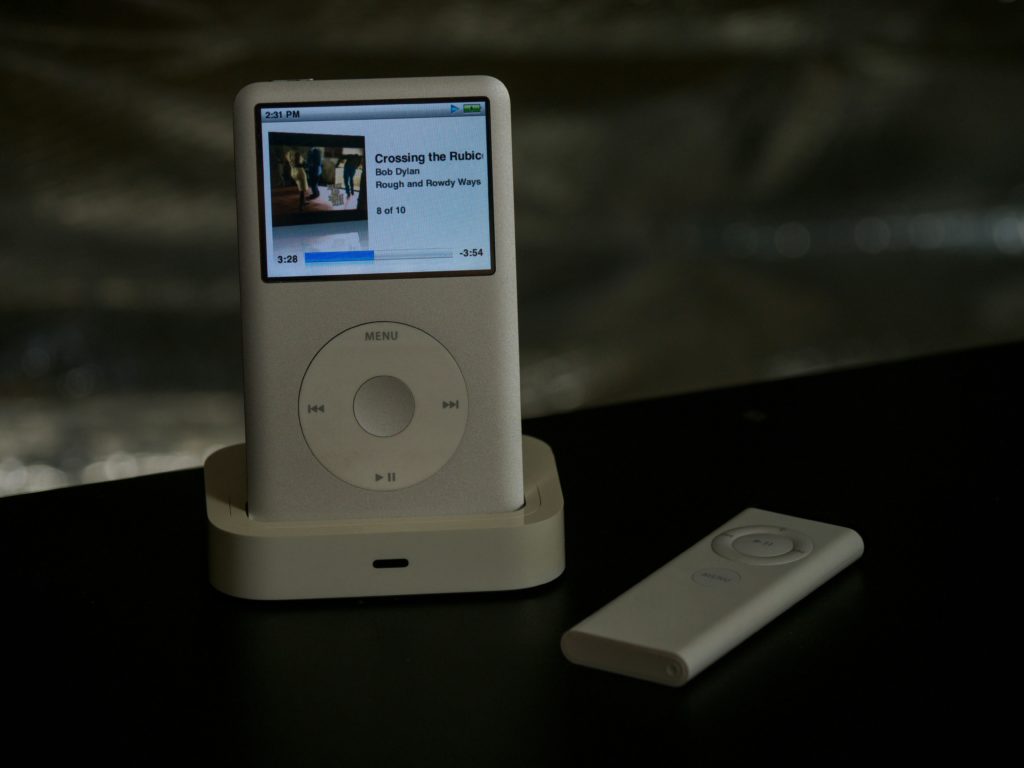
iPod Classic (2001-2014)

The first iPod, released in 2001, boasted a 5GB hard drive and a mechanical scroll wheel. Over the years, it underwent several upgrades, introducing color screens, video playback, and increased storage capacities. The iPod Classic’s sturdy design and reliability made it a favorite among music enthusiasts.

iPod Mini (2004-2005)

Apple’s response to the demand for a smaller iPod, the Mini featured a 4GB hard drive and a compact design, catering to users who wanted a more portable music player without sacrificing storage.

iPod Nano (2005-2017)

The Nano brought a sleeker design and a color screen to the iPod lineup, becoming popular for its pocket-sized form factor. With each new generation, Apple refined the Nano’s features, including video playback and a built-in camera.

history of the ipod
iPod Nano 4 Photo by Brett Jordan on Unsplash

iPod Shuffle (2005-2017)

Targeting the fitness and on-the-go music crowd, the Shuffle was a minimalistic, clip-on device that played music randomly or in a sequential order. Its lack of a screen made it simple to use but limited in functionality.

iPod Touch (2007-2022)

The iPod Touch marked a departure from the traditional iPod design by incorporating a touch screen. Essentially an iPhone without cellular capabilities, the iPod Touch became a portable entertainment device, supporting apps, games, and internet browsing.

Common iPod Repairs

Battery Replacement

Over time, the lithium-ion batteries in iPods can lose their ability to hold a charge. Replacing the battery can breathe new life into an aging device.

Hard Drive Issues

Classic iPods with hard drives are susceptible to failures, leading to data loss and playback issues. Upgrading to a solid-state drive (SSD) can provide a more reliable and efficient solution.

Broken Screens

iPod Touch owners may encounter broken or cracked screens due to accidental drops. Screen replacements are common and can restore the device’s visual functionality.

Faulty Click Wheels

Older iPods with physical click wheels may experience issues with responsiveness or complete failure. Cleaning or replacing the click-wheel components can address these problems.

Water Damage

Accidental exposure to moisture can cause significant damage to any electronic device, including iPods. Swift action, such as drying the device thoroughly and using desiccants, may help mitigate water damage.

As we celebrate the iPod’s rich history and the impact it has had on portable music, it’s important to recognize that these devices, like any technology, can experience wear and tear over time. 

Whether you’re a proud owner of a classic iPod or a modern iPod Touch, understanding common repairs and maintenance practices can help prolong the life of your beloved music companion. With the right care and occasional repairs, your iPod can continue to provide a soundtrack to your life for years to come.

Common Surface Pro Repairs Unveiled

The Microsoft Surface Pro series has become synonymous with versatility, blending the power of a laptop with the portability of a tablet. However, even these sleek and powerful devices are not immune to wear and tear. In this blog post, we’ll delve into some of the most common Surface Pro repairs users may encounter and explore how to address them. Please consider iFixYouri for your Surface Pro repair needs. You may also want to visit our post about Common Laptop Issues.

Common Surface Pro Repairs
Photo by Przemyslaw Marczynski on Unsplash

Cracked Surface Pro Screens

One of the most common issues users face is a cracked screen. Accidents happen, and a drop can result in unsightly cracks or shattered glass. While Microsoft has designed the Surface Pro with durability in mind, accidents can still occur. Repairing a cracked screen often involves replacing the display assembly, which may require professional assistance. To mitigate such risks, it’s crucial to exercise caution and consider investing in a protective case.

Surface Pro Battery Woes

Over time, the battery in a Surface Pro may start to show signs of wear. This can manifest as reduced battery life, sudden shutdowns, or difficulty holding a charge. Replacing the battery is a common repair solution. However, users should first explore software optimizations, such as adjusting power settings or updating device drivers, before opting for hardware replacements.

Type Cover Malfunctions

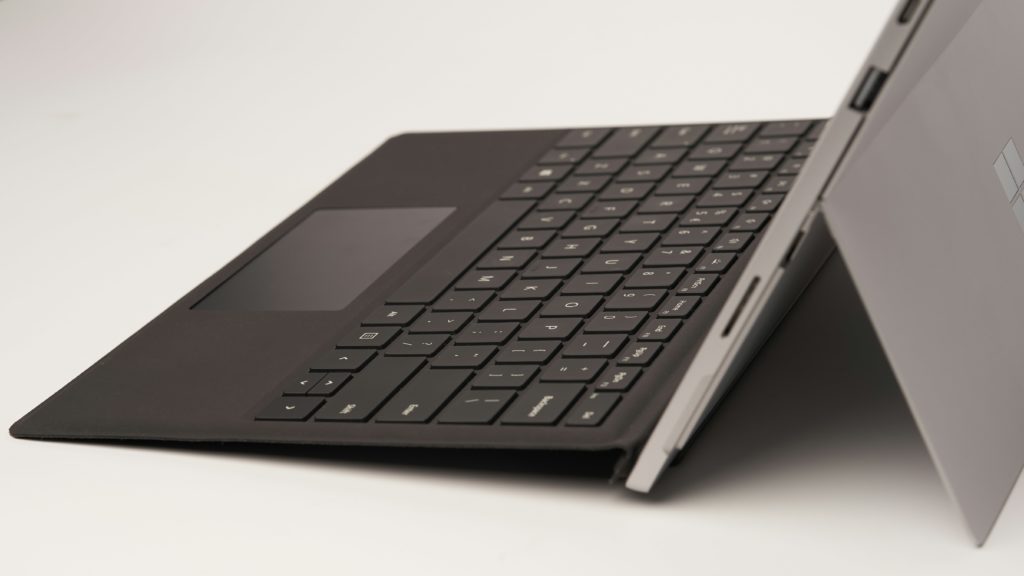
The detachable Type Cover is a hallmark of the Surface Pro’s functionality, transforming it from a tablet into a full-fledged laptop. Issues with the Type Cover can range from unresponsive keys to connection problems. To troubleshoot, check the connection pins, clean the connectors, or reinstall drivers. If problems persist, users may need to consider replacing the Type Cover.

Port Problems

Surface Pro devices come equipped with various ports for connecting peripherals and charging. Common issues include malfunctioning USB ports, charging port failures, or issues with the Surface Connect port. Users can attempt to resolve these problems by cleaning the ports, checking for software updates, or performing a hard reset. If problems persist, seeking professional assistance is advisable.

Software Glitches

Sometimes, issues are not hardware-related but stem from software glitches. Users may experience system crashes, slow performance, or software errors. Regularly updating the operating system, drivers, and firmware can address many of these software-related issues. If problems persist, performing a factory reset or seeking assistance from Microsoft support forums may be necessary.

While the Microsoft Surface Pro series offers a premium computing experience, users may encounter common repairs over the device’s lifespan. Whether dealing with a cracked screen, battery woes, Type Cover malfunctions, port problems, or software glitches, understanding the potential issues and knowing how to troubleshoot can go a long way. 

For more complex repairs, seeking professional assistance at iFixYouri ensures a swift and effective resolution, allowing users to continue enjoying the versatile features of their Surface Pro devices.

Debunking Tech Repair Myths: Unmasking Common Misconceptions

Because of social media, myths, and misconceptions about device repair seem to spread like wildfire. Users often believe in unconventional remedies for water-damaged phones or questionable DIY fixes. In this blog post, iFixYouri will debunk some of the most common tech repair myths and shed light on the truth behind them.

You may also want to check our post about A Complete Guide to Unresponsive Computers.

Tech Repair Myth 1: Rice Saves Water-Damaged Phones

Tech Repair Myth: Rice

One of the most pervasive myths in tech repair is that placing a water-damaged phone in a bag of rice will miraculously revive it. The idea behind this myth is that rice can absorb moisture, but in reality, it’s an ineffective solution.

Rice lacks the necessary properties to remove water from the internal components of a device. Instead, it can leave behind residue, further damaging the phone.

The best course of action for a water-damaged device is to power it off immediately, remove the battery if possible, and seek professional help from the technicians at iFixYouri.

Myth 2: Refrigerating Overheated Devices

Another prevalent myth involves placing overheated devices in the refrigerator to cool them down quickly. While it’s true that heat can be detrimental to electronic components, refrigeration is not the solution.

Rapid temperature changes can cause condensation inside the device, leading to more damage.

The recommended approach is to power off the device, let it cool down naturally, and avoid exposing it to extreme temperature changes.

Myth 3: DIY Screen Repairs are Easy

With the abundance of online tutorials and DIY repair kits available, many believe that fixing a cracked screen is a simple task. However, screen repairs require precision and expertise to avoid causing further damage.

Without the right tools and knowledge, attempting a DIY screen repair may lead to irreparable harm to the device. It’s always advisable to seek professional help for screen repairs to ensure a successful and safe resolution.

Myth 4: More Rice, More Absorption

Expanding on the rice myth, some believe that using a larger quantity of rice will enhance its moisture-absorbing capabilities. Unfortunately, this is a misconception.

Rice cannot absorb moisture beyond its inherent capacity, and piling on more rice won’t make a difference. In fact, it might worsen the situation by introducing more foreign particles into the device.

Myth 5: Microwaving Wet Devices

Desperation can lead to some rather extreme measures, including the misguided attempt to revive wet devices by microwaving them. Microwaving electronics is a surefire way to cause irreversible damage.

The intense heat generated by microwaves can melt internal components and pose serious safety risks. When dealing with wet devices, it’s essential to exercise patience and seek professional assistance.

In the world of tech repair, separating fact from fiction is crucial to ensuring the longevity and functionality of our devices. Users often find DIY approaches tempting, but they often do more harm than good. Dispelling these common myths encourages users to make informed decisions and seek professional assistance when needed. Remember, when it comes to tech repair, relying on reputable sources and professionals is the key to success.

On-Site Computer Repair at iFixYouri: Committed to Quality

In today’s digital age, where technology plays a crucial role in both personal and professional spheres, encountering computer issues can be a significant inconvenience. Malfunctioning hardware, software glitches, and other problems disrupt productivity and cause frustration. Enter iFixYouri, a company that has served Palm Beach County with reliable computer repair services for over a decade, including on-site computer repair.

Those needing on-site computer repair should check our main iFixYouri website. You may also want to read our post: A Complete Guide to Unresponsive Computers.

on-site computer repair

Excellence Since 2009

iFixYouri has dedicated itself to providing top-notch computer repair solutions tailored to clients’ unique needs since its establishment in 2009. With a team of skilled technicians, the company has earned a reputation for expertise, professionalism, and a commitment to customer satisfaction.

On-Site Computer Repair Convenience

Moreover, iFixYouri’s standout feature is its on-site repair option, recognizing the hassle of disconnecting and transporting a computer to a repair shop. Bringing expertise directly to clients’ doorsteps, the on-site service minimizes disruption to routines while addressing computer issues efficiently.

Comprehensive On-Site Computer Repair Solutions

In addressing various computer issues, iFixYouri offers a range of repair services, from hardware replacements to software troubleshooting. Skilled technicians diagnose and resolve problems efficiently, whether it’s a sluggish system, a cracked screen, or a virus-infected device.

Corporate/B2B Repair Services

Furthermore, beyond individual clients, iFixYouri extends its services to businesses across Palm Beach County.

Acknowledging computers’ critical role in the modern workplace, iFixYouri provides tailored solutions for businesses of all sizes. Our services range from setting up network infrastructure to implementing data security measures and offering ongoing technical support.

iFixYouri’s Commitment to Quality

iFixYouri stands out due to its unwavering commitment to excellence. From the moment clients seek assistance to the completion of repairs, the company prioritizes transparency, communication, and customer satisfaction. With iFixYouri, clients can trust that their computers are in capable hands.

Since 2009, iFixYouri has been the preferred choice for individuals and businesses in Palm Beach County seeking reliable computer repair services. With their expertise, convenience, and commitment to excellence, the company has earned the trust and loyalty of its customers. Whether dealing with a minor issue or a major computer meltdown, iFixYouri is the partner clients can rely on.

Embracing Environmental Responsibility: The R2v3 Certification and Sustainable Electronics Recycling

In our rapidly evolving digital age, the lifecycle of electronic devices is becoming increasingly shorter, leading to a surge in electronic waste. As a response to this growing concern, the R2v3 certification has emerged as the latest and most comprehensive update, setting a new standard for responsibly recycling and disposing of electronic equipment.

You may also want to learn more about iFixYouri’s other certifications.

Understanding R2v3 Certification

The R2v3 certification attests to our commitment to environmental protection, safety, and sustainability. It mandates the recycling and disposal of all electronic equipment following the highest standards. This certification doesn’t just stop at environmental considerations; it also emphasizes facility safety and prioritizes the well-being of the workforce involved in the recycling process.

The Importance of Responsible Electronics Recycling

With technology evolving at an unprecedented pace, businesses and individuals alike are constantly upgrading their electronic devices. However, the environmental impact of electronic waste cannot be overlooked. The R2v3 certification addresses this issue head-on by mandating practices that minimize the negative effects on the environment.

Key Features of R2v3 Certification

R2v3 Certification

Environmental Protection

The R2v3 certification ensures that electronic equipment undergoes recycling using environmentally friendly methods, minimizing the carbon footprint and reducing the overall impact on the planet.

Facility Safety

Facility safety takes top priority. The certification establishes guidelines to guarantee that recycling facilities are equipped with the necessary safety measures, reducing the risk of accidents and ensuring a secure working environment.

Workforce Well-being

Recognizing the importance of the individuals involved in the recycling process, R2v3 emphasizes their well-being and safety. This includes providing proper training, implementing protective measures, and adhering to ethical labor practices.

Partnering for a Sustainable Future

By aligning with the R2v3 certification, businesses have the opportunity to contribute significantly to sustainability and corporate social responsibility. This commitment not only fosters a positive brand image but also appeals to environmentally-conscious consumers.

How iFixYouri Can Help

At iFixYouri, we recognize the significance of the R2v3 certification and its role in fostering sustainability. Our team is dedicated to ensuring the responsible recycling and disposal of electronic equipment, adhering to the highest standards set by the certification.

By partnering with iFixYouri, businesses can embrace a sustainable future, reduce their environmental footprint, and demonstrate a commitment to ethical and responsible practices.

The R2v3 certification is a crucial step toward mitigating the environmental impact of electronic waste. By embracing responsible electronics recycling, businesses can lead the way in creating a sustainable future for generations to come. Join us in making a positive impact on the planet and fostering a culture of environmental responsibility.

*iFixYouri’s R2v3 certification applies to our warehouse located at 10190 Riverside Drive, Palm Beach Gardens, FL 33410.

Smartphone, Tablet and Computer Repairs and News