What is a Superphone?

It is well known that the cellphone industry keeps on reinventing itself. It was not too long ago basic phones were followed by feature phones and then came the smartphones. Today, there is a new generation of phones called superphones. A superphone is one of latest phones with extremely powerful, high-speed processors.

Technical Specifications of a Superphone

A smartphone itself is already a very powerful handset. However, a superphone is basically a smartphone with much more features and processing power. For starters, a superphone has a screen of at least 4 inches. Then it usually has two cameras, one at the back and the other at the front, with resolutions of 5 to 8 MP that enable very high quality images and videos.

Some superphones also come with two or more microphones that enable clearer, crisper calls as well as audio-video recordings. In order for these features to work, superphones need a lot of processing power. This power is made possible by their dual-core processors that have speeds of at least 1 GHz.

How Does a Superphone Compare with a Smartphone?

One of the most important things to remember is that a superphone and a smartphone are not very different phones; in fact, a superphone is a much more advanced smartphone. It has most of the features of a smartphone but with much higher capacity. Although a smartphone offers features like an OS, a user interface, and apps, a superphone has far more advanced features.

Apps

The two types of phones have many basic differences. While a smartphone can maybe support hundreds of applications, a superphone can easily support hundreds or thousands of applications.

Resolution

While most superphones have touch screens with resolutions of at least 480 by 320 pixels, smartphones come with resolutions of at least 160 by 120 pixels. They are also available with physical buttons.

Network Connectivity

While smartphones mostly support 2G or 3G connectivity, superphones can support 2, 3 and 4G connectivity, as well as Wi-Fi connectivity. While one of the features of a smartphone is its web experience, a superphone has a very advanced web experience much like that on a PC or a tablet.

Other Features

A superphone has other features such as user-focused phone experience and inherent location awareness. On the other hand, the user experience in a smartphone is determined by the manufacturer as well as the user’s carrier.

Are Superphones the Future?

Superphones are thought to represent the future of phones. No phone can claim to be a superphone if it does not have all of the above features. Apart from that, superphones are thought to be a better alternative to multiple devices like a PC, a tablet or a camera.

In the future, superphones may come with a processor of 3 GHz and 2 GB RAM. In addition, they might come with a 3D or HD camera, more advanced operating systems, and a powerful battery — at least 1800 mAh.

Some of the superphones available in the market include the Samsung Galaxy S2, HTC Sensation, HTC Evo, HTC Desire, Nexus One, etc. All these phones have features such as a 1 gigahertz processor, a 4.3 inch LED/AMOLED touchscreen display, and 4G connectivity.

One thing is for sure: whether it’s a smartphone, a dumbphone, a superphone, or a gramophone, it will not last forever.  The more features, the more problems.  Never fear, however; if you need to get superphone repair, iFixYouri has the crew for the supertask.

Windows 8 Preview: Microsoft’s Next Move

windows-8-ifixyouri
Just when loyal Windows users were getting used to Windows 7, the iconic software company has announced and offered a Windows 8 Preview. Just what is the next move for Microsoft? Here are some of its highlights and why it is a breeze to use. Although the official launch will be in October this year, a few minor adjustments will be made from the trial version until then.

Easy Download

The Windows 8 Preview team has made it easier for current users of its predecessors XP, Vista and 7 to download Windows 8 Preview as an upgrade for $39.99. An additional bonus is the Windows Media Center for free, after the download is successful. A step-by-step guide will then be made available from purchase to download and installation.

Compatibility Uses

A Windows 8 Upgrade Assistant informs users if the device is ready for the new version. Users will then be able to choose necessary files and data to “carry over” to Windows 8. When downloading Windows 8 for more than one device, be sure to connect them to a computer and it will sync in. Windows 8 also utilizes Skydrive, Microsoft’s version of free cloud storage, where critical files are synced immediately for progressive, hassle-free file exchange.

Metro Instead of Start

Windows 8 Preview has shown that it finally bid goodbye to the Start button, one identifying feature of the Microsoft Windows user experience since its earliest versions. Where the Start button should be, it opens up into the Metro Interface leading to a selection of Tile Apps. However, some hesitation has been expressed that the Metro Interface is not ideal for desktops and laptops but is instead more geared to make tablets and smartphones more interactive. This has posed quite an issue for file retrieval among laptop and desktop users.

Thumbnails for Navigation

More test users say Windows 8 Preview is designed to be used with a touchscreen, hence the thumbnails for navigation which, when tapped, will open to many different Apps and can be used and monitored side by side to highlight its appeal as a committed UI. Perhaps Microsoft is pushing its touchscreen netbooks in the market with an already able Operating System? For this version, the thumbnail navigation is Windows Live.

windows-8-ifixyouri

Faster Interaction

Obviously, Windows 8 is centered on full-screen interaction for top social media Apps and so far, reviews say that the OS is remarkably fluid. When connected to the web, the tiles offer a live update which eases having to open windows on an older version of the OS. To add, its boot time is also faster for both shutdown and starting up. Faster updates are also easier now that auto-complete on social media apps is present when typing is done.

The Verdict

The Windows 8 Preview shows that this newest breakthrough has much to offer; it is clean, smart and simple. In its biggest year ever, Windows has given new meaning to devices through its new method of computing. It is a powerful tool and has so many possibilities. With the new changes made, the choice is still up to the consumers.

If you’re curious about using Windows 8, but you don’t have a working device that is compatible, now is the time to get your Windows-compatible device fixed.

iPhone Projectors: Reviews and Tips

If you are planning to purchase an accessory for your iPhone, then a projector is the coolest gizmo available. Not only does it come in handy when watching movies, you can use it for business presentations. Gone will be the days spent squinting at a small screen. In addition, the projectors are portable and can fit snugly inside your pocket. This guide will take you through some of the best projectors you can purchase for your iPhone.

Optoma PK-301

This pico projector boasts the latest DLP chipset technology from TI. As a result, it supports WVGA resolution. Since the high-brightness mode (up to 50 lumens) can gobble up power quickly, the manufacturer has included an external battery pack. With a native resolution of 854 by 480, you can rest assured picture quality is top notch. The Optoma PK-301 has VGA/HDMI/V/USB/A ports. This means you can comfortably watch 3GP, AVI, MP4, as well as MOV image formats. Other features include 30 Mb of internal memory, an audio-out jack, and 0.5w speaker.

Microvision Show WX

You can never go wrong with a projector that combines value and quality in one neat package. With a resolution of 848 by 480 and a contrast ratio of 5,000:1, you will not be complaining about image quality. The compact Microvision Show WX weighs in at an amazing 122g with the battery included. To ensure images are always in focus, it uses laser-beam-steering technology.

Cinemin Swivel Pico Projector

The Cinemin Swivel is a multimedia projector with a 90-degree hinge. This enables users to project images at different angles. If image size ranks among your top benchmarks, the Cinemin Swivel can project images up to 60 inches at a resolution of 480 by 320. The battery packs enough juice to keep you going for two hours.

AXAA Technologies P2 Pico Projector

With a pixel resolution of 800 by 600 and brightness of 33 lumens, the AXAA P2 is one of the best projectors. Add sharp video images of up to 80 inches diagonally and you have the ideal projector in your hands. The manufacturer has included 1GB of internal memory as well as a memory slot.

Optoma NEO-i

If you want a projector that can accommodate all versions of iPhone and iPod adapters, the Optoma NEO-i is a perfect choice. In addition, the Optoma Neo can project images of up to 120 inches at a resolution of 854 by 480. Throw in a contrast ratio of 2,000:1 and your video watching experience will never be the same again.

While you can watch videos and images on your iPhone comfortably, a projector offers a much better viewing experience. At the same time, it makes watching images and movies with other people easier. Since most of these projectors are quite small, portability is not an issue.

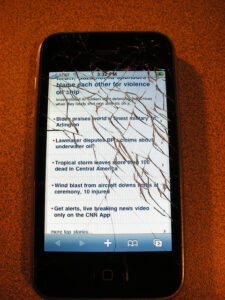
Adding a projector will allow you to view the contents of your phone, but in case you are having difficulty seeing your screen due to damage, don’t hesitate to fix it.  iFixYouri has seen every kind of damaged iPhone screen, and will provide professional repair with quick turnaround.

How To Create an iPhone App That People Will Love

iphone-app-ifixyouriThe iPhone app development industry is considerably competitive nowadays, but at the same time it is a very rewarding one. With hundreds of iPhone applications made available every day, it can be quite difficult to build one that grabs the attention of the public and becomes a big success.

Nevertheless, new developers should not be discouraged, as the demand for these apps is also very high. Moreover, the technology existing today and the numerous tools available to iPhone developers make the process of building an app pretty straightforward and fast.

Virtually anyone can design and develop his or her own iPhone app these days, without a lot of difficulties. Here are the most common as well as most necessary steps that have to be made in order to build and market your own application.

 Brainstorm

The process starts with a brainstorm for ideas, especially if you do not have any ideas yet. The secret for succeeding in such a competitive market is to come up with something truly unique. This, however, involves a lot of thinking, since nobody can come up with something entirely original and practical that has not been implemented before without doing some research on the market needs and putting a lot of thought into it.

Another thing you can do is to take an old application that was once popular, and spend some time on studying its flaws and determining how you could correct them and improve the application. You can also take an app category where you are very knowledgeable and then design an app with several innovative features that most competitors do not have. Finding a narrower niche on the other hand will make the designing and development process run a lot smoother.

Research

When creating an iPhone app, you cannot disregard the competition. You should always do some research on your competition and see how thorough that particular niche is. The higher the competition in that niche, the more difficult it will be for you to successfully market and sell your app.

The ideal method is to find a narrow niche with high demand and low competition, yet this is one of the most difficult things to do. If however you decide not to let the intensity of the competition scare you and choose to dive into a high competitive niche, you will have to come up with a really unique and innovative application, with features that will make it stand out from the rest.

Finding Help

There are numerous tools you can use in order to make your iPhone app look more appealing. Nonetheless, the best ones are usually the most expensive. You can always do some research, read user reviews and ask for recommendations on development forum boards about which of these tools are more recommended for your particular needs and requirements.

Also make sure that you have an iPhone or working iPod touch to test the prototype on – if you own an iPhone or iPod that needs repair for this step, iFixYouri has the expertise and resources to fix your Apple product. Designing the app should not be too difficult once you have all the right tools to work with (assuming, of course, that you have a background in programming, or are eager to learn). To get started, look at Apple’s main hub for iOS developers, and this tutorial site (with marketing tips).


iphone-app-ifixyouriMarketing

After the development process has been completed, you can go on to the next most important step, which is marketing and selling your iPhone app. A good marketing plan is required in order to get the consumers’ attention, even if your final product already looks good and has lots of useful functionalities.


Reviews

One of the fastest and yet most efficient ways to market an app is through referrals by customers who are satisfied and impressed with your application. For this, you will need to develop a list of clients that can take some time to test the app and then give some positive reviews, spreading them around the internet. These reviews can be either done in the iPhone app store, or in other various forms of marketing.

You may also want to offer incentives for users who are promoting your application on message boards or by using other online marketing vehicles. Another alternative is to release a free (or heavily discounted) version of the app, at least for a while. The more people start talking about your new released iPhone app, the more profit you will generate.

Different Mediums

One of the biggest mistakes that many iPhone developers make is to limit the marketing of their applications to online mediums and mobile environments only. The truth is that print advertising (newspapers, magazines, flyers, etc.) usually sticks a lot longer, mainly because people carry them around, share them with their friends, and generally look at them a few times before throwing the magazines away. Therefore, you might want to expand your marketing approach and get your iPhone marketed in an appropriate printed magazine or publication, according to your budget.

Targeted Market Analysis

Lastly, you should understand that iPhone app marketing is all about following your target audience, going where your potential buyers are and sending them a compelling message. Do not limit your exposure and use any means possible to present your product to iPhone users worldwide. Do a market analysis regularly and then use that data to find new ways of maximizing your sales and allow more and more people to discover your awesome application.

The all new iPhone 5 finally weighs in

Gone are the days of rumor that have been spreading like wildfire across the internet. Finally, they’ve release the specs and information! Apple has shown us their cards. It’s going to be a battle of the heavy weights folks.

Apple came in hard with this round. They’ve decided to release not only a new iPhone, but 2 new iPods. The 7th generation iPod nano and a 5th generation iPod touch. All of which have one thing in common, a larger screen.

The increased size on the nano almost makes it look like an ipod touch mini. I believe i remember some rumors of an iphone mini circulating a while back, perhaps this is what it morphed into.

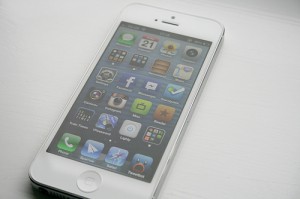
The iPhone 5 is now sporting a 4″ screen, allowing it to have 5 rows of icons. The iPod Touch is following in its’ steps. 4″ screen will be had on the new iPod touch as well. One thing that we’ve found rather annoying with some of these newer devices is the amount of adhesive and glue the manufacturers use to assemble and keep everything together. With the slim bodies, it’s no wonder why, there just isn’t any room in the housing for more than a microscopic screw, which is sure to make repairing the new ipod touch 5th gen quite interesting.

The optics have been improved allowing for 1080p recording and brilliant panoramic photo taking. The screen allows for near 16×9 aspect ration. For speed it is packing a brand new A6 processor and sporting LTE technology that will allow your data to soar.

18% thinner as well. Did I stutter?! Nope…18%…that’s a HUGE difference. The weight has been cut down, battery life has been improved, and the screen has been made bigger.

Here’s a snippet of the specs that we’re excited to be holding in our hands soon enough.

Cellular and wireless:

  • GSM model A1428*: UMTS/HSPA+/DC-HSDPA (850, 900, 1900, 2100 MHz); GSM/EDGE (850, 900, 1800, 1900 MHz); LTE (Bands 4 and 17)
  • CDMA model A1429*: CDMA EV-DO Rev. A and Rev. B (800, 1900, 2100 MHz); UMTS/HSPA+/DC-HSDPA (850, 900, 1900, 2100 MHz); GSM/EDGE (850, 900, 1800, 1900 MHz); LTE (Bands 1, 3, 5, 13, 25)
  • GSM model A1429*: UMTS/HSPA+/DC-HSDPA (850, 900, 1900, 2100 MHz); GSM/EDGE (850, 900, 1800, 1900 MHz); LTE (Bands 1, 3, 5)
  • 802.11a/b/g/n Wi-Fi (802.11n 2.4GHz and 5GHz)
  • Bluetooth 4.0 wireless technology

Display

  • Retina display
  • 4-inch (diagonal) widescreen Multi-Touch display
  • 1136-by-640-pixel resolution at 326 ppi
  • 800:1 contrast ratio (typical)
  • 500 cd/m2 max brightness (typical)
  • Fingerprint-resistant oleophobic coating on front
  • Support for display of multiple languages and characters simultaneously

Camera, Photo, and Video

  • 8-megapixel iSight camera
  • Panorama
  • Video recording, HD (1080p) up to 30 frames per second with audio
  • FaceTime HD camera with 1.2MP photos and HD video (720p) up to 30 frames per second
  • Autofocus
  • Tap to focus video or still images
  • Face detection in video or still images
  • LED flash
  • Improved video stabilization
  • Photo and video geotagging

We’re excited to get one in our hands, rip it apart, and put it back together again. This time of year is always interesting. Such a mixed crowd of people, all of which love their devices as much as the next. We have the lovers of the ‘other devices’, the nokias, samsungs, motorolas, we have the ones who always say “I’m going to just wait for the iPhone 6,” and then there are the ones who will jump at the opportunity to stuff a new gadget in their pocket immediately. They’ll wait in line for hours upon hours just to be the first with it. One thing that we do know for certain is that people will buy it, and people will break it. Should you have a little accident or break your new device, you can count on us for all your iPhone 5 repair needs. Leave a comment or shoot us an email, we love to talk about devices, new technology, and anything on those terms.

Top 10 Things You Should Know about the iPhone 5

The hype, the hysteria, OMG it’s just around the corner! The iPhone 5 is about to burst. It’s all over the news, people will soon enough be starting to line up and wait for hours for the new iPhone 5 that is coming out. Rumors upon rumors upon rumors. Apple has this unprecedented way of building and spreading the word of a new device, months before it is even announced. Apple stock is climbing, parts images are leaking, and people are praying, praying for a new model. One thing that amazes us to this day is the common occurrence that people with say an iphone 3gs that is broken, rather than upgrading, they tell us “i just want to get this one working again so I can wait for the 5.” It’s like folks think so far ahead with these devices. People will for sure say “i’m just going to wait for the 6, when they bring in their 4/4s for repair.” A little sidetrack there, we just keep thinking 2 steps ahead just like everyone else.

We’re hoping that this will clarify and solidify some of these rumors with our good-ole 2 cents..

1) The new iPhone 5 will have a larger screen

2) Apple is hosting a special media event on September 12, 2012. Seems fitting.

3) The new iPhone 5 should have high-speed LTE connectivity and run iOS 6.0.

4) iOS 6.0 will have 3D maps.

5) There will be no ‘virtual/hologram keyboard’

6) The back will be a unibody style design, brushed aluminum.

7) The redesigned dock/charging port will not be the same as those on the previous iphones and ipods.We believe this to be due to the fact that it will be supporting USB 3.0

8) It should have the A6 processor.

9) Yes, it will have the retina display.

10) There will be a slight bump in battery size, this is to ensure that the larger screen doesn’t drain the battery super quick.

You will have to wait in a tremendously long line to get it or order it in the mail. We are just as excited as you are to get our hands on one, but just like you guys, we’ll have to wait and see! We’re already lining our ducks in a row to ensure that we’re ready to perform the first wave of iphone 5 repair services that come through our door

Altamonte Springs, FL – We’re Here!

Altamonte Springs, FL – One of the most recent additions to the iFixYouri family is located in Altamonte Springs. Altamonte is a bustling town next to Lake Mary, Sanford, Orlando, and Oviedo. This location resides in Seminole County, about 10 minutes north(if you’re on i4, it’s east) of downtown Orlando. We recently opened the doors here about 2 weeks ago and we’re loving every minute of it! We took occupancy of a free standing building directly across from UpTown Altamonte Springs. Other nearby stores: Jersey Mike’s, Five Guys, Moe’s, and a slew of other great food and shopping amenities. It’s been a little while since I’ve posted on the blog due to the immense amount of work we all have been having to do here.b

In the past month, we’ve successfully opened 2 new locations that we have been anticipating for quite some time now. With more locations planned in the near future, we’re positive we’re going to be quite busy in the months to come. The thing that motivates us day in and day out is the love and passion that some of our customers have for their electronics. We deal with everything from the novice user to the weekend electronics tinkerer. So we will gladly point you in the right direction whatever your skill level may be. If you’re in need of an iphone repair kit, look no further. If you need a quick repair and want us to do it, we have you covered there too.

One thing that we share in common with 95% of the population out there is our love for our gadgets and devices. They are our connection with the rest of the world. They provide us with hours of entertainment when we’re bored, and, with recent advances in technology, can even carry a conversation with us(thanks to Siri). Our drive and passion come from this need in today’s technology driven day to have these devices with us at all times, and the joy that we bring to people when we successfully fix their broken, smashed, once-unusable device.

With that being said, we’re proud to announce the opening of out 6th locations(2 weeks ago), iFixYouri Altamonte Springs. I apologize for posting our 7th store in front of our 6th store, but I just got a little excited!

For all your iPhone, iPad, and small electronic needs in Altamonte Springs, FL, stop on by iFixYouri.

256 East Altamonte Drive

Altamonte Springs, FL 32701

407-571-9504

Get your Smartphone Repaired in Cambridge, MA!

Finally, a place to get your iPhone, iPad, iPod, smartphone, or computer repaired in Cambridge, MA! We proud to announce our 7th location, the 3rd one in the Boston, MA area in the Cambridgeside Galleria! Due to overwhelming demand of the need to get iPhones, iPads, and other electronics repaired in the Cambridge area, we felt it necessary to expand a little more and have nestled into the mall next to the Cheesecake Factory and California Pizza Kitchen, just down from our friends at the Apple Store, AT&T, Verizon, T-Mobile, and Sprint. We look forward to providing all sorts of great services ranging from iPhone repair to Macbook water damage repair. We are fully equipped to handle any and all repairs, most of them while you wait!

We are proud and confident when we say that we are New England’s premier source for smartphone and small electronics repair. With our unmatched level of customer service and highly skilled technicians, we offer a 1 year warranty on glass repairs, 90 days on all other repairs, free diagnostic services, and the lowest prices on all repairs around.

Our newest location is located on level one near The Cheesecake Factory. If you’re in need of an iPhone repair in Cambridge, MA, look no further! This is a perfect opportunity for you to drop off your cell phone, get it fixed, and get some shopping done while you’re at it. We know the importance of getting your device repaired and back up and running. That’s why we’ve built our business model to provide super quick turn-around of nearly all repairs. Some call us miracle workers, some call us techies and geeks, we like to call ourselves your go-to-guys when you’re in a pinch and just need get something fixed right, quickly, and the first time. The last thing we want a broken device to do is impede on your twitter feed or your facebook notifications.

We’ll be offering the same great service that the Somerville and the Newbury/Back Bay locations have been for the past years. Stop in and just say hi! Want to talk tech? We’ll be happy to.

From all of us at iFixYouri.com, thank you for your continued love and support and we look forward to being there for you in your times of need!

Smartphone, Tablet and Computer Repairs and News