Top iOS 7, iPhone 5S, and iPhone 5C Stories of the Month

What a month to talk about iPhones. After the Apple Conference on the 10th about iOS 7 and the iPhone 5s and the iPhone 5c and all the speculation thereafter, and the subsequent release of those products on the 18th, not to mention our own durability video, we’ve been one-track-minded for some time. And since all of that, we’ve read review upon review about the benefits, drawbacks, myths, and overall quality of each new thing.

After about a week’s time, we’ve finally been able to sort through it all, and choose the best, the worst, and the outright ridiculous things on the internet about the iOS 7, the iPhone 5S, and the iPhone 5C. In this post, we’re going to go over the top stories — the best of them, the worst of them, and the just plain stupid.

iPhones 5S and 5C Sell $9 Million in First Weekend

Apple had high hopes for the release of the iPhone 5S and 5C, but even this was a surprise. Wall Street Journal reports:

The company also said that its quarterly sales and profit margin would likely be at the high end of the company’s previous forecast. Apple in July projected revenue between $34 billion and $37 billion and gross margin between 36% and 37%. The company’s stock jumped $23.23, or 5%, to close at $490.64 on the Nasdaq Stock Market.

Even the iOS 7 was an unexpected success. WSJ continues: “Apple also said that more than 200 million of its devices already were running iOS 7—a free overhaul released last week of the operating system used on iPhones, iPads and iPod Touch devices.”

Even more interesting: the iPhone 5C, which was supposedly to appeal to lower-end markets like China, was outsold 4 to 1. And not just in the US. From the website Quartz:

Twenty-four hours after we found out that the iPhone 5s is out-selling the cheaper iPhone 5c by a ratio of nearly four to one, new data show that China and Australia, where the 5s is outselling the 5c five to one, are the two countries where the iPhone 5s is most popular.

Improvements in the iOS 7

There have been a lot of lists and breakdowns of the new operating system the iOS 7, so we picked from among them what we thought were the best qualities:

From C-Net:

Control Center

One of the most talked about new changes for iOS 7 is not new at all on Android phones, but I think I speak for most iOS users when I say the Control Center is an extremely welcome addition. It was always a pain to sift through the settings using a number of taps just to access the brightness controls. Same for Wi-fi settings, which — because of an old router at home — I ended up having to access frequently. Now, a simple swipe upward gives me easy access to these settings and more. Oh, and the flashlight button to turn on your flash when it’s dark is a great touch.

iTunes Radio

Frankly, when I heard Apple was making a Pandora-like radio option, I wasn’t that impressed. I mean, there are a slew of streaming-music and audio apps in the App Store and many of them are free — at least the radio features are. But now that I’ve used the app for a few days, I like it better than most streaming-radio apps I’ve seen.

Not only can you create a stream based on songs or multiple artists, but there are featured streams that are great for music discovery. Also, when I really like a song I’m listening to, I can buy it straight away from iTuneswithout missing a beat of the song or closing the app.

Camera app

The iOS 7 camera app is not a huge change over what we had in iOS 6, but I really like having the ability to swipe between shot types. The filters are also a nice touch for adding a quick effect, though I wish there were more to choose from. But what I particularly like is the ability to take burst shots. Everyone knows that not all photos come out perfectly, but if you can take several at a time, chances are at least one will be to your liking. I have an iPhone 5 so the burst shots feature is not as good as it is on the iPhone 5S (10 photos per second, along with slow-mo), but I’m glad there’s a slower variation available on the iPhone 5.

Keep checking in for more iPhone news, coming soon.


iFixYouri Talks with Bargaineering.com about iOS 7

Recently one of our techs, J. D. Williams, sat down with Bargaineering.com, discussing the latest operating system update to Apple’s mobile devices, the iOS 7. The article deals with the software updates with respect to the devices that have the ability to use them. The author muses whether, as the title implies: “Is iOS 7 an Evil Plot to Obsolete Your Old iPhone?” J. D. Williams explains:

Apple’s pattern has been to eventually cut older devices off from new updates, largely because their aging hardware can’t handle the demands of the operating system’s new features, says J.D. Williams, a regional manager for the iPhone repair company iFixYouri. That likely means that this is the last operating system upgrade iPhone 4 devices will get.

“I would think that the next operating system, the iPhone 4 will not be upgraded to,” Williams says. “They just push the hardware to its limit. If it can handle it, they do it. If it can’t, it can’t, and I’d say that iPhone 4 is just on the back end of being able to handle iOS 7.”

Read the rest of the article at the link above.

Where to Sell Your Old iPad Online

There is nothing like a brand new iPad launch to get people interested in older iPad products.

Founder of the repair and buy-back website iFixYouri.com, Chris Johncke, said that the trade-in market is rocking. The website helps Internet users to locate the best possible price for the old electronic gadgets they want to sell. Right now, Johncke and other experts believe that many of the people who own iPads would like to trade them, but are unaware of how many options they actually have online and in the analog world.

Resellers such as NextWorth ask you to write a description of your iPad before they make an offer. The CEO of NextWorth, Jeff Trachsel, says that it is the best time of year for business.

So, You Want to Sell Your Old iPad Online

If you are a fan of Apple and are planning on purchasing one of the new products that are launched on Friday it is possible that you own an older tablet that you will no longer need. You definitely won’t need your old device if you are planning to purchase both of Apple’s latest iPads.

It should also be noted that the only older iPad devices that will receive top dollar, are those still in perfect working order. So, if you have an iPad in need of repair it may be best to seek the services of a professional, such as iFixYouri, before attempting to re-sell it.

Trade-In Options

You can choose to trade your old iPad into a third-party reseller but there are also other options available:

Apple’s Reuse and Recycle Program

You can return your device to your wireless carrier or Apple: Apple has an Reuse and Recycle Program. Apple pays in the form of a gift card rather than cash. If you are the type of person who wants to trade in your iPad for a new one you should forget about engraving so you can earn the maximum resale amount.

Verizon’s Trade-In Program

Verizon also offers a trade-in program. You can receive an online appraisal on your old iPad. Payment is a Verizon gift card. You can also trade in you old iPad at AT&T but you will need to provide the serial number of your iPad in order to receive a quote from the company.

The Final Word

Before trading in your old iPad remember to erase the memory and settings so people do not have access to your personal information. Don’t forget to back up your data so you can switch everything over to your new Apple iPad. Most importantly always find a reputable reseller such as iFixYouri who lives up to its promises.

iPhone 5C and iPhone 5S Drop Test

Well, it’s that time of year again – autumn, where the air gets a bit sharper, the trees burn yellow and red, the leaves fall, and we drop the iPhone 5s and iPhone 5c from increasingly high places.

After months and months of waiting, wondering, and watching Apple’s every move, we’ve finally gotten our hands on the new iPhones. This year, we get two iphones to drop: the iPhone 5C and the iPhone 5S. As you may have known if you spend any time at all on the Internet, the iPhones 5C and 5S were released today — the iPhone 5C is supposed to be Apple’s more affordable phone, while the 5S boasts of new innovations such as the Touch ID, a fingerprint scan security technology, and an improved camera system.

You may have seen some of the photos — the new colors and cases and sizes — but how do they really measure up? Is the iPhone 5C a good value? How does it compare with its predecessor, the iPhone 5, and how does either compare with the much-ballyhooed iPhone 5S? and, most importantly, how durable are they?

The iPhone 5C is a departure from the usual brand of iPhones in that it is made from plastic, whereas the 5S is a more traditional iPhone, constructed from high-grade aluminum.

Here’s a 3-way comparison of the tech specs, comparing the iPhone 5C, the iPhone 5S, and the original iPhone 5:


iPhone 5

iPhone 5C

iPhone 5S

Height: 4.87 inches (123.8 mm)

Width: 2.31 inches (58.6 mm)

Depth: 0.30 inch (7.6 mm)

Weight: 3.95 ounces (112 grams)

  • Height: 4.90 inches (124.4 mm)

  • Width: 2.33 inches (59.2 mm)

  • Depth: 0.35 inch (8.97 mm)

  • Weight: 4.65 ounces (132 grams)

  • Height: 4.87 inches (123.8 mm)

  • Width: 2.31 inches (58.6 mm)

  • Depth: 0.30 inch (7.6 mm)

  • Weight: 3.95 ounces (112 grams)

Battery and Power

5.45Whr

  • Built-in rechargeable lithium-ion battery

  • Charging via USB to computer system or power adapter

  • Talk time: Up to 8 hours on 3G

  • Standby time: Up to 225 hours

  • Internet use: Up to 8 hours on 3G, up to 10 hours on Wi-Fi

  • Video playback: Up to 10 hours

  • Audio playback: Up to 40 hours

Battery and Power

5.73Whr

  • Built-in rechargeable lithium-ion battery

  • Charging via USB to computer system or power adapter

  • Talk time: Up to 10 hours on 3G

  • Standby time: Up to 250 hours

  • Internet use: Up to 8 hours on 3G, up to 10 hours on LTE, up to 10 hours on Wi-Fi

  • Video playback: Up to 10 hours

  • Audio playback: Up to 40 hours

Battery and Power

5.92Whr

  • Built-in rechargeable lithium-ion battery

  • Charging via USB to computer system or power adapter

  • Talk time: Up to 10 hours on 3G

  • Standby time: Up to 250 hours

  • Internet use: Up to 8 hours on 3G, up to 10 hours on LTE, up to 10 hours on Wi-Fi

  • Video playback: Up to 10 hours

  • Audio playback: Up to 40 hours

Camera

  • 8-megapixel iSight camera

  • Panorama

  • Video recording, HD (1080p) up to 30 frames per second with audio

  • FaceTime HD camera with 1.2MP photos and HD video (720p) up to 30 frames per second

  • Autofocus

  • Tap to focus video or still images

  • Face detection in video or still images

  • LED flash

  • Improved video stabilization

  • Photo and video geotagging

Camera

  • 8 megapixels

  • ƒ/2.4 aperture

  • Sapphire crystal lens cover

  • LED flash

  • Backside illumination sensor

  • Five-element lens

  • Hybrid IR filter

  • Autofocus

  • Tap to focus

  • Face detection

  • Panorama

  • Photo geotagging

Camera

  • 8 megapixels with 1.5µ pixels

  • ƒ/2.2 aperture

  • Sapphire crystal lens cover

  • True Tone flash

  • Backside illumination sensor

  • Five-element lens

  • Hybrid IR filter

  • Autofocus

  • Tap to focus

  • Face detection

  • Panorama

  • Auto image stabilization

  • Burst mode

  • Photo geotagging

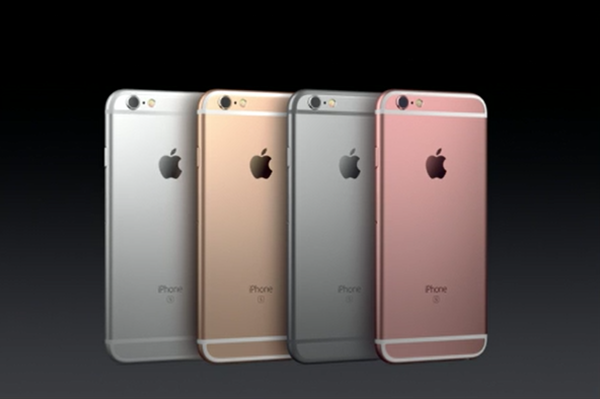
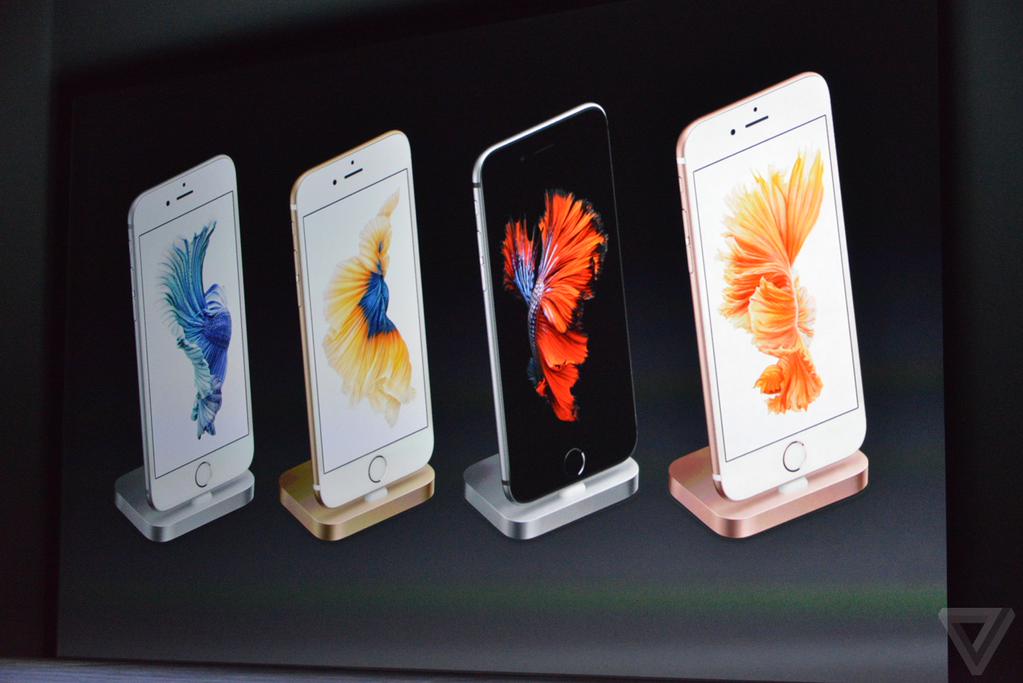
As you can see, the iPhone 5S is the same size and weight as the previous iPhone 5, while the 5C is somewhat different — it’s a bit bigger and heavier. The easiest difference to note is the color change. Whereas the iPhone 5 only offered colors in white or black, the iPhone 5S comes in silver, gold, and space gray, while the 5C is the most colorful, with options of green, blue, yellow, pink and white, and the ability to choose one of their different colored cases. There are also new little perks, such as the charger, which is sleeker and more compact.

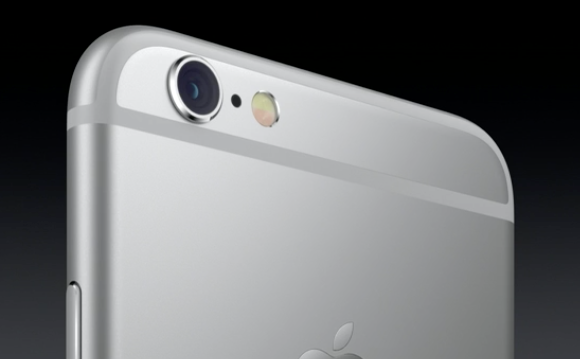
 Perhaps the biggest substantive difference between the different versions is the camera. The iPhone 5 and the 5C use the same camera, but the 5S has made major improvements. For one, there is increased sensor size, as well as the pixel size and the size of the aperture. It also added an amber flash to complement the white flash, giving pictures a more precise lighting.

There’s also the much talked-about Touch ID in the iPhone 5S, which can read fingerprints (you’ll notice in the video that there is an extra cable connecting sensor to the charging port assembly)

All 3 phones work with iOS 7, but only the iPhone 5S claims that its new processor, the A7 chip, works seamlessly with the new operating system.


How to Create App Folders on iPhones or iPads

iPhones and iPads are among the most advanced gadgets in the communication industry due to their ability to perform various tasks that are beyond human capabilities. These gadgets are created with a simple user interface so that they can be used by different people in the community to fulfill different tasks.

Create App Folders on iPhones or iPads

IPhones act as a storage device for various files and apps that may be of great importance to the user. Learning how to create app folders on iPhones or iPads gives you the chance to organize your programs for easy access whenever you need them.

Before you even start learning how to perform this task, the device should be operating on iOS 4.0 or later. This functionality makes it possible for iPads to store approximately 4,400 apps in its folders while on the other hand, iPhones can store over 2000 apps. Proper storage means that you can categorize the apps depending on the functionality, importance and how frequently you need them. Listed below are tips on how to create app folders on iPhones or iPads.

Step 1: Holding the App

You need to identify the exact app that should be transferred into the folder. Hold your finger on the app for some seconds until it shakes. This is also the same way to arrange different apps on your device.

Step 2: Dragging the App

After the selected app starts to shake, drag it on top of another. This will automatically create a new folder that contains both apps. You will also notice that a new folder has appeared during this process.

Step 3: Dragging More Apps

This stage is all about dragging the selected apps into the new folder that has just been created in the previous step. Such devices support thousands of apps and you do not have to worry about the possibility of the folder being filled up quickly. It is also good to arrange the apps by prioritizing the most important ones.

Step 4: Naming the Folder

After dragging all the necessary apps, it is now time to give the folder a suitable name. Also bear in mind that these folders are automatically given a name depending on the App Store category of the apps included in them. Feel free to select your desired name as you rename the new folders that have been created in your device.

What to do if You Experience Problems When Creating App Folders

Some users experience various difficulties when creating new folders for apps. This might even lead to serious mistakes that need specialized attention within the shortest time possible. But thanks to the presence of tech-savvy companies such as www.ifixyouri.com, you do not have to worry about the possibility of your device failing to operate again. These experts are always ready to fix iPhone or iPad related problems at cheap rates to help you save cash as they fix such errors.


How To Tell If Your iPhone is a Fake

I found this pretty interesting article on Business Insider, regarding fake iPhones. Why is this becoming more prevalent? The article explains:

Counterfeiters sell $700 billion worth of fake products every year, says Craig Crosby, founder and CEO of the Counterfeit Report, a site dedicated to stopping them,

And when it comes to fake electronics, these things aren’t be tested or regulated. They can be dangerous.

Over the summer, two people in China were electrocuted, from using reportedly fake smartphone chargers. The situation was so awful that last month, Apple launched a charger “take-back” program. If you bought a dirt-cheap replacement Apple charger and aren’t certain it’s authentic, bring it to an Apple store and Apple will replace it.

But Apple isn’t alone. Counterfeiters are building all sorts of fake products. While not all of them will kill you, there’s a reason that they’re cheap. They aren’t certified. Don’t use the same materials and won’t perform like the originals.

Check out the article for the specifics. And don’t be fooled!

The Most Unbelievable iPhone Stories

The introduction of the iPhone is one of the greatest technological inventions in the 21st century. It has created a buzz the world over thanks to its smart features and programs that are aimed at simplifying human tasks. However, there are some unbelievable iPhone stories that you never heard of. These stories happened in real life where the iPhone was involved directly or indirectly.

The story of the Australian businessman

As expensive as it sounds, an anonymous Australian businessman ordered a diamond iPhone worth £ 1.92 million. Its casing was made of 271 grams of gold, the front part had 136 diamonds and the back consisted of 53 other precious metals. The navigation button at the front was made of a single diamond of not less than seven carat thus making it the most expensive phone in the whole world.

The Story of the Thumb Surgery

A man from North Denver reportedly underwent thumb surgery because he could not use the iPhone properly due to the wide surface at the tip of his finger. Finger whittling is a surgical procedure that involves the creation of a small incision along the fingers while trimming the bones. Reports indicate that journalists did not have the chance to cover more details about the story since the doctor and the writer could not be traced. Whether it is true or false, it still remains a popular story among iPhone users.

The Story of The Man Who Escaped Death Thanks to The iPhone

Dan Woolley, a famous U.S. filmmaker was on a video shoot about the high levels of poverty in Haiti when a terrible earthquake struck. He almost died but thanks to the help of an iPhone first aid app known as Pocket First Aid and CPR, he survived. This app gave him step by step instructions on how to take care of his wounds. It even warned him against falling asleep whenever he felt weak and drowsy. He decided to set his alarm to ring after every 20 minutes just to keep him awake and this definitely worked when a rescue team from France discovered where he had been staying in an elevator shaft thus saving him from the jaws of death.

The Story of The Woman Who Got Pregnant Thanks to The iPhone

Lena Bryce had not known the joy of having a baby for more than four years but things changed when she downloaded The Menstrual Calendar iPhone app that is designed to alert women when their fertility is at the highest point. Lena Bryce became pregnant when she gave it yet another optimistic attempt after being alerted by the iPhone app. These are the most unbelievable iPhone stories in the world but due to the growing number of users, you are bound to hear more.

As the number of iPhone users continue to increase, such iPhone stories will also increase. Similarly, iPhone problems will also increase. Luckily, ifixyouri.com has trained specialists who are capable of dealing with any type of iPhone problem. Therefore, the next time your iPhone develops any sort of problem, log on to ifixyouri.com and check out a store near you. Alternatively, you can mail the store to them and they will send it back once they have fixed it.

What Owning an iPad Says About You

A few decades ago, someone took a common turn of phrase and changed it to “You are what you drive,” implying that your car said more about you than perhaps the food you eat. Today, one could as easily say that about your mobile device. Sure enough, demographic study and personality profiles have been done across the tablet spectrum, which begs the question: what does owning an iPad say about you? It may not be what you think.

Let’s start with the numbers. Tablet purchases have skyrocketed over the past few years, going from 9% of the US population in 2010 to a projected 130 million people in 2014. So a general user today is going to be quite different than before. That said, there are more types of tablets today than previously, with Amazon, Microsoft, and Google all getting in on the trend, and there still exists a buyer persona who prefers Apple to these newer products.

According to several studies, iPad users tend to be wealthier than average, despite the less expensive price tags for the iPad 2 and the iPad Mini. In fact, Forbes states they are twice as likely to fall in a higher income bracket. It goes on to state that: “They’re 16% more likely to be a registered Republican (and 50% more likely to be a political donor), 65% more likely to have a Graduate degree, 65% more likely to go to the movies regularly, and 24% more likely to drive an SUV.” It even goes on to say that the average iPad user is 30% more likely to be taller.

iPad Demographics

While iPad users may be wealthier, they have gotten older. In 2011, 27% of users were between 25-34; today, 27% are in the 35-44 demographic, while 25-34 owners dropped to about 20%. And while iPad owners are 7% more likely to be men (again according to Forbes), app sales favor women by a 4 to 3 ratio in the top 10 app sales, and a 3:1 ratio in the top 5.

So, what does an iPad say about your personality? Tablet owners as a whole clearly see themselves at the vanguard of technology, and even have a bit of an ego about it. They tend to be better educated, and for that reason, according to a study by Wakefield Research [http://www.nextissue.com/2013/06/27/tablet-owners-are-smarter-than-everyone-else/]

69% of tablet owners think they know more about current events than their friends, compared to 47% of non-tablet owners. And indeed, tablet owners are certainly reading a ton – ebook sales have continued to climb over the last 3 years, and now represent a quarter of all book sales.

Does that mean that being smarter makes iPad owners more likely to be, well, arrogant? According to one extremely unscientific study, the answer is yes. Actually, it’s even worse.

From the Guardian:

MyType, a Facebook application which enables users to answer quizzes to determine their personality type, surveyed 20,000 people to try to determine what kind of people owned an iPad.

The answer, it turns out, is pretty straightforward. Horrible people.

“iPad owners are an elite bunch,” said MyType on its website. “They’re wealthy, highly educated and sophisticated. They value power and achievement much more than others. They’re also selfish, scoring low on measures of kindness and altruism.”

Let’s focus on the lack of accuracy of that poll, rather than the implications; it was disregarded by John Grohol, founder of the Psych Central psychology website, who responded by writing a blog post stating that the surveyors did not “know the first thing about reporting statistics, or basic methodology in its own research”. Besides, you’re probably smarter, richer, and better looking than the people who did the study anyway.


Smartphone, Tablet and Computer Repairs and News