Employee Spotlight: Jacob

This week’s employee spotlight shines on Jacob, a tech at our Winter Park location! Jacob has been with iFixYouri for 2 years, starting at our warehouse location in Palm Beach Gardens.
Hailing from: Rockville, MD
Currently studying at Seminole State College. A year away from graduating with an IT degree, Jacob switched majors to study pediatric oncology. He wants to “make a difference.”
Hobbies: Gaming, art, creating trip hop beats and rapping over them.
Owns over a dozen assorted reptiles and adopts animals from local rescues.
winter park sunset
Sunset from iFixYouri Winter Park. Photo by Jacob.


Tokay Gecko
Jacob’s Tokay Gecko


Bearded Dragon
Jason’s trio of bearded dragon lizards
 Jacob's Leopard Gecko

When Drones Attack: On the Field and in the Air

“It’s been a big week in drone safety,” a headline straight out of bad dystopian science fiction. But it’s true: welcome to 2016.

Cleveland Indians’ star pitcher Trevor Bauer had to miss game 2 of the American League Championship Series (ALCS) against the Toronto Blue Jays due to an unelaborated “finger injury.” He started game 3 yesterday with the injury still present and barely patched up. His pinkie started dripping like a leaky faucet within the first inning. Turns out that Bauer is a drone enthusiast, and while doing a repair on his device, the rotors turned on. OUCH! Indians’ management pulled him off the pitch, and although they went on to win, Bauer has been blasted on social media for potentially endangering his team’s chances. Maybe he should’ve found a company providing reliable drone repair instead. The wound doesn’t seem too bad, but the picture is pretty gory. Hope you’re not eating anything.

Drone Safety!

We’ll be conducting our own test with some dollar-store hot dogs. Keep an eye out for the results.


Speaking of tests…on the other side of the Atlantic, drones rules the skies. Commercial airline pilots are concerned over what might happen should one strike a drone in mid-air during takeoff or landing. British ministers in the Department of Transport have decided to answer the question the old-school way: by doing. In a landmark study employing 7th-grade-science-fair hypothesis-testing, the British government has contracted a company to fly a drone into the path of a moving commercial airliner.

Drone vs Airplane

Hopefully it’s not as bad as assumed. There have been several close calls over the past few years as lax regulation (compared to the US) has seen unmanned aerial vehicles being used in a wide variety of British industries, such as safety inspections for industrial chimneys & railways and aerial surveillance for wildlife control. Even then, it’ll take some time to match the number of collisions between aircraft and the original unmanned aerial vehicles: birds. Don’t worry, we don’t have a picture for that.

Three Wireless Earbud Alternatives to Apple AirPods, plus One to Avoid

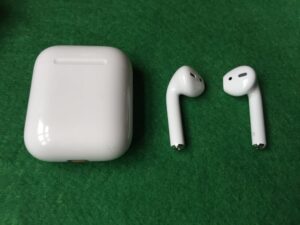
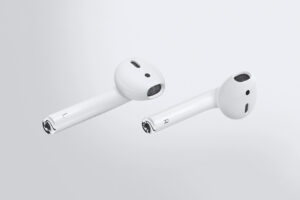
airpods

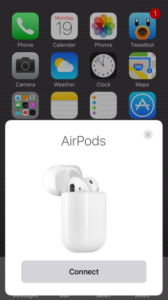
With the Apple AirPods dropping sometime this month (no firm release date yet), we can begin to anticipate a few things. The jokes that started at their first announcement will be reheated, yes. But Apple has rarely erred when it comes to audio devices, so we expect positive reviews and several jokesters to be won over by the truly wireless earbuds. Apple has been promising improved functionality thanks to what they call “proprietary technology” but has been shown to be a W1 chip, a form of low-power Bluetooth that allows for a strong, fast connection with long battery life. Just hold the buds near any compatible device (iOS 10, Watch OS 3, MacOS Sierra) and they automatically sync. Cool and all, but what other options are out there? We looked at other corded wireless earbuds and focused on sound and battery life, durability being secondary when the Apple alternative is at risk of falling out of your ear and down a storm drain.

beatsx1

Beats Electronic’s new BeatsX headphones are arguably the best bet for iPhone 7 owners. Thanks to Apple’s $3 billion buyout of the company, the in-ear style buds feature the same mysterious W1 chip. Unlike the AirPods, however, the BeatsX feature a lightweight cord connecting each ear bud, preferred by many who worry about losing one or both. Sound quality is great; the company seems to have rid themselves of the overbearing bass levels of previous models and embraced the fact that people buy sports-style earbuds to listen to a wide range of music outside of hip-hop. 8 hours of battery life place these in the upper-mid range overall (the best are the bulky neckband-style family) and the integrated Lightning port allows for fast-charging: 2 hours of life in 5 minutes. At $150, BeatsX are $10 cheaper than the AirPods and, thanks to the cord, 50% harder to lose.

08-bose-soundsport-wireless

For those who don’t need fancy proprietary technology, either due to not owning an iPhone 7 or simply never really having issues with regular Bluetooth connections, this year’s Bose SoundSport Wireless earbuds are a great option for the same price as BeatsX. Utilizing near-field connectivity (NFC), the SoundSport line connects just as quickly and easily to featured devices (most smartphones, including iPhones) as W1-enabled devices. Sound quality is excellent with clear bass even at higher volumes, and although the battery life of 6 hours isn’t great, it’s not terrible, either. A free app, Bose Connect, allows users to manage pairing lists, download future firmware updates, and fuss with settings (such as auto-off times). The cord features a small clip for attaching to the back of a t-shirt, great for runners. There was an issue at first release regarding sound quality suffering due to excessive moisture, but Bose handled it like champs, providing free replacements with the flaw fixed plus a wired set to use in the meantime. With the BeatsX and AirPods being released next month, these are easily the best wireless earbuds on the market right now.

fullsizerender-4

Well, best at that price range. For $100 more, you can pick up Bang & Olufsen’s Beoplay H5 earbuds. The Danish company, beloved by audiophiles and designophiles alike, carries on its luxury vision with a sleek, shiny-on-black appearance for this range. The connecting cord is a high-quality soft textile braid. The tech underneath is a little underwhelming compared to the others; just Bluetooth 4.2 and some basic codecs, but the 6.2mm drivers sound surprisingly clear. The Beoplay app is simple and effective: drag a dot between four zones to get the right balance for what you’re jamming out to (an equalizer is only a tap away for more precise tuning).beoplay-app

Seven sets of ear tips, four silicone and three of a memory-foam material, allow users to find the exact fit. But for $250, you’d hope the Beoplay H5’s fit you perfectly. Really, for that price, everything needs to be perfect. The battery life is dismal, advertised at 5 hours but realistically closer to 4, and although the charger is gorgeous (a small box with recesses to fit each bud; the magnetic dots also act as contact points) there is no other way to charge the earbuds, requiring you to carry it with you. Having a small port for micro-USB would make owning these a lot more convenient.

iconxti222

There are, of course, other companies marketing truly-wireless earbuds, but no one has seemed to take the time to perfect the tech. Samsung released the $190 Gear IconX this week and, honestly, we were excited. The buds have touch-sensitive controls on the outside, an optical heart-rate monitor, a carrying case that doubles as a battery pack, 1,000-song MP3 storage, and more. In execution, it’s awful. The battery life is absolutely dismal, averaging about an hour, and the charging case doesn’t exactly help much when you’re in the middle of a workout. Sound quality is terrible, the lack of an AptX Bluetooth codec resulting in a very compressed sound. It’s a little bit better with stored music, as is battery life, but it is 2016; we don’t download MP3s anymore. This iteration of the Gear IconX might be just a bit too ambitious for Samsung, but hopefully they fix these issues. For now: stay away.

iOS 10 Offers Some Welcome Updates

With all the hubbub surrounding Apple in the past month (RIP headphone jack) it’s possible that you might be feeling uneasy about what they might do next. Fortunately, iOS 10 is a smooth dose of comfort after the fear of having to buy tiny, white wireless headphones in bulk. The update, which hits phones as far back as the iPhone 5 (a dinosaur!), shows what could be a new outlook from the Cupertino tech giant, emphasizing ease-of-use and a variety of options instead of mandatory apps with confusing interfaces. If you haven’t upgraded yet, we recommend doing so; no bad news here.


The biggest change is in how you’ll wake your iPhone. Taking a cue from the Apple Watch “flick to wake” feature, iOS 10 allows you to wake your phone by simply raising it off the table or your lap. It’ll take some getting used to (you might spend cumulative hours sitting there with your finger on the home button) but you no longer have to speed-read your notifications in two microseconds. After you “raise to wake” you unlock the phone by pressing the home button…if you want to. Lockscreen notifications are now “rich,” meaning they show you more than just a one-line summary of which app is doing what. 3D-Touch (essentially just a hard press on the notification bubble) lets you access a range of features. Hard-press a text to reply, or hard-press a calendar invite to accept or decline it. This works for some third-party apps as well, with more on the way; currently, Uber will show you where your driver is on a little map. Too many notifications? You no longer have to feel like Zorro swiping them all away. Just tap the little X and poof!


Really, “decluttering” seems to be the overall theme of iOS 10. Apple is notorious for forcing its first-party applications onto its users but, for the first time ever, they can be “deactivated.” Goodbye, iBooks! Control Center, which has been getting bogged down with buttons since iOS 9, has been simplified and divided into three pages: utility widgets (flashlight, stopwatch, etc.), Apple Home, and music playback settings. On the home screen, hard-pressing tiles enables you to “peek” at certain apps without opening them. Keeping track of a football game? “Peeking” the ESPN app shows you the score and shortcuts to watch or listen in. Our favorite? The FXNOW app can play a random Simpsons episode from its peek-menu.


It wouldn’t be a proper iOS update without some features being so smart it’ll freak you out. Siri is now omnipresent and all-knowing, even invading your text messages. Someone asks you, “Hey, do you have Roger’s e-mail?” and Siri will look through your address book for people named Roger and suggest them to you. See the right Roger? Tap it and the address is ready to send. The ubiquitous “Where are you?” text can be responded to, again with one tap, with a miniature map and a pin-drop, taking all difficulty out of finding your friends (while making it significantly more difficult to be dishonest…). Siri also gets to play with your photo albums, utilizing some impressive recognition algorithms to arrange your photos by the people, places, and things within.
There are sundry other changes, mostly streamlining, simplifying, and decluttering popular apps such as Music and Maps. Messages adds a lot of toys that let you have fun while chatting and add life to your conversations. The camera can now shoot RAW with third-party apps, so your #foodporn will be all the more gratuitous. And you can now read a transcript of your voicemail, for the rare times that you get one of those. Really, it’s rare that an OS update on any platform is so overwhelmingly…good. Apple seems to be listening to its consumers for once, easing its dominance over its users and even taking a harmless peek at what its competitors’ users are enjoying with their devices. We think it looks like a step in the right direction for the tech giant…but, at iFixYouri, we’re too busy buffing scratches out of glossy black iPhone 7s.

Amazon Music Unlimited, and a Lesson on Playlists

Amazon’s new music service, Music Unlimited, drops today, ready to take on heavyweights Spotify and Apple Music. The service is separate from the music-streaming component included with an Amazon Prime subscription, and is vastly greater: tens of millions of songs versus about a million. Of course, we’re curious as to how it stack up to its competitors, so we downloaded it and pumped up the jam.


Amazon Music Unlimited’s price point is exactly the same as its competitors: $9.99 per month. There are, of course, discounts. If you have Amazon Prime, you get a two-buck discount to $7.99, which is not exactly the best deal since Prime costs $99 a year (making this more of a “courtesy” to those already signed up). Prime members can also save by signing up for a year for $79 ($6.58 a month). A $3.99 option is available to those with an Amazon Echo home speaker, but the service can only be played through that device…and we mean only that device. If you have several Echo devices (which isn’t that absurd with the cheaper Tap and Dot models), four dollars a month will only get you music through one device at a time. All three services offer a family plan, with up to six accounts, for $14.99 per month.


There is no direct student discount, which arguably helped make Spotify Premium and Apple Music so popular by cutting the monthly fee in half. Signing up for Prime for Students is $50 a year, so combining that with the Prime discount means students can get access to Music Unlimited and Prime for $10.75 a month, with all the other Prime goodies. It’s essentially like getting Spotify Premium or Apple Music, plus Amazon Prime for an extra $0.75. A great deal, but how does the app match up?

screenshot_20161012-120209


The Music Unlimited app seems to be a hybrid between Pandora’s algorithm-built playlists (data-driven artists-like-this) and Spotify’s curated playlists. It launches quickly and takes you to a homescreen showing you recommended music and new releases. Tapping for options next to a song or album gives you a “Customers Also Listened To” option, which is interesting; file that under “somewhat curated.” It’s neat in theory, but for smaller niche artists, that tab just shows you more songs by the same artist. Hopefully that feature will grow as more people use it.

screenshot_20161012-133548

The curated playlists are, to be frank, pretty weak. For jazzheads like me, the majority seem to be either “Best of [ARTIST]” or lame “Jazz for [ACTIVITY]” lists. How much different can “Jazz for Reading,” “Jazz for Studying,” and “Jazz for Writing” be? There’s also very little modern jazz except for the the “Fun Jazz Fusion” playlist, which is also the only jazz fusion playlist, fun or otherwise. Genre playlists are depressingly generic, sounding more like best-of lists. Anything with “punk” in the name will have “Search & Destroy” by The Stooges, “Blitzkrieg Bop” by The Ramones, and more tracks from Punk 101. It’s rare to find a deep cut in any of the curated playlists, and that’s supposed to be one of the perks of that versus algorithm-generated playlists.

screenshot_20161012-155326

The mood and holiday playlists are downright cringe-inducing. A Groundhog Day playlist is 20 songs with the word “shadow” or “sun” in the name, the Halloween playlist is a mix of old theme songs (The Twilight Zone, Ghostbusters) “spooky” song titles (“Werewolves of London” and “Ghost Town”) and, oddly, Bach’s “Toccata and Fugue in D Minor,” presumably just for the “creepy” organ intro but there’s an extra 8 minutes after that that are decidedly not creepy. “Fantasy Draft Party” is a blend of success-themed songs from such a shocking range of genres, I don’t recommend actually playing it in public: DJ Khaled, Queen, The Rolling Stones, Rage Against The Machine, ABBA, Ludacris…I can keep going but it gets worse.

screenshot_20161012-155637

Really, most of the party-theme playlists seem to have been curated by people don’t go to parties, or at least never paid attention to a DJ or well-done personal playlist. A great party playlist should flow from song to song, creating a balanced ebb and flow of volume and energy. You can skip around genres and tempos as long as such changes are gradually worked up to. Most popular Spotify playlists are great with that; you can hit play as people arrive to the party, set it and forget it. On Amazon Music Unlimited, a ’90s alternative rock playlist transitioned from the smooth, breezy chords of Mazzy Star’s “Fade Into You” directly into the brain-crunching opening guitar slam of Rage Against the Machine’s “Bulls on Parade,” causing me to rip my headphones off my head.


Another major criticism (that might be more widely agreed with) is the lack of any sort of equalizer or sound control within the Music Unlimited app. The fancy seven-band EQ that comes with Spotify Premium is great, but I’d settle for the same bass-treble-mid option that was present in your dad’s first car. Nope, nothing. Even the most casual audiophile prefers to have a little bit of control over the tone of their music, and it’s a little ridiculous to not have this feature for $10 a month. There’s also no option to normalize volume, or set the same volume level for all tracks, which would have helped in the ’90s incident mentioned above, and any other time a playlist jump all over the century. Amazon, however, does include a sleep timer that I’m rather jealous of (I like to doze off to Icelandic dream pop). Another cue to take from Spotify is to make a song, when selected, play in the background without bringing up its own page with album art. Maybe in some exotic language there is a word for “deal-breakingly annoying design feature” but for now, we’ll have to translate it piecemeal.


The verdict? If you have to throw $10 somewhere, we suggest sticking with Spotify Premium or Apple Music for now. It takes a company a while to build up a library of music, and even longer to figure out how to present it to users. Amazon will have to rework the way it suggests music to you through the app, but Spotify faced the same issue all those years ago. A good start will be getting rid of those awful curated playlists. They’re the equivalent of politely asking your Amazon Echo, “Alexa, bring this party to a screeching halt.”

Employee Spotlight: Amy

Today, we kick off our weekly employee spotlight with Amy! She’s been with iFixYouri for 4 years and is our South Florida regional manager and warehouse manager.

Hailing from: Slidell, LA

Phone: iPhone 6

Listens to: Nirvana, grunge

Roots for: LSU Tigers and New Orleans Saints

Hobbies: Spending time with her family

Keep an eye out for iFixYouri employee spotlights every Wednesday, and come hear Amy’s laugh in person at one of our Palm Beach County locations!
img_0315 img_0422

Samsung Ending Production of Note 7; Replacement Phones Also Combusting

note-7-fire-crushader-reddit

South Korean tech giant Samsung Electronics is officially stopping the manufacture of its troubled Note 7 phone. The news comes days after major networks, such as AT&T and T-Mobile, announced they would stop issuing replacement devices to customers. Reportedly, five Note 7’s that were received by customers as replacements for the faulty, flammable phones have caught fire…in one week. It seems to be a more complicated issue than initially thought, and swapping out the battery is not the definite fix. A Samsung rep told the BBC that they’re putting the manufacturing on hold to “[adjust] the production schedule to ensure quality and safety matters.” This has been an ongoing nightmare for Samsung, with over 100 reports of catastrophic battery failure in the devices in the US alone since its release in mid-August and at least a dozen people receiving burns or other injuries.


UPDATE 10/11: Samsung has decided to permanently cease production of the Note 7 and is warning all users to power down the devices and bring them in to a retailer immediately for an exchange.


If you currently own a Galaxy Note 7, we recommend contacting your mobile provider to see what your replacement options are. AT&T and T-Mobile are offering other devices in exchange (including the Galaxy S7) with credit to make up the cash difference. Of course, iFixYouri is here to fix any problems that your new phone might give you…and hopefully those problems are a little less severe than an outright explosion.

New Google Product Breakdown

Yeah, so yesterday’s post on Google’s #madebygoogle summit was a little lengthy. Today we bring you a breakdown of each new Google product, including its price. Most products are available (at least for pre-order) as of October 4th.


Google Pixel

  • 5.0” screen, 5.6” total height
  • Gorilla Glass screen
  • FHD screen with 441ppi
  • Battery: up to 13 hours of video playback
  • Fast charging: 7 hours of battery life in 15 minutes
  • Aluminum body with Gorilla Glass covering half of back
  • Colors: Quite Black, Very Silver, Really Blue
  • Pixel Imprint: back-mounted fingerprint sensor
  • 32GB or 128GB storage (unlimited cloud storage for photo and video)
  • 4GB RAM
  • Rear camera: 12.3MP, 1.55μm, f/2.0 (highest rated smartphone camera on DxOMark.com)
  • Front camera: 8MP, 1.4µm, f/2.4
  • Video: 1080p @ up to 120fps (slo-mo). 720p @ up to 240fps (super slo-mo). 4K @ 30fps
  • USB Type-C and 3.0. Single SIM slot. 3.5mm headphone jack.
  • $649 for 32GB (or $27.04/month for 24 months with Google Store Financing)
  • $749 for 128GB (or $31.21/month for 24 months with Google Store Financing)
  • Free Daydream View VR headset with pre-order

1

Google Pixel XL

  • 5.5” screen, 6.0” total height
  • Gorilla Glass screen
  • QHD screen with 534ppi
  • Battery: up to 14 hours of video playback
  • Fast charging: 7 hours of battery life in 15 minutes
  • Aluminum body with Gorilla Glass covering half of back
  • Colors: Quite Black, Very Silver, Really Blue
  • Pixel Imprint: back-mounted fingerprint sensor
  • 32GB or 128GB storage (unlimited cloud storage for photo and video)
  • 4GB RAM
  • Rear camera: 12.3MP, 1.55μm, f/2.0 (highest rated smartphone camera on DxOMark.com)
  • Front camera: 8MP, 1.4µm, f/2.4
  • Video: 1080p @ up to 120fps (slo-mo). 720p @ up to 240fps (super slo-mo). 4K @ 30fps
  • USB Type-C and 3.0. Single SIM slot. 3.5mm headphone jack.
  • $769 for 32GB (or $32.04/month for 24 months with Google Store Financing)
  • $869 for 128GB (or $36.21/month for 24 months with Google Store Financing)
  • Free Daydream View VR headset with pre-order

google25

Google Home

  • Home audio device with Google Assistant integration
  • 5.6” tall, 3.8” diameter
  • Speakers: 2” driver and dual 2” passive radiators
  • Supports Android and iOS
  • $129
  • Comes with slate-colored metal base. Additional bases are $20 each.

google21

Daydream View

  • Virtual reality headset
  • 220g, constructed of lightweight, breathable foam and fabric.
  • Controller has 9-axis IMUs for precision tracking
  • Requires Daydream-ready phone (Pixel)
  • $79, or free with Pixel or Pixel XL preorder

google-wifi-router-01

Google WiFi

  • Modular wifi routers. Plug one in and the others act as signal repeaters.
  • 4.2” diameter, 2.7” high
  • Simultaneous dual-band WiFi (2.4GHz / 5GHz) supporting IEEE 802.11a/b/g/n/ac.
  • WPA2-PSK with automatic security updates
  • Network Assist: Optimizes speed between devices, and assists in placing routers for best coverage.
  • Google WiFi App allows full control over device access.
  • $129 for one device, $299 for set of three.

google23

Chromecast Ultra

  • Media streaming dongle for TV
  • 4K HD and HDR support
  • HDMI output
  • Ethernet port for hard-wire connection
  • Supports Android, iOS, Windows, and MacOS
  • $69

Smartphone, Tablet and Computer Repairs and News