April Fools, But iFixYouri is No Joke!

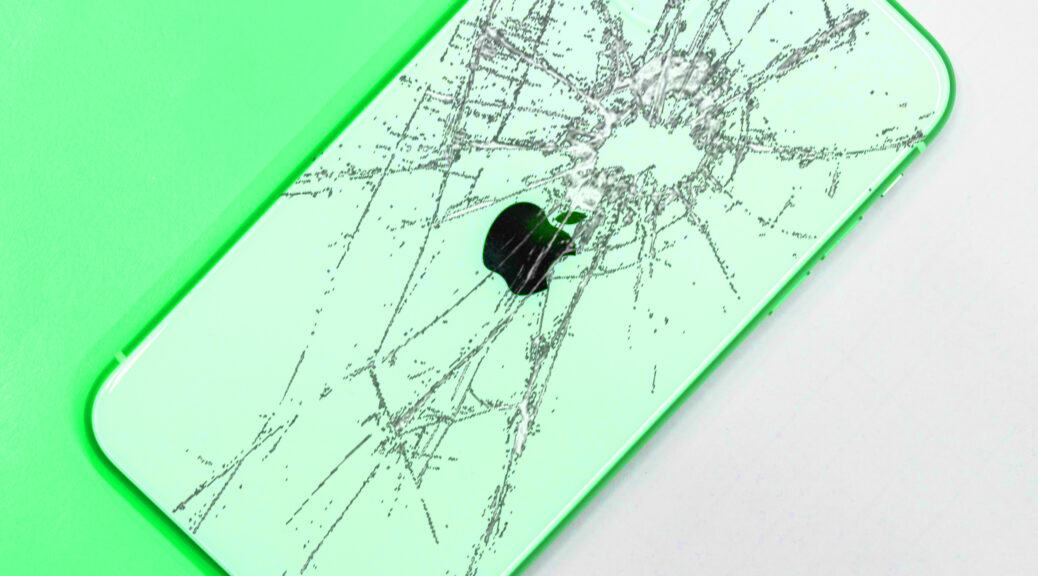
April Fools Day is a day filled with jokes, tricks, and pranks that will constantly have you watching your back and your phone’s backglass. Sometimes the fun and games can be taken a step too far and lead to a broken device. April fools, but iFixYouri is no joke! 

The tech experts at iFixYouri can repair your damaged device back into great condition for the most affordable price on the market. 

Whether you are pushed into a pool and now own a water-damaged smartphone, or encounter a jumpscare that leads to a cracked screen, iFIxYouri will come to your device’s rescue

A majority of these damages are minimal, so you can receive your device within days, and sometimes the same day! 

iFixYouri is located throughout South and Central Florida. If you are not close by, you can send your broken gadget directly to iFixYouri with our quick and secure shipping. 

If you are constantly being pranked and falling for jokes, it is recommended that you buy a protective and durable phone case, which can be found right in our stores. 

As a company, iFixYouri stands behind its repairs and offers a one-year warranty on all screen repairs and a 90-day warranty for all other repairs.

April Fools, But iFixYouri is No Joke! By iFixYouri.

Laptop Breakdown 101: The Display

In iFixYouri’s last Laptop Breakdown blog post, we went in-depth about the different types of keyboards, and it’s time to do the same with displays. A laptop’s display quality is essential because it allows you to view what you are doing with great clarity, color, and details. Keep reading to get the laptop breakdown 101 all about the display and learn about the different types, resolutions, and more!

Click here to read our last Laptop Breakdown post! 

The Importance of Your Laptop’s Display

Unlike a keyboard which is considered an input device, a display is an output device. Rather than having the option to insert information at your own will with a keyboard, how a laptop’s display presents information is rarely under your control. Therefore, it is important to choose a display that is appropriate for your laptop’s intended use. 

It is also important to know the different display types. 

Different Laptop Displays and Sizes 

The standard laptop screen is an LCD or liquid crystal display. An LCD’s overall purpose is to provide an even light source behind the screen. 

An LCD can have one of two light sources: LED and CCFL. 

Different points around the laptop’s screen are illuminated by LEDs or Light-Emitting Diodes.

CCFLs or Cold Cathode Fluorescent Lights use lighting technology to project images on the LCD with a lightbulb in the back of the screen. 

Laptop screens generally range from 11.6” to 17”. The bigger the screen, the bigger the cost. 

Different Display Resolutions

A laptop display also has different resolutions or the number of pixels displayed on the screen. The higher the resolution, the better the image quality. 

720p: HD (High Definition) Resolution; 1280 X 720. 

1080p: FUll HD Resolution; 1920 X 1080. 

1440p: Quad HD Resolution; 2560 X 1440. Typically used with flagship phones and videogame monitors.

2160p: Also known as 4K or Ultra HD Resolution; 3840 X 2160.

4320p: Also known as 8K or Full HD Resolution; 7680 X 4320. 

Touchscreen vs. Non-touchscreen 

So far you have read about the different types of displays and resolutions of a laptop screen. Now it’s time to consider if you prefer a touchscreen or non-touchscreen device. 

There are two types of touchscreens that a laptop can have: resistive and captive. 

Resistive: A resistive touchscreen is made up of two layers, each with resistive and conductive currents. When you tap the screen, the layers come together and change the electric current. In return, the device will recognize this action and start to perform a task such as swiping to another screen or opening an app. A resistive screen does not allow for several points of contact. 

Captive: A captive touchscreen is made of a single layer that works as different coordinates. It functions and gets its electrical charge from the human body. The electrical energy flow on the screen shifts with every point of contact. Unlike a resistive screen, a captive screen can have more than one point of contact. 

Pros and Cons of a Touchscreen Laptop

A touchscreen…

  • is straightforward and easy to use. 
  • allows you to multitask and complete tasks sooner. 
  • is useful for note-taking and designing. 
  • offers a High-quality display. 

But also…

  • Drains your battery 
  • Costs more than non-touchscreen laptops. 

How to Repair a Broken Laptop Screen

Laptops are very complex devices and are not always easy to repair yourself. Many times, a self-repair can lead to further damage. 

Simple fixes such as wiping down your screen or putting a hinge back into place can be done right at home. 

But if your laptop has a cracked screen or damaged LCD screen, you need to turn to trustworthy tech repair experts, such as those at iFixYouri. 

Every repair service starts with a series of diagnostic tests to determine your laptop’s core issue. In most cases, repairs are minimal. 

Send your broken laptop to iFIxYouri and let repair experts take care of the rest! All you have to do is add your laptop’s corresponding screen repair to the cart, check out, and mail your device with the shipping label we email you. 

Final Thoughts

If you are considering buying a new laptop, here are a few options with great displays:

  • Apple MacBook Air M1
  • DELL XPS 13
  • HP Spectre x360 
  • Acer Swift 3
  • Apple MacBook Pro 13-inch 

And if you have an older laptop that you want to get rid of, sell your device to a buy-back company and make money quickly!

Laptop Breakdown 101: The Display by iFixYouri.

Photo Credit: Free-Photos via Pixabay.

What to Do if Your Phone Breaks During Spring Break

March is an exciting time of the year because it marks the start of Spring Break! Whether to take a trip to the most magical place on earth or party with friends on the beach, Florida has been the prime Spring Break spot for years. Even though these events are entertaining and high-energy, they do increase the risk for smartphone damage. A smartphone’s unexpected dip in the pool can easily change your mood during vacation. Despite the drastic changes this year, you should still know what to do if your phone breaks during Spring Break. 

Luckily for you, iFixYouri, an expert tech repair shop located throughout Florida, is available to help if you are ever down on your luck and own a broken phone!

iFixYouri Locations:

  • Palm Beach Gardens
  • North Jupiter
  • South Jupiter 
  • West Palm Beach 
  • Altamonte Springs
  • Orlando

Expert technicians can assist you with all of your repair needs, including:

  • Water Damage 
  • Glass and LCD Repair 
  • Battery Replacement 
  • Vibrate Switch Repair 
  • Speaker Repair 
  • Volume Button Repair 
  • Camera Repair 
  • Power Button Repair 
  • Microphone Repair 
  • Charging Port Repair 

iFixYouri fixes more than just smartphones! 

  • Tablets 
  • iPods
  • Laptops and Desktops 
  • Game Consoles 
  • Smartwatches 
  • Specialty Accessories 

No matter how durable or waterproof you think your phone is, it is not made to last forever, especially if your device does not have the right protective accessories

If you are planning a trip to Florida this Spring Break or anytime soon, be sure to keep a close eye, good grip, and durable phone case on your phone at all times. In the case that your phone does become damaged during your time in Florida, you know the employees at iFixYouri are always happy to help! 

By the end of your vacation, if your phone looks like a completely different device due to damages, you can also sell your phone to iFixYouri’s sister company, Tech Reboot, for the most money back guaranteed.  

What to Do if Your Phone Breaks During Spring Break by iFixYouri. 

Photo Credit: Christopher Stark via Unsplash.com

Laptop Breakdown 101: The Keyboard

 Whether you just got a new laptop or have had one for years, it is always good to know its different parts and functions in the case that you need a laptop repair one day. Let’s start iFixYouri’s blog series, Laptop Breakdown 101, by discussing a key component, the keyboard. 

First, let’s cover the basics.

Basic Functions of a keyboard

Your keyboard is an essential component of your laptop, and without it, I would not be able to write this blog and you would not be able to make a Google search to find it. Because it is an input device, a keyboard allows you to enter letters, numbers, and other characters that will appear on the monitor. When these characters are consistently entered one after the other, the action is called typing. 

What are the keyboard’s functions besides typing and why is it an essential element of a laptop, even with voice control rising in popularity? There are many uses for a keyboard that even voice control cannot accomplish. 

  • Write documents 
  • Navigate your laptop and search the web 
  • Send functions to the computer 
  • Game 

10 Types of Keyboards 

The standard keyboard typically has 104 keys and is often presented in a QWERTY format, which represents the first six keys at the upper left row of the keyboard. There are several other keyboards that all function a bit differently and serve a unique purpose. 

Multimedia keyboard: A keyboard with media keys, or additional keys that control audio playback and pause. 

Mechanical keyboard: What you may imagine when you think of a keyboard. Each key requires a spring and switch to be able to input information. 

Wireless keyboard: A keyboard that allows you to communicate with your computer using WiFi and Bluetooth connection. 

Virtual keyboard: Software that allows you to enter characters by tapping on a touch screen. Virtual keyboards can be found on most smartphones and tablets. In the case that your virtual keyboard is not working, your device needs an LCD repair rather than a keyboard replacement. 

USB keyboard: A keyboard that requires you to use a USB cord to connect it to the computer. 

Membrane keyboard: A keyboard that uses pressure pads, or membranes, beneath the keys to input information. Many modern laptops include membrane keyboards, such as the MacBook Pro

Ergonomic keyboard: With the E-Key, you can reduce the stress on your fingers, reduce fatigue, and more. 

Different Laptop Sizes

Standard: Typically measuring 18” and has 104 keys 

Laptop Size: Sizes vary depending on the overall size of the laptop, but research shows that the typical size is 13”-14”. 

Tenkeyless: Does not have a keypad- having a grand-total of 87 keys. 

75%: No gaps, no problem. This keyboard is more compact than the standard keyboard because the keys are right next to each other. 

60%: This is the most compact keyboard ou of the bunch and only has 61 keys. If you don’t mind going without the Function row, number pad, or arrows, this keyboard will serve you well.

While most laptops have standard-sized keyboards, there are some models with a 75% keyboard, such as the Dell Inspiron 14z. 

Parts of Your Laptop Keyboard 

Upper Right: Print Screen, Scroll Lock, Pause/Break

Upper Left: Escape Key, allows you to stop an action, exit a program, or screen

Top Row: Function Keys, performs different functions such as adjusting screen brightness or raising the volume 

Center: Alphanumeric keys, the main characters of a keyboard 

Lower Left: Ctrl, Alt, Shift 

Lower Right: Arrow Keys 

Furthest Right: Numeric Keypad 

The keys can also be categorized into three other categories

Inputting symbols: Letters, numbers, and punctuation 

Mechanical controls: Tab, shift, and backspace

Additional functions: F1 – F12, control, delete, escape, insert

How to Tell if Your Laptop Has a Broken Keyboard

Over time, you may discover that your laptop’s keyboard no longer works the way it used to. But why? 

Physical Flaws- When keycaps begin to fall off, melted, dented, missing keycaps, etc.

Unresponsive- If your keyboard does not function at all, you need a repair. The issue could also be caused by the laptop’s motherboard. 

Dust and debris build-up- If you eat or drink over your keyboard, there is a greater chance of damage. Crumbs, dust, and accidental spills make for a great disaster when it comes to your laptop. 

How to Fix Your Broken Laptop Keyboard 

If your laptop seems to be a done deal because it has a broken keyboard, you can still save it! 

It is not recommended that you repair your keyboard yourself because they are often complex and can result in further damage. It would be more efficient for you to leave all the work to iFixYouri’s expert technicians. Your laptop keyboard will perform as it should once again in no time! 

Laptop Breakdown 101: The Keyboard by iFixYouri.

Photo Credit: Colin Sabatier via Unsplash.com

Are iFixYouri Reviews Too Good to Be True?

For the past 10 years, iFixYouri has provided top-quality device repair services to people locally and nationally. In return, we have had many satisfied customers leave a review expressing their gratitude and sharing their experience with us! Are iFixYouri reviews too good to be true?

Chris H.

11/17/2020

I recently sent my Surface Pro in to get a new battery on it. I’m very happy with the service I received. Before sending it in, the battery would drain really fast. When I got it back, it started to last all day again. Thank you for the quick turnaround and repair.

Surface Pro Battery Replacement in Detail:

With Battery Replacement for Microsoft Surface Pro 7, iFixYouri is here to help. With this service, our repair technicians inspect the problem, as well as any other affected components, repair your device, and send it back to you asap. If any other issues are affecting your device, we’ll let you know and proceed with those repairs only after your approval.  Outgoing tests are performed to ensure that your Surface Pro is 100% functional.

Kim M.

Palm Beach Gardens, FL 

5/26/2020

My new favorite place for phone and computer issues!  I took my laptop in with overheating and other issues and Louis did a great job diagnosing and repairing the problem. While there I also had him replace a cracked screensaver for my iPhone–$20 well spent, and cheaper than my last one from the phone store.  Very professional and helpful–glad I went there.

iPhone SE 2 (2020) Glass and LCD Repair in Detail:

With Glass & LCD Repair for iPhone SE 2 (2020), iFixYouri is here to help! We recommend not trying Glass & LCD Repair yourself. Devices have become more and more sophisticated and you may cause more damage. Using the supplied shipping label, send your iPhone SE 2 (2020) to iFixYouri’s mail-in center so our skilled repair technicians can inspect your device, pinpoint all/any issues affecting it, and get them repaired the professional way.

Jeanna C.

Jupiter, FL

7/29/20

I couldn’t get my MacBook Pro to charge and/or turn on [and] was told to take the back off and remove the battery, and replace it, but I couldn’t get the screws off of the back. I took it in for help and they took the time to unscrew the back and remove and replace the battery. Wa-la!  He replaced the back and all is good. Thank you for helping a girl out!

MacBook Pro A1707 Battery Replacement in Detail:

Since your device is of little use when broken, it’s a good idea to bring it to iFixYouri for expert Battery Replacement. iFixYouri is here to solve your problem with Battery Replacement for MacBook Pro. With this service, we’ll determine the cause of the problem, get your MacBook Pro repaired, and send it back to you. We’ll let you know if any other issues are affecting your device and give you the option of proceeding with those repairs.

Robert A.

West Palm Beach, FL 

12/24/19

Got here at 9 when opened. In and out in 5 min. Went to Starbucks and worked then came back after an hour and my iPhone 7 screen is replaced – now on my way. Corporate-owned assured me of their best-in-class service. Fixed my surface screen last year here too. Asked about their coupon!

iPhone 7 Screen Replacement in Detail:

While improved in many ways, the iPhone 7 is just as susceptible to screen damage as its predecessors. A drop onto a hard surface can crack the glass, damage the LCD, or make it impossible to unlock and use your phone properly. We combine our technicians’ know-how with high-quality replacement parts and a one-year warranty to ensure your peace of mind. Fast turnaround (usually within 24 hours) means that phone fumble won’t keep you from staying in touch with your friends.

Our iPhone glass and LCD repair also replace the digitizer, the component that controls your touch response. If your iPhone 7 has display problems as well as a loss of the ability to control it via touch, glass and LCD repair service will be your solution.

If you need service for a broken device and want great service like Chris, Kim, Jenna, and Robert, get in touch with iFixYouri today!

We are located all over Florida, and we provide reliable shipping services to people throughout the country as well. 

Are iFixYouri Reviews Too Good to Be True? By iFixYouri. 

Photo Credit: Kaitlyn Baker

How Apple Has Deconstructed The iPhone Throughout The Years

The iPhone 2G was the first revolutionary phone for its time, released in 2007 with a 2-megapixel camera and 3.5-inch display. With each new iPhone released, it seems as if a popular feature from the previous model is dropped. As we move forward into the iPhone 13 (TBA) era, features and specs will be nowhere near the same. Here is how Apple has deconstructed the iPhone throughout the years.

Goodbye Headphone Jack, Hello AirPods 

With new iPhones, Apple users seem to win some, lose some, and win some more. That was certainly the case with the iPhone 7.

For a time, all phones came with a jack to connect wired headphones. This makes sense since the iPod came first. 

So when it was announced in 2016 that the iPhone 7 would not have a slot to plug in headphones, many people were baffled by the news. 

How did Apple decide to eliminate the headphone jack, and how has this decision increased sales? 

Apple allegedly shared that they decided to remove the headphone jack from their phones because they wanted to be innovative in the smartphone industry. Fair enough.

Others argue that the tech giant made this move so its iPhone would be sleeker-looking, water-resistant, and have more speakers. 

AirPods was one of those additions.

This was not a bad thing though. AirPods are stress and tangle-free and easily pair with Apple devices via Bluetooth. 

When The Home Button Got A Makeover 

A redesign of the home button was one of Apple’s first attempts to redesign its smartphones with a sleeker look in mind. 

iPhone’s first few models have had a square home button, similar to the key on a game controller. When Apple released the iPhone 5S, it introduced a circular home button instead.

A few other tweaks were made to the home button as well. The iPhone 7 not only took away the headphone jack but also the home button. There was still a “button” in place, but it is not mechanical. Instead, a feedback engine gives users the impression of a fake click. 

And When The Home Button Disappeared

2017 was a busy year for Apple. The iPhone 8, 8 Plus, and X were all released within months of each other. The most noticeable difference between the two smartphones is the absence of a home button on the iPhone X. This change left many people in shock and asking “why get rid of the home button entirely?” Like mentioned before, Apple users win some, lose some, and this is a great example to show how.

By getting rid of the home button, users no longer have to worry about home button repairs

One less element to the device also means that there is more screen space. For reference, an iPad Mini has a 7.9-inch screen, an iPhone 8 Plus has a 5.5-inch screen, and an iPhone 12 Pro Max has a 6.7-inch screen.

Also, a button-free phone means a smoother, sleeker screen, which plays into the minimalist look many companies are striving for. 

All of this is great, but how are people meant to navigate and unlock their phones without fingerprints on the screen?

A Different Type of ID 

With no more home button, there was also no more Touch ID. If you do not own an iPhone X or later, the only way for you to unlock your phone is to punch in your passcode or use Face ID.

Apple has achieved this feat by using 3D mapping to identify your facial structure.

What’s Next For The iPhone?

Speculations suggest that Apple is working on doing away with the charging port and replacing it with its MagSafe charging system. MagSafe delivers a fast and reliable charge to your iPhone 12 using a magnet. If this gadget becomes more prominent, Apple is more than likely to design the next iPhone to be entirely port-free, and essentially waterproof.

What are your thoughts on owning an iPhone without any ports? 

How Apple Has Deconstructed The iPhone Throughout The Years By iFixYouri.

This Techie Often Reveals Apple’s Future Projects

Some may describe Jon Prosser as a very reputable person, while others describe him as an infamous leaker in the tech world. Whether you are for or against what he does, he is pretty decent at his job. This techie often reveals Apple’s future projects- and he’s right 78 percent of the time.

Prosser has been involved in the tech industry, specifically product announcements, for several years but made Apple his focal point in February 2020. 

He has maintained an overall good reputation while leaking information because of his ability to back his claims up with valuable information and credible sources. According to different Apple rumor sites, Prosser has a mixed track record but is accurate more than 50 percent of the time. 

Here are some of his past claims that have been correct and totally wrong, as well as his most current rumors. 

Prosser’s Correct Claims

Throughout the year, Prosser has often been spot-on about product releases, pricing, and release dates. 

The Time He Revealed the iPhone SE 2nd Gen

The gadget gossiper successfully noted that the release of the iPhone SE 2nd Gen would be announced at an Apple event on April 15, 2020. 

Apple did indeed make the announcement on April 15, and pre-orders followed shortly after on April 17. 

 The Time He Revealed the 13” MacBook Pro Refresh 

Prosser tweeted on April 4, 2020, that a new 13” MacBook Pro would be released sometime in May. He made a follow-up tweet exactly one month later stating that it was the device’s official release date. Apple released the device that day. 

The Time He Revealed the iPhone 12

Months before the official announcement and release of the iPhone 12 line, Prosser nailed the right date as well as details such as the colors the device comes in. 

Prosser’s Incorrect Claims

Prosser has leaked accurate information (or information within the same ballpark) about Apple devices a handful of times, like Airpods. But even with his reputation, he makes plenty of mistakes too.

Apple’s Switch From iOS to iPhoneOS

On June 18, 2020, Prosser made a tweet that simply reads “iPhone OS.” He as well as others speculated that Apple would do a little rebranding and switch from iOS back to iPhoneOS. As of March 2021, this switch has not happened and iOS 14.5 is actually expected to be released later this month. 

AirPower 

AirPower is a wireless charging mat that can charge up to three devices at once. Unfortunately, its 2018 release date fell through, and Apple eventually permanently canceled its release on March 29, 2019. 

When the MagSafe and MagSafe Duo was released, Prosser speculated that the AirPower would be revived shortly after. He even went as far as to say that it would be released by late 2020 or early 2021, and retail for $250. 

As of now, the AirPower charging mat remains a dead project, but let’s see what happens in the future. 

Prosser’s Current Rumors

Apple Glass

Prosser said in May 2020 that Apple glass would make its debut in mid-2021 and retail for $499, plus the price of prescription lenses. While they will not be equipped with cameras, the glasses will still feature a LiDAR sensor to the top right.

24” iMac in Different Colors

He recently leaked information about the release of a 24” iMac this February. The iMac is said to come in the same colors as the iPad Air 4 and be inspired by the iPad Pro and Pro Display XDR. 

AirTags

Apparently, AirTags uses the same concept as Find My Friends or Find My iPhone. The small disc-like tracking device is said to be released anytime this year and is intended to accurately track the location of the misplaced item it is attached to, such as car keys. Prosser leaked this information in October 2020.

Apple Game Controller

According to Prosser in a Twitter Q & A session, Apple is rumored to be working on a game controller and has been since 2019  in efforts to push Apple Arcade gameplay. 

Foldable iPhone

Rumor has it that a foldable iPhone will hit the market sooner than later. Prosser says the foldable phone has two screens when folded, but folds out into a smooth, larger screen. 

Whether or not these claims made by Prosser are right or not, the possibility of these devices coming to life is very fascinating. 

When it comes to Apple Tech, someone who always gets it right is iFixYouri, the go-to tech repair shop. Our expert technician can repair any smart device that is in horrible condition, and have it working like new again. You can visit one of our in-store locations all throughout Florida or securely ship your device directly to us! Feel free to give us a call at 1-888-494-4349 or ask one of our experts a question on our site. 

This Techie Often Reveals Apple’s Future Projects By iFixYouri.

Photo credit: Oleg Ivanov

Your Recent iFixYouri Reviews

Here are some of your recent iFixYouri reviews for West Palm Beach, Jupiter, Palm Beach Gardens, and Orlando, your source for professional smartphone and tablet repair. Reviewers on Yelp and Google+ give us high marks for professional service, expertise, and quality of work. These are real reviews from actual clients.

Ted G.

2/12/2021

I recently went to iFixYouri at the Altamonte Springs store. The service tech Ray was awesome. He fixed my laptop ASAP. No worries. The place is awesome and the people are friendly, knowledgeable, and do a great job. I’ve brought in the past my cell phones and they did an excellent job replacing my broken screens. I highly recommend going there to get your devices fixed. Great people and great service.

Chris H.
11/17/2020

I recently sent my surface pro in to get a new battery on it. I’m very happy with the service I received. Before sending it in, the battery would drain really fast. When I got it back, it started to last all day again. Thank you for the quick turnaround and repair.

Mindy R. 
Riviera Beach, FL 
10/21/2020

Every time I go here they do a great job and I feel like their prices are more than fair.

Jeanna C.
Jupiter, FL
7/29/20

I couldn’t get my MacBook Pro to charge and/or turn on [and] was told to take the back off and remove the battery, and replace it, but I couldn’t get the screws off of the back. I took it in for help and they took the time to unscrew the back and remove and replace the battery. Wa-la!  He replaced the back and all is good. Thank you for helping a girl out!

Stacey A.
Saint John, U.S. Virgin Islands 
7/17/2020

Louis was amazing.  There was no wait and Louis Fixed my daughter’s iPad so quickly.   Highly recommended

Lenka D. 
Jupiter, FL 
6/15/20

They did a great job fixing my Mac and [provided] great customer service. They did a great job on my computer. Thank you! 

Allie B. 
Davie, FL 
5/27/2020

So fast to get my iPhone screen repaired and great customer service!! Highly recommend.

Kim M.
Palm Beach Gardens, FL 
5/26/2020

My new favorite place for phone and computer issues!  I took my laptop in with overheating and other issues and Louis did a great job diagnosing and repairing the problem. While there I also had him replace a cracked screensaver for my iPhone–$20 well spent, and cheaper than my last one from the phone store.  Very professional and helpful–glad I went there. 

Danica D.
Jupiter, FL 
5/25/2020

I needed to fix my iPhone. While the Apple store goes by appointments these guys were able to take in the phone the same day and diagnosed it within 24 hours. Very helpful and efficient. I appreciate their help. Quick and easy. Best in town.

Annie S.
Northwest Washington, Washington, DC
5/25/2020

Great service that took 1-2 days for a bad iPad break. Decent price as well! I Will definitely be back (hopefully not too soon)

Jeff M. 
Jupiter, FL
5/2/2020 

This shop is great… they’ve helped us with many issues… even bringing a phone back from the dead… highly recommend. 

Stephanie L. 
Orlando, FL 
4/8/2020

Competent. Quick return time. Great customer service. I have been there twice to fix my screens and they did an excellent job that lasted.

Kenneth H. 
Owings Mills, MD 
2/19/2020

I brought in my iPad to have a cracked screen replaced.  The screen was replaced promptly so that I could get it back within 1-2 business days, at a price cheaper than other stores providing this service.  The staff was courteous, knowledgeable, and professional.

Paula F.
Palm Beach Gardens, FL
2/1/2020

I needed a new battery for my phone recently, and yesterday I needed a new screen. On both occasions, I was treated with respect and kindness and my phone was fixed in the time promised. I couldn’t have been more impressed and pleased with iFixYouri!

Feel free to visit one of our iFixYouri locations if you are experiencing problems with your device! For those who want to sell their device, our sister company Tech Reboot will buy it for top dollar! 

Your Recent iFixYouri Reviews by iFixYouri.

Smartphone, Tablet and Computer Repairs and News