Top 5 Most Common Smartphone Repair Issues and How to Avoid Them

Hello, tech enthusiasts and smartphone users! Welcome to the iFixYouri blog, your go-to source for all things related to smartphone repair and maintenance. Today, we’re going to dive into the top 5 most common smartphone repair issues and share some tips on how to avoid them. As a representative of iFixYouri, a renowned smartphone repair company based in Palm Beach Gardens, FL, I’m here to help you understand the intricacies of these issues and guide you on how to keep your device in top shape.

So, without further ado, let’s get started!

#1 Cracked Screens

Common smartphone repair issues - broken screen
Photo by Laura Rivera on Unsplash

One of the most common and dreaded issues with smartphones is a cracked screen. Not only is it visually unappealing, but it can also hinder your phone’s functionality and make it difficult to use. The primary cause of a cracked screen is accidental drops or knocks, which can happen to anyone, regardless of how careful you are.

How to avoid cracked screens:

  • Invest in a high-quality screen protector: A screen protector is a thin, transparent film that adheres to your phone’s screen to protect it from scratches, cracks, and shatters. There are various types of screen protectors available, such as tempered glass, PET (polyethylene terephthalate), and TPU (thermoplastic polyurethane). We recommend using a tempered glass screen protector, as it offers the best protection and durability.
  • Use a protective case: A smartphone case is essential in providing an extra layer of protection to your device. Look for cases that have raised edges or a lip around the screen, as this will help prevent the screen from coming into direct contact with surfaces when dropped.
  • Develop good habits: Always be mindful of where you place your phone and avoid keeping it in precarious locations, such as on the edge of a table. Additionally, avoid placing your phone in the same pocket as keys or other sharp objects, which can cause scratches or cracks.

#2 Battery Drain and Degradation

common smartphone repair issues - battery
Photo by Tyler Lastovich on Unsplash

Another common issue that plagues smartphone users is battery drain and degradation. Over time, smartphone batteries lose their capacity to hold a charge, leading to shorter battery life and the need for frequent recharging. While it’s natural for batteries to degrade over time, there are several factors that can accelerate this process, such as excessive heat and poor charging habits.

How to avoid battery drain and degradation

  • Keep your phone cool: Excessive heat can cause significant damage to your phone’s battery, leading to faster degradation. Avoid exposing your phone to direct sunlight for prolonged periods and don’t leave it in a hot car. Moreover, remove any heavy-duty cases while charging, as they can trap heat and cause the device to overheat.
  • Adopt healthy charging habits: To prolong your battery’s lifespan, avoid charging it to 100% or letting it drain to 0% consistently. Instead, aim to keep your battery levels between 20% and 80%. Additionally, use only certified chargers and cables, as low-quality alternatives can cause damage to your battery.
  • Monitor battery-hungry apps: Some apps are notorious for draining your battery quickly. Regularly check your phone’s battery usage to identify such apps and take appropriate action, such as closing them when not in use or disabling their background activity.

For more on battery care, check out our Ultimate Guide to Smartphone Battery Care and Maintenance.

#3 Water Damage

common smartphone repair issues - water damage

Water damage is one of the common smartphone repair issues that can cause severe problems, ranging from unresponsive touchscreens to complete device failure. Although most modern smartphones come with a certain degree of water resistance, it’s essential to remember that they’re not entirely waterproof.

How to avoid water damage:

  • Be cautious around water: Keep your phone away from water sources, such as pools, beaches, sinks, and bathtubs. Be especially careful during rainy days and avoid using your phone when it’s wet.
  • Use a waterproof case: Investing in a waterproof case can provide added protection for your smartphone in case of accidental splashes or submersion. These cases create a watertight seal around your device, preventing water from entering and causing damage.
  • Dry your hands: Before using your phone, ensure your hands are dry to avoid any moisture coming into contact with the device. Additionally, keep a microfiber cloth handy to wipe away any water droplets that may accidentally land on your phone.
  • Know what to do in case of water exposure: If your phone does come into contact with water, immediately turn it off and remove the battery (if possible). Avoid using a hairdryer or any heat source to dry the device, as this can cause further damage. Instead, place your phone in a bowl of uncooked rice or use a desiccant, like silica gel packets, to absorb the moisture. Allow your phone to dry for at least 48 hours before attempting to turn it back on.

#4 Software Issues and Malware

common smartphone repair issues - software
Photo by David Grandmougin on Unsplash

Software issues and malware infections can cause a myriad of problems for smartphone users, such as unresponsive apps, slow performance, and even data theft. Keeping your device’s software up-to-date and protecting it from malware is crucial to ensure a smooth user experience.

How to avoid software issues and malware:

  • Regularly update your device’s software: Software updates often include important security patches and bug fixes that help protect your phone from potential threats. Make a habit of regularly checking for and installing any available updates for your device’s operating system and apps.
  • Only download apps from trusted sources: To minimize the risk of downloading malicious apps, always download them from official app stores like Google Play Store or Apple App Store. Additionally, read user reviews and do some research on the app’s developer before installing it on your device.
  • Use a reliable antivirus app: While not a foolproof solution, having an antivirus app installed on your smartphone can provide an extra layer of protection against malware. Look for reputable antivirus apps with good user reviews and regular updates.
  • Be cautious with public Wi-Fi: Public Wi-Fi networks can be breeding grounds for cyberattacks. When connecting to public Wi-Fi, avoid accessing sensitive information like online banking or logging into personal accounts. Consider using a Virtual Private Network (VPN) app to encrypt your data and protect your online privacy.

#5 Charging Port Issues

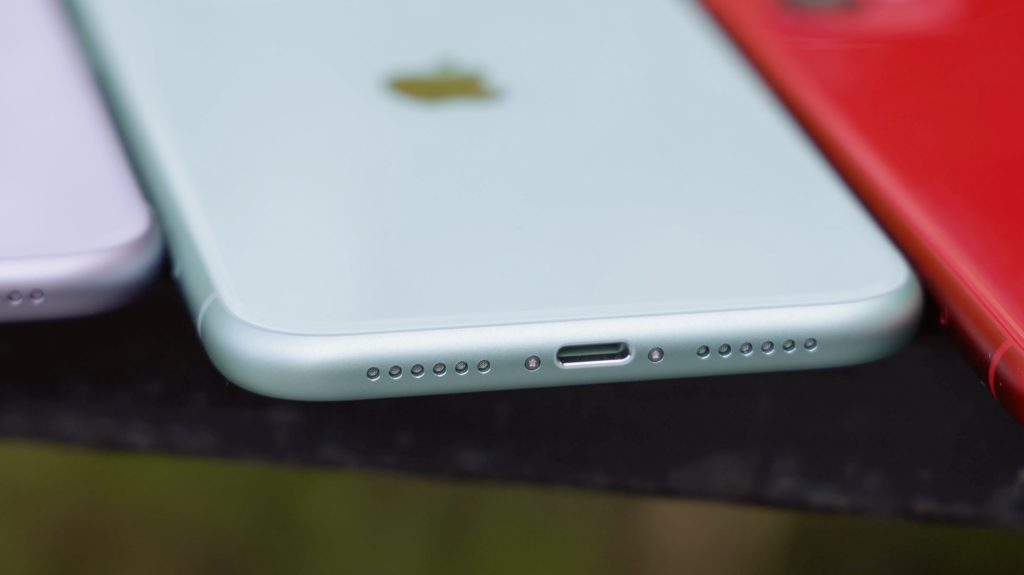
common smartphone repair issues - charging port
Photo by Daniel Romero on Unsplash

A smartphone’s charging port is another one of the common smartphone repair issues. These problems can range from slow charging to complete failure to charge the device. Dust, debris, and regular wear and tear can contribute to charging port issues.

How to avoid charging port issues:

  • Keep your charging port clean: Regularly inspect your phone’s charging port for any dust, lint, or debris that may have accumulated. Use a can of compressed air or a soft brush to gently clean the port, taking care not to damage the internal components.
  • Be gentle when plugging and unplugging: When connecting or disconnecting your charger, be gentle and avoid applying excessive force. This can help prevent damage to the charging port and extend its lifespan.
  • Use high-quality charging cables: Cheap, low-quality charging cables can cause damage to your phone’s charging port. Invest in a high-quality cable that’s compatible with your device and certified by the manufacturer.

While these common smartphone repair issues show up on our iFixYouri repair benches often, many of them can be avoided by taking some simple preventive measures. By following the tips provided in this blog post, you can significantly reduce the risk of encountering these problems and enjoy a smoother, hassle-free smartphone experience. And remember, if you do find yourself in need of repair, visit iFixYouri.com or any of our walk-in retail repair locations.

Chromebook Repair Obstacles in 1:1 Education

Chromebooks have become an integral part of the modern education landscape, offering affordable, portable, and versatile devices for students and educators alike. However, as with any technology, Chromebook repair comes with its own challenges.

In this blog post, we will delve into the world of Chromebook repair within education, exploring the hurdles of repair, accidental damage, Automatic Update Expiration (AUE), loss, and e-waste recycling. We aim to provide educators and educational technology professionals with valuable insights and solutions for managing these challenges effectively.

Chromebook Repair Challenges

Chromebook Repair

One of the most common issues with Chromebooks in educational settings is the need for repairs. With daily use, wear and tear are inevitable, and devices can experience issues such as cracked screens, damaged keyboards, or broken charging ports.

Chromebook repair challenges include:

Timely Chromebook Repair

Fast turnaround times for repairs are essential to minimize disruptions in the learning process. Schools must establish a reliable repair process, either in-house or with an external partner, to ensure devices are fixed and returned promptly.

Technical Expertise

Chromebook repairs often require specialized knowledge and skills. Schools may need to invest in professional development for their IT staff or work with external repair partners to guarantee that repairs are done correctly and efficiently.

Cost Management

Balancing repair costs against the benefits of maintaining a functioning fleet of devices can be challenging. Educators must weigh the costs of repairs against the potential impact on student learning and make informed decisions about when to repair or replace devices.

Accidental Damage & Chromebook Repair

Accidents happen, especially in busy educational environments. Students may drop their Chromebooks, spill liquids on them, or otherwise damage the devices unintentionally. Managing accidental damage involves:

Prevention Strategies

Implementing policies and guidelines for proper device handling and storage can help minimize accidental damage. Additionally, using protective cases and screen protectors can provide an extra layer of defense against accidents.

Insurance and Warranties

Schools should consider investing in insurance policies or extended warranties to cover the costs of accidental damage. This can help alleviate financial stress and ensure that devices are repaired or replaced as needed.

Automatic Update Expiration (AUE)

AUE is the predetermined date when a Chromebook will no longer receive automatic updates from Google. This includes security patches, feature updates, and support. AUE can have several negative consequences for educational institutions:

Security Risks

Outdated software can expose devices and networks to security vulnerabilities, putting sensitive student and school data at risk.

Diminished Performance

As Chromebooks age, their software becomes outdated. Performance can decline, leading to slower loading times, increased lag, and other issues that may impact the learning experience.

Software Incompatibility

Some web-based applications and resources may no longer function properly on devices with outdated software.

To manage AUE, schools should:

Develop a Replacement Plan

Establish a plan for replacing devices as they reach their AUE date, ensuring that students and educators always have access to updated, secure, and high-performing devices.

Monitor AUE Dates

Keep track of AUE dates for all devices in the fleet and communicate this information to relevant stakeholders, including teachers, administrators, and IT staff.

Chromebook Loss

Chromebooks can sometimes be misplaced or stolen, leading to disruptions in the learning process and financial loss for the school. To mitigate the risks associated with lost devices:

Implement Asset Tracking

Use asset tracking software and tools, such as barcodes or RFID tags, to keep track of device locations and assignments.

Establish Clear Policies

Develop and enforce clear policies regarding device usage,

Promote Responsible Use

Educate students and staff about the importance of responsible device use, handling, and storage to minimize the risk of loss or theft.

Prepare for Device Recovery

In theft cases, ensure that your devices are equipped with remote tracking and management tools, such as Google’s “Find My Device” feature or other third-party solutions, to help locate and potentially recover lost or stolen Chromebooks.

E-Waste & Chromebook Recycling

As schools cycle through Chromebooks, disposing of outdated or non-functioning devices in an environmentally responsible manner becomes essential. E-waste recycling not only helps reduce the ecological impact of electronic waste but also supports a sustainable approach to technology in education. To address e-waste recycling challenges:

Partner with Certified E-Waste Recyclers

Collaborate with certified e-waste recyclers who adhere to responsible recycling practices, ensuring that your devices are recycled or disposed of in an environmentally friendly manner.

Educate the School Community

Teach students, staff, and parents about the importance of e-waste recycling and how to properly dispose of electronic devices.

Organize E-Waste Drives

Host e-waste collection drives or events to encourage the school community to recycle their old electronics responsibly.

In doing so, educational institutions can maximize the benefits of this versatile technology, providing students and educators with reliable, up-to-date devices that support dynamic and engaging learning experiences. By tackling these challenges head-on and sharing best practices within the education community, we can work together to create a more sustainable and efficient future for technology integration in our schools.

As Chromebooks continue to play a significant role in education, it is crucial for educators and educational technology professionals to be aware of and address the challenges that come with their use.

By proactively managing Chromebook repair and accidental damage, staying informed about Automatic Update Expiration dates, implementing strategies for loss prevention, and promoting responsible e-waste recycling, schools can ensure the longevity and effectiveness of their Chromebook fleet.

iFixYouri’s Difference: Florida’s Unparalleled Device Repair Company

Are you struggling with a broken phone, tablet, or computer? Is your device running slow or acting up? Are you on the hunt for a trustworthy place to buy refurbished electronics? Look no further! iFixYouri, in Palm Beach Gardens and Jupiter, FL, is your ultimate destination for all your electronic repair needs and more.

Established in 2010, we take pride in being the longest-standing repair business in Florida. In this blog post, we will delve into the world of iFixYouri and why we are the best choice for repairing your devices and finding high-quality refurbished electronics.

Device Repair Expertise and Experience

With years of experience under our belt, iFixYouri is your go-to destination for all your electronic repair needs. Our skilled technicians are trained to work on a variety of devices, including smartphones, tablets, and computers. Whether it’s a cracked screen, water damage, or a malfunctioning battery, our team has the knowledge and experience to fix it quickly and efficiently.

Unmatched Customer Service

Device Repair - On-Site Repair Vehicle
iFixYouri’s On-Site Mobile Repair Mystery Machine

At iFixYouri, we understand the importance of providing exceptional customer service. As a local business, we genuinely care about our community and strive to exceed your expectations. Our friendly and knowledgeable staff will guide you through the repair process, keeping you informed every step of the way. We are committed to building lasting relationships and ensuring your experience is fantastic.

Device Repair for Businesses and Schools

iFixYouri isn’t just limited to individual device repairs. We also work closely with businesses and schools, providing them with comprehensive solutions for their device management challenges. From bulk repair services to device maintenance and support, iFixYouri partners with organizations to keep their technology up and running efficiently.

Quality Refurbished Devices

In addition to our repair services, iFixYouri offers a wide selection of used and refurbished electronics. Each device undergoes a thorough inspection and testing to meet our high standards. Purchasing a refurbished device from iFixYouri is not only a cost-effective option but also an eco-friendly one, as it helps reduce electronic waste.

Giving Back to the Community

As a local business, we care deeply about the community we serve. iFixYouri actively supports local events and charities, using our resources and expertise to make a difference in the lives of our neighbors. We believe in creating a positive impact in our community and fostering a sense of togetherness.

iFixYouri in Palm Beach Gardens and Jupiter, FL, is more than just a device repair shop. We have years of experience, exceptional customer service, partnerships with businesses and schools, and a commitment to quality refurbished electronics. We are the ultimate destination for all your electronic device needs. Discover the iFixYouri difference today and experience the magic of our unrivaled repair services and refurbished devices.

Common Hard Drive Problems

Hard drives are essential components of modern computers, storing vast amounts of data ranging from operating systems to personal files. However, like any technology, hard drives can experience problems that can lead to data loss, reduced performance, and other issues.

In this blog post, we’ll explore some of the most common hard drive problems that users encounter and what you can do to address them. iFixYouri has expert computer repair technicians that can help with any hard drive problems, no matter the make or model of your computer.

Physical Hard Drive Damage

One of the most severe hard drive problems is physical damage. This can occur due to drops or impacts, exposure to moisture or extreme temperatures, or manufacturing defects. Physical damage can result in disk platter scratches, head crashes, or other issues that can prevent data from being read or written to the drive. If your hard drive suffers physical damage, it may require iFixYouri’s professional data recovery service to retrieve your data.

Bad Hard Drive Sectors

Bad sectors are areas of the hard drive that are damaged and cannot reliably store data. This can result in errors when reading or writing files, slow performance, and potential data loss. Bad sectors can occur due to physical damage, manufacturing defects, or general wear and tear. You can use disk scanning tools to identify bad sectors and mark them as unusable, which can help prevent further data loss.

Hard Drive Logical Errors

Logical errors are problems with the data stored on the hard drive rather than the physical components. This can include corrupt or missing files, file system errors, or partitions that are not recognized by the operating system. Logical errors can be caused by malware infections, improper shutdowns, or software errors. You can often fix logical errors by running disk repair tools or using data recovery software.

Clicking or Grinding Noises

If you hear clicking or grinding noises coming from your hard drive, it could be a sign of mechanical failure. These sounds are often caused by a malfunctioning disk head or spindle motor and can indicate that the hard drive is about to fail. If you hear these noises, it’s essential to back up your data immediately and replace the hard drive as soon as possible.

Hard Drive Repair at iFixYouri

In conclusion, hard drive problems can range from minor issues like logical errors to severe physical damage that requires professional data recovery services. It’s essential to be proactive in maintaining your hard drive’s health by regularly backing up your data, running disk scanning and repair tools, and being aware of warning signs like clicking or grinding noises. By taking care of your hard drive, you can minimize the risk of data loss and ensure that your computer remains reliable and efficient.

If you do run into hard drive problems, please schedule a free diagnostic appointment at iFixYouri.

iPhone Logic Board Repair at iFixYouri

iFixYouri performs iPhone logic board repair all the time to revive phones that other repair companies may not be able to fix. But what is a logic board?

If you’ve ever wondered what makes your iPhone work, the answer lies in the logic board. The logic board is the heart and brain of your iPhone, responsible for processing all the data and instructions that make your phone function. In this blog post, we’ll take a closer look at what exactly the logic board is, what it does, and how it works.

What is an iPhone Logic Board?

The logic board, also known as the motherboard, is a printed circuit board (PCB) that houses all of the critical components of your iPhone. It’s the central hub that connects all the other parts of your phone together, including the display, camera, battery, and more. The logic board is what allows your phone to communicate with these components, making it a crucial part of your iPhone’s functionality.

What does an iPhone Logic Board do?

The logic board is responsible for processing all the data and instructions that make your iPhone work. It receives input from the various sensors and components of your phone, processes that data, and then sends output back to the other components. For example, when you tap on your screen to open an app, the logic board receives that input, processes it, and then sends instructions to the display to show you the app.

The logic board also houses the CPU (Central Processing Unit), GPU (Graphics Processing Unit), and other critical components that are responsible for running the operating system and all of the apps on your iPhone. Without the logic board, your iPhone wouldn’t be able to function at all.

How does an iPhone Logic Board work?

The logic board works by using a combination of hardware and software to process data and instructions. The hardware components, such as the CPU and GPU, are responsible for performing the actual processing, while the software components, such as the operating system, provide the instructions that need to be processed.

The logic board communicates with the various sensors and components of your iPhone using a variety of protocols, including SPI (Serial Peripheral Interface), I2C (Inter-Integrated Circuit), and UART (Universal Asynchronous Receiver-Transmitter). These protocols allow the logic board to send and receive data to and from other components of your iPhone quickly and efficiently.

Board Repair at iFixYouri

The logic board is the heart and brain of your iPhone, responsible for processing all the data and instructions that make your phone function. It’s a crucial component that connects all the other parts of your phone together, allowing them to communicate and work together seamlessly. Without the logic board, your iPhone wouldn’t be able to function at all.

If you suspect your iPhone has a logic board issue, sometimes noticeable after water damage, bring it to iFixYouri. We have been repairing iPhones since 2010 and you will not find another company doing expert-level board repair in the area.

Common Video Game System Repairs

Video games have become an essential part of our lives, providing us with hours of entertainment and a much-needed break from the stresses of daily life. Whether you are a hardcore gamer or a casual player, your video game system is a prized possession you want to keep in good condition. However, like any other electronic device, video game systems can break down and require repair. In this blog post, we will discuss some common issues that video game systems face and how you can repair them.

  1. Overheating: One of the most common issues with video game systems is overheating, when a system shuts down to prevent damage. Overheating can occur for various reasons, including dust buildup, insufficient ventilation, and fan malfunction. To fix this issue, you can clean the system’s vents and fans and ensure it has adequate ventilation. You can also invest in a cooling pad to help regulate the temperature.
  2. Disc reading errors: Another common issue with video game systems is disc reading errors when the system cannot read the game disc, and the game won’t load or play. Disc reading errors can happen due to scratches on the disc, a dirty laser lens, or a malfunctioning disc drive. For this issue, you can try cleaning the disc, and the laser lens, or replacing the disc drive.
  3. Red Ring of Death: The Red Ring of Death is a notorious issue that plagued the Xbox 360. A red ring appears around the power button, indicating a system failure. This issue is caused by overheating and can be fixed by disassembling the system and reapplying thermal paste to the CPU and GPU. However, this fix requires some technical expertise, and it’s best to seek professional help, like from the repair technicians at iFixYouri.
  4. Blue Light of Death: The Blue Light of Death is a similar issue affecting the PlayStation 4, indicated by a pulsing blue light. It can be caused by hardware failure, power supply issues, or system software corruption. There are several ways to correct this issue: rebuilding the system database, resetting the console, or reinstalling the system software. If none of these solutions work, you may need to seek professional help.
  5. Controller issues: Controller issues are another common problem with video game systems. These can include sticky buttons, unresponsive buttons, or faulty analog sticks. To fix these issues, iFixYouri technicians can perform a detailed cleaning of the internal components or replacement of buttons.

In conclusion, video game systems can encounter various issues, but many of them can be fixed with a little bit of technical know-how from professional repair technicians at iFixYouri. However, it’s essential to be cautious when attempting repairs and seek professional help if necessary. Remember to always handle your video game system with care and keep it in good condition to ensure that it provides you with years of entertainment.

All About Cell Phone Processors

iFixYouri has been repairing phones since 2010, so we know a fair amount about cell phone processors. Our master technician Alex has been performing board-level repair with a level of expertise you won’t find anywhere else. Visit iFixYouri if you need any board-level repairs: Touch IC, Audio IC, backlight issues, or TriStar/Hydra issues.

Cell Phone Processors: Begin!

Cell phone processors, aka CPUs or Central Processing Units, function as the brain of a smartphone. They control the device’s operations, from running apps and games to managing the battery and connecting to the internet. In this post, we’ll take a closer look at the technology behind these processors and how they’ve evolved.

ARM Processors

The first smartphones used processors based on ARM architecture. These processors were designed for low power consumption and were not as powerful as those used in laptops or desktop computers. As smartphones became more advanced, the demand for more powerful processors increased. Eventually, the industry developed processors based on the x86 architecture, commonly used in laptops and desktop computers.

Qualcomm Snapdragon

One of the most popular smartphone processors today is the Qualcomm Snapdragon, based on ARM architecture. Snapdragons take center stage in many high-end Android smartphones like the Samsung Galaxy. The Snapdragon processor boasts high performance and low power consumption. It also includes an integrated modem for connecting to the internet, which helps to save space and power.

Apple A-Series

Another popular processor used in smartphones is the Apple A-series. These processors are used exclusively in Apple’s iPhone and iPad devices. They are based on ARM architecture and are known for their high performance and energy efficiency. The latest A-series processors feature machine learning capabilities, which enable the device to perform complex tasks such as facial recognition and augmented reality.

As the demand for more powerful processors continues to grow, manufacturers are developing new technologies to meet this demand. For example, many processors now include multiple cores, enabling them to perform numerous tasks concurrently. Additionally, processors are becoming more power-efficient, which helps to extend battery life.

What Lies Ahead for Cell Phone Processors?

Cell phone processors are the backbone of a smartphone. They control the device’s operations, from running apps and games to managing the battery and connecting to the internet.

With the rapid development of new technologies, processors are becoming more powerful and energy-efficient, enabling smartphones to perform more complex tasks and last longer on a single charge.

With the fast-paced technological advancements, it is always exciting to see what new processors will come out and what new features they will bring to our smartphones. iFixYouri will still be here for you, repairing all the latest smartphones and performing world-class board-level repairs!

Phone Battery Replacement

Cell phone batteries are an essential component of our everyday lives. Phone battery replacement is required eventually by everyone. Batteries power our devices and keep us connected to the world around us.

In this blog post, we will take a closer look at the chemicals, production, and lifespan of cell phone batteries. If you already know you need battery replacement, please visit an iFixYouri walk-in location.

What Type of Battery is in an iPhone?

The most common type of cell phone battery is the lithium-ion battery. This type powers Apple’s iPhone and Samsung Galaxy phones. These batteries contain a number of different chemicals, including lithium cobalt oxide (LiCoO2), lithium manganese oxide (LiMn2O4), and lithium iron phosphate (LiFePO4). These chemicals allow the battery to store and release energy as needed to power our devices.

How Do They Make Smartphone Batteries?

The production of cell phone batteries is a complex process that involves multiple steps. First, raw materials, such as lithium and cobalt, are extracted from the earth. These materials are then processed and mixed together to create the active materials used in the battery. Next, the active materials are placed into a battery cell, which is then sealed and tested to ensure it is functioning properly.

When Will I Need Phone Battery Replacement?

The lifespan of a cell phone battery can vary depending on a number of factors, including the battery quality, its usage, and how it is cared for.

On average, a cell phone battery will last between 2-3 years. However, batteries can sometimes last for up to 5 years. Modern phones and their original charging blocks have circuitry that regulates the current, preventing unnecessary blasting of the battery with the current. For this reason, iFixYouri always recommends high-quality charging accessories like those for sale in our walk-in locations.

To prolong the life of your cell phone battery, avoid leaving it plugged in overnight, avoid extreme temperatures, and avoid using the phone while it is charging.

Phone Battery Replacement at iFixYouri

iFixYouri offers free battery tests for all phones, and many battery replacement services are while-you-wait. We have replaced thousands of batteries since 2010, and have the know-how to get you back in action quickly. See you soon!

Smartphone, Tablet and Computer Repairs and News