The History of Smartphones: Amazing Progress

Smartphones are ubiquitous in modern society, serving as our primary means of communication, entertainment, and productivity. But what exactly are they, and how did they come to be? In this blog post, we’ll explore the history of smartphones and shed light on how they’ve become such an essential part of our lives.

But before we get started, I must remind you that iFixYouri is here to help you with all your smartphone repair needs. Simply make a repair appointment on our site and your phone will be like-new once again.

What are Smartphones? 

At their most basic level, smartphones are mobile phones that can connect to the internet and run applications, or “apps”. They typically have large touchscreens, powerful processors, and multiple cameras, making them capable of performing a wide range of tasks. 

From browsing the web and sending emails to streaming videos and playing games, smartphones are incredibly versatile devices that have revolutionized the way we interact with technology.

Early mobile phones 

Mobile phones have been around since the 1970s, but they were initially large, bulky devices that were only used by a small number of people. It wasn’t until the 1980s and 1990s that mobile phones began to become more widely available and affordable, thanks to the development of smaller, more portable devices.

history of smartphones: early cell phones
Photo by Markus Spiske on Unsplash

Some Examples of Early Cell Phones:

  1. Motorola DynaTAC 8000X: This was the first commercially available mobile phone, released in 1983. It was large and expensive, weighing nearly two and a half pounds and costing $3,995.
  2. Nokia Mobira Senator: This brick-shaped phone was released in 1982 and was one of the first mobile phones to be commercially available. It weighed almost 22 pounds and was primarily used in cars.
  3. Motorola StarTAC: This was one of the first flip phones, released in 1996. It was a sleek, compact device that set the standard for future cell phone designs.
  4. Nokia 9000 Communicator: Released in 1996, this phone was one of the first to offer email, fax, and internet browsing capabilities. It was also one of the first to feature a full QWERTY keyboard.
  5. Ericsson GH 388: This compact phone was released in 1998 and was notable for its small size and customizable faceplates.
  6. BlackBerry 957: Released in 2000, this phone was one of the first to offer push email, which allowed users to receive email in real time without having to manually check their inbox.
  7. Nokia 5110: This phone was released in 1998 and was notable for its long battery life, interchangeable faceplates, and iconic “snake” game.

These phones may seem primitive by today’s standards, but they paved the way for the modern smartphones that we use today.

The Birth of the Smartphone 

The history of smartphones truly begins in the early 2000s, with devices like the BlackBerry and the Nokia Communicator offering features like email, web browsing, and basic app functionality. However, it was the launch of the iPhone in 2007 that truly revolutionized the smartphone industry. 

The iPhone introduced a large touchscreen, intuitive user interface, and the concept of a mobile app store, which allowed developers to create and distribute apps to millions of users.

The Rise of Android 

While Apple was the first company to popularize the modern smartphone, it wasn’t long before other players entered the market. In 2008, Google launched Android, an open-source mobile operating system that quickly became a major competitor to Apple’s iOS. 

Today, Android powers more than 80% of the world’s smartphones, thanks to its flexibility, customization options, and support for a wide range of devices.

The Modern Era of Smartphones 

Since the launch of the iPhone and Android, smartphones have continued to evolve and improve at a rapid pace. Today’s smartphones are incredibly powerful, capable of performing complex tasks like video editing and virtual reality gaming. They also come equipped with advanced features like facial recognition, wireless charging, and 5G connectivity.

The Future of Smartphones 

So what’s the next chapter in the history of smartphones? While it’s impossible to predict exactly what the future holds, it’s clear that these devices will continue to play an important role in our lives. 

We may see advancements in areas like battery life, camera technology, and artificial intelligence, as well as new form factors like foldable screens and wearable devices.

Smartphones have come a long way since the early days of mobile phones. From the BlackBerry to the iPhone and Android, these devices have evolved into powerful, multi-purpose tools that we rely on every day. 

As technology continues to advance, we can expect smartphones to continue to play an important role in shaping the way we communicate, work, and play.

The Impact of 5G Technology on the Smartphone Industry: A Revolution in Connectivity

5G Technology is changing the smartphone world. It offers faster speeds, stronger connections, and fun new features. In this blog post, we’ll look at the main ways 5G is changing smartphones and what it means for users and makers.

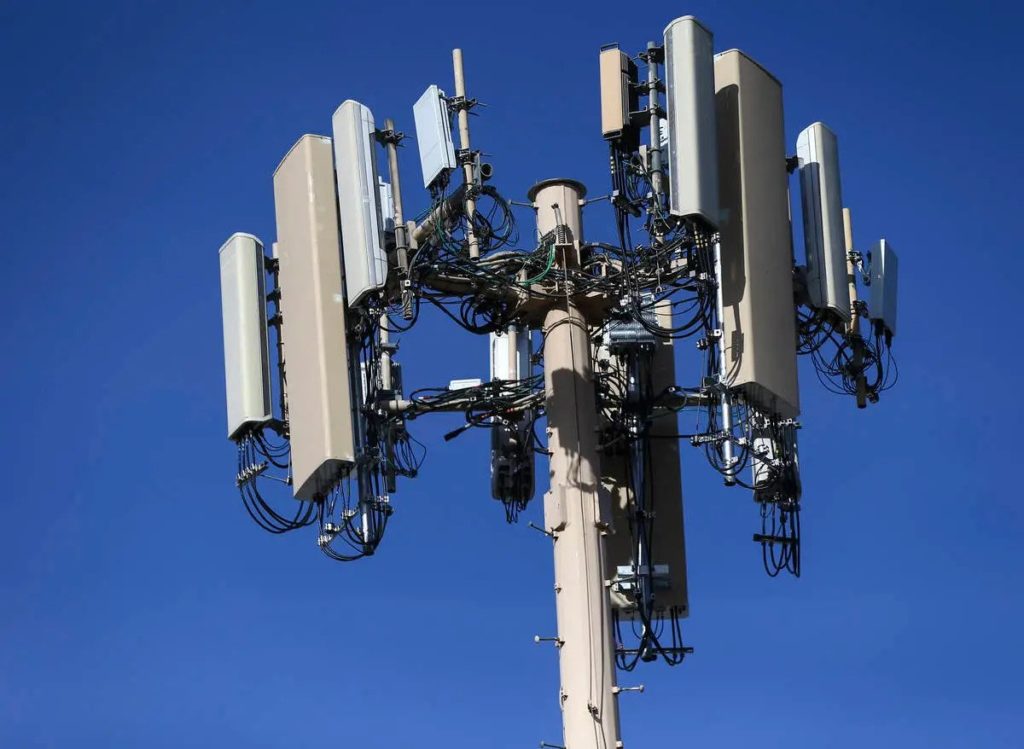
5g Tower

Super Fast Data: A 5G Technology Boost

5G networks are faster than 4G. This means quicker downloads, smooth streaming, and less buffering for users. Also, 5G has lower delays, important for online gaming, virtual reality (VR), and augmented reality (AR).

New Smartphone Looks and Features: Fresh Ideas

Smartphones need to change for 5G technology. This might mean slightly bigger devices. The faster speeds and lower delays also lead to new features like better AR and VR experiences and easy connections with Internet of Things (IoT) devices.

Longer Battery Life: Keep Going

Smartphone Battery Care - an iPhone battery

5G technology uses more power for faster data, but it could still help batteries last longer. By moving data faster, 5G networks might use less power overall, helping smartphones stay charged longer. Click for more tips on smartphone battery care.

More Choices: A Competitive Market

5G technology has made smartphone makers more competitive. As companies race to release 5G-ready devices, there’s more innovation and choice in the market. This is good for users because it gives them more options and pushes makers to keep improving their products.

The Future of 5G Technology: Embracing Change

As 5G gets more popular, its impact on smartphones will grow. Faster speeds and better connections will keep driving innovation, leading to more advanced devices and apps. Users can look forward to improved mobile experiences, while makers have the chance to stay ahead by creating cutting-edge devices.

5G technology is changing smartphones for the better. With faster speeds, better connections, and new chances for innovation, 5G is changing how we use and interact with our devices. As the world embraces this new era, the smartphone industry will keep evolving and thriving.

Visit iFixYouri for all things technology: device repair, electronics recycling, device buyback, and repair for business and education entities.

How to Properly Clean Your Smartphone or Computer


Do you know how to clean your smartphone? In today’s fast-paced world, smartphones and computers have become an essential part of our daily lives. However, with regular usage, these devices tend to accumulate dirt, dust, and grime, which can affect their performance and longevity.

clean your smartphone
Gloves not required, but they make cleaning feel more official.

To ensure optimal performance and longevity of your smartphone and computer, it’s crucial to clean and maintain them regularly. These tips work great when combined with our tips on Common Smartphone Repair Issues and How to Avoid Them.

Below are some tips on how to properly clean and maintain smartphones and computers

Germs that Live on Smartphones and Keyboards

Our modern electronic devices can be home to a multitude of germs and bacteria.

Staphylococcus Aureus

Research has shown that smartphones and computer keyboards can harbor a wide variety of microorganisms, including bacteria, viruses, and fungi. These germs can be transferred from our hands, mouths, and other surfaces onto our devices and can survive for extended periods of time, creating a potential breeding ground for harmful pathogens.

The risks associated with germs on smartphones and keyboards are significant. Touching contaminated surfaces and then touching our faces can lead to the spread of illnesses such as colds, flu, and stomach viruses. Additionally, bacteria such as Staphylococcus aureus and Methicillin-resistant Staphylococcus aureus (MRSA) can cause serious infections if they enter the body through a cut or other open wound.

To reduce the risk of illness, it is essential to clean and disinfect your devices regularly. Follow our tips below to clean the right way. It’s also important to wash your hands frequently and avoid touching your face while using your devices.

Tips to Clean Your Smartphone or Computer

  1. Turn off the device before cleaning: Before cleaning your smartphone or computer, make sure to turn off the device to prevent any damage from occurring. Unplug any power cords, cables, or other attachments.
  2. Use a microfiber cloth: Use a soft, lint-free microfiber cloth to clean the screen, keyboard, and other surfaces of your device. Do not use paper towels or tissues, as they can scratch the screen or leave fibers behind.
  3. Use compressed air: Use compressed air to blow dust and debris out of the keyboard and ports of your computer. Hold the canister upright and spray in short bursts to avoid any damage.
  4. Use a gentle cleaning solution: For stubborn stains or grime, use a gentle cleaning solution like isopropyl alcohol or a screen-cleaning spray. Apply the solution to the microfiber cloth and gently wipe the screen and other surfaces.
  5. Avoid harsh chemicals: Avoid using harsh chemicals or abrasive materials like ammonia or bleach, as they can damage the screen and other components of your device.
  6. Keep your device cool: Overheating can cause damage to your smartphone or computer. Make sure to keep your device cool by avoiding direct sunlight or hot surfaces and by keeping it in a well-ventilated area.
  7. Update your software: Keep your smartphone or computer up-to-date with the latest software updates to ensure optimal performance and security.
  8. Remove unnecessary files and programs: Regularly remove unnecessary files and programs from your device to free up storage space and improve performance.

Making sure you clean your smartphone and computer regularly is essential to ensure optimal performance and longevity. Follow these tips to keep your device clean, cool, and updated, and you’ll be able to enjoy using it for years to come. If you do need help with your phone or computer’s performance, please visit iFixYouri.

The Ultimate Guide to Smartphone Battery Care and Maintenance

This is part 2 of a series on smartphone care – check out part 1 – Common Smartphone Issues and How to Avoid Them. Smartphone batteries are an essential component of our daily lives. Proper smartphone battery care is crucial to ensure their longevity and optimal performance. They power our devices, allowing us to stay connected, entertained, and informed. However,

In this comprehensive guide, we will cover everything you need to know about smartphone battery care and maintenance, from understanding battery basics to helpful tips and tricks to extend your battery’s lifespan.

Smartphone Battery Care - an iPhone battery

Table of Contents

  1. Understanding Smartphone Batteries: Types and Terminology
  2. Charging Practices for Better Battery Health
  3. Temperature Management: Protecting Your Battery from Extreme Temperatures
  4. Optimizing Your Smartphone’s Settings for Battery Life
  5. Battery Draining Apps: Identifying and Managing Culprits
  6. External Battery Packs: When to Use Them and How to Choose
  7. Replacing Your Smartphone Battery: Signs and Best Practices
  8. Understanding Smartphone Batteries: Types and Terminology

Understanding Smartphone Batteries: Types and Terminology

Let’s dive deeper into the basics of lithium-ion (Li-ion) and lithium-polymer (Li-Po) batteries, the two most common types of rechargeable batteries used in smartphones.

Lithium-ion (Li-ion) Batteries

Li-ion batteries are widely used in smartphones, laptops, and various other electronic devices due to their high energy density, which means they can store a large amount of energy in a relatively small and lightweight package. This is particularly important for smartphones, as it allows for slim designs and extended battery life.

Another advantage of Li-ion batteries is their low self-discharge rate. Self-discharge refers to the gradual loss of charge that occurs when a battery is not in use. Li-ion batteries have a much lower self-discharge rate compared to other battery types like nickel-cadmium (NiCd) or nickel-metal hydride (NiMH) batteries, which means they can retain their charge for longer periods when not in use.

Li-ion batteries also exhibit a minimal memory effect, a phenomenon that occurs when a battery “remembers” its previous charge-discharge cycles and loses its maximum energy capacity when repeatedly charged after being partially discharged. The minimal memory effect of Li-ion batteries allows users to charge their smartphones without worrying about reducing the battery’s overall lifespan.

Lithium-polymer (Li-Po) Batteries

Li-Po batteries are a more recent development and are similar to Li-ion batteries in many ways. Like Li-ion batteries, Li-Po batteries offer high energy density, low self-discharge rate, and minimal memory effect. However, Li-Po batteries use a different electrolyte composition, which allows for a more flexible and lightweight design.

The main advantage of Li-Po batteries over Li-ion batteries is their form factor. Li-Po batteries can be made thinner and lighter, which makes them ideal for use in ultra-slim smartphones and other portable devices. Additionally, Li-Po batteries can be manufactured in various shapes and sizes, allowing for greater design flexibility.

It is important to note that both Li-ion and Li-Po batteries share similar care and maintenance requirements, as their underlying chemistry is quite similar. By understanding the basics of these two types of batteries, users can better appreciate the advantages they offer and implement appropriate care and maintenance practices to maximize their performance and lifespan.

Smartphone Battery Care: Key Terms

  • mAh (milliampere-hour): A unit used to measure a battery’s capacity, indicating how much energy it can store. A higher mAh rating means a longer-lasting battery.
  • Cycles: A battery cycle is a full charge and discharge of the battery. A battery’s lifespan is usually measured in cycles.
  • Memory effect: A phenomenon where a battery loses its maximum energy capacity when repeatedly charged after being partially discharged. This is not a significant issue for lithium-based batteries.
  • Degradation: A natural process where a battery loses its ability to hold a charge over time, resulting in reduced battery life.

Charging Practices for Better Battery Health

Proper charging habits play a crucial role in preserving your smartphone battery’s health. Here are some best practices for charging:

One key aspect of maintaining your smartphone’s battery health is to avoid fully discharging it. Lithium-based batteries, which are commonly used in smartphones, perform best when they are not completely drained. To keep your battery in optimal condition, try to maintain its charge level between 20% and 80%. This practice helps prolong the battery’s lifespan and ensures it remains efficient.

Another crucial factor in battery care is using the right charger. It’s always best to use a high-quality charger from a reputable brand, ideally, the one that came with your smartphone. Low-quality or counterfeit chargers can cause damage to both your battery and device, so it’s essential to avoid them.

Furthermore, avoid charging your smartphone overnight, as overcharging can lead to battery damage over time. To prevent this, unplug your device once it reaches a full charge. You may also want to invest in a smart charger with auto shut-off features.

Additionally, it’s important to charge your smartphone at moderate temperatures. Extreme temperatures can have a negative impact on your battery’s lifespan, so aim to charge your device in a cool, dry place, away from direct sunlight or heat sources. By following these simple tips, you can ensure that your smartphone’s battery remains healthy and lasts longer.

Temperature Management: Protecting Your Battery from Extreme Temperatures

Exposure to extreme temperatures can have a significant impact on your smartphone battery’s performance and lifespan. There are several ways to protect your battery from temperature-related damage.

Protecting your smartphone from extreme temperatures is essential for maintaining battery performance and longevity. Direct sunlight, for instance, can cause your device to overheat and negatively affect battery performance. To avoid this, make sure to keep your smartphone in the shade or use a protective case that shields it from the sun’s rays.

Another common situation that can harm your smartphone’s battery is leaving it in a hot car. The high temperatures inside a parked car can cause irreversible damage to your battery. If you need to leave your device in the car, ensure it is turned off and stored in a shaded, insulated container to minimize exposure to extreme heat. On the other hand, cold temperatures can also have detrimental effects on your smartphone battery. To protect your device in colder climates, keep it in an insulated case or pocket and avoid using it outdoors for extended periods when temperatures are below freezing. By taking these precautions, you can safeguard your smartphone’s battery and extend its lifespan.

Optimizing Your Smartphone’s Settings for Battery Life

There are several settings on your smartphone that can help extend battery life without sacrificing performance. Optimizing your smartphone’s settings is an effective way to conserve battery life without compromising performance. By making a few simple adjustments, you can extend the time between charges and maintain your device’s efficiency.

Firstly, consider lowering the screen brightness, as the display is often the most significant power consumer on your smartphone. By reducing brightness, you can save a considerable amount of battery life. Additionally, enabling a power-saving mode is another useful strategy. Most smartphones offer this mode, which adjusts various settings to conserve battery life, such as reducing screen brightness, limiting background data usage, and disabling non-essential features.

Another useful tip is to turn off unused features like Wi-Fi, Bluetooth, GPS, and mobile data when they are not in use. Disabling these features can help save battery power and prolong your device’s battery life. You can also adjust the screen timeout settings to further conserve battery life. By shortening the time it takes for your screen to turn off when not in use, you can reduce power consumption.

Battery Draining Apps: Identifying and Managing Culprits

Some apps consume more battery power than others, particularly those that run in the background or require constant internet access. Identifying and managing battery-draining apps is crucial for maintaining your smartphone’s battery life. By keeping track of power consumption and addressing problematic apps, you can help prolong your device’s battery life.

One way to do this is by monitoring battery usage. Most smartphones include a battery usage breakdown in the settings menu, allowing you to see which apps are consuming the most power. By staying informed, you can make informed decisions about how to manage your device’s battery life.

If you notice that an app is draining your battery excessively, consider closing it when not in use or uninstalling it altogether. Sometimes, certain apps may consume more power than they should, so it’s essential to address these issues and maintain overall battery performance.

Lastly, make sure to update your apps regularly. App developers frequently release updates that improve performance and battery efficiency. By keeping your apps up-to-date, you can take advantage of these smartphone battery care tips and ensure your smartphone’s battery life remains at its best.

External Battery Packs: When to Use Them and How to Choose

External battery packs, also known as power banks, can provide an extra boost of power when you’re on the go. External battery packs can be a lifesaver when you need extra power for your smartphone, but it’s essential to use them wisely and choose the right one. Here are some tips for making the most of external battery packs:

First, use external battery packs sparingly. Relying on them too frequently can cause your smartphone’s internal battery to degrade faster. Instead, reserve them for situations when you truly need extra power, and avoid using them to charge your phone to 100%.

Second, make sure to check the compatibility of the external battery pack with your smartphone. It’s crucial to ensure that it provides the correct voltage and amperage for safe charging. Using an incompatible battery pack can lead to damage to both your smartphone and the battery pack.

Finally, when selecting an external battery pack, consider both its capacity (measured in mAh) and size. Choose a battery pack with a capacity that suits your needs, taking into account how often you’ll need to recharge your device and your typical usage patterns. At the same time, opt for a size that is portable and convenient for your lifestyle, so it’s easy to carry with you when needed.

By following these tips, you can make the most of external battery packs and keep your smartphone charged when you need it the most.

Replacing Your Smartphone Battery: Signs and Best Practices

Over time, your smartphone battery will degrade, and you may need to replace it. Knowing when to replace your smartphone’s battery is crucial for maintaining optimal performance and ensuring your device’s safety. Here are some signs that it’s time for a new battery:

Rapid battery drain is one indicator that you may need a replacement. If your smartphone’s battery is depleting much faster than it used to, it’s likely time for a new one. Another sign is a swollen battery, which can be dangerous and potentially cause further damage to your smartphone. In this case, replace the battery immediately. Frequent unexpected shutdowns, even with a significant battery charge remaining, may also signal a failing battery.

When it’s time to replace your smartphone battery, follow these best practices:

First, always use a genuine or high-quality replacement battery from a reputable manufacturer. This ensures safe and optimal performance for your device. If you’re not comfortable replacing the battery yourself, seek help from a professional repair service or an authorized service center to ensure proper smartphone battery care.

Lastly, dispose of your old battery responsibly by recycling it at a designated recycling center or participating retailer. Proper disposal is essential for environmental protection and helps prevent potential hazards associated with improperly discarded batteries. By following these guidelines, you can keep your smartphone running smoothly and safely for years to come.

Smartphone battery care is essential for ensuring optimal performance and a longer lifespan. By understanding the basics of smartphone batteries, adopting healthy charging habits, managing temperature and settings, and addressing problematic apps, you can keep your smartphone’s battery in top condition. And when it’s time for a replacement, choose iFixYouri for top-quality OEM batteries (for most models) and third-party batteries with warranties.

Smartphone Screens Evolve: From LCD to OLED to the Amazing Beyond

Smartphone screens have come a long way since the early days of mobile technology. With each passing year, display technology has advanced, offering users more vibrant colors, sharper images, and smoother experiences.

In this article, we will take a journey through the evolution of smartphone screens, starting with the humble LCD and moving on to the stunning OLED displays we see today, while also discussing what the future might hold for smartphone display technology.

The Early Days: Monochrome and Passive Matrix Displays

In the beginning, mobile phones featured monochrome displays that could only show a limited number of characters on the screen. These early screens were based on passive matrix technology and had slow refresh rates, resulting in a ghosting effect when text or images moved across the screen.

Active Matrix LCD Smartphone Screens

As technology evolved, so did mobile phone displays. In the late 1990s and early 2000s, active matrix LCD (liquid crystal display) screens became the standard for mobile phones.

These displays offered faster refresh rates and better image quality than passive matrix displays. Active matrix LCDs were also thinner and consumed less power, making them an ideal choice for portable devices.

TFT LCD: A Leap Forward in Image Quality

The introduction of thin-film transistor (TFT) technology marked a significant leap forward in image quality for LCD displays.

TFT LCDs offered higher resolutions, more accurate color reproduction, and faster refresh rates than their predecessors. TFT LCDs became the standard for high-end smartphones and remained popular until the advent of OLED technology.

Enter OLED: A New Era of Smartphone Screens

smartphone screens - OLED

OLED (organic light-emitting diode) technology revolutionized smartphone displays. Unlike LCDs, which require a backlight to produce images, OLED displays emit light from organic compounds when an electric current is applied.

This technology offers several advantages over LCD screens:

  1. Thinner and lighter: Since OLED displays do not require a separate backlight, they can be made thinner and lighter than LCDs.
  2. Faster refresh rates: OLED displays have faster refresh rates, resulting in smoother motion and improved touch response.
  3. Superior contrast and color accuracy: OLED displays can produce true blacks by turning off individual pixels, resulting in an infinite contrast ratio and more accurate color reproduction.
  4. Improved power efficiency: OLED screens consume less power when displaying darker images, as they only need to power the lit pixels.

The OLED technology further evolved into AMOLED (Active Matrix Organic Light-Emitting Diode) displays, which combined the benefits of active matrix technology with the advantages of OLED.

The Rise of Flexible and Foldable Smartphone Screens

smartphone screens - foldable screens
Foldable screen

One of the most significant innovations in recent years has been the development of flexible and foldable displays. OLED technology’s thin and lightweight nature has enabled the creation of bendable screens that can be folded or rolled up without damaging the display.

This breakthrough has led to the development of foldable smartphones like the Samsung Galaxy Fold and the Huawei Mate X, which can transform from a compact phone to a tablet-like device.

The Future: MicroLED and Beyond

While OLED technology has become the gold standard for smartphone displays, there are still areas for improvement. One emerging technology that may challenge OLED’s dominance is MicroLED. MicroLED displays use tiny inorganic LEDs to emit light, offering several advantages over OLED:

  1. Improved lifespan: MicroLED displays are less prone to degradation over time compared to OLED.
  2. Increased brightness: MicroLEDs can produce brighter images than OLED displays, making them more suitable for outdoor use.
  3. Better energy efficiency: MicroLED displays consume less power than OLED, leading to improved battery life for smartphones.
  4. Enhanced durability: MicroLED displays are more resistant to burn-in and other long-term damage compared to OLED displays, ensuring a longer-lasting screen.

However, MicroLED technology is still in its early stages, and there are challenges in scaling it down for smartphone-sized screens.

While companies like Samsung and Apple are investing heavily in MicroLED technology, mass production of MicroLED displays for smartphones has yet to be achieved. However, as the technology continues to develop, it is expected that MicroLED will become a viable alternative to OLED in the coming years.

Emerging Technologies: Holographic and Transparent Smartphone Screens

As we look even further into the future, we may see the emergence of new display technologies that push the boundaries of what is possible with smartphone screens. Two such technologies are holographic and transparent displays.

Holographic displays can project 3D images into the air without the need for special glasses, offering a more immersive and interactive user experience. While the technology is still in its infancy, companies like RED have already showcased prototypes of smartphones with holographic displays.

Transparent displays, on the other hand, allow users to see through the screen while it displays content. This technology has the potential to revolutionize how we interact with our smartphones, allowing for more seamless augmented reality experiences and innovative new designs.

The evolution of smartphone screens has been a remarkable journey, with each new technology offering a better, more immersive experience for users. From the early days of monochrome and passive matrix displays to the stunning OLED screens we see today, the quest for the perfect smartphone display is ongoing.

As we look forward to the future of MicroLED, holographic, and transparent displays, one thing is clear: smartphone display technology will continue to evolve, offering new and exciting possibilities for users and manufacturers alike.

iFixYouri is your number-one trusted repair source for issues with smartphone screens.

5 Essential Tips For Chromebook Deployment from Technology Staff to Students

Using technology in education has led to more schools adopting Chromebooks as a valuable tool for student learning. These devices are known for their affordability, lightweight design, and user-friendly interface, making them an excellent choice for educational settings. If you’re part of the technology staff responsible for deploying Chromebooks, it’s crucial to be well-prepared for the challenges that come with this role and understand effective strategies to address them.

Chromebooks in Education:

The increasing integration of Chromebooks in education has revolutionized the way students learn and engage with technology. These devices offer numerous benefits that make them an ideal choice for schools. Firstly, Chromebooks are cost-effective, making them more accessible for educational institutions with limited budgets. This affordability allows schools to provide students with individual devices, promoting personalized learning experiences. Additionally, Chromebooks are lightweight and portable, enabling students to carry them between classes and work on assignments from anywhere within the school premises. Furthermore, their user-friendly interface and seamless integration with Google Workspace (formerly G Suite) create a collaborative and familiar environment for both students and teachers.

As Chromebooks continue to gain popularity in educational settings, the role of technology staff responsible for their deployment becomes increasingly important. In the following sections, we will explore five essential tips to consider before deploying Chromebooks to students, equipping you with the necessary knowledge to overcome deployment challenges successfully.

  1. Develop a Comprehensive Deployment Plan:

To ensure a smooth and efficient deployment process, it’s crucial to develop a comprehensive plan that outlines all the necessary steps and considerations. This plan should encompass various aspects, such as device procurement, setup, distribution, training, and ongoing support. By creating a well-thought-out roadmap, you can streamline the deployment process, effectively allocate resources, and ensure all stakeholders are well-informed and involved.

  1. Invest in Device Management and Security:

Managing and securing a large fleet of Chromebooks requires robust device management and security solutions. Chrome Education Upgrade, a subscription service tailored for educational institutions, offers advanced management features and security protocols. Leveraging this service allows you to enforce policies, monitor devices remotely, and manage app installations effectively. By investing in proper device management and security, you can ensure a smooth and secure Chromebook deployment.

With a solid understanding of the benefits of Chromebooks in education and the necessary preparation for deployment, you are better equipped to navigate the challenges that lie ahead. In the subsequent sections, we will delve into three more essential tips that will further enhance the success of your Chromebook deployment. Additionally, we will explore how iFixYouri, a company specializing in helping school districts manage their devices, can streamline the deployment process and alleviate stress for technology staff.

  1. Provide Adequate Training for Teachers and Support Staff:

A successful Chromebook deployment heavily relies on the competence and confidence of teachers and support staff in utilizing these devices effectively in the classroom. Conduct comprehensive training sessions to familiarize them with Chromebook functionalities, Google Workspace tools, and effective instructional strategies for incorporating technology into their lessons. Additionally, establish a support system where staff members can seek assistance and share best practices with one another. By investing in training and support, you empower educators to fully leverage the capabilities of Chromebooks and create engaging learning experiences for students.

  1. Prepare for Device Maintenance and Repairs:

As with any technology deployment, it’s essential to anticipate and plan for device maintenance and repairs. Chromebooks may experience hardware issues or require software updates over time. Establish an in-house repair process by training selected staff members in basic Chromebook troubleshooting and repair procedures. This approach enables you to address minor issues promptly and minimize device downtime. Additionally, maintain an inventory system to track repairs, warranty claims, and spare parts. For more complex repairs or situations where in-house capabilities are insufficient, partnering with a reputable repair service like iFixYouri can ensure professional and efficient repairs, reducing disruptions to the learning environment.

  1. Monitor and Evaluate the Deployment:

Monitoring and evaluating the Chromebook deployment is crucial to assess its effectiveness and make informed decisions for future improvements. Establish key performance indicators (KPIs) aligned with your school’s goals, such as student engagement, academic performance, and technology integration. Regularly gather feedback from students, teachers, and parents to gain insights into their experiences and identify areas for enhancement. Conduct periodic reviews to assess the deployment’s impact, identify any challenges or bottlenecks, and adjust your strategies accordingly.

How iFixYouri Can Streamline Deployment:

Partnering with iFixYouri, a leading company specializing in helping school districts manage their devices, can significantly streamline the Chromebook deployment process and alleviate stress for technology staff. Their expertise and range of services can support various aspects of the deployment, including:

  • Device Repair: iFixYouri’s skilled technicians can handle a wide range of Chromebook repairs, from screen replacements to battery replacements, ensuring that devices are quickly restored to optimal working condition. Our technicians also go through rigorous training and certification.
  • Deployment Support: iFixYouri can provide comprehensive deployment support, assisting with initial setup, configuration, device distribution, and user training. Their expertise ensures a smooth and organized deployment process.
  • Device Management: iFixYouri offers device management solutions, including implementing and managing Chrome Education Upgrade. This service allows for efficient device monitoring, policy enforcement, and streamlined app installations, simplifying device management for technology staff.
  • Training and IT Asset Disposition (ITAD) Services: iFixYouri goes beyond device repair and offers comprehensive training programs to empower teachers and support staff with the necessary skills to integrate Chromebooks effectively into their instruction. These programs cover device navigation, Google Workspace tools, and pedagogical strategies for technology integration.
  • Additionally, iFixYouri provides IT Asset Disposition (ITAD) services, including buyback programs. As schools upgrade their Chromebook fleets or retire older devices, iFixYouri can assist in the responsible and secure disposal of outdated equipment. Their ITAD services ensure data security through certified data wiping and environmentally friendly practices for device recycling or resale. By partnering with iFixYouri for ITAD, schools can maximize returns on their investments and contribute to sustainable e-waste management.

Deploying Chromebooks in educational settings presents unique challenges that technology staff must be prepared to overcome. By following the essential tips outlined in this blog post and leveraging the expertise of iFixYouri, you can navigate the challenges with confidence and ensure a successful Chromebook deployment. The combination of thorough planning, training for staff, device maintenance preparation, ongoing evaluation, and partnering with iFixYouri’s range of services will lead to a streamlined deployment process, empowered educators, and enhanced student learning experiences. Embrace the power of Chromebooks and create a transformative educational environment for your students.

Top 5 Most Common Smartphone Repair Issues and How to Avoid Them

Hello, tech enthusiasts and smartphone users! Welcome to the iFixYouri blog, your go-to source for all things related to smartphone repair and maintenance. Today, we’re going to dive into the top 5 most common smartphone repair issues and share some tips on how to avoid them. As a representative of iFixYouri, a renowned smartphone repair company based in Palm Beach Gardens, FL, I’m here to help you understand the intricacies of these issues and guide you on how to keep your device in top shape.

So, without further ado, let’s get started!

#1 Cracked Screens

Common smartphone repair issues - broken screen
Photo by Laura Rivera on Unsplash

One of the most common and dreaded issues with smartphones is a cracked screen. Not only is it visually unappealing, but it can also hinder your phone’s functionality and make it difficult to use. The primary cause of a cracked screen is accidental drops or knocks, which can happen to anyone, regardless of how careful you are.

How to avoid cracked screens:

  • Invest in a high-quality screen protector: A screen protector is a thin, transparent film that adheres to your phone’s screen to protect it from scratches, cracks, and shatters. There are various types of screen protectors available, such as tempered glass, PET (polyethylene terephthalate), and TPU (thermoplastic polyurethane). We recommend using a tempered glass screen protector, as it offers the best protection and durability.
  • Use a protective case: A smartphone case is essential in providing an extra layer of protection to your device. Look for cases that have raised edges or a lip around the screen, as this will help prevent the screen from coming into direct contact with surfaces when dropped.
  • Develop good habits: Always be mindful of where you place your phone and avoid keeping it in precarious locations, such as on the edge of a table. Additionally, avoid placing your phone in the same pocket as keys or other sharp objects, which can cause scratches or cracks.

#2 Battery Drain and Degradation

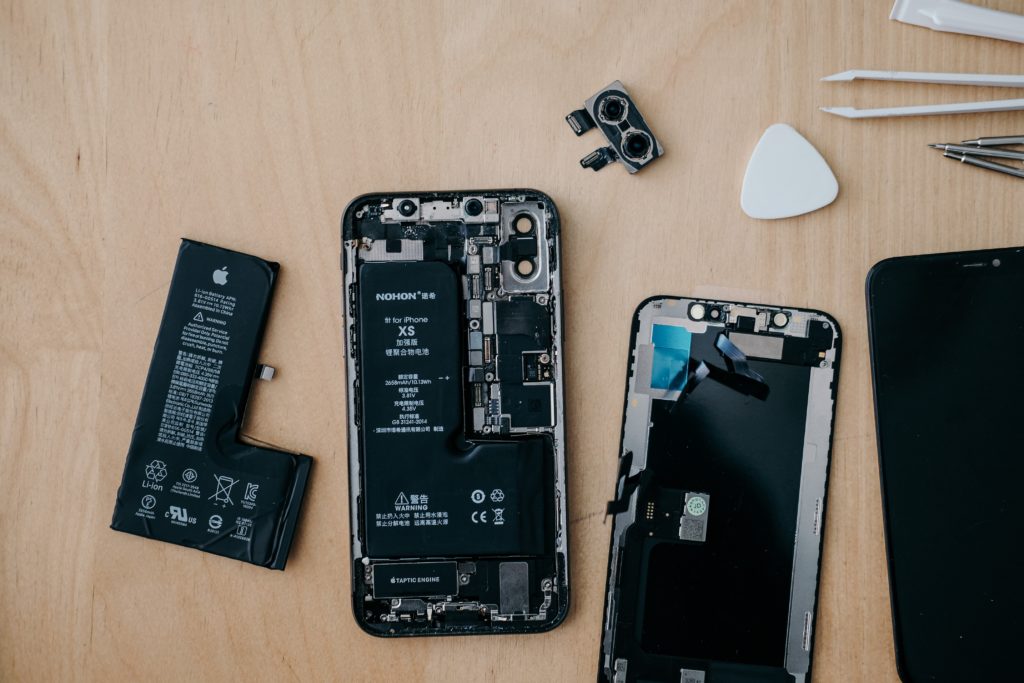
common smartphone repair issues - battery
Photo by Tyler Lastovich on Unsplash

Another common issue that plagues smartphone users is battery drain and degradation. Over time, smartphone batteries lose their capacity to hold a charge, leading to shorter battery life and the need for frequent recharging. While it’s natural for batteries to degrade over time, there are several factors that can accelerate this process, such as excessive heat and poor charging habits.

How to avoid battery drain and degradation

  • Keep your phone cool: Excessive heat can cause significant damage to your phone’s battery, leading to faster degradation. Avoid exposing your phone to direct sunlight for prolonged periods and don’t leave it in a hot car. Moreover, remove any heavy-duty cases while charging, as they can trap heat and cause the device to overheat.
  • Adopt healthy charging habits: To prolong your battery’s lifespan, avoid charging it to 100% or letting it drain to 0% consistently. Instead, aim to keep your battery levels between 20% and 80%. Additionally, use only certified chargers and cables, as low-quality alternatives can cause damage to your battery.
  • Monitor battery-hungry apps: Some apps are notorious for draining your battery quickly. Regularly check your phone’s battery usage to identify such apps and take appropriate action, such as closing them when not in use or disabling their background activity.

For more on battery care, check out our Ultimate Guide to Smartphone Battery Care and Maintenance.

#3 Water Damage

common smartphone repair issues - water damage

Water damage is one of the common smartphone repair issues that can cause severe problems, ranging from unresponsive touchscreens to complete device failure. Although most modern smartphones come with a certain degree of water resistance, it’s essential to remember that they’re not entirely waterproof.

How to avoid water damage:

  • Be cautious around water: Keep your phone away from water sources, such as pools, beaches, sinks, and bathtubs. Be especially careful during rainy days and avoid using your phone when it’s wet.
  • Use a waterproof case: Investing in a waterproof case can provide added protection for your smartphone in case of accidental splashes or submersion. These cases create a watertight seal around your device, preventing water from entering and causing damage.
  • Dry your hands: Before using your phone, ensure your hands are dry to avoid any moisture coming into contact with the device. Additionally, keep a microfiber cloth handy to wipe away any water droplets that may accidentally land on your phone.
  • Know what to do in case of water exposure: If your phone does come into contact with water, immediately turn it off and remove the battery (if possible). Avoid using a hairdryer or any heat source to dry the device, as this can cause further damage. Instead, place your phone in a bowl of uncooked rice or use a desiccant, like silica gel packets, to absorb the moisture. Allow your phone to dry for at least 48 hours before attempting to turn it back on.

#4 Software Issues and Malware

common smartphone repair issues - software
Photo by David Grandmougin on Unsplash

Software issues and malware infections can cause a myriad of problems for smartphone users, such as unresponsive apps, slow performance, and even data theft. Keeping your device’s software up-to-date and protecting it from malware is crucial to ensure a smooth user experience.

How to avoid software issues and malware:

  • Regularly update your device’s software: Software updates often include important security patches and bug fixes that help protect your phone from potential threats. Make a habit of regularly checking for and installing any available updates for your device’s operating system and apps.
  • Only download apps from trusted sources: To minimize the risk of downloading malicious apps, always download them from official app stores like Google Play Store or Apple App Store. Additionally, read user reviews and do some research on the app’s developer before installing it on your device.
  • Use a reliable antivirus app: While not a foolproof solution, having an antivirus app installed on your smartphone can provide an extra layer of protection against malware. Look for reputable antivirus apps with good user reviews and regular updates.
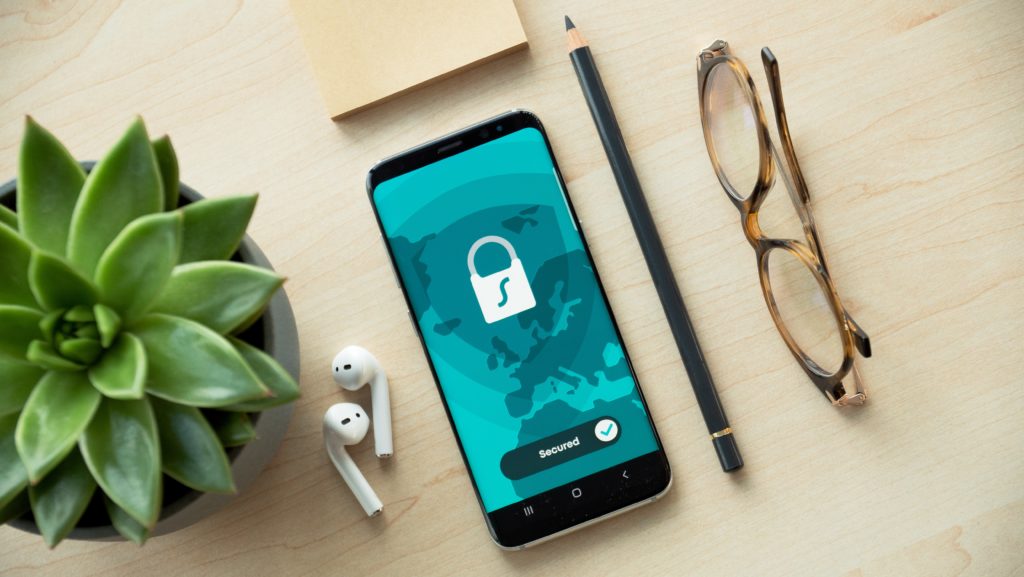
  • Be cautious with public Wi-Fi: Public Wi-Fi networks can be breeding grounds for cyberattacks. When connecting to public Wi-Fi, avoid accessing sensitive information like online banking or logging into personal accounts. Consider using a Virtual Private Network (VPN) app to encrypt your data and protect your online privacy.

#5 Charging Port Issues

common smartphone repair issues - charging port
Photo by Daniel Romero on Unsplash

A smartphone’s charging port is another one of the common smartphone repair issues. These problems can range from slow charging to complete failure to charge the device. Dust, debris, and regular wear and tear can contribute to charging port issues.

How to avoid charging port issues:

  • Keep your charging port clean: Regularly inspect your phone’s charging port for any dust, lint, or debris that may have accumulated. Use a can of compressed air or a soft brush to gently clean the port, taking care not to damage the internal components.
  • Be gentle when plugging and unplugging: When connecting or disconnecting your charger, be gentle and avoid applying excessive force. This can help prevent damage to the charging port and extend its lifespan.
  • Use high-quality charging cables: Cheap, low-quality charging cables can cause damage to your phone’s charging port. Invest in a high-quality cable that’s compatible with your device and certified by the manufacturer.

While these common smartphone repair issues show up on our iFixYouri repair benches often, many of them can be avoided by taking some simple preventive measures. By following the tips provided in this blog post, you can significantly reduce the risk of encountering these problems and enjoy a smoother, hassle-free smartphone experience. And remember, if you do find yourself in need of repair, visit iFixYouri.com or any of our walk-in retail repair locations.

Chromebook Repair Obstacles in 1:1 Education

Chromebooks have become an integral part of the modern education landscape, offering affordable, portable, and versatile devices for students and educators alike. However, as with any technology, Chromebook repair comes with its own challenges.

In this blog post, we will delve into the world of Chromebook repair within education, exploring the hurdles of repair, accidental damage, Automatic Update Expiration (AUE), loss, and e-waste recycling. We aim to provide educators and educational technology professionals with valuable insights and solutions for managing these challenges effectively.

Chromebook Repair Challenges

Chromebook Repair

One of the most common issues with Chromebooks in educational settings is the need for repairs. With daily use, wear and tear are inevitable, and devices can experience issues such as cracked screens, damaged keyboards, or broken charging ports.

Chromebook repair challenges include:

Timely Chromebook Repair

Fast turnaround times for repairs are essential to minimize disruptions in the learning process. Schools must establish a reliable repair process, either in-house or with an external partner, to ensure devices are fixed and returned promptly.

Technical Expertise

Chromebook repairs often require specialized knowledge and skills. Schools may need to invest in professional development for their IT staff or work with external repair partners to guarantee that repairs are done correctly and efficiently.

Cost Management

Balancing repair costs against the benefits of maintaining a functioning fleet of devices can be challenging. Educators must weigh the costs of repairs against the potential impact on student learning and make informed decisions about when to repair or replace devices.

Accidental Damage & Chromebook Repair

Accidents happen, especially in busy educational environments. Students may drop their Chromebooks, spill liquids on them, or otherwise damage the devices unintentionally. Managing accidental damage involves:

Prevention Strategies

Implementing policies and guidelines for proper device handling and storage can help minimize accidental damage. Additionally, using protective cases and screen protectors can provide an extra layer of defense against accidents.

Insurance and Warranties

Schools should consider investing in insurance policies or extended warranties to cover the costs of accidental damage. This can help alleviate financial stress and ensure that devices are repaired or replaced as needed.

Automatic Update Expiration (AUE)

AUE is the predetermined date when a Chromebook will no longer receive automatic updates from Google. This includes security patches, feature updates, and support. AUE can have several negative consequences for educational institutions:

Security Risks

Outdated software can expose devices and networks to security vulnerabilities, putting sensitive student and school data at risk.

Diminished Performance

As Chromebooks age, their software becomes outdated. Performance can decline, leading to slower loading times, increased lag, and other issues that may impact the learning experience.

Software Incompatibility

Some web-based applications and resources may no longer function properly on devices with outdated software.

To manage AUE, schools should:

Develop a Replacement Plan

Establish a plan for replacing devices as they reach their AUE date, ensuring that students and educators always have access to updated, secure, and high-performing devices.

Monitor AUE Dates

Keep track of AUE dates for all devices in the fleet and communicate this information to relevant stakeholders, including teachers, administrators, and IT staff.

Chromebook Loss

Chromebooks can sometimes be misplaced or stolen, leading to disruptions in the learning process and financial loss for the school. To mitigate the risks associated with lost devices:

Implement Asset Tracking

Use asset tracking software and tools, such as barcodes or RFID tags, to keep track of device locations and assignments.

Establish Clear Policies

Develop and enforce clear policies regarding device usage,

Promote Responsible Use

Educate students and staff about the importance of responsible device use, handling, and storage to minimize the risk of loss or theft.

Prepare for Device Recovery

In theft cases, ensure that your devices are equipped with remote tracking and management tools, such as Google’s “Find My Device” feature or other third-party solutions, to help locate and potentially recover lost or stolen Chromebooks.

E-Waste & Chromebook Recycling

As schools cycle through Chromebooks, disposing of outdated or non-functioning devices in an environmentally responsible manner becomes essential. E-waste recycling not only helps reduce the ecological impact of electronic waste but also supports a sustainable approach to technology in education. To address e-waste recycling challenges:

Partner with Certified E-Waste Recyclers

Collaborate with certified e-waste recyclers who adhere to responsible recycling practices, ensuring that your devices are recycled or disposed of in an environmentally friendly manner.

Educate the School Community

Teach students, staff, and parents about the importance of e-waste recycling and how to properly dispose of electronic devices.

Organize E-Waste Drives

Host e-waste collection drives or events to encourage the school community to recycle their old electronics responsibly.

In doing so, educational institutions can maximize the benefits of this versatile technology, providing students and educators with reliable, up-to-date devices that support dynamic and engaging learning experiences. By tackling these challenges head-on and sharing best practices within the education community, we can work together to create a more sustainable and efficient future for technology integration in our schools.

As Chromebooks continue to play a significant role in education, it is crucial for educators and educational technology professionals to be aware of and address the challenges that come with their use.

By proactively managing Chromebook repair and accidental damage, staying informed about Automatic Update Expiration dates, implementing strategies for loss prevention, and promoting responsible e-waste recycling, schools can ensure the longevity and effectiveness of their Chromebook fleet.

Smartphone, Tablet and Computer Repairs and News