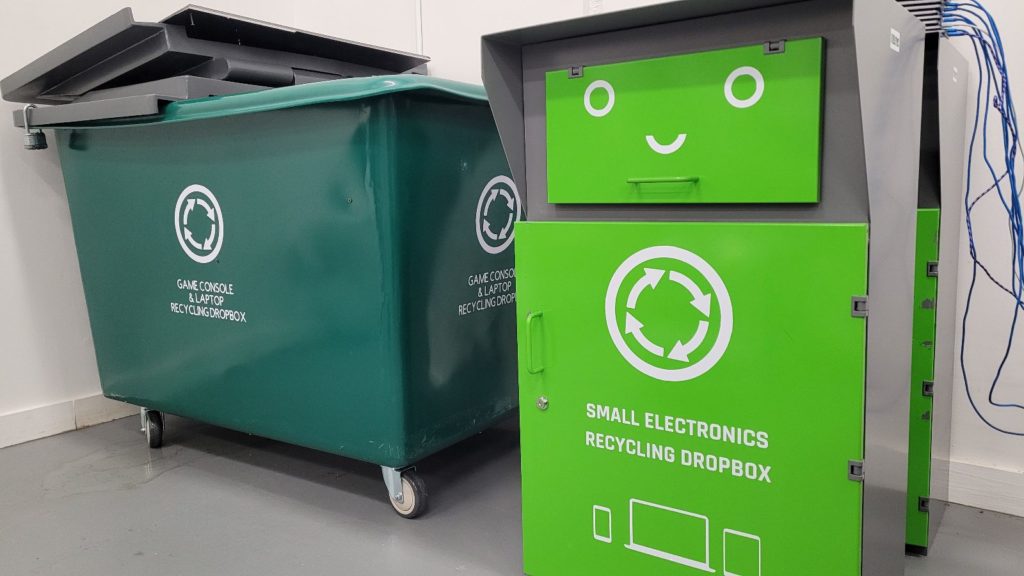
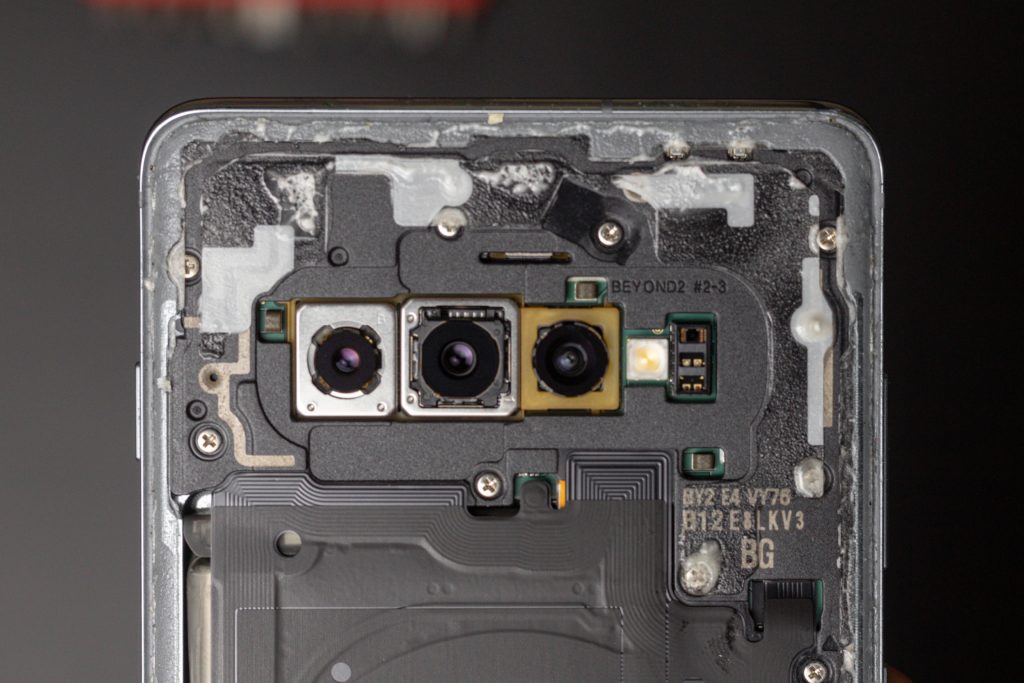
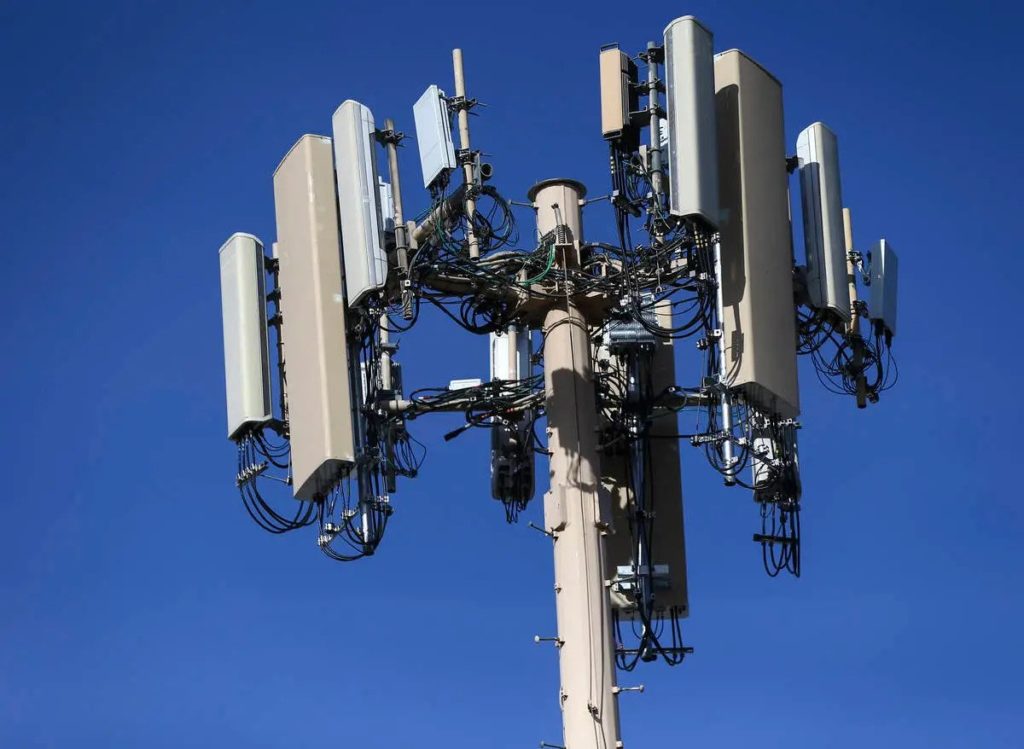
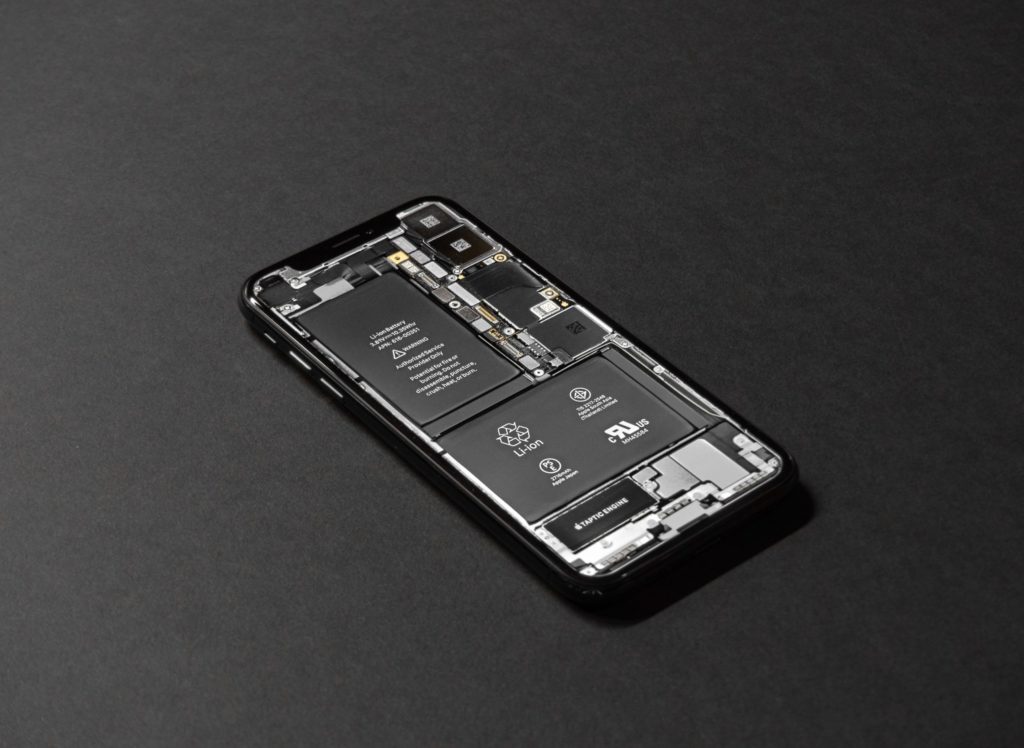
Electronic devices have become an essential part of our lives, transforming how we communicate, work, and have fun. However, their rapid advancement also poses a growing problem: electronic waste and its impact on the environment. In this blog post, we will explore how fixing and recycling electronic devices can benefit the environment and discuss actions we can take to reduce the harm caused to our planet.
Reducing E-Waste
When we throw away electronic devices, it generates electronic waste, or e-waste, which harms the environment. However, we can reduce the amount of e-waste in landfills by fixing and recycling our devices.
Fixing a malfunctioning device extends its lifespan, eliminating the need to purchase a new one. Additionally, recycling e-waste allows us to recover valuable materials from old devices, conserving resources and protecting the environment.
Conserving Resources
Electronic devices contain valuable materials like metals, plastics, and chemicals. By fixing and recycling them, we can reuse these materials instead of extracting and producing new ones. This conservation of resources helps prevent environmental damage.
For instance, recycling a ton of smartphones can yield significant amounts of gold, silver, and other precious metals. Reusing these materials reduces the need for further mining, minimizing harm to nature and reducing pollution.
Saving Energy
The production of new electronic devices requires substantial energy consumption. However, by fixing and reusing our devices, we save energy. Repairing and reusing devices eliminate the need for energy-intensive manufacturing processes.
This, in turn, reduces the environmental impact associated with greenhouse gas emissions and pollution. Extending the life of our devices through repair helps decrease overall energy consumption, benefiting the environment.
Recycling e-waste also enables the recovery of energy from devices that are no longer usable, further conserving resources and reducing pollution.
Preventing Pollution
Improper disposal of electronic devices can result in pollution. Devices often contain harmful substances such as lead, mercury, and chemicals. When these substances enter the environment, they can negatively affect plants, animals, and humans.
Fixing and recycling devices ensures that these hazardous materials do not end up in landfills or water sources. Responsible recycling processes safely handle and remove these toxic substances, preventing pollution and safeguarding our planet.
Promoting a Circular Economy
Supporting the repair and recycling of electronic devices contributes to the development of a circular economy. In a circular economy, resources are kept in use for as long as possible. Rather than discarding items, we focus on repair, refurbishment, and recycling. This approach reduces waste and conserves resources.
Repairing and Recycling Electronic Devices
By utilizing repair services and participating in recycling programs, we actively participate in a sustainable cycle where materials are reused and repurposed. This helps protect the environment and fosters a better future.
Fixing and recycling electronic devices have significant environmental benefits. By reducing e-waste, conserving resources, saving energy, preventing pollution, and promoting a circular economy, we can make a positive impact on the environment.
As responsible consumers, let’s prioritize fixing and recycling, making choices that protect our planet and contribute to a more sustainable future.
In today’s fast-paced world, smartphones have become an integral part of our lives. They help us stay connected, capture precious moments, and provide information at our fingertips. However, despite their durability, accidents can happen, screens can crack, and buttons may malfunction. When faced with smartphone repairs, you might wonder what is the best path: DIY vs. Professional Smartphone Repair?
Let’s explore the risks and benefits of both options, so you can make an informed decision.
DIY Repairs: The Thrill of Tackling It Yourself
Opting for a DIY approach to smartphone repairs can seem exciting, especially if you enjoy tinkering with gadgets. Here are a few benefits of doing it yourself:
Cost-Effectiveness
DIY repairs often appear appealing due to potential cost savings. By skipping professional repair services, you can avoid paying hefty fees for labor or replacement parts. Online tutorials and guides can assist you in diagnosing and fixing common issues, making it a budget-friendly option.
Learning Opportunity
Engaging in DIY repairs provides a valuable chance to learn about the inner workings of smartphones. As you research and troubleshoot, you’ll develop new skills and gain a deeper understanding of the device. This knowledge can be helpful in future troubleshooting scenarios.
Convenience and Time Management
With DIY repairs, you have the freedom to choose when and where to fix your smartphone. This convenience can be particularly helpful if you have a busy schedule and find it challenging to visit a professional repair shop during regular business hours.
Professional Smartphone Repair: Expertise for a Seamless Solution
While DIY repairs have their appeal, there are certain risks involved. Seeking professional assistance can often be the wiser choice. Here’s why:
Smartphone repair professionals possess specialized knowledge and experience in handling a wide range of issues. They have the right tools and expertise to accurately diagnose problems. Their in-depth understanding of the devices ensures a higher chance of a successful repair.
Quality Assurance
Professional repair services typically offer workmanship and replacement parts warranties. This assurance provides peace of mind, knowing that experts have repaired your smartphone and stand behind their service. If any issues arise, you can rely on their support.
Time and Efficiency of Professional Smartphone Repair
Professional smartphone repair shops are equipped with the necessary tools and readily available parts, streamlining the repair process. They can often complete repairs swiftly, minimizing downtime for your device. Additionally, their experience allows them to efficiently address complex issues that might be time-consuming for an inexperienced individual.
When deciding between a DIY approach and seeking professional help for smartphone repairs, it’s important to consider the risks and benefits. DIY repairs can be cost-effective and provide a valuable learning experience, but they carry the potential for mistakes and further damage. On the other hand, professional repairs offer technical expertise, quality assurance, and efficient solutions.
Ultimately, the choice depends on your comfort level, time constraints, and the complexity of the repair. Remember, when in doubt, it’s often best to consult a professional like iFixYouri to ensure the longevity and optimal functionality of your beloved smartphone.
As the countdown to Apple’s Worldwide Developers Conference (WWDC) on June 5 begins, anticipation grows for the unveiling of iOS 17, Apple’s next major software update. Each new version of iOS brings with it an array of exciting changes and enhancements for iPhone users. In this post, iFixYouri will look at what the rumor mill currently speculates about iOS 17’s expected features.
Every year, at WWDC, Apple unveils the latest versions of its operating systems for the iPhone, iPad, Mac, Apple TV, and Apple Watch. In 2023, the conference kicks off on June 5 with a keynote address that focuses on Apple’s latest developments, including the announcement of iOS 17.
After the announcement, Apple will release a beta version of the iOS 17 update to developers. A public beta follows in July, offering all iPhone users the chance to explore the new update. The full release of iOS 17 will likely be in September, possibly coinciding with the launch of the new iPhone 15 and iPhone 15 Pro models.
A Sneak Peek into iOS 17
Unlike hardware products, which often leak ahead of time, software updates typically remain undisclosed until the official announcement. Only a select few within Apple have access to the plans.
Early reports indicate that this iOS version may not include as many dramatic changes as previous iterations. Instead, it will prioritize addressing highly requested user features.
According to Bloomberg, the development of iOS 17 has been overshadowed by Apple’s focus on the AR/VR headset—a significant hardware and software platform that may also be unveiled at WWDC.
Internally known as “Dawn,” the upcoming iOS is being refined and tested within Apple. It is expected to have fewer major changes due to the emphasis on the AR/VR Reality Pro headset.
iOS 17 Feature Rumors
Control Center
Nevertheless, rumors suggest that iOS 17 will introduce some “nice-to-have” changes. One notable update is a major overhaul of the iPhone’s Control Center, which has remained largely unchanged since iOS 11 and the iPhone X.
Journaling App
Additionally, this iOS version might introduce a new journaling app that consolidates data from various Apple apps, such as Find My. The journaling app may include location-based capabilities, acting as an extension of Apple’s Find My service.
Find My & Wallet Apps
Furthermore, rumors indicate that updates are in store for the Find My and Wallet apps. The Wallet app is expected to receive a refreshed user interface and other improvements.
Health App
Health-conscious users can expect new features in the Health app with the release of iOS 17. These features include mood and emotion tracking, allowing users to log their moods and answer questions about their day. The Health app might also provide support for managing vision conditions, and for the first time, it could be available on the iPad.
Sideloading & Third-Party Apps
Another significant rumored feature for iOS is the potential opening up of the iPhone to sideloading and third-party app stores. However, this change may only appear in the European Union as a response to the new Digital Markets Act.
iOS 17 Device Compatibility
Reports are conflicted about which devices will support this operating system. The first rumor suggests support may be dropped for several devices, including the iPhone 8, iPhone 8 Plus, iPhone X, and certain iPad Pro models. However, a more recent rumor suggests that all devices that supported iOS 16 will also support iOS 17.
Wrapping Up
As we approach WWDC in June, we might come across more leaks and rumors revealing insights into iOS 17. However, Apple has always kept the most exciting surprises hidden until the actual event.
What are your wishes for iOS? Are there specific features you eagerly anticipate? Feel free to share your thoughts in the comments below. Stay tuned as we bring you the latest updates leading up to the big reveal at WWDC.
Previous versions of iOS have consistently brought significant improvements that enhance the user experience. Even if this iOS focuses on “nice-to-have” changes, we can still expect innovative functionalities and optimizations to keep our iPhones fresh and thrilling.
Regardless of the details, the release of iOS 17 will be a major event in the tech world. Apple’s track record of delivering quality updates assures us that the wait will be worthwhile. Mark your calendars for June 5 and prepare for the unveiling of iOS 17 at WWDC 2023.
Apple, a technology leader, consistently pushes boundaries and introduces innovative ideas. This year, at the June Worldwide Developers Conference (WWDC), Apple will reveal a groundbreaking product named the Reality Pro headset. This exciting device combines virtual reality and augmented reality, aiming to transform our digital experiences.
Rendering of the Reality Pro Headset
This hardware, however, provides only one side of the coin. The accompanying new software platform is reportedly named xrOS. Let’s unpack what we know about this game-changer.
xrOS: A New Frontier in Extended Reality
Bloomberg reports that Apple renamed their software from realityOS to xrOS as the release date neared. “xrOS” stands for “extended reality” and showcases Apple’s aim to offer an immersive experience while keeping users connected to the real world. Apple has registered trademarks for xrOS globally, indicating it will likely become the official name.
A Closer Look at the Reality Pro Headset Features
Similar to iOS on the iPhone and macOS on the Mac, xrOS serves as the operating system for the Reality Pro headset. It manages software updates and hosts an App Store for developers to create headset apps. The main goal of xrOS is to provide users with an immersive and captivating headset experience.
According to Bloomberg, the initial version of the Reality Pro headset and xrOS software come with a wide range of features. These include gaming, sports viewing, TV shows and movie enjoyment, fitness activities, meditation practice, and more. Users can explore and enjoy a diverse array of experiences.
Siri will be the primary means of interaction with the Reality Pro headset and can connect with nearby iPhones, iPads, or Macs. Despite discussions on Siri’s effectiveness, it still plays a crucial role in enhancing the overall user experience.
Reality Pro Headset Integration with Existing Apps and macOS
Apple plans to expand the app availability on xrOS by enabling users to access existing iPad apps through the xrOS interface. This development is exciting because it allows Reality Pro headset users to conveniently use their favorite iPad apps, even if those apps were not originally created for virtual reality.
For Mac users, xrOS will reportedly allow the Reality Pro headset to act as a display for your Mac. Users will see their Mac’s display in virtual reality and interface with it using their traditional trackpad, mouse, or keyboard.
Enhancing User Experience with Augmented Reality and More
Apple aims to empower users by allowing them to create AR “apps” using Siri, eliminating the need for coding from scratch. This feature is reminiscent of offerings seen in Meta’s Quest headsets. Additionally, Bloomberg reports that FaceTime will have a crucial role in the initial version of xrOS. Apple has developed a new FaceTime version that realistically renders users’ faces and bodies in virtual reality.
The Reality Pro headset offers seamless switching between AR and VR modes. When in VR mode, the xrOS experience becomes fully immersive. Users can transition xrOS to AR mode gradually using a Digital Crown-style toggle on the headset. This allows them to interact with their real environment while still enjoying the benefits of the headset.
Some other rumored features for xrOS include health and wellness functionalities, gaming, immersive books and storytelling, and VR versions of popular apps like Safari, Photos, Mail, Messages, App Store, and Apple TV. Additionally, there will be immersive video and audio experiences and productivity features such as Keynote, Pages, and Numbers, among others.
Looking Ahead: The Future of xrOS
Next month’s WWDC will hold various sessions and labs for developers eager to learn more about xrOS. This will include app development for the headset, adapting apps from other platforms, and design practices for a virtual reality experience.
The xrOS unveiling marks just the beginning. Apple recognizes the compromises made for the initial release of the Reality Pro headset and xrOS software. Apple may make quick adjustments and enhancements especially based on public feedback.
The Big Reveal: Mark Your Calendars
The official announcement of xrOS takes place at WWDC on June 5. This will take place alongside the headset and updates to existing software platforms like iOS 17, macOS 14, tvOS 17, watchOS 10, and more. This launch marks a milestone in Apple’s journey, setting the stage for a new era of extended reality.
Apple’s upcoming release showcases its commitment to advancing technology and enhancing user interactions. Additionally, the launch of the headset and xrOS software holds great promise for extended reality and its practical applications. We eagerly look forward to what the future holds for Apple and the augmented and virtual reality landscape.
Stay tuned for further updates and in-depth reviews once the Reality Pro headset and xrOS software are officially launched.
Contact iFixYouri for questions or issues with any tech or smart devices.
The importance of maintaining the security of our devices can never be overstated. The need to protect your devices becomes increases when we travel.
Today’s digital landscape increases in complexity daily. A myriad of potential threats fills the internet. Anyone can end up a victim due to the high amount of sensitive data they carry around on their devices.
As we travel, we open ourselves up to new risks. We’re using different networks, sometimes out of necessity connecting to public Wi-Fi, and we often let our guards down when we’re in transit or enjoying new places.
This blog post aims to shed light on the essential facets of device security while traveling and outlines effective strategies to mitigate these threats. You may also want to familiarize yourself with 5 Common Smartphone Issues and How To Avoid Them.
Unauthorized Access: Unauthorized access to your devices can lead to a breach of your personal and financial information. Devices can be physically stolen or lost, leaving your sensitive data vulnerable.
Unsecured Networks: One of the most common risks while traveling involves using unsecured Wi-Fi networks. These networks can be easily exploited by cybercriminals to intercept your data.
Phishing Attacks: Phishing attacks typically involve deceptive emails or websites designed to trick you into divulging your personal information. These can also be more prevalent when you’re traveling as you might be more inclined to access emails or services pertaining to your trip.
Malware: From viruses to ransomware, malicious software can infect your devices, compromise your data, or take your device hostage, often without you even noticing until it’s too late.
Strategies to Protect Your Devices
Use VPNs: Virtual Private Networks (VPNs) are one of the most effective tools to protect your data while traveling. VPNs encrypt your internet connection, making it much harder for anyone to intercept your data.
Regular Software Updates: Ensure that all your devices are up-to-date with the latest software updates and patches. These often include security updates designed to protect against known threats.
Use Strong, Unique Passwords: Ensure that your devices and online accounts are protected by strong, unique passwords. Consider using a password manager to handle this for you.
Two-Factor Authentication (2FA): Whenever available, enable 2FA for an added layer of security. It can significantly reduce the risk of unauthorized access to your accounts.
Be Wary of Public Wi-Fi: Try to avoid using public Wi-Fi networks whenever possible. If you must use them, ensure you’re connected via a VPN.
Install Antivirus Software: Reliable antivirus software can provide real-time protection against malware and other threats.
Physical Security Measures
Keep Devices in Carry-on Bags: To minimize the risk of loss or damage, keep your devices in your carry-on luggage. Checked luggage can sometimes be misplaced or delayed, so it’s always best to keep your most valuable items with you.
Use TSA-Approved Locks: If you need to store devices in checked luggage, consider using TSA-approved locks. These can secure your luggage while still allowing TSA agents to access the contents if needed, without breaking the lock.
Avoid Leaving Devices Unattended: Whether at an airport, train station, coffee shop, or hotel lobby, never leave your devices unattended. If you have to step away, take them with you or ask someone trustworthy to watch them.
Protect Your Devices Against Theft
Use a Discreet Laptop Bag or Backpack: Flashy bags can draw attention and make you a target for theft. Using a more discreet bag can help you blend in and avoid unwanted attention.
Keep Devices Out of Sight When Not in Use: If your devices aren’t in use, store them out of sight. This reduces the chance of them attracting the attention of potential thieves.
Utilize Hotel Safes or Secure Storage Options: Many hotels offer in-room safes or secure storage options. These can be used to store your devices when you’re out and about.
Managing Data and Privacy
Encrypt Sensitive Data and Use Password Managers: Encryption helps protect sensitive information even if your device falls into the wrong hands. Password managers, on the other hand, assist in generating and storing strong, unique passwords for all your accounts, further securing your data.
Enable Remote Tracking and Wiping Capabilities: Many devices come with built-in options for tracking and remote wiping. If your device becomes lost or stolen, these features can help locate it or erase the data to prevent unauthorized access.
Be Cautious of Social Media Sharing and Geolocation Features: Be mindful about sharing your location or trip details on social media, as it can inform potential thieves that you are not at home. Also, disabling geolocation features when not needed can prevent apps from tracking your whereabouts.
Dealing with Device Loss or Theft
Immediate Steps to Take:
Report the Incident to Local Authorities: If your device becomes lost or stolen, report the incident immediately to the local law enforcement agency.
Notify Your Travel Insurance Provider: Many travel insurance policies include coverage for lost or stolen property, so it’s important to notify your provider promptly.
Remote Data Wiping and Device Tracking Options: Use the remote wipe feature to erase all data from your device, protecting your personal and financial information. The tracking option may help locate your device or provide valuable information for law enforcement.
Steps to Recover or Replace Your Device: After ensuring your data’s safety, you can start the process of recovering or replacing your device. This might involve contacting your device manufacturer, your service provider, or your insurance company.
From physical precautions to digital safeguards, we’ve discussed various strategies to protect your devices and data during your travels. The most effective defense against device theft or data breaches is awareness and proactive action. Always be cautious about your device’s security, especially when traveling. For device repair, please send your device to iFixYouri or bring it to one of our walk-in locations.
By implementing these security measures, you can focus more on enjoying your journey and less on worrying about the safety of your devices. Travel provides an opportunity to explore, learn, and grow. Don’t let concerns about device security hold you back. Equip yourself with the necessary tools and knowledge, and embark on your adventures with confidence.
Our smartphones are essential to our daily lives, but they are susceptible to water damage. In this blog post, we’ll explore the signs of water damage, prevention tips, and what to do if your smartphone gets wet. You may also want to check out our post on the Top 5 Most Common Smartphone Issues and How To Avoid Them.
Signs of Water Damage
Recognizing the early signs of water damage is crucial. Look out for:
Non-responsive or erratic behavior: Freezing, random restarts, or an unresponsive touch screen may indicate water damage.
Discoloration or moisture indicators: Red or pink marks near the battery compartment or charging port, and condensation under the screen or camera lens are clear signs of water damage.
Poor battery performance: If your battery drains quickly or experiences a significant drop in performance after liquid exposure, it may be due to water damage.
Distorted audio or speaker issues: Muffled or distorted audio or non-functioning speakers can be a sign of damage.
Preventing Water Damage
Taking preventive measures can reduce the risk of damage. Here are some tips:
Use a waterproof case: Invest in a quality waterproof or water-resistant case for your smartphone to protect it from accidental spills or immersion.
Keep away from water: Avoid exposing your phone to water. Don’t use it near pools, sinks, or other bodies of water, and be cautious in the bathroom.
Outdoor activities: Protect your smartphone during outdoor activities by storing it in a waterproof pouch or sealed plastic bag.
Apply screen guards: Use a tempered glass screen protector to provide an additional barrier against water damage.
What to Do After Exposure to Liquid
If your smartphone gets wet, take the following steps:
Power off the device: Turn off your smartphone immediately to prevent a short circuit. Don’t turn the phone on until it’s dry.
Remove accessories and SIM card: Take off the case, remove the SIM card, and any other removable parts to allow air circulation and reduce corrosion risks.
Wipe off moisture: Gently pat your phone dry with a soft, lint-free cloth. Avoid using heat sources like hairdryers.
Air-dry or use desiccants: Place your device in a dry, well-ventilated area or use desiccant packets to absorb moisture. Avoid rice, as it may leave particles behind.
Seek professional help if necessary: If you’re uncertain about the extent of damage or your phone continues to malfunction, contact a professional technician or authorized service center like iFixYouri.
Liquid can be disastrous for smartphones, but by recognizing the signs, taking preventive measures, and following the correct steps after exposure to liquid, you can improve your chances of recovering your device. Stay cautious and protect your smartphone from damage to ensure its longevity and uninterrupted functionality.
In today’s fast-paced world, technology plays a crucial role in education. Schools rely on a variety of devices and systems to enhance the learning experience for students. However, like any other machinery, school technology requires regular repair and maintenance to ensure it remains up-to-date and functions optimally.
In this blog post, we will explore the importance of keeping school technology up to date, its benefits, and practical tips for effective repair and maintenance strategies.
The Significance of Keeping School Technology Up to Date
Technology in schools goes beyond simply having computers and projectors in classrooms. It includes a wide range of devices, software, and networks that facilitate teaching and learning processes. By keeping school technology up to date, educational institutions can reap numerous benefits.
Improved Performance and Reliability
Outdated technology can hinder productivity, disrupt lessons, and lead to frustrating experiences for teachers and students. Regular updates and maintenance ensure devices run smoothly and reliably, minimizing disruptions during class time.
Enhanced Security
Technology updates often include important security patches and fixes. By staying current, schools can better protect student data and safeguard against potential cyber threats. Up-to-date systems are less vulnerable to hacking attempts and provide a secure learning environment.
Access to New Features and Functionality
Technology evolves rapidly, and new features and functionalities are regularly introduced. By keeping technology up to date, schools can take advantage of the latest advancements to create engaging and interactive learning experiences. This can include immersive virtual reality experiences, interactive educational software, or innovative teaching tools.
Practical Strategies for Effective Repair and Maintenance
To maintain school technology and keep it up to date, educational institutions can follow practical strategies.
Create a Comprehensive Inventory
To ensure efficient repair and maintenance, start by cataloging all technology assets in the school, including computers, tablets, interactive whiteboards, projectors, and software licenses.
This inventory serves as a reference point for tracking and managing devices. By having a clear overview of your technology assets, you can identify equipment that needs attention and ensure that all devices are accounted for.
Implement a Routine Maintenance Schedule
Develop a maintenance schedule that outlines regular tasks such as software updates, system checks, and hardware diagnostics. Assign responsibilities to IT staff or seek assistance from external experts to ensure thorough maintenance.
A consistent schedule helps prevent oversight and ensures that maintenance activities are performed proactively. By following a routine, you can address potential issues before they escalate and disrupt classroom activities.
Prioritize Preventive Maintenance
Take a proactive approach by focusing on preventive measures to avoid unexpected technology issues. Regularly clean devices, remove dust, and inspect for signs of wear or damage. Implement regular backups and data recovery plans to minimize the risk of data loss.
By prioritizing preventive maintenance, you can minimize unexpected breakdowns, extend the lifespan of devices, and create a more reliable technology environment.
Stay Up to Date with Software and Firmware Updates
Regularly update operating systems, applications, and firmware to benefit from bug fixes, performance enhancements, and security patches. Schedule these updates during non-peak hours to minimize disruption to classroom activities.
By staying up to date with the latest software and firmware releases, you ensure that your devices are equipped with the most recent features and improvements, enhancing their functionality and security.
Develop a Troubleshooting Guide
Create a troubleshooting guide that provides step-by-step instructions for common technical issues encountered by teachers and students. Encourage individuals to attempt basic problem-solving techniques before seeking IT support.
By empowering teachers and students to resolve minor issues independently, you reduce the dependence on IT support and minimize disruption to classroom activities.
Establish Clear Communication Channels
Encourage teachers, staff, and students to promptly report any technology-related issues they encounter. Implement a dedicated help desk or ticketing system to streamline support requests and ensure timely responses.
Clear communication channels enable IT support staff to address issues in a timely manner, minimizing disruption to teaching and learning. By establishing efficient communication channels, you create a smoother process for resolving technical issues.
Invest in Professional Development
Offer ongoing professional development opportunities for teachers and IT staff to stay updated on technology trends, troubleshooting techniques, and repair strategies. Providing regular training sessions or workshops ensures that staff members have the necessary skills to address common technology issues effectively.
By investing in professional development, you enhance the overall technical expertise within the school and improve the ability to handle technology-related challenges. Building up certifications like WISE Certification by CTIA or Apple Certifications facilitates a more robust technician team.
Partner with Reliable Repair Services
Identify reputable repair services that specialize in educational technology. Maintain a working relationship with these providers to ensure prompt and reliable repairs when needed. Consider service-level agreements (SLAs) to define response times and ensure timely support.
Having a trusted repair service on standby saves time and ensures that critical technology issues are addressed promptly. By partnering with a reliable repair service, you have a reliable resource to turn to when specialized expertise is required.
Regularly Evaluate and Upgrade Equipment
Keep pace with technological advancements by regularly evaluating the performance and compatibility of existing equipment. Identify devices that are nearing the end of their lifespan and plan for timely upgrades or replacements.
This proactive approach ensures that school technology remains up-to-date and capable of supporting the evolving needs of educators and students. By regularly assessing and upgrading equipment, you enhance the overall efficiency and effectiveness of your technology infrastructure.
Involve Students in Maintenance and Repair
Encourage students to actively participate in the maintenance and repair of school technology. Provide opportunities for students to learn basic troubleshooting skills and assist in minor repairs under supervision.
By involving students, you not only empower them with valuable technical skills but also foster a sense of responsibility and ownership over the technology they use. This engagement can lead to a stronger connection with technology and a greater understanding of how it works.
By implementing effective repair and maintenance strategies, schools can ensure that their technology remains up-to-date and functions optimally. Creating a comprehensive inventory, implementing a routine maintenance schedule, prioritizing preventive maintenance, staying up to date with software updates, and involving students in maintenance and repair activities are all practical steps to keep school technology running smoothly.
Additionally, establishing clear communication channels, investing in professional development, partnering with reliable repair services, regularly evaluating and upgrading equipment contribute to a sustainable and efficient technology infrastructure.
By proactively addressing repair and maintenance needs, schools create an optimal learning environment where technology is reliable, secure, and capable of supporting innovative teaching and learning practices.
Keeping school technology up to date through regular repair and maintenance is essential for providing an optimal learning environment.
By following practical strategies such as creating a comprehensive inventory, implementing a routine maintenance schedule, prioritizing preventive maintenance, staying up to date with software updates, and involving students in maintenance and repair activities, educational institutions can maximize the performance, security, and longevity of their technology investments.
Additionally, establishing clear communication channels, partnering with reliable repair services, regularly evaluating and upgrading equipment, and investing in professional development contribute to a sustainable and efficient technology infrastructure.
By proactively addressing repair and maintenance needs, schools can ensure that their technology remains reliable, secure, and capable of supporting innovative teaching and learning practices for years to come.
Smartphones have become an indispensable part of our lives, offering convenience, connectivity, and countless possibilities. As technology continues to evolve, the future of smartphone technology holds exciting prospects.
In this blog post, we will explore the advancements on the horizon and what we can expect in the coming years.
Enhanced Connectivity: 5G and Beyond
5G technology revolutionizes smartphone connectivity with faster download speeds and lower latency.
Expect transformative applications like immersive gaming, augmented reality (AR), and virtual reality (VR) experiences.
Researchers are already working on developing 6G technology for even faster speeds and seamless connectivity.
Revolutionizing Display Technology: Foldable and Flexible Displays
Foldable smartphones offer larger screens and enhanced multitasking while maintaining portability.
Advancements in durability and affordability will make foldable displays more accessible.
Flexible displays have potential applications in wearables and smart home technology.
Evolving Smartphone Photography: Advances in Camera Technology
Computational photography techniques enhance image processing, resulting in stunning photographs.
Multiple camera setups (ultra-wide, telephoto, periscope lenses) offer versatility and creative possibilities.
Future developments may include under-display cameras and sensor technology improvements.
Strengthening Security: Biometric Innovations
Biometric security features, such as under-display fingerprint sensors and facial recognition, ensure enhanced device security.
Anticipate advancements in biometrics, such as iris scanning and voice recognition.
Intelligent Assistance: Artificial Intelligence and Personal Assistants
AI-powered personal assistants (Siri, Google Assistant, Alexa) provide seamless interactions.
Expect more advanced voice recognition, contextual understanding, and personalized recommendations.
AI integration enhances predictive text, smart replies, and overall user experience.
Prolonged Battery Life: Battery and Charging Technologies
Advancements in battery technology offer higher capacity and improved energy efficiency.
Fast-charging technologies, wired and wireless, reduce charging times.
Ongoing research focuses on solid-state batteries and improved energy storage.
The future of smartphone technology promises incredible advancements. Enhanced connectivity, foldable displays, improved camera capabilities, and biometric security innovations will reshape our smartphone experiences.
Artificial intelligence and personal assistants will offer personalized and intuitive interactions, while the battery and charging technologies will address power concerns. Embrace the forthcoming wave of innovation, as smartphones continue to redefine our lives and open doors to limitless possibilities.
Stay informed and be prepared to embark on an exciting journey into the future of smartphone technology. And remember that iFixYouri is your trusted source for smartphone repair.
Smartphone, Tablet and Computer Repairs and News
Cookie Consent
We use cookies to improve your experience on our site. By using our site, you consent to cookies.
Contains information about the traffic source or campaign that directed user to the website. The cookie is set when the GA.js javascript is loaded and updated when data is sent to the Google Anaytics server
6 months after last activity
__utmv
Contains custom information set by the web developer via the _setCustomVar method in Google Analytics. This cookie is updated every time new data is sent to the Google Analytics server.
2 years after last activity
__utmx
Used to determine whether a user is included in an A / B or Multivariate test.
18 months
_ga
ID used to identify users
2 years
_gali
Used by Google Analytics to determine which links on a page are being clicked
30 seconds
_ga_
ID used to identify users
2 years
_gid
ID used to identify users for 24 hours after last activity
24 hours
_gat
Used to monitor number of Google Analytics server requests when using Google Tag Manager
1 minute
_gac_
Contains information related to marketing campaigns of the user. These are shared with Google AdWords / Google Ads when the Google Ads and Google Analytics accounts are linked together.
90 days
__utma
ID used to identify users and sessions
2 years after last activity
__utmt
Used to monitor number of Google Analytics server requests
10 minutes
__utmb
Used to distinguish new sessions and visits. This cookie is set when the GA.js javascript library is loaded and there is no existing __utmb cookie. The cookie is updated every time data is sent to the Google Analytics server.
30 minutes after last activity
__utmc
Used only with old Urchin versions of Google Analytics and not with GA.js. Was used to distinguish between new sessions and visits at the end of a session.
End of session (browser)
Marketing cookies are used to follow visitors to websites. The intention is to show ads that are relevant and engaging to the individual user.
A video-sharing platform for users to upload, view, and share videos across various genres and topics.
This cookie is used to play YouTube videos embedded on the website.
2 years
VISITOR_PRIVACY_METADATA
Youtube visitor privacy metadata cookie
180 days
GPS
Registers a unique ID on mobile devices to enable tracking based on geographical GPS location.
1 day
VISITOR_INFO1_LIVE
Tries to estimate the users' bandwidth on pages with integrated YouTube videos. Also used for marketing
179 days
PREF
This cookie stores your preferences and other information, in particular preferred language, how many search results you wish to be shown on your page, and whether or not you wish to have Google’s SafeSearch filter turned on.
10 years from set/ update
YSC
Registers a unique ID to keep statistics of what videos from YouTube the user has seen.
Session
DEVICE_INFO
Used to detect if the visitor has accepted the marketing category in the cookie banner. This cookie is necessary for GDPR-compliance of the website.