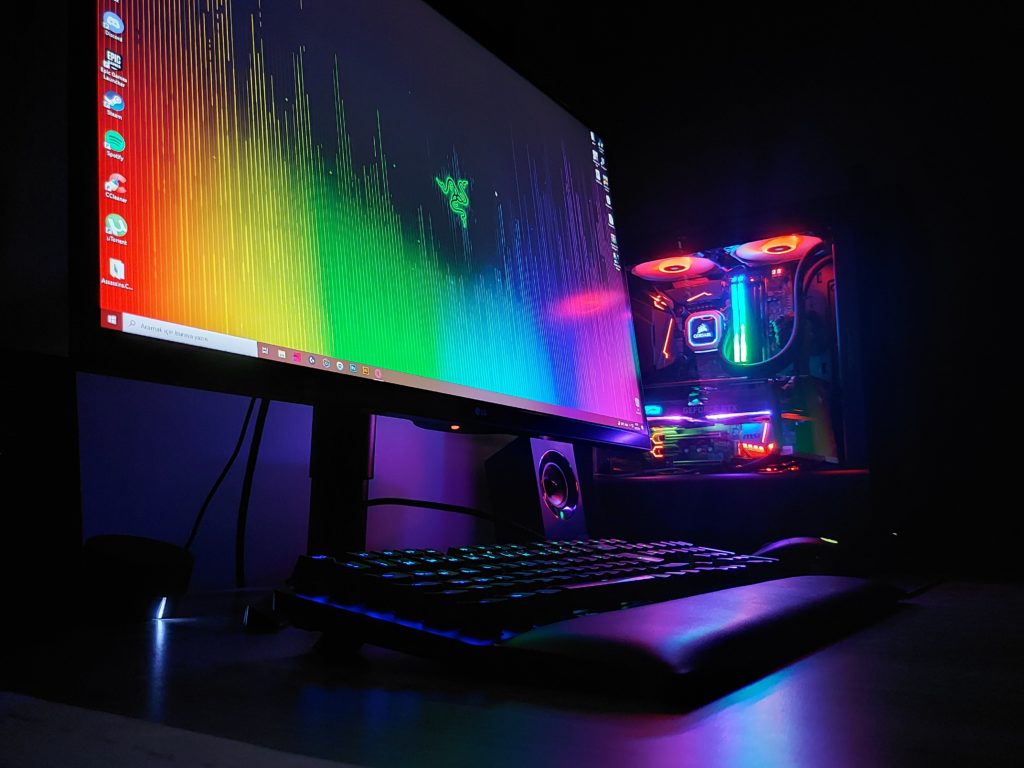
In today’s fast-paced world, having a reliable and efficient laptop is essential for productivity and smooth performance. While buying a new laptop may seem like the obvious solution to keep up with technology, upgrading certain components of your current laptop can be a cost-effective and practical alternative. In this blog post, we will explore the benefits of upgrading laptop components like RAM, storage, and processors. We’ll also discuss compatibility issues and considerations and provide a comprehensive guide for those who want to upgrade their laptops. And remember, iFixYouri is your #1 source to help out with laptop component upgrades or repairs.
Improved Performance: Upgrading your laptop’s components can significantly enhance its performance. Increasing the RAM capacity allows your laptop to handle more demanding tasks and run multiple applications without slowing down. Upgrading the processor improves processing power, making tasks like video editing and gaming smoother and more efficient. Expanding storage capacity provides quicker access to files and reduces load times.
Better Multitasking: Upgrading the RAM and processor enables your laptop to handle multitasking more effectively. With more RAM, your laptop can smoothly switch between resource-intensive applications without lags or crashes. A faster processor ensures smoother performance when using complex software or running virtual machines.
Future-Proofing: By upgrading laptop components, you can extend the usefulness of your device. Technology advances, and software becomes more resource-intensive over time. Upgrading components helps your laptop handle future software updates and demanding tasks, allowing it to remain relevant for a longer period.
Compatibility Issues and Considerations
Research and Compatibility: Before starting an upgrade, research and ensure compatibility between your laptop and the components you want to upgrade. Manufacturers often provide information about supported RAM types, storage interfaces, and processor socket types. Consult your laptop’s user manual or the manufacturer’s website for insights into upgrade possibilities.
Physical Limitations: Laptops have limited upgradability due to their compact design. Some laptops have soldered RAM or storage components, making them non-upgradable. Check if your laptop allows component upgrades and which parts are accessible.
Power and Thermal Considerations: Upgraded components may require more power and generate more heat. Ensure that your laptop’s power supply and cooling system can handle the increased demands. Upgrading the cooling system by adding fans or improving thermal paste application can prevent overheating.
A Guide to Laptop Upgrades
Identify Upgradeable Components: Determine which components can be upgraded in your laptop. Common upgradable parts include RAM, storage, and processors. Know the current specifications to plan upgrades effectively.
Research Compatible Upgrades: Thoroughly research compatible upgrades for your laptop model. Check the laptop manufacturer’s website, online forums, and trusted technology websites for recommendations and compatibility information. Consider maximum supported RAM capacity, storage interface compatibility, and processor socket types.
Purchase Reliable Components: Invest in high-quality components from reputable manufacturers to ensure compatibility, reliability, and performance. Avoid cheap components that may cause compatibility issues or hardware failures.
Back up Your Data: Before starting the upgrade process, create a backup of your important data. While upgrades shouldn’t affect data, it’s wise to have a backup in case of unexpected issues.
Follow Proper Upgrade Procedures: Follow the upgrade procedures provided by the laptop manufacturer or included with the components. Use anti-static precautions, follow recommended installation steps, and handle components with care.
Upgrading laptop components can improve performance, multitasking capabilities, and future-proof your device. Research compatibility, invest in reliable components, and follow proper procedures for a successful upgrade. Upgrading your laptop can be a cost-effective way to optimize your computing experience and keep up with evolving technology.
The ongoing debate between console vs. PC gaming has captured the attention of gamers worldwide. Each platform offers its own unique gaming experiences, and deciding which one is best for you depends on factors like personal preferences, gaming goals, budget, and desired features. In this blog post, we will explore the main aspects of console vs. PC gaming to help you make an informed decision about which platform suits you best.
Console vs. PC Gaming – Cost Considerations
Consoles are often more affordable compared to PCs. They come as complete gaming packages, including the console, controllers, and sometimes bundled games. On the other hand, PC gaming allows for greater flexibility and customization. However, it can require a higher initial investment. However, PC gaming provides the advantage of upgradability, letting you to improve your system over time. iFixYouri can help with any game console repairs or upgrades, in addition to our full line of computer repairs.
Performance and Customization
PC gaming is known for its superior performance and impressive graphics. With a high-end gaming PC, you can enjoy higher frame rates, better graphics settings, and smoother gameplay. Additionally, PC gamers have the freedom to customize their hardware, such as adding more RAM or upgrading the graphics card, to meet evolving gaming demands.
Consoles, on the other hand, offer a streamlined and optimized gaming experience right out of the box. Game developers tailor their titles to specific console hardware, ensuring smooth and efficient gameplay. Console gaming is convenient with its plug-and-play setup, requiring minimal configuration and maintenance, making it ideal for those who prefer a hassle-free gaming experience.
Game Library and Exclusives
The game selection available on each platform is an important consideration. Both consoles and PCs have a wide variety of games, but each platform offers its own exclusive titles. Consoles have long been known for their exclusive games like Xbox’s Halo and PlayStation’s The Last of Us. These exclusive titles can be a deciding factor for gamers with specific preferences for certain franchises or genres.
However, the PC gaming ecosystem boasts a range of titles, including independent games, massive multiplayer online experiences, and popular franchises available across multiple platforms. Additionally, PC gamers enjoy user-created content, mods, and customizations, which add to the gaming experience.
Multiplayer and Online Gaming
Both consoles and PCs provide access to online multiplayer gaming. Consoles generally have a user-friendly online setup, requiring minimal configuration. Xbox Live and PlayStation Network offer integrated online communities, matchmaking, and multiplayer functionality.
On the other hand, PC gaming offers a more diverse and robust online multiplayer environment. Platforms such as Steam, Epic Games Store, and Origin provide access to a range of multiplayer titles. PC gamers also benefit from dedicated servers, larger player bases, and the ability to use voice chat platforms like Discord.
Comfort and Accessibility
Console gaming is often associated with the comfort of playing games on a couch with a controller. This setup is ideal for casual gaming sessions, cooperative play, or those who prefer a relaxed gaming experience. Consoles have user-friendly interfaces and prioritize accessibility, making them a popular choice for families and casual gamers.
In contrast, PC gaming offers a variety of input options, including keyboards, mice, gamepads, and even virtual reality (VR) devices. PC gamers can customize their setup to suit their preferences, whether it’s a comfortable gaming chair, a multi-monitor display, or a specialized controller.
In conclusion, choosing between console vs. PC gaming depends on your personal preferences, budget, and gaming goals. Consoles provide a straightforward and affordable gaming experience, while PCs offer better performance and customization options. Consider the factors discussed in this blog post to make an informed decision. Remember, both platforms offer enjoyable gaming experiences that can provide countless hours of entertainment. Happy gaming!
Computers play a vital role in our lives today. They help us stay connected, work efficiently, and access information. However, computers can sometimes face issues that affect their performance. In this blog post, we will discuss common computer problems like slow performance, software crashes, and hardware failures. We’ll provide step-by-step guides to troubleshoot these issues and offer advice on when to seek professional help. You may also want to check out our post on Common Smartphone Issues.
One frustrating issue is when your computer runs slowly. If this happens, follow these steps to troubleshoot:
a. Check for malware: Use reliable antivirus software to scan your computer for any harmful programs that may be slowing it down. Remove them. b. Free up disk space: Delete unnecessary files and programs to create more space on your computer. You can use tools like Disk Cleanup (Windows) or Finder (Mac) to help you with this. c. Update software and drivers: Make sure your operating system, drivers, and applications are up to date. Outdated software can cause performance problems. d. Upgrade hardware or increase RAM: If your computer is still slow, consider adding more memory (RAM) or upgrading hardware components. This can improve performance, especially for demanding tasks.
Software Crashes
Software crashes can happen due to incompatible programs, corrupted files, or conflicts. Here’s how you can troubleshoot software crashes:
Restart your computer: Sometimes, a simple restart can fix software-related issues. It clears temporary data and resets system processes.
Update software: Keep all your software, including the operating system and applications, updated. Developers release updates to fix bugs and improve stability.
Check for conflicting software: If crashes occur after installing a new program, try uninstalling it to see if that solves the problem. Conflicts between programs can cause crashes.
Repair or reinstall problematic software: If a specific program keeps crashing, try repairing or reinstalling it. This can fix any corrupted files or settings causing the crashes.
Hardware Failures
Hardware failures range from minor issues like loose cables to more serious problems, like a failing hard drive. Follow these steps for hardware-based common computer problems:
Check connections: Ensure all cables and connections are firmly plugged in. Loose cables can cause display issues, malfunctioning peripherals, or power problems.
Run hardware diagnostics: Many computers have built-in tools to test hardware. Use them to check components like RAM, hard drive, and graphics card for issues.
Update drivers: Outdated or incompatible drivers can cause hardware problems. Update drivers to the latest versions available from the manufacturer’s website.
Seek professional help: If you’ve tried troubleshooting and still experience hardware issues, it’s best to consult professionals. Certified technicians can diagnose and repair complex hardware problems effectively.
When to Seek Professional Help
While troubleshooting can solve many computer issues, some situations require professional assistance:
Severe hardware failures: If a major component like the motherboard or power supply is failing, seek professional help.
Data recovery: If you can’t access important data due to a failing hard drive, professionals can recover it using specialized tools.
Persistent software issues: If software crashes or performance problems persist despite troubleshooting, consult professionals with software expertise.
Computer problems can be frustrating. However, with the right troubleshooting steps, many issues can be resolved. If you follow this blog post, you can address common computer problems like slow performance, software crashes, and hardware failures. Remember, seeking professional help from a company like iFixYouri is always an option for more complex or persistent issues. Altogether with patience and the right approach, you can keep your computer running smoothly and enjoy a seamless computing experience.
In today’s world, smartphones have become an integral part of our lives. However, accidents happen (see Common Smartphone Issues and How to Avoid Them), and our beloved devices can occasionally end up damaged. When faced with a broken screen, faulty battery, or any other issue, the repairability of a smartphone becomes a crucial factor. In this blog post, we will compare the repairability of iPhones and Android devices, highlighting the pros and cons of repairing each platform. Whether you’re an Apple enthusiast or an Android aficionado, understanding the repair options can help you make an informed decision.
Repairability of iPhones:
Apple’s iPhones have gained a reputation for their sleek design and user-friendly interface. However, when it comes to repairability, certain iPhone repairs are known to be more challenging compared to their Android counterparts. Here are the pros and cons of repairing an iPhone:
Apple Independent Repair Program (IRP): Apple has an extensive network of authorized service providers, ensuring that you can find reliable repair services in most areas. These providers use genuine Apple parts and are trained to handle iPhone repairs. iFixYouri is a member of this and can therefore provide some OEM Apple parts.
Software Integration: Apple’s tight control over both hardware and software ensures better integration, allowing for efficient diagnosis and repair by authorized technicians.
Cons:
Proprietary Components: Apple utilizes proprietary components, making it harder to find third-party replacements. This often leads to higher repair costs compared to Android devices.
Complex Internal Design: iPhones are known for their intricate internal design, with components tightly packed together. This can make repairs time-consuming and challenging, requiring specialized tools and expertise.
Repairability of Android devices:
Android devices encompass a vast array of brands and models, offering diverse options to consumers. The repairability of Android devices varies depending on the manufacturer and model. Let’s examine the pros and cons:
Component Availability: Android devices often use widely available components, making it easier to find third-party replacements. This can lead to more affordable repair options compared to iPhones. This doesn’t mean they are cheaper, however. Samsung screens can often be very expensive parts.
Modularity: Some Android devices offer modular designs, allowing for the replacement of individual components rather than the entire device. This promotes cost-effective repairs and reduces electronic waste.
Cons:
Fragmentation: Due to the diverse nature of the Android ecosystem, the availability of authorized service providers and genuine parts can vary significantly. This can make it challenging to find reliable repair options, especially for lesser-known brands or older models.
Software Compatibility: Android devices run on different versions of the operating system, leading to potential software compatibility issues during repairs. This may require skilled technicians familiar with various Android configurations.
Recommendations based on preferences and needs:
iPhone for Seamless Support: If you value a seamless support experience and are willing to pay a premium for authorized repairs, an iPhone might be the better choice. Apple’s extensive service network ensures consistent quality and access to genuine parts.
Android for Affordability and Customizability: If cost-effectiveness and customization options are important to you, an Android device might be the way to go. Look for popular brands with good aftermarket support or consider devices with modular designs for easier repairs.
Third-Party Repair Options: Regardless of the platform, consider seeking out reputable third-party repair services like iFixYouri that specialize in your device. Read reviews, inquire about warranties, and ensure they use high-quality components.
When it comes to the repairability of smartphones, iPhones and Android devices present distinct advantages and challenges. iPhones offer seamless support through authorized service providers but can be more expensive to repair due to proprietary components and complex internal design.
On the other hand, Android devices provide more affordable repair options and modularity in certain cases, but the availability of authorized services and genuine parts can vary.
Ultimately, the choice between iPhone and Android should be based on individual preferences and needs. Consider the pros and cons outlined in this article to make an informed decision that suits your requirements and budget.
In today’s digital age, our smartphones, tablets, and computers have become an integral part of our lives. From communication and entertainment to productivity and creativity, these devices enhance our daily experiences. However, to unlock their full potential, it’s essential to choose the right tech accessories that complement and optimize their functionality. In this comprehensive guide, iFixYouri explores key factors to consider when selecting accessories for your smartphones, tablets, and computers.
Identify Your Tech Accessory Needs:
Before diving into the world of accessories, take a moment to assess your requirements. Are you seeking protection, productivity, entertainment, or convenience? Understanding your needs will help narrow down your options and ensure you make the right choices.
Compatibility & Types of Ports:
Ensure compatibility between your device and the accessories you’re considering. Check for specifications, ports, and connectivity options to avoid any compatibility issues. Remember to consider factors like operating system compatibility, device size, and version-specific requirements.
USB (Universal Serial Bus) Ports:
USB ports are ubiquitous in the realm of electronic devices. They come in various shapes and sizes, each serving a specific purpose. The most common USB ports are:
USB Type-A: This rectangular-shaped port has been the standard for many years. It is found on computers, laptops, power adapters, and many other peripheral devices. USB Type-C: This compact, reversible port has gained immense popularity in recent years. It offers faster data transfer speeds, supports video output, and allows for charging the device. USB-C ports are found in most modern smartphones, tablets, and high-end laptops.
Lightning Port
Exclusive to Apple devices, the Lightning port is a proprietary connector found on iPhones, iPads, and iPods. It allows for charging, data transfer, and audio output. The Lightning port is gradually being replaced by USB-C on newer Apple devices.
HDMI (High-Definition Multimedia Interface) Port
HDMI ports are primarily used for connecting devices to external displays such as TVs and projectors. They transmit high-quality audio and video signals. HDMI ports are commonly found on laptops, tablets, and some smartphones.
DisplayPort
Similar to HDMI, DisplayPort is a video and audio interface used to connect devices to external monitors. It offers high-resolution output and supports multiple display configurations. DisplayPort ports are commonly found on laptops, desktop computers, and some tablets.
Audio Jack
The audio jack, also known as the headphone jack, is a port dedicated to connecting audio devices like headphones and speakers. While this port has been gradually phased out in some smartphones and tablets in favor of wireless audio solutions, it is still present in many laptops and computers.
Cases: Protection and Durability
Smartphones, tablets, and computers are substantial investments, so safeguarding them is paramount. Look for protective accessories such as cases, screen protectors, and sleeves that offer a balance between style and durability. Consider the materials used, impact resistance, and water resistance to protect your devices from accidental drops, scratches, and spills.
Silicone cases are among the most popular and widely used options on the market. They are made of flexible, shock-absorbing silicone material that provides excellent protection against minor drops and impacts. These cases have a smooth texture and offer a comfortable grip. Silicone cases come in a plethora of colors, allowing users to personalize their devices while keeping them safe.
Hard Plastic Cases
Hard plastic cases, typically made from polycarbonate or acrylic materials, are known for their durability and strength. They provide solid protection against scratches, bumps, and everyday wear and tear. These cases often come in a variety of finishes, including glossy, matte, or transparent, allowing users to showcase the device’s original design. Hard plastic cases are lightweight and provide a sleek and slim profile for smartphones and tablets.
Wallet Cases
Ideal for those seeking convenience and functionality, wallet cases combine phone or tablet protection with storage for essentials like cards, cash, and IDs. These cases feature card slots and a built-in pocket, providing a compact solution for carrying essentials without the need for an additional wallet. Wallet cases often come with a flip cover that protects the device’s screen, ensuring all-around protection.
Folio Cases
Similar to wallet cases, folio cases offer 360-degree protection by enclosing the entire device within a cover. They typically feature a front cover that can be flipped open or closed, safeguarding the screen from scratches and cracks. Folio cases are designed with a foldable stand, allowing users to prop up their devices at different angles, making them ideal for watching videos or video conferencing.
Rugged Cases
For users who require maximum protection, rugged cases are the go-to option. These heavy-duty cases are designed to withstand extreme conditions and are often drop-tested and military-grade certified. Rugged cases feature multiple layers of protection, including reinforced corners, shock-absorbing materials, and screen protectors. While they may add bulk to the device, rugged cases are the best choice for individuals working in challenging environments or engaging in outdoor activities.
Leather Cases
Leather cases exude elegance and sophistication, making them a popular choice for those who prioritize style. These cases are typically made from genuine or synthetic leather and provide a luxurious feel. Leather cases offer good protection against scratches and minor impacts, while also aging gracefully, developing a unique patina over time. They are available in various colors and designs, catering to different tastes.
Amplifying Entertainment with Tech Accessories
If you use your devices for entertainment purposes, consider accessories that enhance your audiovisual experiences. Bluetooth speakers, headphones, and earphones deliver high-quality sound, making your music, movies, and gaming more immersive. Similarly, portable projectors, gaming controllers, and VR headsets can take your entertainment to the next level.
Power and Connectivity
Accessories that address power and connectivity needs are essential for seamless device usage. Power banks and portable chargers ensure you’re never stranded with a dead battery. High-quality charging cables and adapters are also crucial for efficient charging and data transfer. Additionally, explore wireless charging pads, USB hubs, and docking stations for added convenience.
As we spend more time on our devices, it’s crucial to consider ergonomics and comfort. This is especially important with laptops and desktop computers. Look for tech accessories that promote good posture and reduce strain, such as ergonomic keyboard and mouse setups, adjustable tablet stands, and laptop cooling pads. Pay attention to the comfort and fit of accessories like headphones and wrist rests, ensuring long-term usage doesn’t lead to discomfort or fatigue.
Storage and Organization
Keeping your devices and accessories organized not only protects them but also enhances efficiency. Explore storage solutions like laptop bags, backpacks, and organizers that have dedicated compartments for devices, cables, and other accessories. Cable management solutions, such as cable clips and cord organizers, can help keep your workspace clutter-free.
Before making a purchase, read reviews and seek recommendations from trusted sources. Online platforms and tech communities often provide valuable insights into the quality and functionality of accessories. Pay attention to user feedback regarding durability, performance, and compatibility to make informed decisions.
Choosing the right tech accessories for your smartphones, tablets, and computers can significantly enhance your user experience, productivity, and protection.
By understanding your needs, ensuring compatibility, and considering factors like durability, productivity, entertainment, power, ergonomics, and organization, you can make informed decisions when selecting tech accessories.
Remember to rely on reviews and recommendations to gather valuable insights. With the right tech accessories, you’ll unlock the full potential of your devices, making your daily life easier, smarter, and more efficient.
Gaming consoles are the go-to devices for immersive gaming experiences and endless entertainment. However, even the most reliable consoles can face technical issues. When dealing with a malfunctioning console, consumers often wonder whether to attempt repairs themselves or seek professional help. In this blog post, we’ll explore fixing gaming consoles and provide valuable information to help consumers make informed decisions.
Understand the Game Console Warranty
Before any repairs, check your console’s warranty. Most gaming consoles come with a limited warranty. It typically covers manufacturing defects or faulty hardware components. Attempting to fix your console yourself might void any warranty. It’s best to contact the manufacturer or an authorized repair center. However, you may explore other repair options if the warranty has expired or doesn’t cover the issue.
Troubleshooting and Basic Fixes
Sometimes, console issues can be resolved without advanced technical knowledge. Manufacturers often provide troubleshooting guides or FAQs on their websites, which address common problems and offer potential solutions. You can also find helpful tips and step-by-step guides on online gaming communities and forums. Basic fixes like resetting the console, updating firmware, or checking connections can often solve minor issues and save you from unnecessary repairs.
Fixing Gaming Consoles DIY
If you’re comfortable with electronics and have some technical skills, attempting DIY repairs can save you money. Various online tutorials, YouTube channels, and forums offer detailed instructions for fixing specific console models.
However, it’s important to remember that DIY repairs come with risks. These risks are similar to those of smartphone DIY repairs. Mishandling delicate components or using improper troubleshooting techniques can worsen the problem or cause permanent damage. Proceed with caution. If you’re unsure, it’s best to seek professional assistance.
Independent Repair Shops
While authorized repair centers are preferred, independent repair shops can be viable alternatives. These shops often handle various electronic devices, including gaming consoles.
However, exercise caution when selecting an independent repair shop. Not all shops may have the necessary expertise. Verify their credibility, ask about their experience with gaming consoles, and ask about warranties or guarantees on repairs. iFixYouri carries a 90-day warranty on all console repairs.
Consider the Cost-Benefit Analysis
When deciding between repairing or replacing a console, consider the cost-benefit analysis. If the repair costs are too high, approaching the price of a new console, maybe it is more sensible to replace it. However, if the repair costs are significantly lower and your console holds sentimental value or has unique features, repairing it may be the better choice.
Repairing gaming consoles can save you money and extend the lifespan of your beloved gaming device. Whether you choose a DIY repair or seek professional help, understanding warranty coverage, troubleshooting options, and the reputation of repair providers is crucial. Remember to consider the potential risks, benefits, and costs. You can confidently navigate the world of fixing gaming consoles with good resources.
Buying a smartphone can be an overwhelming experience, especially when faced with a sea of technical smartphone specifications. What’s the difference between RAM and storage? Is a higher resolution always better? How does the processor speed affect your user experience?
If these questions seem familiar, you’re not alone. iFixYouri is here to help demystify smartphone specifications, making it easier for you to make an informed decision when purchasing a new device.
Understanding Smartphone Specifications: RAM vs. Storage
RAM
RAM, or Random Access Memory, is a type of computer memory that allows data to be read and written. It essentially serves as your smartphone’s short-term memory – it temporarily stores the data your device needs right now and in the near future. The more RAM your phone has, the more data it can store for quick access, which means more apps running smoothly in the background.
Every app that you open, every website that you browse, and every song that you play gets stored in RAM temporarily. It handles the current processes, tasks, and data needed by your device right now and in the near future. This is why when you are switching between apps, the ones that you’ve recently opened reload quickly – they’re already stored in the RAM.
The more RAM your phone has, the more data it can store for quick access, which translates into more apps running smoothly in the background. This prevents the phone from slowing down or freezing, especially when running multiple heavy applications simultaneously. So, if you’re someone who multitasks a lot on your phone or plays memory-intensive games, having a device with a larger RAM capacity would be beneficial for a smoother experience.
Storage
The digital cupboard of your smartphone, known as storage, functions as its long-term memory. It stores and preserves your photos, videos, apps, music, files, and other types of data for future use. In terms of a workspace analogy, while RAM serves as the desk for immediate file access, storage represents the entire room where completed files or those not immediately required are stored.
Moreover, the total storage capacity of your smartphone determines how much data it can hold in the long term. This encompasses applications, text messages, contacts, photos, songs, videos, and other forms of data. Thus, having more storage allows you to keep a larger number of files, install more apps, capture more photos, and download more music or videos.
Additionally, it’s important to acknowledge that not all of your phone’s storage is usable. Some space is occupied by the phone’s operating system and pre-installed apps. Consequently, the actual available space on a new smartphone is less than its advertised storage capacity.
Therefore, if you’re a heavy user who frequently downloads apps, captures high-resolution photos and videos, or enjoys storing a music or movie collection on your phone, you may want to consider acquiring a phone with greater storage capacity or one that supports expandable storage through a microSD card.
All About Display: Screen Size and Resolution
Screen Size
Screen size refers to the length of your smartphone’s display from one corner to the other, measured diagonally. The size you choose largely depends on personal preference. Some people prefer a larger screen for activities like watching videos or gaming, while others might prefer a smaller size for ease of use with one hand.
Resolution refers to the number of pixels contained on a display, represented by the width and height. It’s what makes the display on your smartphone look crisp and sharp. The higher the resolution, the more details can be displayed on the screen.
Smartphone Specifications: Understanding Processor and Clock Speed
Processor
The processor, or CPU (Central Processing Unit), is essentially the brain of your smartphone. It carries out the instructions of a computer program by performing basic arithmetical, logical, and input/output operations. The more powerful your processor is, the faster your smartphone can process data.
Clock Speed
Clock speed measures the number of cycles your CPU executes per second, measured in gigahertz (GHz). A higher clock speed means your smartphone can process instructions at a faster rate. However, a higher clock speed also means your device may heat up quickly and consume more power.
This is an overview of some of the main specifications you’ll encounter when buying a smartphone. But remember, while specs do matter, they don’t tell the whole story. The user experience is also heavily influenced by the way your device’s software and hardware work together. It’s always a good idea to read reviews and get hands-on experience with a device before buying it.
In today’s world, the Internet of Things (IoT) has revolutionized how we live and interact with technology. At the center of this ecosystem is the smartphone, an essential tool for harnessing the power of IoT.
In this blog post, iFixYouri explores the role smartphones play in the world of IoT and how they serve as the central hub for controlling and managing smart devices.
Gateway to the IoT
Smartphones act as a gateway, connecting us to the network of interconnected devices in the IoT ecosystem. They allow effortless control, monitoring, and management of smart devices through dedicated mobile apps and platforms. This seamless connectivity empowers us to stay connected and in control, no matter where we are.
Smartphones consolidate control into a single device, eliminating the need for multiple remote controls or physical presence to operate devices. We can interact with multiple devices using a single interface on our smartphones, making interactions with the IoT world simple and efficient.
Data Collection and Analysis
Smartphones collect data within the IoT ecosystem using sensors like GPS, accelerometers, and cameras. This data is sent to the cloud or processed locally for valuable insights. For example, fitness wearables capture data about physical activity, sleep patterns, and heart rate, which smartphones analyze to provide personalized health recommendations.
Enhanced User Experience
Integration of smartphones with smart-connected devices improves the overall user experience. Smartphone apps allow customization of settings, real-time notifications, and automation based on specific conditions. We can program our smartphones to control lights and play music when we enter our homes, making technology more intuitive and user-friendly.
IoT Security and Privacy
Smartphones play a crucial role in ensuring the security and privacy of connected devices. With features like fingerprint or facial recognition and secure data transmission protocols, smartphones provide an extra layer of protection. Smartphone apps include security measures to prevent unauthorized access and protect user data, safeguarding the entire IoT ecosystem.
Conclusion
The Internet of Things has brought about a new era of connectivity and smart living. Smartphones serve as the key to connecting with IoT devices and services, offering centralized control and a seamless experience. As technology continues to advance, smartphones will remain essential for managing and harnessing the potential of the IoT ecosystem, enabling us to embrace the possibilities of a connected future.
Smartphone, Tablet and Computer Repairs and News
Cookie Consent
We use cookies to improve your experience on our site. By using our site, you consent to cookies.
Contains information about the traffic source or campaign that directed user to the website. The cookie is set when the GA.js javascript is loaded and updated when data is sent to the Google Anaytics server
6 months after last activity
__utmv
Contains custom information set by the web developer via the _setCustomVar method in Google Analytics. This cookie is updated every time new data is sent to the Google Analytics server.
2 years after last activity
__utmx
Used to determine whether a user is included in an A / B or Multivariate test.
18 months
_ga
ID used to identify users
2 years
_gali
Used by Google Analytics to determine which links on a page are being clicked
30 seconds
_ga_
ID used to identify users
2 years
_gid
ID used to identify users for 24 hours after last activity
24 hours
_gat
Used to monitor number of Google Analytics server requests when using Google Tag Manager
1 minute
_gac_
Contains information related to marketing campaigns of the user. These are shared with Google AdWords / Google Ads when the Google Ads and Google Analytics accounts are linked together.
90 days
__utma
ID used to identify users and sessions
2 years after last activity
__utmt
Used to monitor number of Google Analytics server requests
10 minutes
__utmb
Used to distinguish new sessions and visits. This cookie is set when the GA.js javascript library is loaded and there is no existing __utmb cookie. The cookie is updated every time data is sent to the Google Analytics server.
30 minutes after last activity
__utmc
Used only with old Urchin versions of Google Analytics and not with GA.js. Was used to distinguish between new sessions and visits at the end of a session.
End of session (browser)
Marketing cookies are used to follow visitors to websites. The intention is to show ads that are relevant and engaging to the individual user.
A video-sharing platform for users to upload, view, and share videos across various genres and topics.
This cookie is used to play YouTube videos embedded on the website.
2 years
VISITOR_PRIVACY_METADATA
Youtube visitor privacy metadata cookie
180 days
GPS
Registers a unique ID on mobile devices to enable tracking based on geographical GPS location.
1 day
VISITOR_INFO1_LIVE
Tries to estimate the users' bandwidth on pages with integrated YouTube videos. Also used for marketing
179 days
PREF
This cookie stores your preferences and other information, in particular preferred language, how many search results you wish to be shown on your page, and whether or not you wish to have Google’s SafeSearch filter turned on.
10 years from set/ update
YSC
Registers a unique ID to keep statistics of what videos from YouTube the user has seen.
Session
DEVICE_INFO
Used to detect if the visitor has accepted the marketing category in the cookie banner. This cookie is necessary for GDPR-compliance of the website.