Removing Computer Viruses: DIY Methods and Professional Assistance

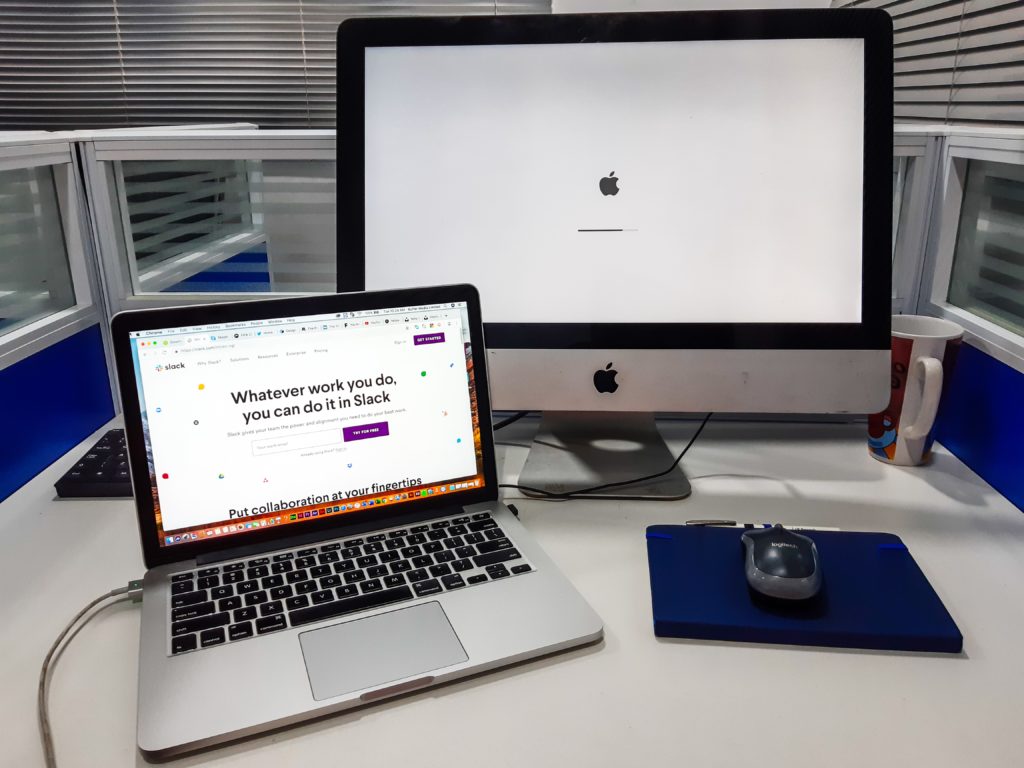
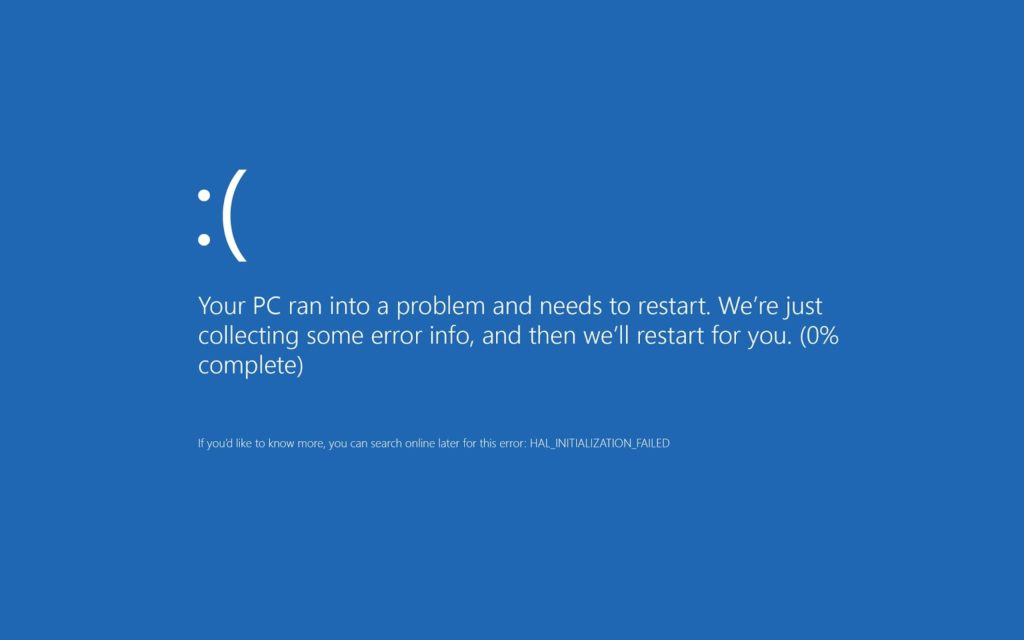
In our increasingly digital world, computer viruses have become an unfortunate reality for many users. These malicious programs can wreak havoc on your computer, compromising your data, slowing down performance, and even stealing sensitive information. As a result, it is essential to be well-versed in removing computer viruses. In this blog post, we will explore both do-it-yourself (DIY) methods and the benefits of seeking professional assistance for removing computer viruses.

Removing Computer Viruses

Removing Computer Viruses: DIY Methods

Firstly, one of the initial steps you can take is to install antivirus software. The best defense against computer viruses is prevention. By installing a reputable antivirus software program and regularly updating it, you can actively protect your system from malware and viruses.

Additionally, running a full system scan using your antivirus software is crucial. Popular antivirus programs include Windows Defender, Norton, or McAfee. This scan examines all files and programs on your computer, allowing you to detect any viruses or malware present. Once identified, you can choose to remove them promptly.

Moreover, utilizing specialized malware removal tools alongside your antivirus software can enhance your computer’s security. These tools focus on removing specific types of malware and can prove useful if your antivirus software fails to detect certain infections. Malwarebytes is a popular malware removal tool.

Lastly, it is vital to keep your operating system and installed software up to date. Regular updates provide patches and fixes for vulnerabilities that hackers may exploit, reducing the risk of infection.

Getting Professional Assistance

While DIY methods can be effective, there are cases where seeking professional assistance becomes necessary. Here are some reasons why:

First and foremost, professionals offer expertise and experience in dealing with complex malware infections. Their extensive knowledge and experience equip them with advanced tools and techniques to efficiently eradicate viruses that may prove difficult to remove on your own.

Additionally, seeking professional assistance can save you time. Removing viruses can be a time-consuming task, especially if you are unfamiliar with the process. Professionals can efficiently identify and eliminate infections, allowing you to focus on other important tasks.

Furthermore, professionals can help with data recovery and protection. In some instances, viruses can cause irreversible damage to your files or compromise sensitive data. Experts can assess the extent of the damage, attempt data recovery, and implement measures to prevent future infections.

Moreover, preventing recurrence is crucial. Virus removal is not just about getting rid of existing infections; it’s also about preventing future ones. Professionals can provide valuable advice on best practices for online security, recommend reliable antivirus software, and offer guidance on safe browsing habits.

Removing computer viruses is an essential task for any computer user. While DIY methods can be effective in many cases, seeking professional assistance offers several advantages. By installing antivirus software, running system scans, using malware removal tools, and keeping your system updated, you can actively protect your computer from infections.

However, for more complex or persistent viruses, professional assistance provides expertise, time savings, data recovery, and preventive measures. Whether you choose to tackle the issue yourself or enlist the help of professionals, taking prompt action to safeguard your computer and personal information is crucial.

Remember, prevention is always better than cure, so prioritize regular system updates and reliable antivirus software to minimize the risk of future infections.

How to Upgrade Gaming Consoles for Maximum Performance and Storage

Gaming consoles have evolved into powerful entertainment systems that offer immersive gaming experiences. As technology advances, gamers constantly seek ways to enhance their consoles in terms of performance and storage capacity. In this blog post, iFixYouri explores the importance of how we can upgrade gaming consoles like the Nintendo Switch, the benefits they bring, and the popular options available to gamers today.

Boosting Performance

Gamers consider upgrading their consoles primarily to improve performance, which significantly enhances the gaming experience. A faster and more efficient gaming system can result in shorter load times, reduced lag, and improved overall system responsiveness. Here are a few ways to boost console performance:

  1. Solid-State Drives (SSDs): Upgrading your console’s hard drive to an SSD can offer faster load times, reduced lag, and improved system responsiveness. Moreover, SSDs use flash memory, enabling faster data access and transfer speeds compared to traditional hard drives.
  2. Enhanced Graphics Processing: Some consoles allow GPU upgrades, enabling higher resolutions, smoother frame rates, and better visual effects. By upgrading the GPU, gamers can greatly enhance the visual quality of games, making them more immersive and realistic.
  3. Overclocking: For more technically savvy users, overclocking the CPU or GPU can achieve a significant performance boost. Overclocking involves running the processor at a higher clock speed than the manufacturer’s specifications, resulting in improved performance. However, caution should be exercised as overclocking can generate additional heat and potentially void the warranty.
Upgrade Gaming Consoles - Sony Playstation 5
Photo by Kerde Severin on Unsplash

Expanding Storage Capacity

As game installations and downloadable content (DLC) sizes continue to grow, expanding storage capacity becomes crucial for gamers. Running out of space on a console can be frustrating, requiring frequent game deletions or constant storage management. Here are a few ways to expand console storage capacity:

  1. External Hard Drives: Many modern gaming consoles support the connection of external hard drives via USB ports. By utilizing external drives, gamers can access terabytes of additional storage space, allowing them to install and store more games without worrying about limited internal storage.
  2. Internal Hard Drive Upgrades: Some consoles provide the option to replace the internal hard drive with a larger one. Prior to upgrading, careful research and compatibility checks are necessary to ensure the new drive works seamlessly with the console. Upgrading to a larger internal drive provides a convenient and efficient storage expansion solution.
  3. Cloud Storage: In addition to physical storage solutions, certain gaming consoles offer cloud storage options. By utilizing cloud storage, gamers can store their game saves and data online. This not only frees up valuable internal storage space but also enables access to saved games from any internet-connected console.

Upgrading gaming consoles can significantly enhance performance and storage capacity. Whether seeking faster load times, improved graphics, or more space for game libraries, various options are available. Transitioning to solid-state drives, upgrading GPUs, and overclocking provide substantial performance boosts. 

Additionally, utilizing external hard drives, upgrading internal hard drives, and leveraging cloud storage expand storage capacity. Prior to making any upgrades, it is crucial to conduct thorough research on compatibility, warranty implications, and potential impacts on consoles. When they upgrade gaming consoles, gamers can elevate their gaming experience, immersing themselves in a seamless and captivating gaming world.

If you would like help with any of these upgrades, please visit an iFixYouri location and speak with one of our repair technicians! We’d be more than happy to help.

How to Extend Your Smartphone Lifespan

Smartphones have become an integral part of our lives, serving as our communication hub, entertainment center, and productivity tool. However, their delicate nature and constant usage can take a toll on their lifespan. To make the most of your investment and reduce electronic waste, it’s crucial to adopt habits that extend smartphone lifespan. In this blog post, iFixYouri will explore some practical tips to help you maximize your smartphone’s longevity and keep it running smoothly for years to come. You may also want to check out our post on Common Smartphone Issues and How to Avoid Them.

smartphone lifespan
Photo by Nicolas Hirajeta on Unsplash

Invest in a Sturdy Case and Screen Protector

To protect your smartphone against accidental drops and scratches, it’s important to invest in a sturdy case and a high-quality screen protector. These accessories serve as the first line of defense, reducing the risk of damage. Look for cases made from durable materials that provide shock absorption. 

Additionally, opt for tempered glass screen protectors to safeguard your device’s display. By taking these precautions, you can significantly increase your smartphone’s lifespan.

Keep Your Device Clean

Regularly cleaning your smartphone not only keeps it looking fresh but also helps prevent the accumulation of dirt and debris that can affect its performance. Use a soft microfiber cloth to wipe the screen and body, and consider using compressed air to clean the ports and speakers. 

Moreover, it’s important to avoid harsh chemicals or abrasive materials that could damage the device’s surface. By maintaining a clean smartphone, you promote better heat dissipation and reduce the risk of hardware issues.

Optimize Battery Usage

The battery is one of the most critical components of your smartphone, and its lifespan can significantly impact the overall longevity of the device. To optimize battery usage, there are a few strategies you can employ. 

Firstly, it’s important to avoid exposing your smartphone to extreme temperatures. Excessive heat or cold can degrade the battery’s performance, so it’s advisable to keep your device away from direct sunlight and extremely cold environments. 

Additionally, try to avoid draining the battery completely before recharging it, as lithium-ion batteries used in smartphones operate optimally within a certain charge range. 

Lastly, take advantage of the battery-saving features available on most smartphones. These power-saving modes can help reduce background processes and optimize power consumption, ultimately prolonging your battery life.

Regularly Update Software

Keeping your smartphone’s software up to date is crucial for both security and performance reasons. Manufacturers frequently release software updates that contain bug fixes, security patches, and performance improvements. 

By regularly updating your device, you ensure it remains secure, runs smoothly, and benefits from the latest features and enhancements. Therefore, make it a habit to check for and install software updates on your smartphone.

Manage Storage Space

A cluttered storage space can slow down your smartphone and impact its overall performance. To manage storage effectively, there are several steps you can take. 

Firstly, regularly delete unnecessary files and apps that are taking up valuable space. Removing unused applications, duplicate files, and cached data can free up storage space and improve your device’s performance. 

Additionally, consider utilizing cloud storage services to transfer photos, videos, and documents, freeing up local storage. 

Lastly, clearing app caches can also help reclaim storage space. Many applications accumulate temporary files or caches that consume significant storage over time, so it’s advisable to clear them periodically.

Avoid Overcharging

Overcharging your smartphone can stress the battery and potentially lead to reduced battery life. Although modern smartphones are designed to prevent overcharging by cutting off power once the battery is fully charged, it’s still a good practice to unplug your device once it reaches 100%. By doing so, you avoid unnecessary strain on the battery and promote its longevity.

Be Mindful of App Usage

Some resource-intensive applications can strain your smartphone’s processor and battery, resulting in overheating and decreased performance. To mitigate this, it’s important to be mindful of app usage. 

Close unnecessary apps running in the background and consider limiting resource-intensive activities, such as gaming or video streaming, when your device is already under heavy load. By managing app usage wisely, you can prevent unnecessary strain on your smartphone’s hardware.

Conclusion:

By adopting these simple yet effective habits, you can significantly extend your smartphone lifespan and maximize its value. Taking care of your device not only saves you money in the long run but also reduces electronic waste, contributing to a more sustainable future. Remember, a little effort in maintaining and optimizing your smartphone can go a long way in ensuring it remains a reliable companion for years to come.

Counterfeit Smartphones: The Dangers and How to Avoid Them

In this era of rapidly advancing technology, smartphones have become integral to our lives. However, the increasing demand for these devices has given rise to scams and counterfeit products. Counterfeit smartphones not only compromise user experience but also pose risks to personal information and financial security. To navigate this treacherous landscape, iFixYouri shows you how to spot fake or counterfeit smartphones and protect yourself from scams.

Purchase from Authorized Retailers

To protect yourself from fake smartphones, it is crucial to buy from authorized retailers or directly from the manufacturer. By doing so, you can ensure the authenticity of the product and avoid potential scams. Avoid shady online marketplaces or unauthorized resellers offering deals that seem too good to be true.
Research and Compare

Before making a purchase, it is essential to conduct thorough research on the specific model you’re interested in. Visit the manufacturer’s official website and carefully study features, specifications, and pricing. By familiarizing yourself with the genuine product, you will be better equipped to identify discrepancies when inspecting a potential purchase.

Check the Packaging

When examining a smartphone’s authenticity, pay close attention to its packaging. Counterfeit smartphones often have packaging that closely resembles the original, but subtle differences can give them away. Look for signs of poor printing quality, misspelled words, or inconsistent logos. Authentic packaging demonstrates a high level of attention to detail, while counterfeit packaging may have noticeable flaws.

Inspect the Build Quality

Counterfeit smartphones are notorious for their subpar build quality. During your inspection, carefully scrutinize the physical aspects of the device. Look for irregularities such as mismatched colors, loose or poorly fitted components, or gaps between parts. Counterfeit devices may also feel lighter or flimsier than the original due to the use of inferior materials.

Verify the IMEI Number

Verifying the IMEI (International Mobile Equipment Identity) number is a reliable way to determine the authenticity of a smartphone. Check the IMEI number with the manufacturer or use online IMEI verification tools. If the IMEI number is invalid, tampered with, or doesn’t match the manufacturer’s database, it is likely a fake.

Test the Software and Features

Counterfeit smartphones often come with modified or outdated operating systems lacking official app stores or having limited functionality. Thoroughly test the device to ensure that all features, apps, and connectivity options work as expected. Additionally, compare the user interface with official screenshots or videos to check for inconsistencies.

Examine the Accessories and Documentation

Authentic smartphones come with high-quality accessories, including chargers, cables, and headphones. In contrast, counterfeit products may include poorly made or generic accessories. Pay attention to branding, logo placement, and overall accessory quality. Additionally, scrutinize the documentation that accompanies the device, such as the user manual and warranty card, for any discrepancies or inconsistencies.

Trust Your Intuition

In your quest to avoid scams, it is essential to trust your intuition. If a deal seems too good to be true or you notice any red flags during the purchasing process, trust your instincts and walk away. Scammers often exploit excitement to lure unsuspecting buyers. Remember that purchasing a counterfeit smartphone not only wastes your money but also jeopardizes your data and privacy.

The rise of counterfeit smartphones is concerning. However, armed with knowledge on how to spot fake devices, you can protect yourself from scams. Remember to purchase from authorized retailers, conduct thorough research, and meticulously inspect the device. Additionally, trust your intuition and exercise caution throughout the purchasing process. By doing so, you can avoid counterfeit smartphones and safeguard your personal safety and security.

Third-Party Accessories and Their Impact on Smartphone Performance

In today’s world, smartphones have become an integral part of our lives. They serve as communication devices, personal assistants, and entertainment hubs. With advancing technology, the demand for additional features and enhancements to optimize the smartphone experience continues to grow. Users have the option to personalize and extend the functionality of their smartphones through third-party accessories such as cases, screen protectors, chargers, and Bluetooth devices.

However, users should understand how these accessories can potentially affect smartphone performance. In this blog post, iFixYouri will explore the effects of third-party accessories on the overall performance and functionality of smartphones. Please visit us if you have any smartphone issues that require professional repair help.

Third-Party Accessories: Charging Cables
Photo by Steve Johnson on Unsplash

Third-Party Accessories: Compatibility and Functionality

When it comes to using third-party accessories, it’s important for users to check the specifications and compatibility information provided by the accessory manufacturer before making a purchase. Some accessories may not work optimally with all smartphone models.

Moreover, certain third-party accessories may not fully integrate with the smartphone’s operating system or hardware, limiting their functionality. To ensure seamless integration and proper functionality, users should choose accessories that reputable manufacturers have tested and certified.

Performance and Battery Life

Moving on to performance and battery life, third-party accessories can have a significant impact. Poorly designed chargers or low-quality cables, for instance, may not provide the required power or charging speed, resulting in slower charging times or inconsistent performance. In extreme cases, subpar charging accessories may even damage the smartphone’s battery.

Additionally, power-hungry accessories like Bluetooth headphones or smartwatches can significantly drain the smartphone’s battery life. To avoid excessive battery drain and ensure optimal performance throughout the day, users should be mindful of the power requirements and energy efficiency of these accessories.

Security and Data Privacy

Considering the importance of data privacy and security, it is crucial to be aware of the potential risks associated with third-party accessories. Some accessories, especially those relying on wireless connectivity or requiring app installations, may introduce security vulnerabilities or expose users to data breaches. Thus, users should carefully review the permissions requested by the accompanying software when using accessories that require app permissions or access to sensitive data.

Additionally, certain third-party accessories, particularly those connecting via USB or other physical ports, can be conduits for malware or unauthorized data transfer. Therefore, exercising caution when connecting smartphones to unfamiliar or untrusted accessories becomes essential to lower the risk of data compromise.

Third-Party Accessories Quality and Durability

Finally, considering the quality and durability of third-party accessories proves important. Although these accessories often provide cost-effective alternatives to original manufacturer offerings, lower-priced options may be constructed from subpar materials or lack the necessary durability to withstand everyday use. Cases that offer limited protection, screen protectors prone to easy scratching, and cables that fray or break prematurely are some examples. To ensure long-term usability and value, users should carefully evaluate the build quality and customer reviews of third-party accessories.

Accessories undeniably enhance smartphone functionality and offer personalization options. However, you must consider their potential impact on smartphone performance. Choose reputable manufacturers, check compatibility, and evaluate accessory quality. This will help you make informed decisions that enhance your smartphone experience. It can be done without compromising performance, security, or data privacy. Ultimately, selecting a well-chosen accessory can perfectly complement your smartphone, while a poorly chosen one may hinder its performance.

Common Types of Smartphone Screen Damage and How to Avoid Them

Smartphones have become essential in our lives; however, their screens are prone to damage. In this blog post, we will explore common types of smartphone screen damage and provide practical solutions to address them effectively. For many common issues, professional repair help at iFixYouri is required. However, some simple DIY moves can help prevent many issues.

Before we begin, let’s clarify some terms. The entire LCD assembly contains an LCD, a glass screen, and a digitizer. The LCD is the actual visual display that illuminates the pixels and forms the images you see. The glass screen is the outer transparent sheet. The digitizer is the component that registers your swipes and taps and translates them into directional data that the processor uses as user input data. Often, screens may crack but the LCD display is still fine. However, sometimes a crack damages the LCD image as well. Most modern cell phones require replacing the whole LCD assembly, whether the LCD is damaged or not.

Smartphone Screen Damage: Scratches

Scratches on the screen are an annoyance. They can significantly reduce screen clarity. As screen manufacturing improves, scratches seem to have become less common but they definitely can still happen.

To prevent scratches, we recommend using a screen protector and a protective case. These simple measures will go a long way in preserving the screen’s integrity. Tempered glass screen protectors are available at iFixYouri’s walk-in locations.

Screen Cracks

Smartphone Screen Damage: Cracks
Photo by Ali Abdul Rahman on Unsplash

Drops or excessive pressure can lead to cracks on the smartphone screen. To stop the spread of minor cracks, you should apply a screen protector is a wise solution.

In cases of significant damage, seeking professional screen replacement services becomes essential. It is important to address cracks promptly to avoid further complications.

LCD Display Malfunctions

Display malfunctions, such as unresponsive touchscreens or distorted images, can be frustrating. In such instances, it is worth trying a restart or performing a software update, as these actions can often resolve the issue.

If the problem persists, it is advisable to contact customer support or visit a reputable repair center for expert assistance in diagnosing and rectifying the underlying software or hardware problems.

Water Damage

Water damage poses a significant threat to smartphone screens. Accidental spills or exposure to moisture can lead to various issues, including unresponsive touchscreens and blurred displays.

If your phone comes into contact with water, immediately power it off and avoid using heat sources to dry it. Placing the phone in a bag of uncooked rice or a moisture-absorbing pouch can help draw out the moisture.

However, for severe water damage, it is crucial to seek professional assistance promptly to prevent irreversible damage.

Smartphone screens are susceptible to different types of damage. By implementing preventive measures such as screen protectors and protective cases, we can significantly reduce risk.

It is important to promptly address screen damage through DIY fixes or professional repair services to extend your smartphone’s lifespan and ensure a seamless experience. Remember, taking proactive care of your smartphone screen will pay off in the long run.

The Serious Threat of Smartphone Water Damage

In today’s digital age, smartphones have become indispensable tools for communication, productivity, and entertainment. However, their delicate internal components make them susceptible to a significant risk: water damage. In this post, iFixYouri explores why water damage seriously threatens your smartphone and discusses effective measures to protect it.

Smartphone Water Damage
Photo by Aniket Bhattacharya on Unsplash

Vulnerable Internal Components

Smartphones house intricate circuitry that is highly susceptible to damage when exposed to water. Components such as the motherboard, display, battery, and connectors are particularly at risk, leading to potential loss of functionality or even permanent damage.

Rapid Onset of Water Damage

Within a matter of seconds, water can wreak havoc on your smartphone, catching you off guard. Even brief encounters with moisture, such as spills or accidental submersion, can swiftly and irreversibly impact the functionality of your device.

Hidden Long-Term Effects

While immediate damage may not be evident, long-term consequences can emerge. Over time, water seeping into the device’s crevices can cause rust and corrosion, compromising performance. This gradual deterioration can result in issues such as decreased battery life, erratic behavior, or eventual system failure.

Impact on Warranties and Insurance

It’s important to note that warranties rarely cover water damage, placing the financial burden of repair or replacement on you, the user. Recognizing the risks associated with water damage and taking preventive measures is essential to avoid unnecessary expenses and potential loss of data. At iFixYouri, our smartphone water damage repair service has a high success rate, but unfortunately, we cannot warranty the service because of the unpredictable nature of water damage.

Smartphone Water Damage: Essential Tips for Protection

  1. Use a Waterproof Case: Investing in a reliable waterproof case provides a strong barrier against water intrusion, safeguarding your smartphone from accidental spills, rain, or submersion.
  2. Exercise Caution Near Water: Avoid using your smartphone in areas prone to water exposure, such as bathrooms, swimming pools, or kitchen sinks. Consider utilizing waterproof pouches during outdoor activities to provide an extra layer of protection.
  3. Carry a Backup Device: To mitigate the risk of water damage, especially during water-related activities, consider having a secondary water-resistant device. This ensures you can stay connected without compromising your primary smartphone.
  4. Act Promptly in Accidents: In the unfortunate event of water damage, it is crucial to take immediate action. Power off your smartphone, remove the battery (if possible), and gently dry the device using absorbent materials. Avoid the use of heat sources, as excessive heat can exacerbate the damage.

Water damage poses a serious threat to the functionality and lifespan of your smartphone. By understanding the vulnerabilities of internal components, acknowledging the rapid onset of water damage, and being aware of hidden long-term effects, you can take proactive steps to protect your device. Investing in a waterproof case, exercising caution near water, carrying a backup device, and acting promptly in accidents are all vital measures to safeguard your smartphone. Remember, by practicing vigilance today, you can prevent the inconvenience and financial burden of a water-damaged smartphone in the future.

Nintendo Switch Repair Guide: DIY vs. Professional Services

The Nintendo Switch has captured the hearts of gamers worldwide with its unique hybrid design and impressive game library. However, like any electronic device, it can encounter issues and malfunctions. When Nintendo Switch owners face a broken or malfunctioning console, they must decide whether to attempt a DIY repair or seek professional services. In this blog post, we will explore common issues that Nintendo Switch owners face, discuss the risks and challenges of DIY repairs, and highlight the benefits of professional repair services.

Nintendo Switch Repair - DIY or Professional Repair
Photo by Brandon Romanchuk on Unsplash

Common Issues Faced by Nintendo Switch Owners

  1. Joy-Con Drift: One of the most prevalent issues that Nintendo Switch owners report is joy-con drift, where the joystick on the controller registers input even when not being touched. This issue can significantly impact gameplay and the overall user experience.
  2. Screen and Display Problems: Users may encounter screen scratches, dead pixels, or a completely blank display. These issues can render the device unusable or severely hinder gameplay.
  3. Battery and Charging Troubles: Another common problem arises with the Nintendo Switch’s battery. Batteries may experience diminished performance over time, resulting in shorter battery life or difficulty charging. Additionally, faulty charging ports or cables can cause inconvenience.
  4. Overheating and Performance Issues: Intensive gaming sessions can push the console to its limits, leading to overheating, loud fan noises, or performance degradation. These issues may hamper gameplay and potentially damage the device.

Risks and Challenges of DIY Nintendo Switch Repairs

While fixing a Nintendo Switch independently may seem tempting, it is essential to consider the risks involved before undertaking a DIY repair:

  1. Warranty Voidance: Opening the console or attempting repairs independently can void the manufacturer’s warranty, leaving owners responsible for any further damages or expenses.
  2. Lack of Technical Expertise: Moreover, repairing complex electronic devices requires technical knowledge and experience. Without adequate training, there is a risk of inadvertently causing further damage. This may lead to more costly repairs or render the device irreparable.
  3. Limited Resources and Tools: DIY repairs often lack access to specialized tools and genuine replacement parts, increasing the risk of using subpar components that may further compromise the device’s functionality.

Benefits of Professional Repair Services

Opting for professional repair services for a Nintendo Switch offers several advantages:

  1. Expertise and Experience: Professional repair technicians possess the necessary skills, knowledge, and experience to diagnose and fix a range of Nintendo Switch issues. They stay updated with the latest repair techniques and have access to genuine parts.
  2. Warranty Protection: Furthermore, reputable repair services often provide warranties on their repairs. This gives owners peace of mind knowing that if the issue persists, it can be addressed without incurring additional costs.
  3. Time and Convenience: Moreover, repairing the Nintendo Switch independently can be time-consuming and frustrating, especially without the necessary expertise. In contrast, professional repair services can efficiently diagnose and fix the issue, saving owners valuable time and effort.
  4. Quality Assurance: Lastly, reputable repair services prioritize customer satisfaction. They ensure that Nintendo Switch consoles receive repairs to the highest standards. They use genuine parts and follow industry best practices, minimizing the risk of recurring issues.

While fixing a Nintendo Switch through DIY repair may appear appealing, it comes with some risks. The intricate nature of the console demands expertise and specialized tools. Opting for professional repair services ensures that Nintendo Switch consoles receive attention from trained technicians, providing quality repairs, warranty protection, and peace of mind. So, the next time a beloved Nintendo Switch encounters a problem, consider entrusting it to professionals. Let them restore the gaming experience to its fullest.

Smartphone, Tablet and Computer Repairs and News