Your Laptop Cooling System: The Importance of Cleaning and Maintenance

In today’s fast-paced digital age, laptops have become indispensable tools for work, communication, entertainment, and everything in between. These compact machines have revolutionized the way we live and work, enabling us to stay connected and productive on the go. However, with increased performance and processing power comes the challenge of managing heat. Consequently, your laptop cooling system plays a vital role in keeping the internal components cool and preventing potential damage. In this blog post, we will explore why cleaning and maintaining your laptop cooling system properly is essential and how it benefits your laptop’s lifespan and performance. You may also want to check out our post on upgrading your laptop.

Understanding the Laptop Cooling System

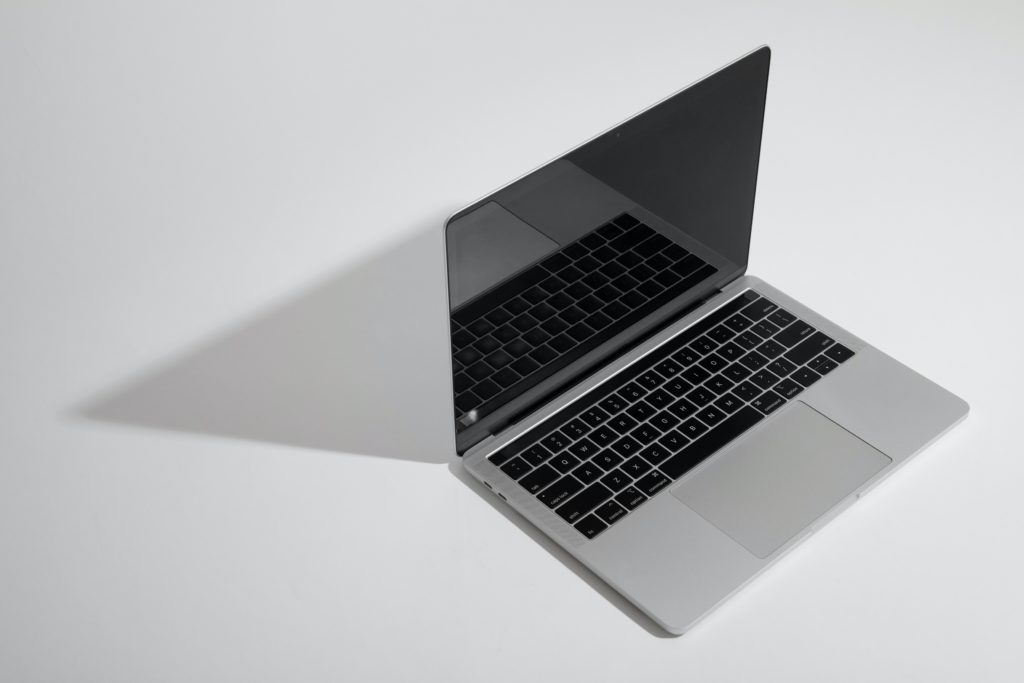
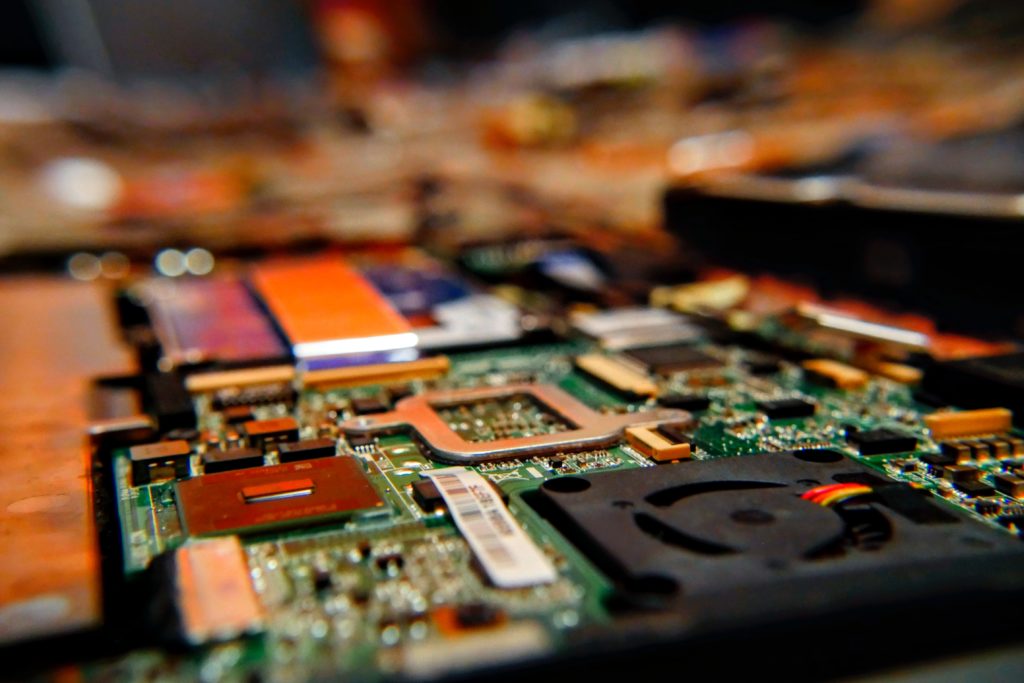
The laptop cooling system typically comprises fans, heat sinks, and thermal paste. During operation, the internal components of a laptop generate heat, and if you do not manage it properly, the heat can cause the system to overheat. This can lead to decreased performance and potential hardware failure. To counter this, the cooling system works by directing cool air over the heat-generating components and expelling the hot air out of the laptop through vents.

The Impact of Dust and Debris

Over time, dust, dirt, and debris accumulate inside the laptop, clogging the vents, fans, and heat sinks. As a result, the airflow becomes restricted, reducing the cooling system’s efficiency. Consequently, your laptop may experience higher operating temperatures, leading to frequent overheating issues, random shutdowns, and a decrease in overall performance.

The Dangers of Overheating

An overheating laptop is a cause for concern because it can lead to serious consequences. The excessive heat can damage sensitive electronic components, causing permanent hardware failure. Among the most vulnerable components to heat-induced damage are processors, graphic cards, and hard drives. If you leave it unchecked, overheating can drastically reduce the lifespan of these crucial components and render your laptop inoperable.

Laptop cooling system
Photo by Malachi Brooks on Unsplash

The Benefits of Proper Cleaning and Maintenance

  1. Improved Performance: Cleaning your laptop’s cooling system regularly enables your laptop to maintain optimal temperatures during heavy usage, ensuring smooth and consistent performance. This is particularly important for gamers, video editors, and other power users who subject their laptops to heavy workloads.
  2. Extended Lifespan: Regularly cleaning and maintaining your laptop’s cooling system can significantly extend its lifespan. By preventing overheating and minimizing stress on internal components, you reduce the risk of premature hardware failure.
  3. Cost Savings: Repairing or replacing damaged laptop components can be expensive. Therefore, investing time and effort in maintaining your laptop’s cooling system can help you avoid costly repairs and potentially postpone the need for a new laptop.
  4. Quieter Operation: Dust accumulation in the cooling system forces the fans to work harder to keep the laptop cool. This increases fan noise, causing distractions and annoyance during use. Proper cleaning ensures quieter operation and a more pleasant user experience.

Tips for Cleaning and Maintaining Your Laptop’s Cooling System

  1. Regular Cleaning: Aim to clean your laptop’s cooling system at least once every six months. Use compressed air to blow out the dust from the vents, fans, and heat sinks.
  2. Keep the Laptop on a Flat Surface: Elevate your laptop on a flat surface while using it to ensure adequate airflow. Avoid using your laptop on soft surfaces like beds or couches, as they can obstruct the vents and worsen cooling performance.
  3. Monitor Temperatures: Use software tools to monitor your laptop’s temperature regularly. If you notice significant temperature spikes, it may be a sign that the cooling system needs cleaning.
  4. Professional Maintenance: If you feel uncomfortable cleaning your laptop’s cooling system yourself, seek professional assistance. Many tech repair shops offer cleaning and maintenance services for laptops.

Properly cleaning and maintaining your laptop cooling system is a small investment of time and effort that yields significant benefits. By doing so, you can enhance your laptop’s performance, extend its lifespan, and save on potential repair costs. Embrace these best practices, and your laptop will continue to be a reliable companion, helping you stay connected and productive for years to come. Visit iFixYouri for help with computer repairs or professional maintenance.

What Are the Best Android Smartphones for Photography Enthusiasts?

Smartphones have revolutionized the way people capture and share precious moments. For photography enthusiasts, having a capable smartphone with top-notch camera features is a must. Android smartphones have made significant advancements in camera technology, offering stunning image quality and innovative features. In this blog post, we will explore the top five Android smartphones that cater to the needs of photography enthusiasts. These smartphones all ensure you’ll capture nothing short of extraordinary shots. You may also want to check out our guide for tech accessories.

Google Pixel 7 Pro

Google Pixel 7 Pro
Photo by Thai Nguyen on Unsplash

First on our list is the Google Pixel 7 Pro, with a powerful triple camera system to add drama and detail to all your photos and videos. With its 50MP main sensor, ultra-wide 12MP lens, and 48MP telephoto lens, this device is ideal for capturing images in any lighting condition. With 30x Super Res Zoom (a Pixel 7 Pro exclusive), you can get high-quality photos from a distance.

Samsung Galaxy S21 Ultra

Smartphones for Photography - Samsung Galaxy S1 Ultra
Photo by TechieTech Tech on Unsplash

Next up is the Samsung Galaxy S21 Ultra, Samsung’s flagship contender for photography enthusiasts. Featuring a quad-camera setup, including a massive 108MP primary sensor, a 12MP ultra-wide lens, and two telephoto lenses, this device offers unparalleled versatility.

OnePlus 9 Pro

Smartphones for Photography - OnePlus 9 Pro
Photo by TechieTech Tech on Unsplash

Moving on, we have the OnePlus 9 Pro, co-engineered with Hasselblad, a legendary camera manufacturer. This smartphone boasts a 48MP main sensor with OIS, a 50MP ultra-wide lens, and an 8MP telephoto lens, delivering a DSLR-like experience.

Xiaomi Mi 11 Ultra

Smartphones for Photography - Xiaomi Mi 11 Ultra
Photo by N.Tho.Duc on Unsplash

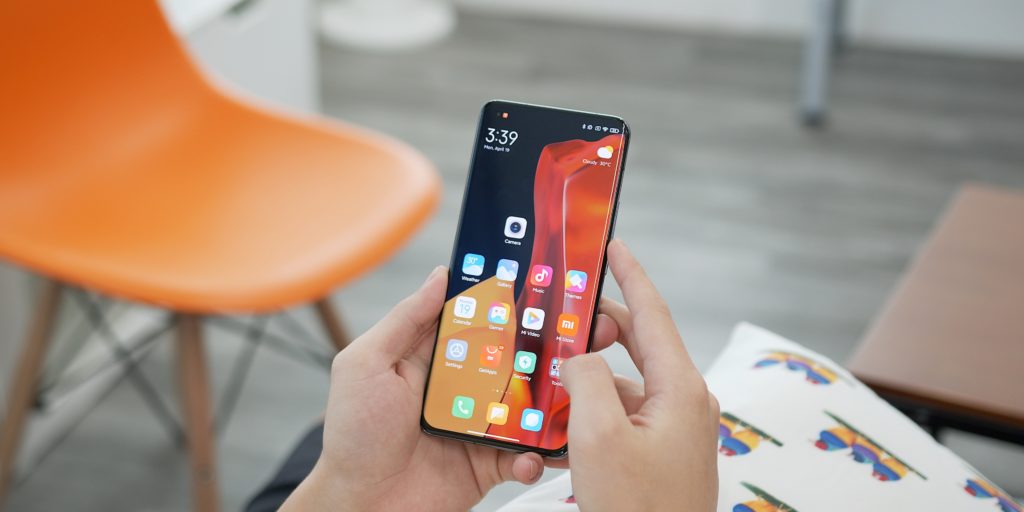
The Xiaomi Mi 11 Ultra is a powerhouse when it comes to photography. It comes equipped with a 50MP main sensor, a 48MP ultra-wide lens, and a 48MP periscope telephoto lens. This device offers a versatile camera setup for a variety of photography scenarios.

Sony Xperia 1 III

Smartphones for Photography - Sony Xperia 1 III

Last but not least is the Sony Xperia 1 III, renowned for its expertise in camera technology. With a triple-lens system featuring three 12MP sensors and two telephoto lenses, this smartphone ensures exceptional zoom capabilities and image quality.

These top Android smartphones all have great features that cater to photography enthusiasts. They offer stunning image quality and innovative features for capturing breathtaking moments. Whichever Android phone you choose on this list, these devices guarantee that photography enthusiasts will have everything they need to unleash their creativity. Happy shooting!

Boosting Efficiency: The Best Productivity Apps for Entrepreneurs and Students

In today’s fast-paced world, time is of the essence, especially for busy entrepreneurs and ambitious students. Juggling multiple tasks, deadlines, and responsibilities can be overwhelming, but fear not! Thanks to the wonders of modern technology, a plethora of productivity apps have emerged to streamline workflows and enhance efficiency. In this blog post, we’ll explore the best productivity apps that can revolutionize the way entrepreneurs and students manage their time, projects, and studies.

Also, check out our post on the best tech accessories.

Best Productivity Apps
Photo by Andreas Klassen on Unsplash

Best Productivity Apps: Todoist – Your Task Master

Apple | Android

Todoist is a top-notch task management app that empowers entrepreneurs and students to organize their to-do lists with ease. Its intuitive interface allows users to categorize tasks, set deadlines, and prioritize assignments, ensuring that nothing falls through the cracks. With seamless integration across various platforms, including web, mobile, and desktop, Todoist keeps users on track wherever they go.

Evernote – The Ultimate Note-Taker

Apple | Android

For capturing ideas, research, and inspiration, Evernote is the go-to app. Entrepreneurs and students alike can jot down notes, attach documents, and create to-do lists. The app’s powerful search capabilities make it effortless to find specific information, even among an extensive archive of notes. Evernote’s cross-platform synchronization ensures that your notes are accessible from any device, making it a truly indispensable tool.

Trello – Visual Project Management

Apple | Android

Trello is a virtual whiteboard that brings project management to a whole new level. With its visually appealing and user-friendly interface, Trello allows users to organize tasks into boards, lists, and cards. Entrepreneurs can collaborate with their teams in real time, assign tasks, and monitor progress. For students working on group projects, Trello fosters seamless teamwork and ensures everyone stays on the same page.

Forest – Beating Procrastination One Tree at a Time

Apple | Android

Procrastination is a common enemy for both entrepreneurs and students. Forest is a unique productivity app that tackles this challenge creatively. When users need to focus on a task, they set a timer, and a virtual tree grows. If they exit the app before the timer ends, the tree dies. This gamified approach instills a sense of responsibility, making users more resistant to distractions and ultimately helping them stay productive.

Focus@Will – Music to Boost Concentration

Apple | Android

Music can be a powerful aid for concentration, but not all tracks are created equal. Focus@Will curates a selection of background music designed to enhance focus and productivity. By utilizing scientific research on how different types of music affect the brain, Focus@Will offers personalized playlists that suit each user’s preferences, optimizing their workflow and productivity levels.

Anki – Mastering Memorization

Apple | Android

For students facing the daunting task of memorizing vast amounts of information, Anki is a game-changer. As a spaced repetition flashcard app, Anki uses algorithms to show users flashcards based on their level of recall. Concepts that are difficult to remember appear more frequently, while easily recalled words are shown less often. This efficient approach helps students learn and retain information effectively.

The demands of entrepreneurship and academic pursuits can be overwhelming, but the right productivity apps can make a world of difference. By harnessing the power of these tools, entrepreneurs can streamline their workflow, manage projects more effectively, and maximize their productivity.

Meanwhile, students can master their studies, stay organized, and conquer exams with confidence. Whether you’re a business leader or a diligent student, these productivity apps are your secret weapons to success in an increasingly competitive world. Embrace the technology, optimize your productivity, and make your mark on the world!

Visit iFixYouri for help with any app or OS issues.

Common MacBook Issues: How To Quick Fix

MacBooks boast a sleek design, a user-friendly interface, and reliable performance. However, like any other electronic device, they are prone to issues. Whether you are a long-time MacBook user or a recent convert, you can familiarize yourself with common problems. In this blog post, iFixYouri will explore several common MacBook issues and provide quick and easy fixes to keep your MacBook running smoothly. You may also want to check out our post about Upgrading Your Laptop.

Common MacBook Issues
Photo by Maxim Hopman on Unsplash

1. Common MacBook Issues: Slow Performance

Users often complain about a slow MacBook as time passes and files and applications accumulate, impacting performance. To address this issue:

  • Quick Fix: Check the Activity Monitor (Applications > Utilities > Activity Monitor) to identify any resource-intensive applications. Quit or uninstall unnecessary applications to free up system resources. Additionally, consider upgrading your MacBook’s RAM if it’s an older model.

2. Overheating

Overheating can lead to reduced performance and potentially damage your MacBook’s internal components. To prevent overheating:

  • Quick Fix: Ensure proper ventilation by using your MacBook on a flat and hard surface. Clean the vents and cooling fans to remove dust. Moreover, you can also use a cooling pad to improve airflow and reduce heat.

3. Battery Drains Quickly

If you find that your MacBook’s battery life isn’t what it used to be, several factors could be contributing to this:

  • Quick Fix: Check for energy-consuming processes using the Activity Monitor. Lower the screen brightness and disable Wi-Fi or Bluetooth when not in use. Additionally, you can resolve battery-related issues by resetting the System Management Controller (SMC).

4. Keyboard and Trackpad Problems

Experiencing an unresponsive or erratic keyboard and trackpad can be frustrating:

  • Quick Fix: Shut down your MacBook and clean the keyboard and trackpad using compressed air or a soft brush. Sometimes, a simple restart can also resolve temporary issues.

5. Wi-Fi Connectivity Issues

Additionally, weak Wi-Fi signals or intermittent connection problems can hinder productivity:

  • Quick Fix: Ensure you are within range of the Wi-Fi router. Restart your Wi-Fi router and MacBook. Additionally, fix network-related issues by resetting the NVRAM (non-volatile random-access memory).

6. Frozen or Unresponsive Applications

Encountering unresponsive or frozen applications can disrupt your workflow:

  • Quick Fix: Use the “Force Quit” option by pressing Command + Option + Esc keys simultaneously. This will close the problematic application without affecting other open applications.

7. System Updates Fail

Sometimes, system updates may encounter problems during installation:

  • Quick Fix: Ensure you have a stable internet connection during updates. Restart your MacBook and attempt the update again. If the problem persists, consider manually updating your macOS by downloading the update from Apple’s website.

Understanding common MacBook issues and their quick fixes empowers you to troubleshoot efficiently. Remember to keep your MacBook’s operating system and applications up to date to minimize issues. Furthermore, if you have more severe or persistent problems, contact iFixYouri for repair help. By taking care of your MacBook and addressing issues promptly, you can enjoy a smooth and reliable computing experience for years to come.

The Best Gaming Laptops of 2023

In recent years, gaming laptops have gained immense popularity, granting gamers the ability to play anywhere they go. Furthermore, their continuous improvement and enhanced power have solidified their position as a top choice for gaming enthusiasts. If you’re in the market for a gaming laptop, the process of choosing the right one might feel overwhelming. However, fear not, as our Best Gaming Laptops of 2023 guide will assist you in selecting the device that suits your needs. Also, check out our post about Console vs PC gaming.

Best Gaming Laptops of 2023

Powerful Performance: Key Considerations

To enjoy a fantastic gaming experience, it is vital to prioritize a laptop with excellent performance. Ensure it features a powerful processor like Intel Core i7 or AMD Ryzen 7. Additionally, opt for a dedicated graphics card, such as NVIDIA GeForce RTX or AMD Radeon RX, to handle graphics smoothly during gaming. By opting for the latest hardware, you can be assured of the ultimate gaming experience.

Awesome Display: Enhancing Your Gaming Experience

The laptop’s display plays a crucial role in creating an immersive gaming experience. Seek out a high refresh rate, ideally 144Hz or more, and a low response time to ensure smoother graphics during fast-action scenes. This will significantly reduce blurriness and screen tearing, ensuring a seamless gaming experience. Furthermore, the resolution should also be considered; 1080p (Full HD) is adequate for most gamers, but if you crave ultra-clear visuals, going for 4K displays is the way to go.

Portability: Gaming on the Move

Gaming laptops are highly favored for their portability. If you plan on taking your laptop around frequently, it is essential to factor in its weight and size. Thin gaming laptops, being lightweight and convenient, are ideal for those constantly on the move, while larger models may offer better cooling systems, perfect for more extended gaming sessions.

Longer Battery Life: More Playtime, Less Charging

Intensive gaming can quickly drain a laptop’s battery. Therefore, it’s essential to find a laptop with a longer battery life, enabling you to play for several hours without interruption, whether you’re on the road or away from a power outlet.

Staying Cool While Playing: Optimal Cooling

Extended gaming sessions generate heat that can impact performance or even damage internal components if not managed properly. To mitigate these concerns, prioritize laptops with efficient cooling systems, multiple fans, and good ventilation, ensuring your gaming laptop remains cool under pressure.

Storage and Memory: Swift Loading Times

For faster booting and quicker game loading, make sure to opt for a fast storage drive like SSD (Solid State Drive). Additionally, aim for at least 16GB of RAM to ensure smooth multitasking and a future-proof gaming experience.

Easy Typing and Input: Comfortable Gaming

An excellent keyboard is essential for a comfortable gaming experience. Look for backlit keyboards with anti-ghosting features to avoid missed keystrokes during gameplay. Additionally, assess the trackpad quality and the availability of USB ports for connecting your gaming peripherals, enhancing your overall gaming setup.

Amazing Audio: Enhanced Sound

Immersive audio can significantly enhance your gaming experience. Look for laptops with high-quality speakers and advanced audio technologies like Dolby Atmos or DTS:X. Consider using headphones or external speakers for the best audio experience, fully immersing yourself in the gaming world.

The rise of gaming laptops has been phenomenal, driven by their power and portability. Although choosing the right one may seem daunting, this guide will empower you to make an informed decision. By considering your specific needs, budget, and intended usage, you can find the perfect gaming laptop that will allow you to enjoy games anywhere, providing you with an unparalleled gaming experience. Happy gaming! Visit iFixYouri for any computer-related issues.

iFixYouri’s Best Gaming Laptops of 2023

The Future of Computer Repair: Emerging Trends in 2023

In the rapidly evolving digital landscape, computers have become an integral part of our daily lives. They transform the way we live, work, and communicate, handling essential tasks at work and connecting us with friends and family. However, like any technology, glitches, and malfunctions can occur, which is where computer repair services step in to troubleshoot and fix issues. As we step into 2023, let’s explore the emerging trends shaping the future of computer repair.

Artificial Intelligence-Powered Diagnostics

Artificial Intelligence (AI) is making waves across various industries, and computer repair is no exception. In 2023, AI-driven diagnostics will revolutionize the repair process. Advanced AI algorithms can analyze vast amounts of data to identify hardware and software problems accurately. 

Consequently, technicians will have access to intelligent systems that can pinpoint issues faster and with greater precision, streamlining the troubleshooting process.

Remote Support and Augmented Reality

The shift towards remote work, accelerated by the pandemic, has fostered the adoption of remote support tools. In 2023, we can expect further advancements in this area. Computer repair technicians can now remotely access and diagnose your device, eliminating the need for in-person visits. Additionally, augmented reality (AR) enhances the remote support experience by overlaying digital information on the physical world. Consequently, technicians can guide users through repairs using AR-based instructions, making complex procedures more accessible.

Future of Computer Repair - Augmented and Virtual Reality
Photo by XR Expo on Unsplash

Nanotechnology Repairs

Nanotechnology is rapidly evolving, and its applications in computer repair are promising. With nanotech-based repair tools, technicians can manipulate materials at the atomic or molecular level. This means the ability to fix minute hardware defects with unprecedented precision. Consequently, technicians can address damaged circuits, broken components, and even microscopic issues, extending the lifespan of devices and reducing electronic waste.

Blockchain for Transparency and Security

Blockchain technology, often associated with cryptocurrencies, finds potential in computer repair for ensuring transparency and security. In 2023, we may witness the integration of blockchain to maintain tamper-proof records of repair history, components replaced, and software modifications. As a result, this fosters trust between repair service providers and their customers.

Eco-Friendly Repair Initiatives

Environmental concerns drive the computer repair industry towards eco-friendly practices. In 2023, repair centers are likely to focus on repairing and refurbishing devices rather than promoting replacements. Consequently, encouraging the repairability and upgradability of computers can contribute to reducing electronic waste and its environmental impact.

Personalized Support and Predictive Maintenance


Computer repair services can use machine learning for personalized support and predictive maintenance due to the growing data from devices. They analyze user behavior and system data to identify potential issues proactively and offer timely maintenance recommendations, preventing major problems and improving the user experience.

Integration of Quantum Computing

Quantum computing is in its infancy but holds vast potential for computer repair. As it matures, it can revolutionize data analysis and solve complex problems exponentially faster. This makes quantum computers essential for handling intricate diagnostic scenarios and offering solutions beyond classical computers’ capabilities.

The future of computer repair in 2023 appears promising. It emphasizes AI-driven diagnostics, remote support, nanotechnology, blockchain integration, eco-friendly practices, personalized assistance, and emerging technologies like quantum computing. These trends enhance repair efficiency and promote a sustainable, user-centric approach. To stay relevant in an ever-evolving digital world, the computer repair industry must embrace innovation and stay ahead of the curve. We at iFixYouri are excited to see where the trends go!

iPad vs Android Tablet: Which One Suits You?

iPad vs Android tablet – which one do you choose? Tablets have become essential devices for many people, and the market is dominated by these two popular options. Deciding between the two can be tough. They offer unique features for different users. In this blog post, iFixYouri compares iPad vs. Android tablet to help you choose the one that best fits your needs. You may also want to check out our Tablets vs Laptops post.

iPad vs Android Tablet - iPad photo
iPad Photo by Rahul Chakraborty on Unsplash

Operating System and Ecosystem

Firstly, iPads use Apple’s iOS, while Google’s Android OS powers Android tablets. iOS provides a user-friendly and simple experience, with an extensive selection of apps available in the Apple App Store. On the other hand, Android tablets offer more customization options. These customizations allow you to personalize your device to your liking. 

Typically, if you use and already like the operating system on your smartphone, you will find that OS is mostly identical to what you’d find on a tablet. 

App Selection and Quality

Moving on to the app selection and quality, the Apple App Store outshines the Google Play Store. Many of the apps available on the App Store are of high quality. 

However, it’s worth noting that Android’s app selection has improved, but there are still instances where certain apps may launch first on iOS or receive updates earlier.

iPad vs. Android Tablet - Samsung Galaxy Tablet
Android Tablet Photo by Brooke Cagle on Unsplash

Hardware and Performance:

Shifting our focus to hardware and performance, iPads boast powerful hardware that ensures smooth multitasking and gaming experiences. Meanwhile, Android tablets come in various models, and some high-end ones can even match or surpass iPads in terms of performance.

Design and Build Quality

When it comes to design and build quality, iPads are known for their sleek and elegant designs, using durable materials that exude a premium feel. On the other hand, Android tablets offer a wider range of design options. This is due to different manufacturers, providing more diverse choices to suit various tastes.

Price Range

Last but not least, let’s consider the price range. Android tablets generally offer more affordable options compared to iPads, making them a good choice for those on a budget or looking for more cost-effective alternatives.

Choosing between an iPad vs Android tablet depends on your specific needs and preferences. If you prioritize a user-friendly device with top-notch apps, the iPad may be the way to go. However, if customization options are essential to you, an Android tablet might be the better fit. Additionally, Android tablets are typically more budget-friendly.

Take the time to consider your preferences and how you intend to use the tablet. You’ll find the perfect companion to enhance your productivity and entertainment experience.

Visit iFixYouri for any tablet-related issues.

2023 Tablets: What You Need to Know

Tablets offer fantastic ways to work and have fun simultaneously! Let’s explore the top 5 2023 tablets making a significant impact this year, perfect for students and entertainment enthusiasts. See also our post on tablets vs. laptops.

2023 tablets

Apple iPad Pro (2023)

First on the list is the Apple iPad Pro, ranking as one of the best tablets. Its amazing screen showcases exceptional visuals, whether you’re working or watching videos. This iPad operates at incredible speed, enabling seamless multitasking. Moreover, it supports drawing and note-taking with a special pen and keyboard. When it’s time to relax, the iPad Pro delivers an exceptional experience for watching movies and playing games.

Learn more about the iPad Pro.

Microsoft Surface Pro 8

Next up is the Microsoft Surface Pro 8, which combines the best of a computer and a tablet. Its impressive screen supports touch, allowing easy writing and drawing with a special pen. With powerful processors and ample memory, it handles all your schoolwork and favorite apps effortlessly. Furthermore, its long-lasting battery ensures uninterrupted use throughout the day.

Learn more about the Microsoft Surface Pro 8.

Samsung Galaxy Tab S8+

Moving on, the Samsung Galaxy Tab S8+ stands as a powerful tablet with a vibrant screen. Its speedy performance effortlessly handles multiple tasks, from gaming to completing homework. It comes equipped with a special pen for drawing and note-taking convenience. For entertainment enthusiasts, the Galaxy Tab S8+ offers excellent speakers and graphics for an immersive experience.

Learn more about the Samsung Galaxy Tab S8+

Google Pixel Slate 2

Now, let’s talk about the Google Pixel Slate 2, operating on the efficient Chrome OS. It features a nice screen with pen support for easy drawing and writing. Perfect for web browsing and utilizing various fun apps from the Google Play Store, the Pixel Slate 2 also serves as a laptop with its detachable keyboard.

Learn more about the Google Pixel Slate 2.

Amazon Fire HD 10 Plus

Last but not least, we have the Amazon Fire HD 10 Plus, offering a budget-friendly option without compromising functionality. Its decent screen and good speakers cater to video streaming and gaming needs. While lacking some advanced features, it remains a solid choice for basic tasks and leisure activities.

Learn more about the Amazon Fire 10 HD Plus.

All these 2023 tablets are incredible tools for both productivity and entertainment. Whether you opt for the lightning-fast and versatile iPad Pro, the computer-tablet hybrid Microsoft Surface Pro 8, or even the budget-friendly Amazon Fire HD 10 Plus, there’s a tablet out there to suit your needs. So go ahead, pick the one that suits you best, and enjoy its endless potential for productivity and fun!

Visit iFixYouri for any technical tablet questions or issues and for professional tablet repair.

Smartphone, Tablet and Computer Repairs and News