Category Archives: iPhone Repair

All posts related to iPhone Repair, including repair tips, specific iPhone generation repair details, iPhone parts, and repair news.

The Best Phone Screen Protectors

An iPhone is the most expensive cell phone in the market. Therefore, when you buy an iPhone, you should do everything you can to protect it. The screen is particularly prone to scratches and other scuffs.  The essential form of protection is a screen protector. There are many screen protectors in the market, and naturally, some will offer better protection than others. Listed below are some of the best iPhone protectors available today.

Skinomi TechSkin Screen Protector

This screen protector is made from clear urethane film which is actually the same film used to protect NASA space shuttles and military aircraft. The best thing about this screen protector is that it has the ability to resist abrasion. Therefore, if you want value for your money, the skinomi protector should be your first choice.

Generiks Screen Protector

The Generiks screen protector features High-Quality Anti-Glare Screen that is aggression-resistant, making it ideal for your iPhone. The best thing about this protector is that it is not as expensive as the others. Therefore, when you buy it, you will be getting quality at a cheaper price.

Premium Screen Protector

It features a 3-layer PET film which was designed for iPhone 4S. It effectively protects your natural screen from scratches and dust. The whole package includes a microfiber cleaning cloth and 3 bonus back films. This makes the premium screen protector a must have for anyone who still uses iPhone 4S.

Empire 5-pack Screen Protector

The Empire 5-pack is clear, thin and durable. It does not leave fingerprints on your screen. The package includes a cleaning cloth and 5 screen protectors.

Halo Screen Protector

Halo screen protectors are highly-rated protectors in the market today. This can be attributed to the fact that these protectors offer higher quality. They offer minimal screen bubbles, are easy to install and can be re-used. The pack includes 3 films to ensure that you have a spare at all times.

Iconic Screen Protection

It not only protects your iPhone screen, but also reduces glare under strong light. In addition to that, it will not affect your screen’s interface.

Screen protectors will definitely protect your screen from scratches; however, when it comes to serious damage such as cracked screen or water damage, the screen protector will not be of any help. In such a case, you will have to take your iPhone to a repair store. At iFixYouri we specialize in repairing damaged iPads, iPhones, laptops and computers.


iPhone vs. Man: Unbelievable iPhone Destruction Videos

Perhaps you’re buying a new iPhone.  Or perhaps your iPhone just stopped working.  Or perhaps you were just trying to access your favorite app, and the device wouldn’t open it, again, and when you try open Safari to see what the problem is, the browser just won’t load, you just can’t take it anymore

So you decide to destroy your iPhone.

The rash solution is to throw it against a wall in frustration.  Or drop it from your 15th storey apartment.  Or smash it with a hammer.  But there are as many ways to wreak havoc on your iPhone as there are reasons for doing it.  Let’s explore some methods, so you can decide how you’ll end the life of your (once) prized possession!

Quick Household Methods to Destroy Your iPhone

When you just need to get the job done.

iPhone vs. Truck

iPhone vs. Blender

iPhone vs. Boiling Water

iPhone vs. Drill

Creative Methods to Render Your iPhone Irreparable

Imaginative solutions to destroy an imaginative device.

iPhone vs. Giant Magnifying Glass

iPhone vs. Microwave Robot

Hi Tech Punishiment for an iPhone Behaving Badly

When you’ve got toys that are more powerful than the iPhone itself, why not use them against the little weeny device?

iPhone vs. Extreme Heat

iPhone vs. Lasers

Don’t Try This At Home… Unless You’re Mad

Safety first.  New phone second.

iPhone vs. Hand Gun

iPhone vs. Angle Grinder

Who Doesn’t Love a Montage?

It Takes a Lickin’…

Testing the durability of a consumer product with entertaining methods isn’t a new phenomenon. Timex, the titan of watch manufacturers, popularized the slogan “It takes a licking and keeps on ticking”.  Check out some of the vintage ads where they tested their claims.

While the iPhone does, at times, have the ability to continue functioning after it has been drilled or dropped in water, it is a pretty sensitive electronic device that can fail when it is simply knocked off of a coffee table, or dropped into a toilet.

Unless the phone has been obliterated, most of the common damage sustained by an iPhone can be repaired.  What could be more convenient than sending your damaged device from anywhere in the States to the professional repair team at iFixYouri, who specialize in iPhone repair, and getting your baby shipped back to your hands like new?

Besides, it’s more fun to destroy a working iPhone…


Warranty Options for the iPhone 5

For those with a warranty on their iPhone 5 that doesn’t have extensive coverage, or a warranty that has expired, or no warranty at all, getting repairs from iFixYouri will help the smartphone owner save high repair costs, or save the device from joining a pile of e-waste.

In addition to the benefits of reduced repair costs, a good warranty can offer piece of mind.   Therefore, it is important to get the best warranty and protection plan for an iPhone 5 that provides coverage for repairs, breakage, and also replacement if it is stolen or lost. Here are a few of the best plans available today. Here are some warranty options for the iPhone 5.

AppleCare+

This plan costs $99 for two years, and coverage includes support and hardware issues. The plan is quite popular and available from retailers and directly from Apple as well. The recently updated version of the plan includes two damage claims due to accidents. This means your phone will be replaced if it is broken due to any reason for a fee of $49.

The AppleCare+ plan can be purchased within 30 days of purchase of the iPhone 5. However, when you do not purchase the plan along with a new phone, it will require inspection and an appointment at the Genius Bar.  This plan does not cover theft or loss; hence, it is not a comprehensive protection plan.

SquareTrade

The plans from SquareTrade are similar to Apple’s extended warranty plans for the iPhone 5. This plan costs $99 for two years, and $129 for three years. If you sell your iPhone 5 in that period, you can transfer the plan to the new user. The plan includes four replacements or repairs, and there is a same-day service option. Coverage is for any kind of damage, and claims require a deductible of $50. You can also pay for repairs out of pocket at the Apple Store and have it reimbursed; however, the plan does not cover theft or loss.

Protect your Bubble

This plan costs $143.99 for a one-time annual fee, and $7.99 per month if you prefer monthly payments. Apart from repairs and replacement, it also covers theft and loss; however, there is $100 deductible.

The best value of an iPhone 5 warranty seems to be plans from AppleCare+ and SquareTrade; however, if you need theft and loss coverage, Protect your Bubble is a good option. Remember that the third option is to not get a warranty at all — iPhone 5 repairs are often much cheaper if you get them yourself!

3 Potential Fixes for iPhone Issues

iPhone issuesIf you are having iPhone issues, you are not alone. These popular devices are certainly not bullet proof, and they can act up from time to time. One of the simplest issues many run into is the phone not turning on. If your iPhone will not turn on, you might believe that it is broken and you will have to get a new one. This could be the case, but certainly is not always true.

Here are 3 potential fixes:

1) Restart it

This might seem obvious, but if the iPhone is not turning on then the first thing you should do is just make sure it is turned on. In order to verify this, you simply press the Hold button on the top right corner of the phone for a few seconds. If it turns on, your problem is over. Obviously, this is the best-case scenario, but it might do the trick for you.

Of course, in many instances the problem is more complex. If the above step does not work, then press the hold button and the home button simultaneously. Make sure to do this for a minimum of 10 seconds. In many instances, this will turn on the phone.

2) Use DFU Mode

Sometimes an iPhone will get to the silver logo and just keep restarting. If this is your problem, you have an issue with the booting system. For some people this happens after they update the operating system.

Fortunately, fixing this issue is not hard. All you have to do to stop this problem is put it in DFU Mode (Device Firmware Update) mode. Note: this is not the same as recovery mode – it is a lot more thorough.

To get to DFU mode, you first have to connect the iPhone with your computer. Since the phone is off, you will have to hold down the sleep/power button and home button simultaneously for 10 seconds. It needs to be precisely 10 seconds-otherwise the phone will enter recovery mode instead of DFU.

Once 10 seconds have gone by, let go of the sleep/power button, but continue holding the Home button. At this point, the Apple Logo will come up. However, make sure you keep holding the home button until after the recovery warnings come up.

Note: there is an easy way to tell if you are in DFU or recovery mode. All you have to do is look at the iPhone screen. Should it be black, then you know you are in DFU mode. However, if it is showing a cable connection with the iTunes icon, you are in recovery mode.

3) Proximity Sensor

Sometimes the proximity sensor has issues. This sensor is responsible for locking the phone when it is close to your face. If this sensor stops working, then the screen will not turn on.

This problem is not common, but it can happen. The way to fix the problem is to press the home and hold button as before, in order to restart the system. This generally fixes the problem.

Conclusion

If after trying all the methods listed above your iPhone still doesn’t start, then it might have bigger problems than anticipated. At that point, it would be advisable to either ship or take your phone to an iPhone repair store for checkup. There are several stores but none of them can compare to ifixyouri.com.

DIY Fix: The iPhone Repair Kit

iphone-repair-kit-ifixyouriThe iPhone has a carefully engineered design that it appears so sleek and compact while packing the best features a smartphone can have beyond the mainstream standards. Unlike other electronic devices with screws and cracks, which can be used to access the internal components, the iPhone appears seamless, brought about by its unified design concept. Thus, the internal components of the Apple smartphone cannot be accessed easily without the use of an iPhone repair kit.

Why Get An iPhone Repair Kit?

The issues one may experience with an iPhone is indicative of the problems one may experience with any sophisticated electronic device. However, the added element of  this particular device being so closely streamlined to our own individual lives make it that much more sensitive. Here are the reoccuring problems that may warrant an iPhone repair kit:

Issues with the iPhone

Apple has always emphasized integrity when it comes to the design of their products. The iPhone, in particular, was designed in such a way that end-users would just have to enjoy the features of the product without having to deal with common issues that other smartphones possess. In certain instances, however, the iPhone can still be prone to some unlikely issues such as screen damage and battery replacement.

Damage of the LCD Screen

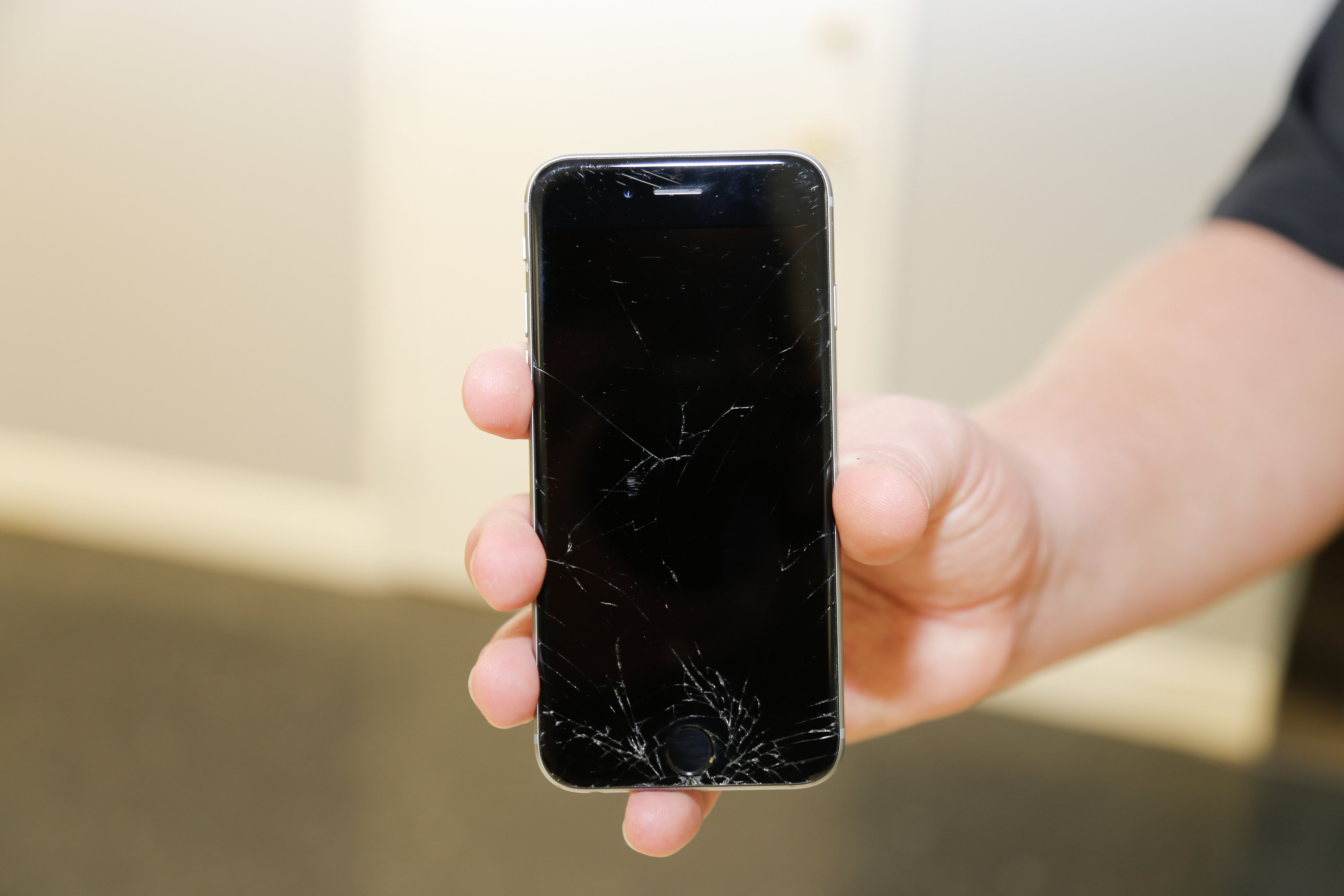
Screen damage of the Apple smartphone is highly unlikely because of the tough Gorilla glass protecting the liquid crystal display (LCD) screen. Nonetheless, impacts strong enough to push beyond the threshold of the Gorilla glass can still occur. When the glass is cracked, the phone may still function but the display can be difficult to read due to the crack lines along the damaged portion of the screen.

Shorter Battery Life

Another issue with the iPhone is battery replacement. No matter how strict quality control is in the manufacturing unit of Apple, product deviations from the norm are unavoidable. Among these deviations, battery life seems to be the most relevant. Not all batteries are created equal although strict manufacturing conditions intend to create these power packs identical. Hence, some iPhone units have longer lasting batteries while some others have less. For this kind of issue, battery replacement is ultimately the most obvious solution if not to buy another smartphone.

The iPhone Repair Kit

Note: It should be emphasized that due to the complicated nature of this device, the best measure for having an iPhone repaired that has experienced significant damage would be to take it an expert such as iFixYouri.

A set of screwdrivers is not enough to pry open the iPhone for repair; that is why third-party manufacturers came up with a repair kit especially put together for repairing the Apple smartphone. A kit designed for this purpose usually comprises opening levers, guitar opening tools, and pentalobe screwdrivers among others.

Opening levers are ideally made of strong plastic so as to avoid scratching the metallic components of the unit while still being able to apply enough force. The pentalobe screws designed for resistance from tampering can be unscrewed with specially designed pentalobe screwdrivers. Other accessories may include suction caps and phone mounting brackets for organized DIY repairs of the smartphone.

The Simple Truth

Not all issues, however, can be repaired with a DIY iPhone repair kit. For advanced technical issues beyond DIY repair, iPhone owners should bring their units to repair centers where skilled technicians with advanced tools can certainly solve most, if not all, issues.

Has the iPhone 5 Changed Our Lives?

Regarded by many smartphone enthusiasts as being the most anticipated handheld device in the past 2 years, the iPhone 5 has certainly not disappointed (neither in performance nor projected sales). But, apart from the new sleeker design, increased screen length, LTE, lighter frame… What does the public actually think of the newest addition to the Apple family? Well one thing is certain, it is true what they say about opinions and like elbows we all have them.


Although the iPhone 5’s glowing reviews are warranted, I feel this reviewer makes an excellent point of the consumer being required to pay $29.99 for an adapter to integrate this phone with older Apple devices. It would have been nice to see that included with the iPhone 5, considering that the added adapter would’ve cost Apple pennies on a phone that retails for $699.


Now besides the adapter issue (which let’s face it, isn’t really a huge factor), Apple’s introduction of Apple Maps and the move away from Google Maps threw many users for a loop (some perhaps literally if they were trying to follow Apple’s map). As this reviewer had explained – Apple has acknowledged its error, which in and of itself is always a good thing, and is going to fix the challenge. Apple Maps features a 3D overview of a city’s geography; however, it doesn’t actually give the user the capability of getting directions to their destinations. Which (although cool), for obvious reasons is a bit of a problem considering that this is the sole purpose of any map.


I think it’s safe to say that the overall consensus regarding the iPhone 5 is that all that have purchased theirs are pleased with its performance. Considering that for a device with such a broad and fanatic following, it is pretty amazing that its negative reviews are so sparse and seldom found. Short of any unforeseen issues such as the dropping, drowning or other physical damage that one may do to their iPhone 5, it is pretty safe to say that Apple has not lost any fans with its latest installment.


The Most Dangerous States in America For iPhones

Mishandling of electronic devices is a real issue. Thanks to SquareTrade, a company that deals in warranties, you can know which states are the likeliest to have broken iPads and iPhones. The South is apparently a real graveyard for some products, but the North is not far behind.

Examining both damage and complete breakage, SquareTrade found Mississippi and South Carolina to both be particular dangerous. Mississippi totals the most damage done to iPhones, but South Carolina holds the record for broken iPads.

Dangerous States for iPads

Are people dropping their phones in the Mississippi River?

New Mexico is not far behind Mississippi, and ranks number 2 for a dangerous place for iPhones to be. Maybe it’s called “New” Mexico cause everybody has to frequently replace their devices.

SquareTrade informs us that drops and beverage accidents are the most likely causes for damage. Some of the southern states have a reputation for being boisterous, and perhaps a little reckless. Maybe this contributes to the problem?

Other Dangerous States for iPhones

Other dangerous US states for iPhones are Rhode Island and North Dakota. For iPads, Nebraska, Washington D.C. and Alaska are not good places to be. Perhaps the devices are succumbing to the cold while people use them for navigation.

SquareTrade routinely puts electronic devices through rigorous testing to see how much abuse they can take. Ironically, it means being in the hands of an employee of the company might end be being one of the worst places to be for one of these great products.

Remember, if you don’t have a warranty, the alternative to buying a whole new iPhone is to just get your iPhone fixed by professionals like iFixYouri — in some cases, it’s cheaper than a warranty in the first place!

I dropped my iphone in…

So you’ve dropped your iphone in the toilet, perhaps a cup of coffee, or maybe some soda?

You’re unsure of what to pick for your repair. Well, our iphone water damage repair service actually covers all of those. Whether it’s a syrupy concoction of vodka and cranberry or a hot cup of black coffee, they all really fall into the same category.

What happens when you drop your phone in any type of liquid is that all the components get covered in that substance. When an outside liquid is introduced to electronics, it interferes with the logic board ‘passing information’ between components and functioning properly.

Some liquids cause corrosion, some don’t. Salt water is one of the bigger culprits of corrosion, while coke or pepsi tends to just leave a nasty sticky residue around.

The first step in any liquid damage is to disassemble the phone and properly clean the board. In order to do this, we’d recommend sending it in for our water damage repair service. Carrying a 90% success rate, we are the best in the business and it is a service that thousands of customers rely upon per month. Hopefully this will have cleared up a few questions that we had come through. If not, shoot us an email or give us a call, we’ll be happy to clear things up more for you! [email protected] or 888-494-4349