
This post is part of our iPod Repair Series. Check these other links:
- Can a Water-Damaged iPod Be Saved?
- Why Your iPod Click Wheel Isn’t Working
- Why Your iPod Won’t Turn On: Common Causes and What You Can Do
- Signs Your iPod Battery Needs Replacement
- Can an iPod Be Repaired? Everything You Need to Know
- Is Your iPod Worth Repairing?
Few things are more frustrating for an iPod owner than pressing the Click Wheel and getting nothing in return. If your iPod Click Wheel isn’t working, you might assume the device has finally reached the end of its life. Fortunately, that isn’t necessarily the case.
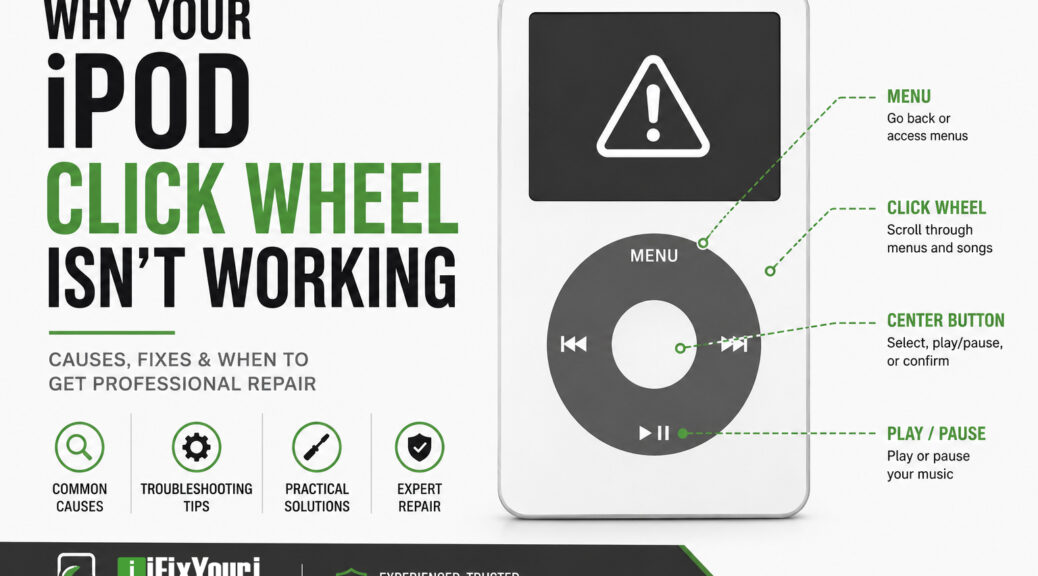
The Click Wheel is one of the defining features of the classic iPod. It lets you scroll through music, adjust the volume, navigate menus, and control your device with a simple touch. Apple included the Click Wheel on multiple generations of iPod, including the iPod Classic.
Because many of these iPods are now well over a decade old, however, their components can experience normal wear and tear.
The good news? A broken Click Wheel does not automatically mean you need a new iPod. Depending on the symptoms, the problem may come from a software glitch, a connection issue, physical wear, or a failed Click Wheel assembly.
Let’s look at what could be happening and what you can do about it.

Why isn’t my iPod Click Wheel working?
Several different problems can cause an iPod Click Wheel to stop responding.
The most common possibilities include:
- The iPod has temporarily frozen.
- The Hold switch is preventing input.
- Dirt or debris is interfering with the controls.
- The Click Wheel has suffered physical wear.
- An internal ribbon cable or connector has become damaged or disconnected.
- The Click Wheel assembly itself has failed.
- Another internal component, such as the logic board, has developed a problem.
The important thing is to avoid assuming that the Click Wheel itself has failed before troubleshooting the simpler possibilities.
For example, if your iPod suddenly stops responding while you’re listening to music, a force restart may solve the problem. If the wheel stopped working after the iPod was dropped or opened for another repair, however, an internal connection becomes more likely.
Could the Hold switch be causing the problem?
Yes. Before taking anything apart, check the Hold switch.
When the Hold switch is engaged, the iPod intentionally ignores button presses and Click Wheel input. It is an easy thing to overlook, particularly if the switch has been moved accidentally.
What should you do?
- Move the Hold switch to the unlocked position.
- Wait a few seconds.
- Try the Click Wheel again.
- If the iPod remains unresponsive, continue troubleshooting.
This simple check can save you from unnecessary repairs.
For example, if the iPod appears completely normal but none of the controls respond, checking the Hold switch should be one of your first steps.
Could restarting the iPod fix the Click Wheel?
Sometimes.
Older iPods can occasionally freeze or experience a software-related glitch that makes the controls appear unresponsive. Apple recommends a force restart as a troubleshooting step for iPod Classic models.
For an iPod Classic, Apple says to put the Hold switch in the unlocked position and then press and hold Menu and Center (Select) for about eight seconds, until the Apple logo appears. Apple also recommends placing the iPod on a table during the process and avoiding contact with the Click Wheel while pressing the Center button.
What happens if the restart works?
If the Click Wheel starts working normally afterward, you may have been dealing with a temporary software freeze rather than a failed component.
For example, an iPod that stopped responding after sitting unused for months might return to normal after a restart.
If the Click Wheel repeatedly stops working, however, the problem may be more than a temporary glitch.
Could dirt or debris make the Click Wheel stop responding?
Yes, particularly with an older iPod that has spent years in pockets, bags, drawers, or cars.
Dust and debris can accumulate around physical controls. Oils and residue from your fingers can also build up over time.
That said, don’t pour cleaning fluid into your iPod or aggressively pry around the Click Wheel.
A safer approach is to gently clean the exterior with an appropriate electronics-safe method and see whether the behavior changes.
What if cleaning doesn’t help?
If the wheel remains completely unresponsive, especially when the iPod otherwise works normally, an internal hardware problem becomes more likely.
For example, if the screen displays menus correctly but you cannot scroll, change the volume, or select anything, the Click Wheel system deserves further investigation.
Could the Click Wheel itself be worn out?
Absolutely.
Remember that many Click Wheel-equipped iPods are old enough to have experienced years of daily use. Apple discontinued the iPod line in 2022, making these devices increasingly part of the used and vintage electronics market.
Repeated use can eventually affect physical buttons and the components underneath them.
You may notice symptoms such as:
- Scrolling works intermittently.
- Scrolling works in only part of the wheel.
- The wheel moves the selection unpredictably.
- One button, such as Menu or Center, doesn’t respond.
- The wheel works sometimes but stops after the iPod warms up.
- None of the Click Wheel controls respond.
A good example is an iPod where the volume controls still work but scrolling has become unreliable. That symptom points toward a problem involving the wheel’s input system rather than a completely dead iPod.
Could an internal connection be causing the problem?
Yes, and this is one reason professional diagnosis can be valuable.
Inside an iPod, small components and ribbon cables connect the controls to the device’s logic board. If a connector becomes loose or a cable gets damaged, the Click Wheel may stop communicating correctly with the rest of the iPod.
Repair documentation for the iPod Classic identifies an improperly seated Click Wheel connection as one possible hardware issue.
This can happen after:
- A drop or impact
- Liquid exposure
- Previous repair work
- A housing replacement
- A battery replacement
- An attempted modification
- Long-term wear
For example, if your Click Wheel worked perfectly until you had the iPod opened for a battery or storage modification, an internal connection deserves particular attention.
Why can an iPod repair be harder than it looks?
An old iPod may look simple from the outside, but that doesn’t mean it’s simple to disassemble.
Older iPod models use compact internal components, delicate cables, and tightly assembled housings. A repair attempt can create additional problems if you aren’t familiar with the device.
You could accidentally:
- Tear a ribbon cable.
- Damage a connector.
- Scratch or bend the housing.
- Damage the display.
- Lose small internal components.
- Create a second problem while trying to solve the first.
This is especially important if the iPod contains music or other files that you don’t want to risk losing.
The Click Wheel itself may not even be the root cause. A professional technician can test the device before replacing parts rather than simply guessing which component failed.
How can you troubleshoot an iPod Click Wheel safely?
Before seeking professional repair, work through these basic steps.

1. Check the Hold switch
Make sure the switch is fully unlocked.
2. Restart the iPod
For supported iPod Classic models, try Apple’s force-restart procedure: hold Menu + Center/Select for approximately eight seconds.
3. Check whether the entire device is frozen
Look at the screen.
Can you see the current song? Does the display change? Does the iPod respond when connected to a computer?
These details can help distinguish a Click Wheel problem from a broader device problem.
4. Test individual controls
Try the following:
- Menu
- Center/Select
- Play/Pause
- Previous
- Next
- Volume controls, where applicable
- Scrolling
Pay attention to exactly which functions work.
5. Look for signs of physical damage
Think about what happened before the problem started.
Did you drop the iPod? Get it wet? Leave it in a hot car? Have someone replace the battery?
That history can provide valuable clues.
6. Stop before opening the device if you’re unsure
If the basic troubleshooting steps don’t help, don’t keep experimenting indefinitely.
At this point, professional diagnosis may save both time and money.
When should you get professional iPod Click Wheel repair?
Professional repair makes sense when the Click Wheel remains unresponsive after basic troubleshooting or when you see signs of physical or internal damage.
Consider professional help if:
- The Click Wheel stopped working completely.
- Only some buttons respond.
- The wheel behaves erratically.
- The iPod was dropped.
- The iPod experienced liquid exposure.
- The problem began after another repair.
- The iPod works except for its controls.
- You want to preserve the original device and music library.
- You aren’t comfortable opening an older electronic device.
A technician can diagnose the problem before replacing components.
For example, replacing a Click Wheel without checking the connector may not solve the problem if the actual fault lies elsewhere. Diagnosis first helps avoid unnecessary parts and repeated repairs.
Is it worth repairing an old iPod?
For many owners, yes.
An old iPod isn’t necessarily interchangeable with a modern music player. It may contain a carefully organized music library, hold sentimental value, or simply provide an experience that newer devices don’t replicate.
There is also an environmental argument for repairing electronics instead of automatically replacing them. The U.S. Environmental Protection Agency notes that extending the life of electronics through reuse and refurbishment can reduce the amount of waste that needs to be managed while conserving resources used to manufacture new products.
For example, if you have an iPod Classic loaded with years of music and the only problem is a failed Click Wheel, repairing that component can make far more sense than abandoning the entire device.
What should you do before sending an iPod for repair?
If your iPod still powers on, take a few precautions before professional service.
Back up your music and data if possible
If the iPod still connects to a computer, back up anything important before service whenever possible.
This is especially important with older devices because storage components can fail independently of the Click Wheel.
Write down the symptoms
Tell the technician exactly what happens.
Instead of saying:
“The Click Wheel is broken.”
Try explaining:
- “Scrolling doesn’t work, but the Center button does.”
- “None of the buttons respond.”
- “It stopped working after I dropped it.”
- “The wheel works intermittently.”
- “The iPod works when connected to my computer, but I can’t navigate it.”
Specific symptoms make diagnosis easier.
Don’t attempt multiple repairs at once
If the Click Wheel is malfunctioning, resist the temptation to replace the battery, open the housing, modify the storage, and replace other components simultaneously unless you know exactly what you’re doing.
Changing several things at once makes it much harder to identify the original problem.
How does professional iPod repair work?
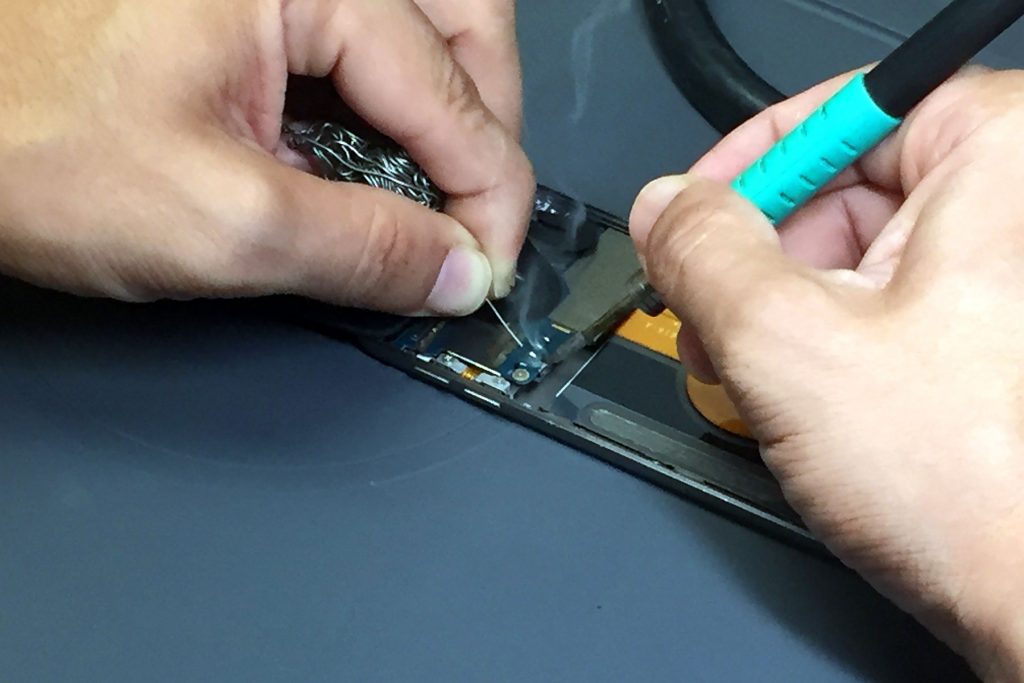
A professional repair generally starts with diagnosis rather than immediately replacing parts.
A typical process looks like this:
- Inspect the iPod.
The technician checks the exterior, controls, display, and signs of physical or liquid damage. - Test the symptoms.
They determine exactly which Click Wheel functions work and which don’t. - Check relevant internal components.
If necessary, the technician examines connections, cables, and related hardware. - Identify the likely cause.
This helps determine whether the device needs a Click Wheel repair, another component, or a more extensive repair. - Complete the repair.
The appropriate component is repaired or replaced. - Test the device again.
The technician verifies that the controls and other functions work properly before returning the iPod.
This approach matters because an unresponsive Click Wheel doesn’t always mean the Click Wheel itself needs replacement.
Can iFixYouri repair an iPod Click Wheel?
Yes. iFixYouri Smart Device Repair offers iPod repair services, including Click Wheel button repair. The company’s current iPod repair service covers a wide range of models, including multiple generations of iPod Classic, iPod Nano, iPod Mini, and iPod Touch.
iFixYouri has specialized in device repair since 2010, giving its technicians years of experience working with older Apple devices and other electronics.
The company offers both walk-in repair locations and a mail-in repair option. Its mail-in process includes incoming diagnostics, communication with the customer if the requested repair does not match the device’s condition, final testing, and sanitization before the device is returned.
For customers in South Florida, iFixYouri also offers iPod repair through its Palm Beach Gardens location.
Don’t Give Up on Your iPod Yet
If your iPod Click Wheel isn’t working, don’t assume your favorite music player is finished.
Start with the simple possibilities: check the Hold switch, restart the device, and determine exactly which controls are affected. If those steps don’t solve the problem, an internal hardware issue may be responsible.
Because older iPods contain small, delicate components, professional repair can be the safer choice than taking the device apart yourself.
For many owners, an iPod is more than an obsolete gadget. It’s a music library, a nostalgic piece of technology, or a device they’ve owned for years. If the Click Wheel is the only thing standing between you and your music, iPod repair may be worth exploring before you give up on the device.
FAQ Section
Why is my iPod Click Wheel not working?
The Click Wheel may stop responding because of a software freeze, an engaged Hold switch, physical wear, debris, a damaged internal connection, or a failed Click Wheel component.
How do I reset an iPod when the Click Wheel isn’t working?
On supported iPod Classic models, move the Hold switch to unlocked, then hold Menu and Center/Select for about eight seconds until the Apple logo appears.
Can an iPod Click Wheel be repaired?
Yes. Depending on the model and failure, a Click Wheel or related internal component may be repairable or replaceable. iFixYouri specifically lists Click Wheel button repair among its iPod repair services.
Why does my iPod Click Wheel work sometimes but not others?
Intermittent operation can indicate a worn component, connection problem, or other hardware issue. If restarting the iPod doesn’t resolve the problem, professional diagnosis can help identify the cause.
Can I replace an iPod Click Wheel myself?
It is possible on some models, but opening an older iPod can be challenging and may damage delicate cables, connectors, or the housing. If you don’t have experience repairing small electronics, professional service is the safer option.
Is an old iPod worth repairing?
For many owners, yes. Repair can preserve a favorite device and its music library while extending its useful life. The EPA also recognizes repair, reuse, and refurbishment as ways to extend electronics’ lifespans and reduce environmental impacts.
Why Choose iFixYouri for iPod Repair?
When an older iPod stops working, experience matters. iFixYouri Smart Device Repair has been helping customers repair electronics since 2010, and the company specifically offers repair services for legacy iPod models.
Its technicians understand that older devices can require a different approach than modern smartphones and tablets. Rather than automatically assuming a failed Click Wheel needs replacement, a careful diagnosis can help identify whether the issue involves the wheel, its connection, another component, or a larger hardware problem.
iFixYouri’s iPod services include Click Wheel button repair, battery replacement, headphone jack repair, charging port repair, screen replacement, and other repairs across numerous iPod generations.
For customers who cannot visit a walk-in location, iFixYouri also provides mail-in repair services with incoming diagnostics and final testing.
The goal is simple: treat your old iPod with the care it deserves and help you keep using it for as long as possible.
Sources
- Apple Support — Learn how to force restart your iPod (https://support.apple.com/en-lamr/102293)
- Apple Support — iPod classic (120GB) – Technical Specifications (https://support.apple.com/en-us/112321)
- Apple Support — iPod (Click Wheel) Manuals and Downloads (https://support.apple.com/en-us/docs/ipod/130003)
- U.S. Environmental Protection Agency — Electronics Basic Information, Research, and Initiatives (https://www.epa.gov/electronics-batteries-management/electronics-basic-information-research-and-initiatives)
- U.S. Environmental Protection Agency — Electronics Donation and Recycling (https://www.epa.gov/recycle/electronics-donation-and-recycling)
- iFixYouri — iPod Repair Services (https://www.ifixyouri.com/pages/ipod-repair)